Site Contents shows all SPFx apps with the same name and install date #1881

Description

Category
- Question
- Typo
- Bug
- Additional article idea
Observed Behavior
I have been following the tutorials for the SharePoint framework webparts and extensions.
I am finding that every time I follow a tutorial that involves packaging a solution and deploying it to a site, my site's Site Contents show all of the SPFx solutions I have deployed so far with the name and deployment time of the most recently deployed solution:
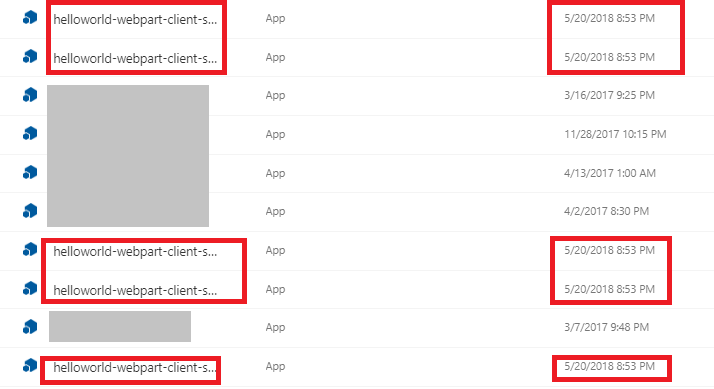
It seems to display them in alphabetical order of their actual names, but the names and dates displayed are all the same.
Additionally, when installing a new solution or uninstalling one, they all show as installing or uninstalling.
If I open the Details for any of them, I am shown the Details page for the app whose name is displayed (i.e., they all open to the same Details page).
Is this a behavior that has been seen before? Is it some kind of ID conflict where SharePoint is somehow getting all of the SPFx apps jumbled up with each other? I have tried this on two different sites in my tenant and am experiencing the same issue in both of them.
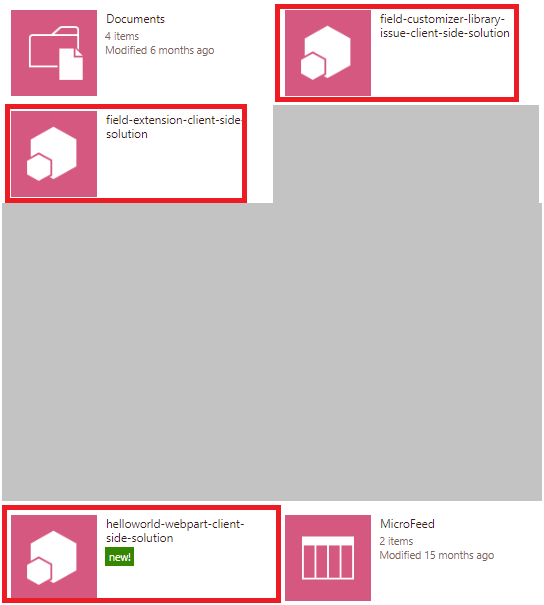
This appears to only happen in the Modern Site Contents view. In the Classic Site Contents, the apps display as expected.
Steps to Reproduce
- Follow two or more SPFx tutorials that involve creating a new webpart or extension and deploying it to a site.
- Look at the Site Contents page in Modern mode.
- Observe that all of the deployed solutions show with the same name.