Category
Expected or Desired Behavior
I added "devextreme & devextreme-react" to my webpart. When I gulp serve I get these errors:
node_modules\devextreme\bundles\dx.all.d.ts(250,43): error TS1005: ',' expected.
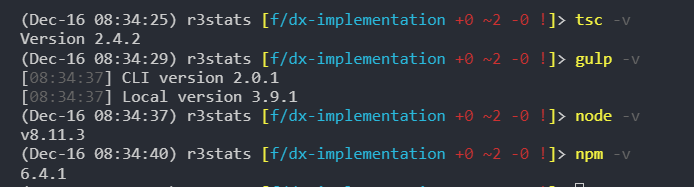
I understand that SPFx is running on Typescript 2.X which might cause issues with packages which are build for TS 3.X
Are there any options or is the answer simple "You can't use this package at the moment"
From what I can see in devextreme, the devDependencies is "typescript": "^2.0.3", so I'm not entirely sure why it's not working in SPFx
Is there anyway to gulp serve and ignore TS errors?
Observed Behavior



Category
Expected or Desired Behavior
I added "devextreme & devextreme-react" to my webpart. When I gulp serve I get these errors:
I understand that SPFx is running on Typescript 2.X which might cause issues with packages which are build for TS 3.X
Are there any options or is the answer simple "You can't use this package at the moment"
From what I can see in devextreme, the devDependencies is
"typescript": "^2.0.3",so I'm not entirely sure why it's not working in SPFxIs there anyway to
gulp serveand ignore TS errors?Observed Behavior