Repository navigation
Releases
Scroller 1.3.0

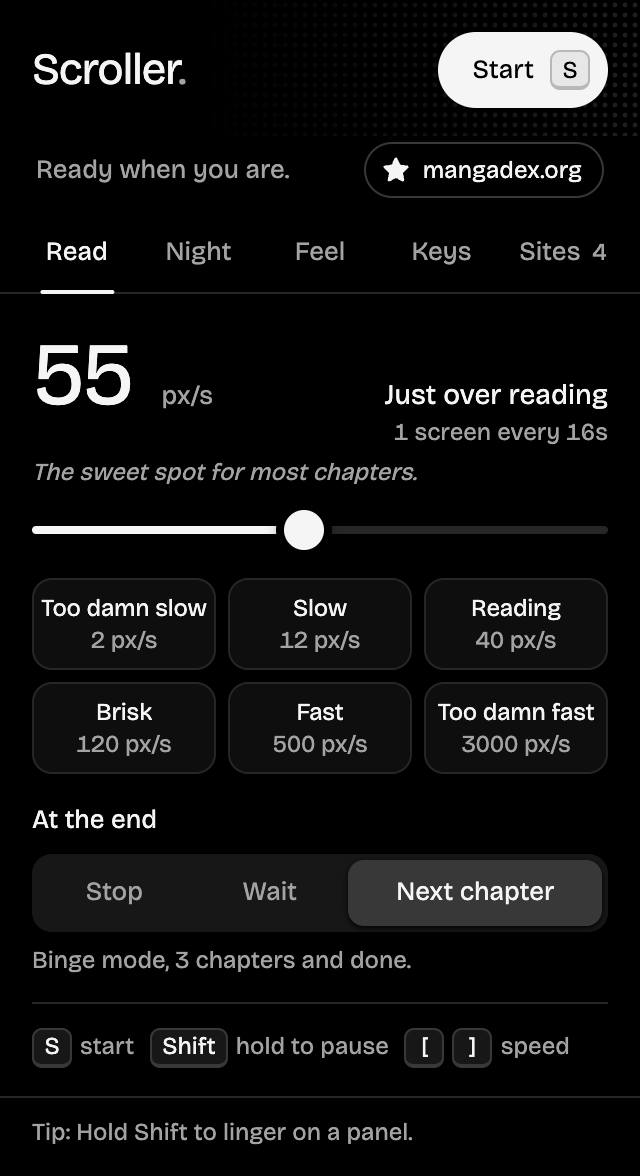
Scroller for reading in bed. Novels scroll in words per minute, measured from the page itself. A new Night tab dims and warms the page and can spotlight the strip, then puts you to sleep with a timer or a chapter limit. Manga readers get a Pages style that snaps to each page, and the on-page pill now shows how long is left in the chapter.
What's new
Added
- Words per minute. Text pages (novels, web fiction, articles) switch to wpm automatically. Scroller measures how many pixels a word takes in that page's own font, line height and column, so 250 wpm really reads at 250 words a minute. Chinese and Japanese count characters at a matched pace. Tap the unit next to the speed to switch between wpm and px/s on any site;
[and]step wpm on text pages. - Night tab, with the night filter Off, While scrolling (fades in when you press start, out when you stop) or Always:
- Dim and Warmth sliders, previewed on the page while you drag them.
- Focus: darkens everything beside the reading column, so sidebars, ads and comments fade away.
- Stop after a time (15 min to 1 hour) or a number of chapters, whichever comes first. It carries across next-chapter page loads, and the pill says good night when it's time. Picking a chapter limit turns on Next chapter.
- Pages style (Feel tab): each jump lands with the next page's top at the top of the screen, just below the site's header. Banners and logos are skipped, and pages taller than the screen are read a step at a time first.
- Time left in the chapter, on the pill and in the popup. It counts to the end of the chapter's art or text, not the comments below it, and shows
~while the page is still loading in. - The pill shows the sleep timer, chapters read against the limit, and a hairline of chapter progress.
Changed
- The popup has five tabs: Read, Night, Feel, Keys and Sites. Each still fits without scrolling.
- The Sites tab shows each site in the unit it reads in, and forgetting a site clears its wpm too.
Fixed
- Jumps at high speeds came up short when a new jump started before the last smooth scroll finished. Every jump now lands exactly where it should.
- Next chapter skipped the real Next link on readers that give Prev and Next the same class (such as
next-prev), and stopped instead of opening the chapter. - At full speed the glide eased down a hair and back up every frame, a slight flicker on slow machines.
- The speed slider can land exactly on every preset; Fast and Too damn fast never lit up when dragged to.
Install
Chrome, Edge, Brave, Arc, Opera, Vivaldi
- Download scroller-1.3.0-chrome.zip below and unzip it.
- Open
chrome://extensionsand turn on Developer mode. - Click Load unpacked and pick the unzipped folder.
Updating? Replace your Scroller folder with the new one, click the reload arrow on Scroller's card in chrome://extensions, then refresh your reader tabs. Your settings are kept.
Firefox 140+
- Download scroller-1.3.0-firefox.zip below (no need to unzip).
- Open
about:debugging#/runtime/this-firefoxand click Load Temporary Add-on…. - Pick the zip.
Firefox keeps unsigned add-ons only until it restarts, so load it again after a restart until Scroller is signed by Mozilla.
Full changelog: v1.2.1...v1.3.0
Enjoying Scroller? Star the repo, buy me a coffee, or share ideas in Discussions.
Scroller 1.2.1
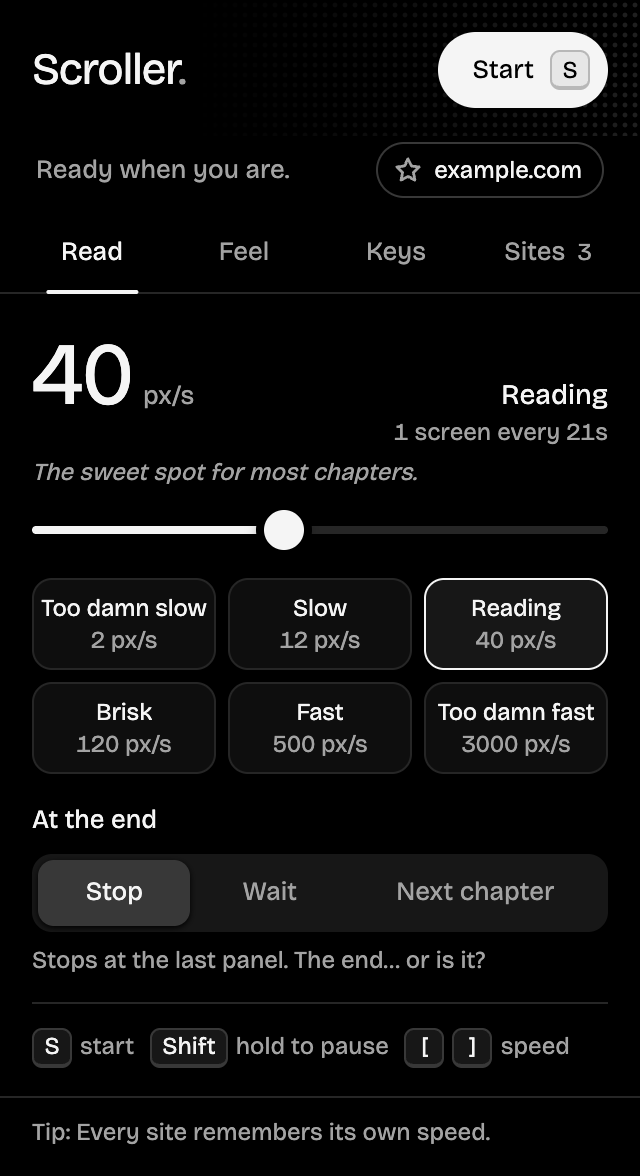
A patch that brings Scroller 1.2 to Firefox. Each release now ships a package for Chrome and other Chromium browsers and one for Firefox 140+, both built from the same code, so Firefox gets every feature.
What's new
Added
- Firefox package (
scroller-x.y.z-firefox.zip, Firefox 140 or newer). Load it fromabout:debugginguntil Scroller is signed by Mozilla.
Changed
- The Chrome package is now named
scroller-x.y.z-chrome.zip.
Fixed
- The speed slider and the speed number are styled in Firefox as well as Chrome, and the speed number now hugs its digits in every browser.
Install
Chrome, Edge, Brave, Arc, Opera, Vivaldi
- Download scroller-1.2.1-chrome.zip below and unzip it.
- Open
chrome://extensionsand turn on Developer mode. - Click Load unpacked and pick the unzipped folder.
Updating? Replace your Scroller folder with the new one, click the reload arrow on Scroller's card in chrome://extensions, then refresh your reader tabs. Your settings are kept.
Firefox 140+
- Download scroller-1.2.1-firefox.zip below (no need to unzip).
- Open
about:debugging#/runtime/this-firefoxand click Load Temporary Add-on…. - Pick the zip.
Firefox keeps unsigned add-ons only until it restarts, so load it again after a restart until Scroller is signed by Mozilla.
Full changelog: v1.2.0...v1.2.1
Scroller 1.2.0
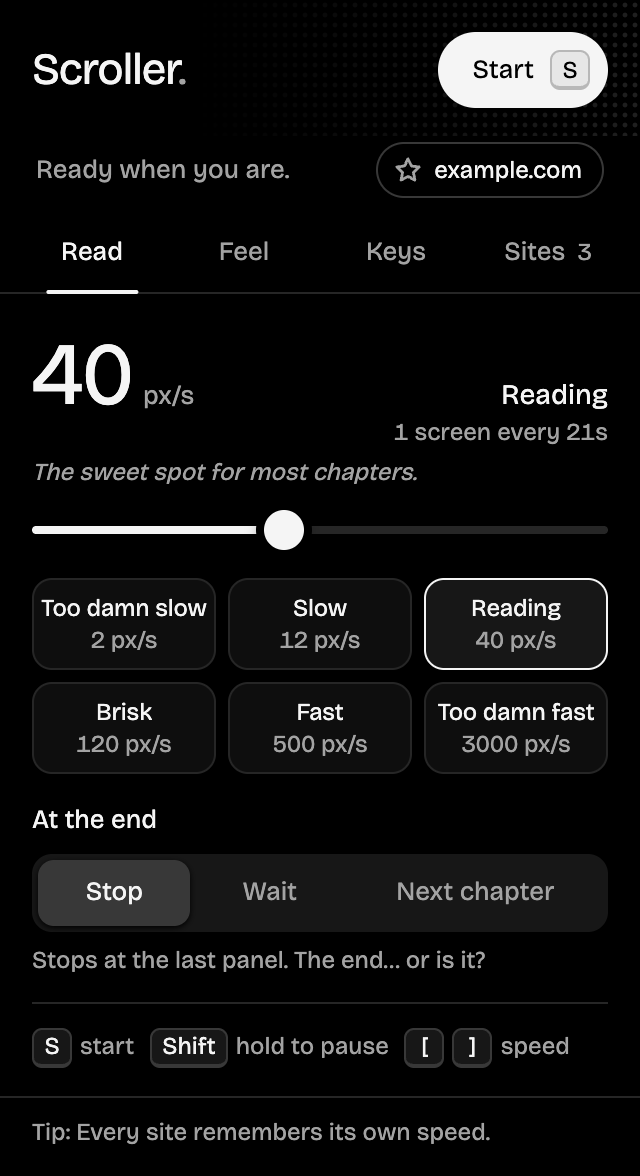
A new look and more control. The popup is now pure black with four tabs (Read, Feel, Keys and Sites) that each fit without scrolling, and red only lights up while Scroller is actually scrolling. Star your favorite reader sites, see and forget the speed saved for each one, and pick how big a jump each faster/slower tap makes.
What's new
Added
- Sites tab: every site with a remembered speed, the current site first, each with a button to forget it (and Undo).
- Favorite sites: star a site from the status chip or the Sites tab. Favorites are pinned on top and open in one click. Nothing is starred by default.
- Step setting on the Keys tab: faster/slower taps change speed by 10%, 25% (default), 50% or 2×.
- Reload tab banner when the popup can't reach the page, instead of a disabled button.
- Status line under the header showing whether it's scrolling and which site you're on.
- Speed in human terms: how long one screen takes, plus a line of personality per preset.
- Restore default keys, with Undo.
- The Start button shows its key, and a strip on the Read tab lists every shortcut.
Changed
- Popup redesigned: pure black theme and four tabs (Read, Feel, Keys, Sites) that each fit without scrolling. Red now only means "scrolling right now", with speed lines streaming through the header while it runs.
- At the end explains the selected option on screen instead of in a tooltip. Jump size only shows in Jumps mode. "Page jumps" is now "Jumps".
- Larger tap targets, screen-reader labels for the slider and key buttons, and announced status messages.
- The on-page status pill is black to match.
Fixed
- Faster/slower taps no longer do nothing at very low speeds; each tap moves at least 1 px/s.
Install
- Download scroller-1.2.0.zip below and unzip it.
- Open
chrome://extensionsand turn on Developer mode. - Click Load unpacked and pick the unzipped folder.
Updating? Replace your Scroller folder with the new one, click the reload arrow on Scroller's card in chrome://extensions, then refresh your reader tabs. Your settings are kept.
Full changelog: v1.1.0...v1.2.0
Scroller 1.1.0

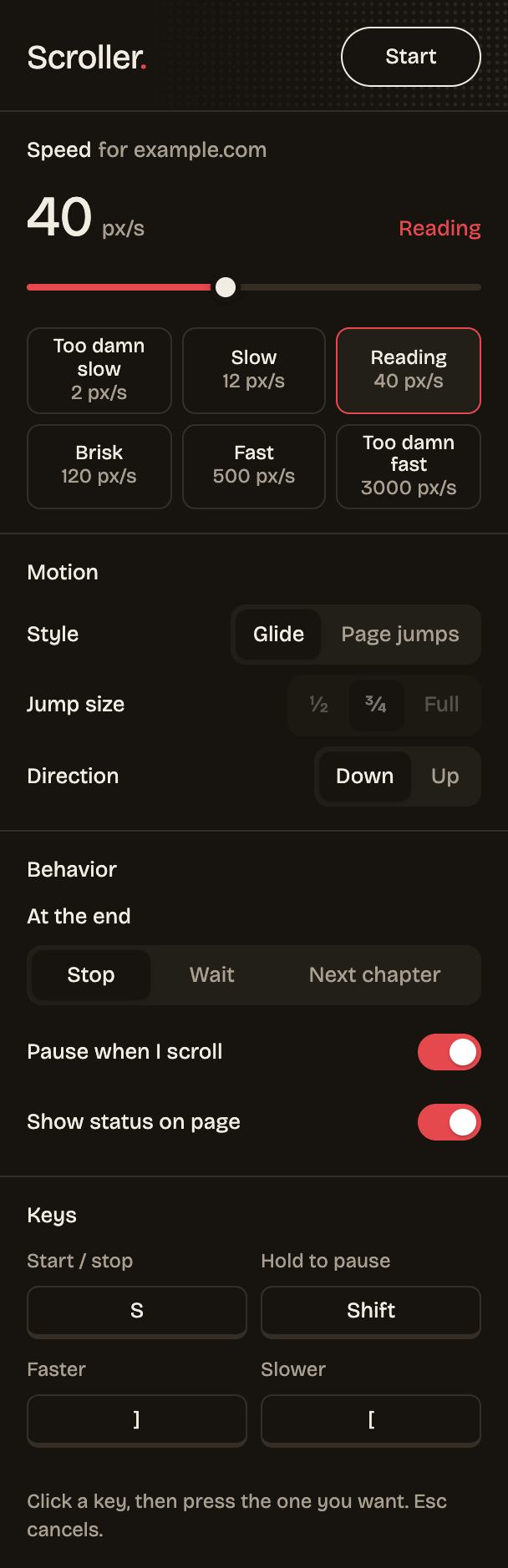
Read a whole series hands-free. Scroller can now open the next chapter by itself when one ends, remembers a separate speed for every site, pauses while you hold Shift, eases in and out instead of lurching, and shows ON on its toolbar icon while it runs.
What's new
Added
- Next chapter option under At the end: finds the reader's next-chapter control, opens it and keeps scrolling. Works with full page loads and with readers that swap chapters in place.
- Per-site speed. Speed is remembered for each website; new sites start from the last speed used. The popup shows which site it's editing.
- Hold to pause key,
Shiftby default and remappable. The on-page pill reads "Paused" while it's held. - ON badge on the toolbar icon in tabs where Scroller is running.
- Scrolling eases in and out on start, stop and resume.
- Releases ship a ready-to-load
scroller-x.y.z.zip.
Changed
- At the end choices are now Stop, Wait and Next chapter, on a full-width row.
- The popup key grid holds four keys.
Install
- Download scroller-1.1.0.zip below and unzip it.
- Open
chrome://extensionsand turn on Developer mode. - Click Load unpacked and pick the unzipped folder.
Updating? Replace your Scroller folder with the new one, click the reload arrow on Scroller's card in chrome://extensions, then refresh your reader tabs. Your settings are kept.
Full changelog: v1.0.0...v1.1.0
Scroller 1.0.0
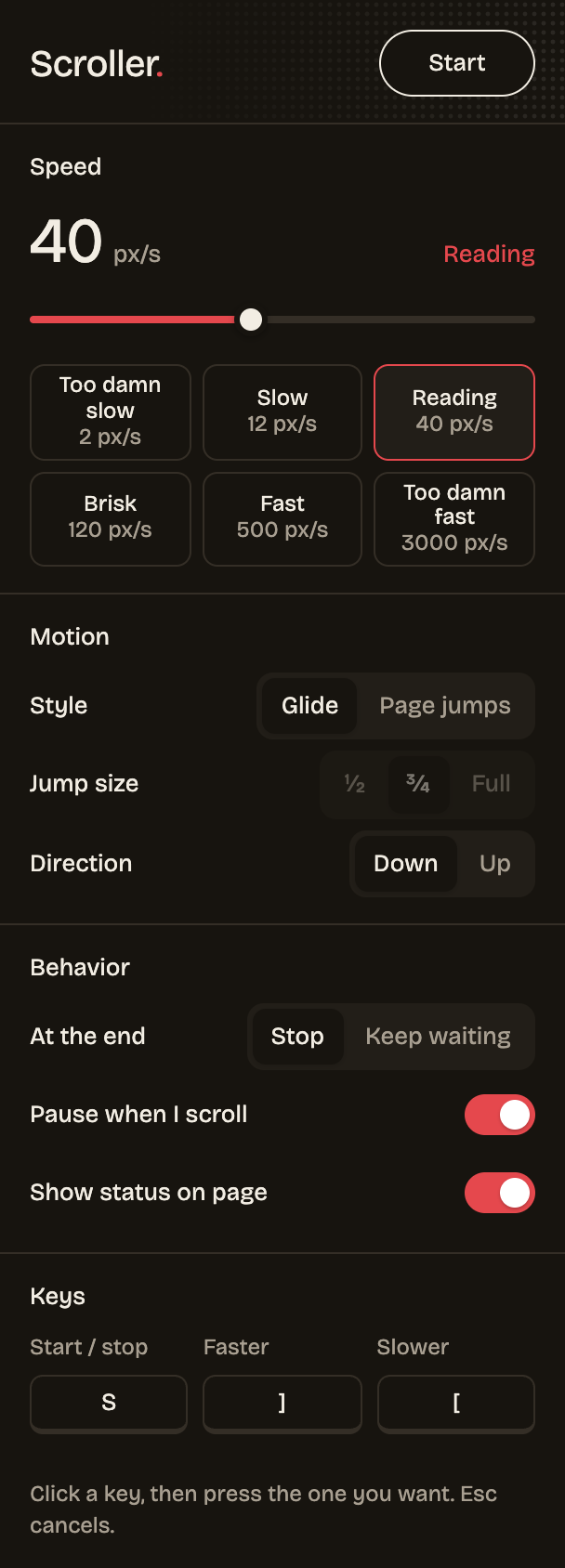
The first release: press one key and Scroller scrolls your manga, webtoon or long page for you, at any speed from too damn slow to too damn fast.
What's new
Added
- First release: one-key start/stop, 1–5000 px/s logarithmic speed with presets, glide or page-jump modes, up/down, stop or wait at the end, pause on manual scroll, on-page status pill, remappable faster/slower keys and a dark popup.
Install
- Download scroller-1.0.0.zip below and unzip it.
- Open
chrome://extensionsand turn on Developer mode. - Click Load unpacked and pick the unzipped folder.
Updating? Replace your Scroller folder with the new one, click the reload arrow on Scroller's card in chrome://extensions, then refresh your reader tabs. Your settings are kept.
Full changelog: this is the first release.