
A simpler way
Report Bug
·
Request Feature
Table of Contents
2.6 million. That is the number of people who have died from the worldwide virus known as COVID-19 or more commonly known as Coronavirus. This virus has been deadly, no doubt about that. It started in February of 2020, and most people thought that it would have ended by the summer, or at the most by August. And yet, here we are, over a year later, still dealing with the same virus, with little difference in how many people are being infected. This is why I have created Agar, and I think it is one of the best way to stop the spread of COVID.
Here's why:
- It can be easily installed on any device since it is built using the cross platform tech known as React Native.
- Extremely User Friendly and Intuitive Interface.
- Can spice up an otherwise boring process of checking for COVID 😄
In all seriousness, this app has a very real world use case. Let's take the example that you run a local groccery store and you want to make sure that the people who enter your store have not returned a postive test result recently. A common way to do this would be to check their temperature, but as we know, symptoms show up AFTER someone who has gotten the virus, so at that point it isn't really helpful.
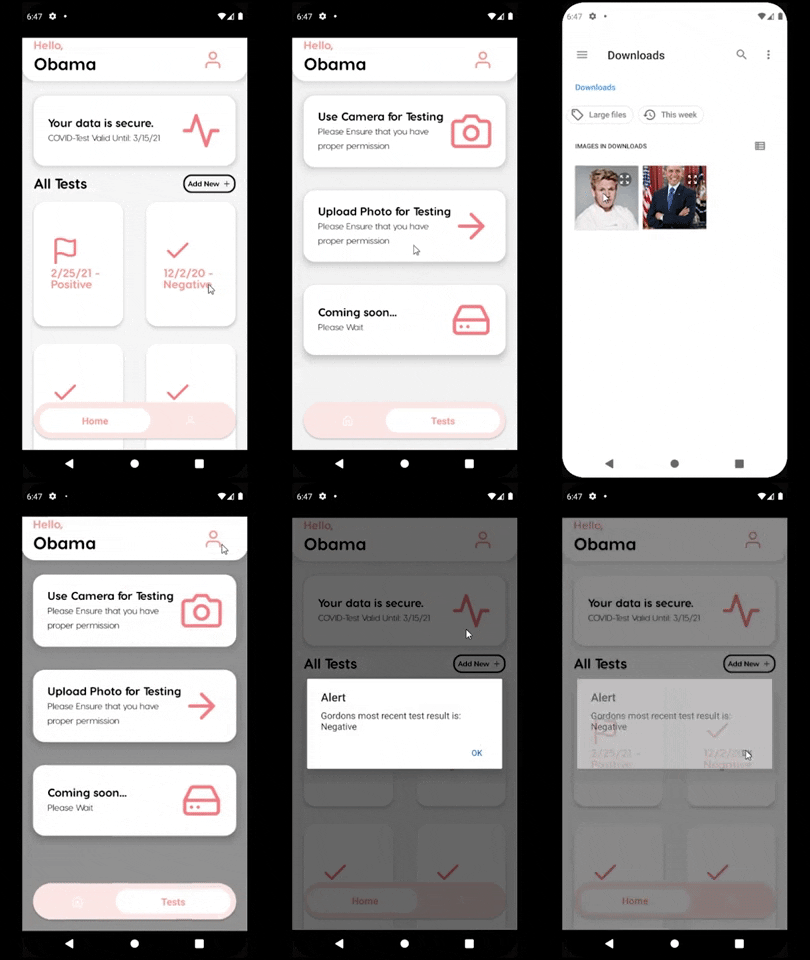
On the flip side, if you use Agar, you can easily upload an image of the customer that is entering the store and instantly get a notification on whether or not they have had a recent positive COVID-19 test. If so, you can politely ask them to leave, and if they don't have the virus, then they can continue shopping.
This not only will save a lot of time for the people running the stores, but can also save time for the people that are running the position of checking people at the door.
A General Overview:
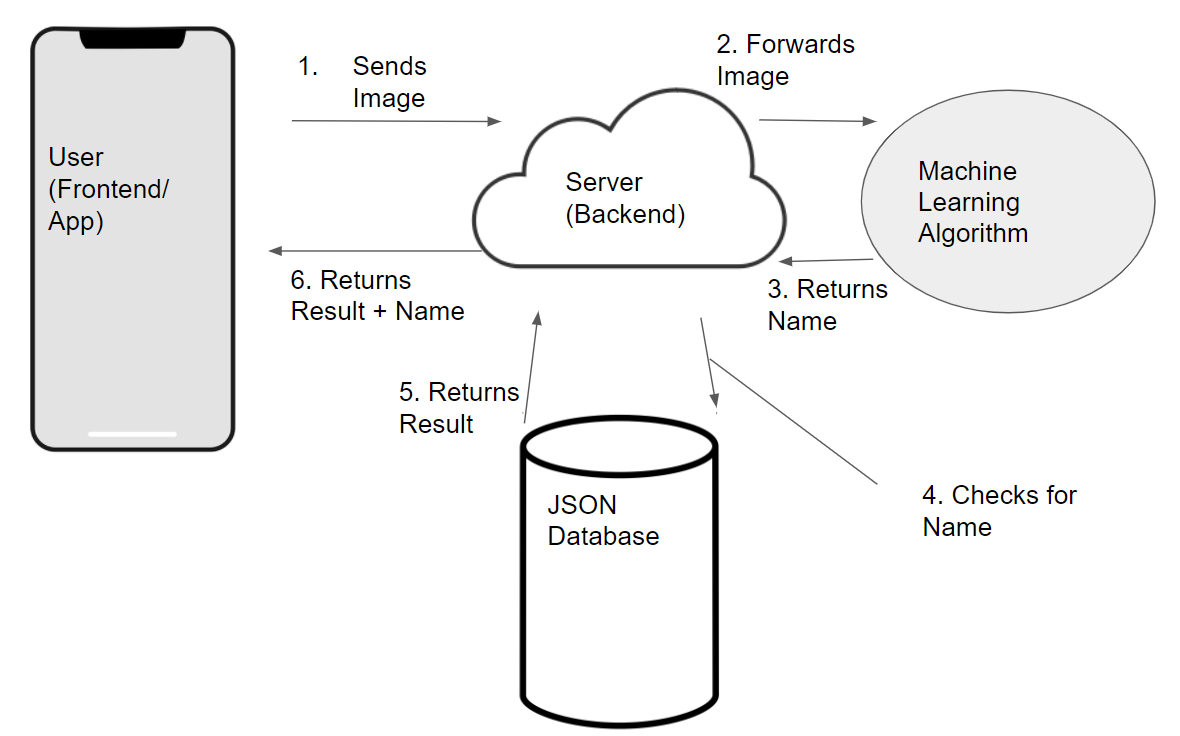
Let's go into more detail:
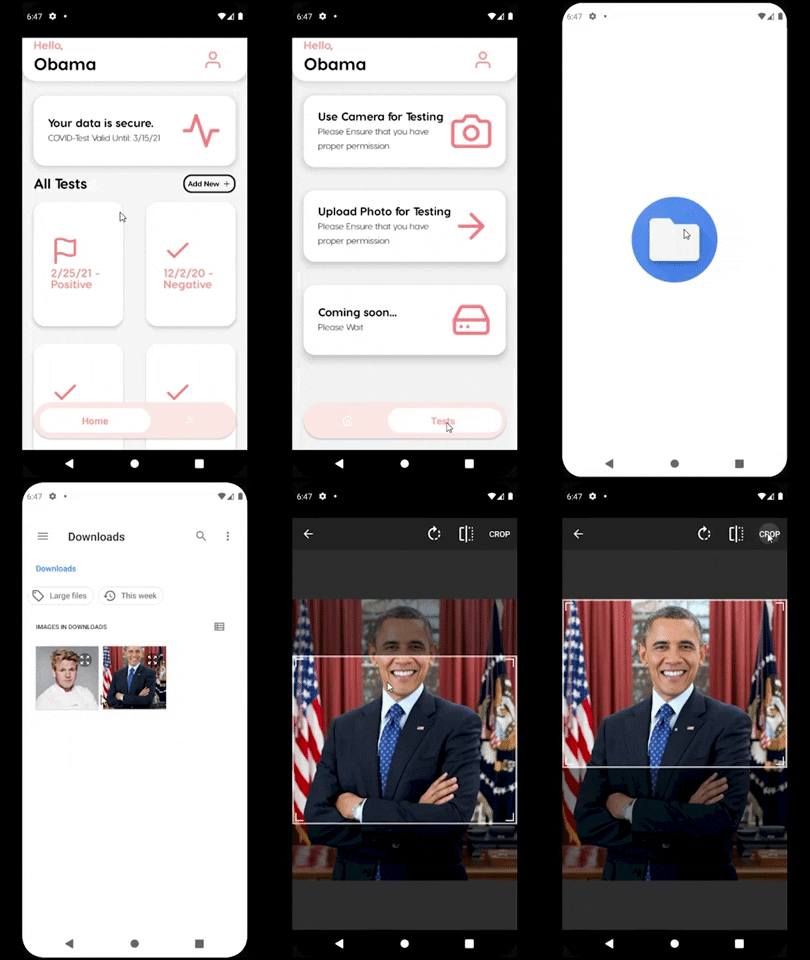
This is the most important part of the entire transaction between the user and the app because without this, the app will not function. There are two ways to send an image to the server, the first way is through taking a picture with the camera, and the second way is through uploading a photo on your phone. I was only able to test it by uploading it on the phone as I have to run this app on an emulator.
This is probably second on the list of importance as this is needed in order for the machine learning algorithm to be able to do anything. Without this, there is not a lot for the algorithm to do. From a high level, this step just involves the algorithm encoding the image, and then running a machine learning algorithm to see whether or not is matches a face. If it does match to a face, it will then continue on to checking the JSON database which simply has the names and their results, and will collect both of those.
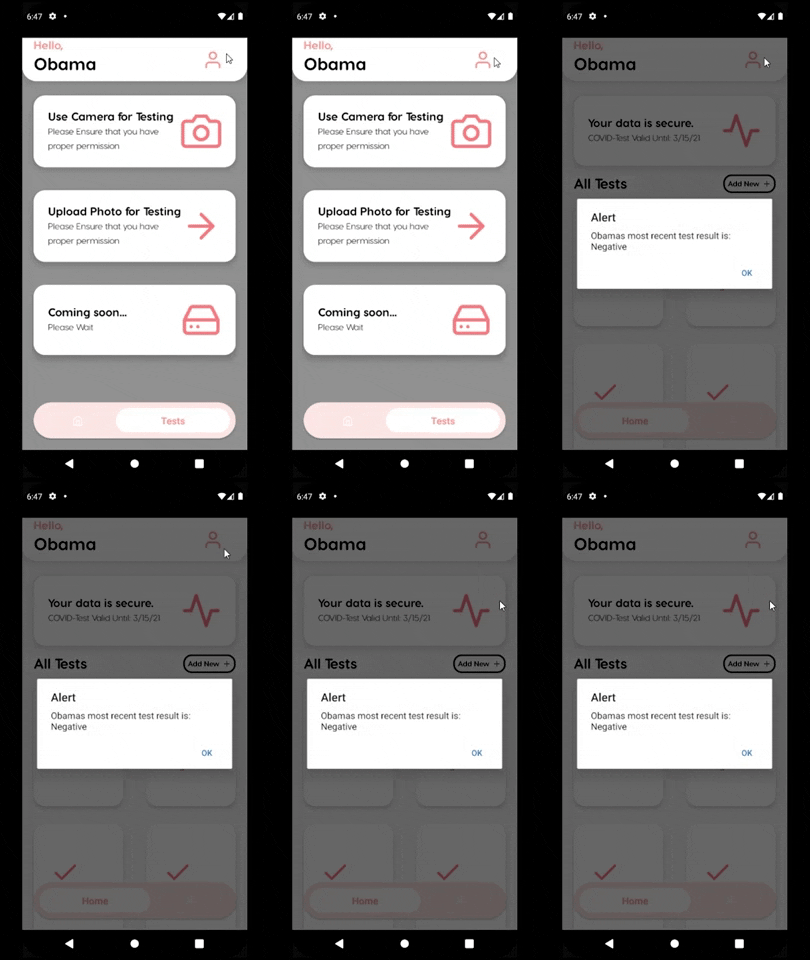
Finally, after all the processing is done, the backend server will send back the Name and the Result to the app, which will then inform the user with an alert on what the app has made of what they have uploaded.
Distributed under the GNU General Public License v3.0 License. See LICENSE for more information.
Shiven Verma - shivenverma26@gmail.com
Project Link: github.com/ShivenV/Agar