Real Instruments
Play the guitar, bass or keys part on the real instrument. STEMSTAGE scores each note you play against the pitches the AI transcribed.
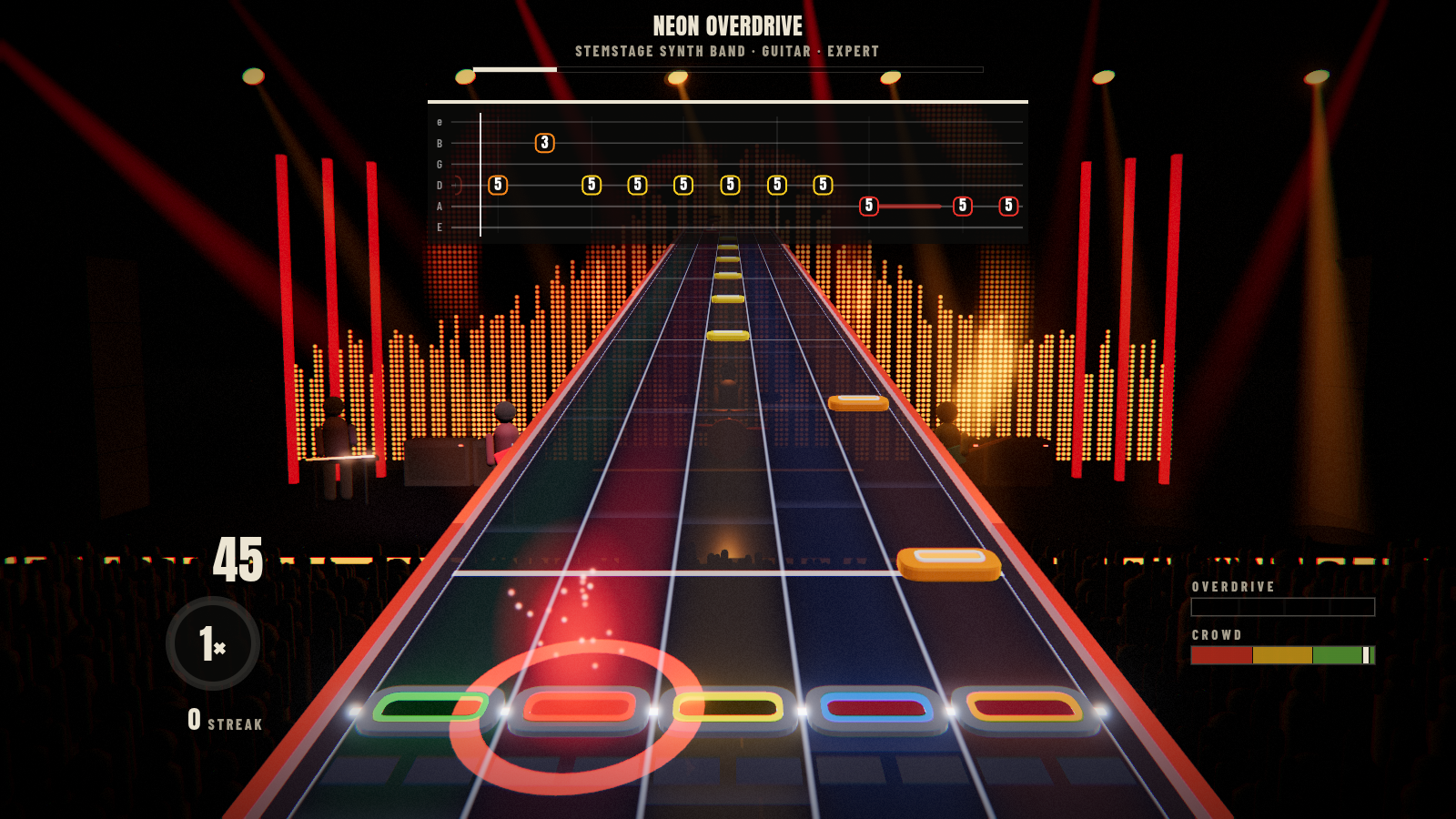
- Settings → Real instruments → Play real instruments: on. You can also switch it per song in the song panel (Controller / Real guitar).
- Guitar / bass: plug into an audio interface (a direct input is best; a mic in front of an amp works too). Pick it under Instrument input and use Test instrument to see the note the game hears.
- Keys: connect a MIDI keyboard. When one is connected, keys use MIDI automatically, which is exact and plays chords. Without MIDI, keys are read by ear like a guitar.
- Exact octave off (recommended): any octave counts, because the AI charts can be an octave off.
Controllers still work for pausing and overdrive while you play.
- Six lines are the strings, high e on top and low E at the bottom, as tab is written. Bass shows four (G D A E). Standard tuning.
- Each chip is the fret to play on that string. Notes scroll right to left and are played when they reach the white line.
- Chords are stacked chips joined by a bracket. Sustains trail a line behind the chip. Bar lines are the brighter verticals.
- Fingerings are chosen for the whole song at once, the way a player would: runs stay in one position and the hand only moves when it pays off later. Open strings are used where they fit.
- A chip turns green when you hit it and red when you miss it.
- The circle on the white line is what you're playing right now, shown where you'd most likely be playing it: green when it matches the next note, gold when it doesn't.
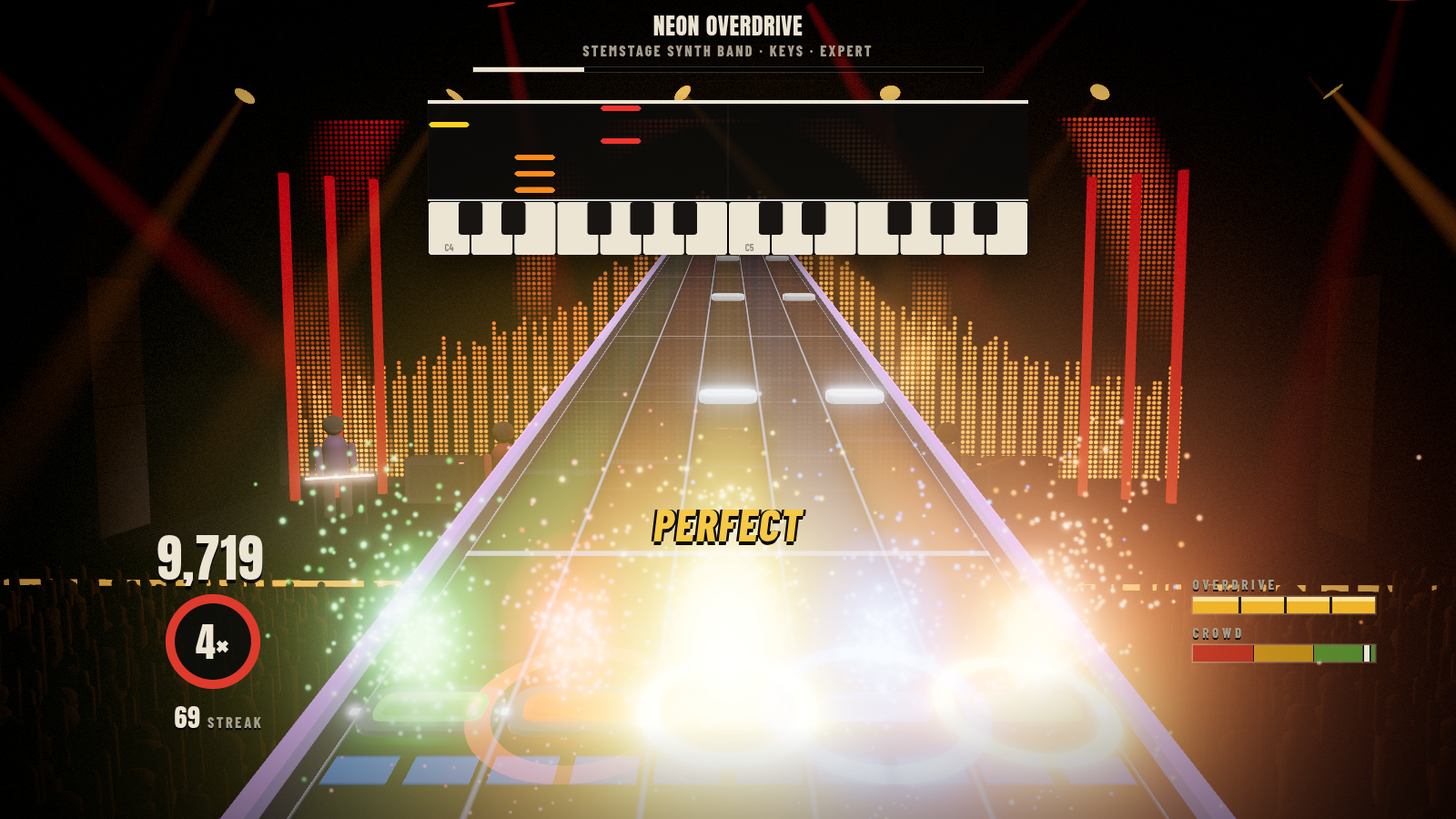
- The keyboard covers the song's range, at least two octaves. The C keys are labelled (C3, C4, …).
- Notes fall onto the key to press. Their length is how long to hold. A key lights in the note's colour when it's due.
- Keys you're holding light up green when they're right and gold when they're not.
Audio input has some latency (interface buffer + pitch analysis). STEMSTAGE learns it while you play and keeps it for next time (Settings shows it under Real instruments). Use a low buffer size on your audio interface, 128 samples or less.