Repository navigation
Map Introduction
Owner: Joel Zhan (@Joel9368), Team 2
Sprint: 4
Task: #448
Feature: #439
Implementation: #450, #493; delivered to main through #531.
Reviewed: 21 October 2026 against main 80a33a33.
The first Map of a fresh run displays Your Journey below the player HUD. It explains reaching the Boss, choosing an available node connected to the starting point, completing encounters and following one route at each fork. The existing Map legend explains room types.
Got it collapses the panel into ?; that button reopens the explanation. The panel has no modal overlay and does not capture keyboard or scroll focus. Nodes outside its bounds remain usable. Returning from an encounter or restoring a saved run keeps it collapsed, including a save at the starting point. A new fresh run makes it available again. The save format is unchanged.
Source paths below are relative to source/core/src/main/com/csse3200/game/ in the reviewed main build.
| Component | Responsibility |
|---|---|
maps/MapIntroduction.java |
Builds the explanation, collapse/reopen controls and layout. |
maps/RunState.java |
Tracks and consumes first-display eligibility per fresh run; clears it on restoration/end. |
maps/MapDisplay.java |
Owns the panel, positions it below the HUD, updates layout on resize and cleans it up. |
components/spritedisplay/clickable/BattleMenuSkins.java |
Supplies the shared bronze button style. |
The panel borrows Map fonts and uses the existing Inventory texture as a nine-patch. Gold headings, cream body text and bronze buttons match the Inventory presentation. Maria/Team 3 introduced the shared frame API in #487; Joel integrated that API and appearance in #493. Existing artwork and the underlying Map system retain their original ownership.
These are retained implementation records, not new test executions for this Wiki edit.
| Build | Evidence |
|---|---|
#450, 73a05f3b, 13 October |
73 focused tests passed, including MapIntroduction, RunState, selection/progression, save restoration and GdxGame regressions. Formatting, Desktop compilation and diff checks passed. |
#493, c385c909, 18 October |
31 focused Map/Inventory/shared-button/layout tests passed; formatting, Desktop compilation and diff checks passed. |
| Desktop records for #450/#493 | Fresh display, collapse, reopen, encounter return, restored run, another fresh run and resizing checked at 1280 x 800 and 1600 x 900. |
Focused tests cover first-display flags, unobstructed selection, resizing and disposal. They do not alone establish final pixel appearance. The screenshots below are the retained #493 UI-consistency checks, not a newly executed playthrough of today's main build.
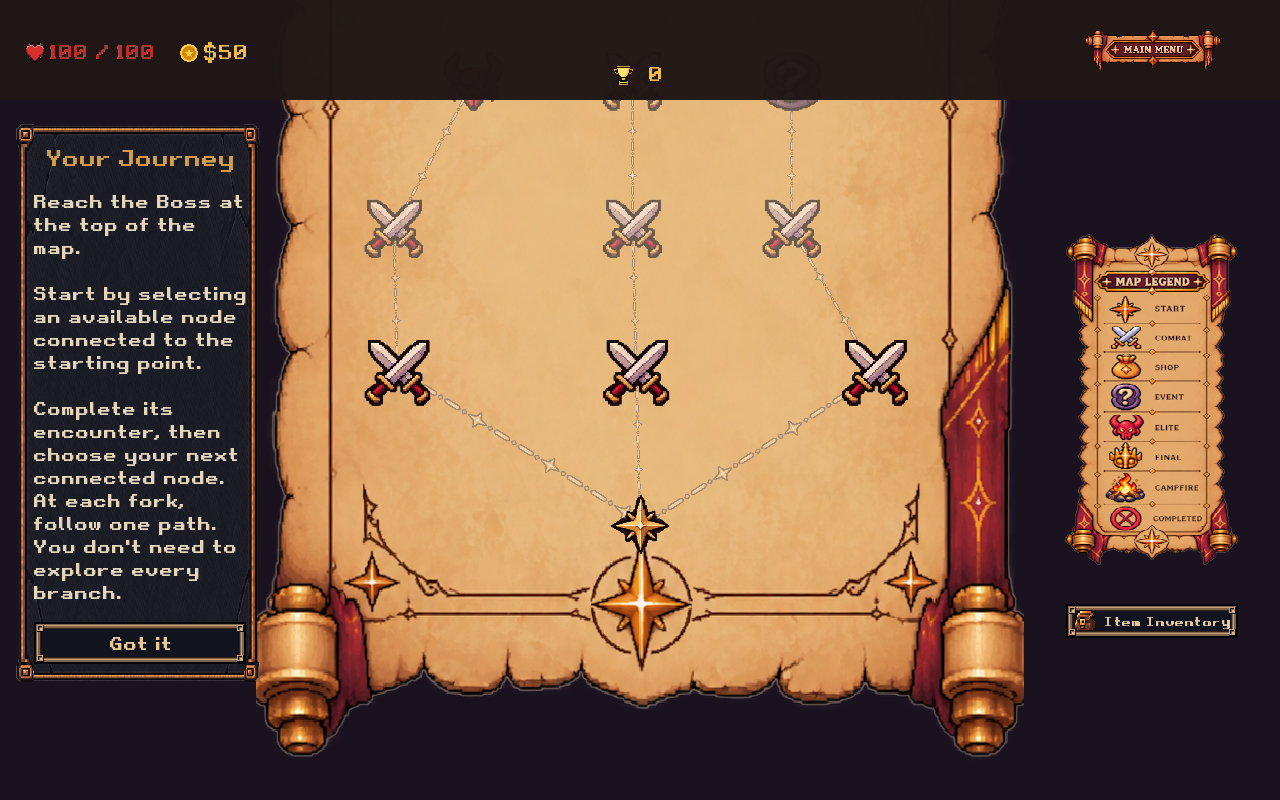
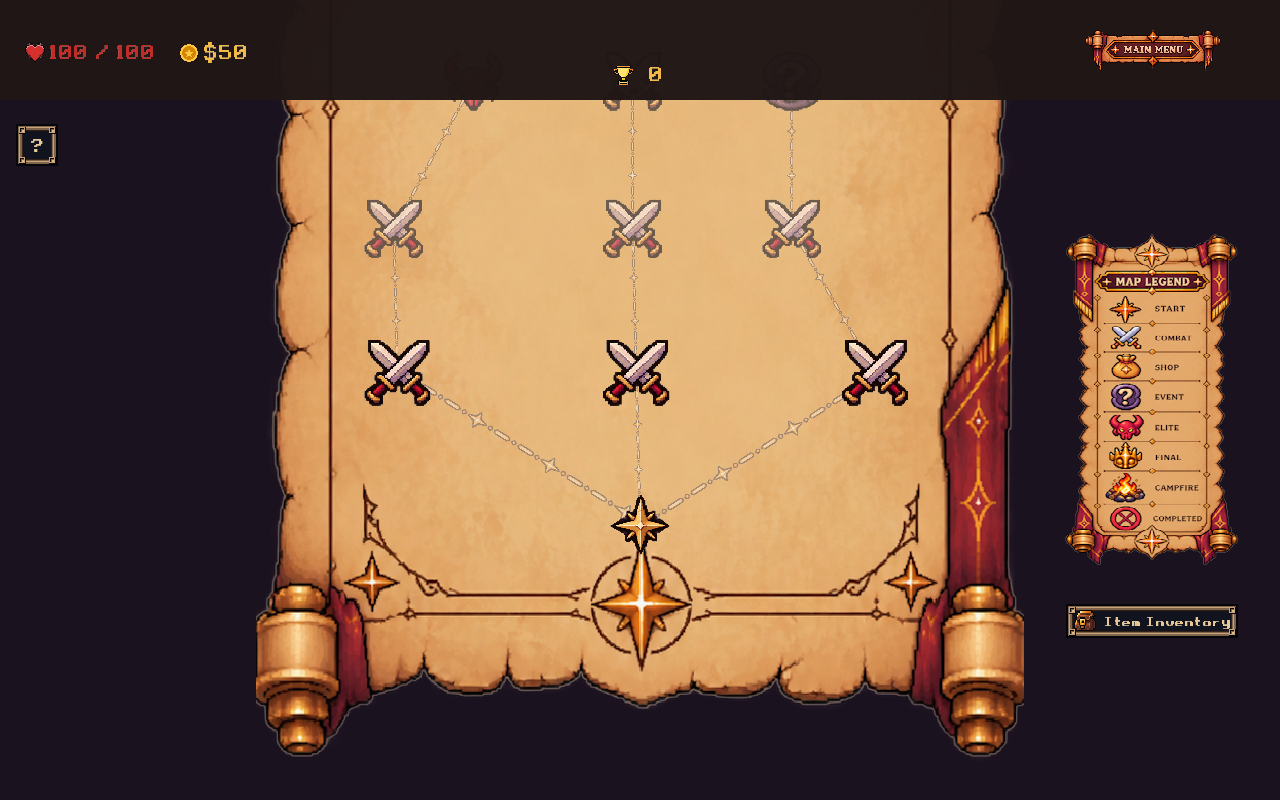
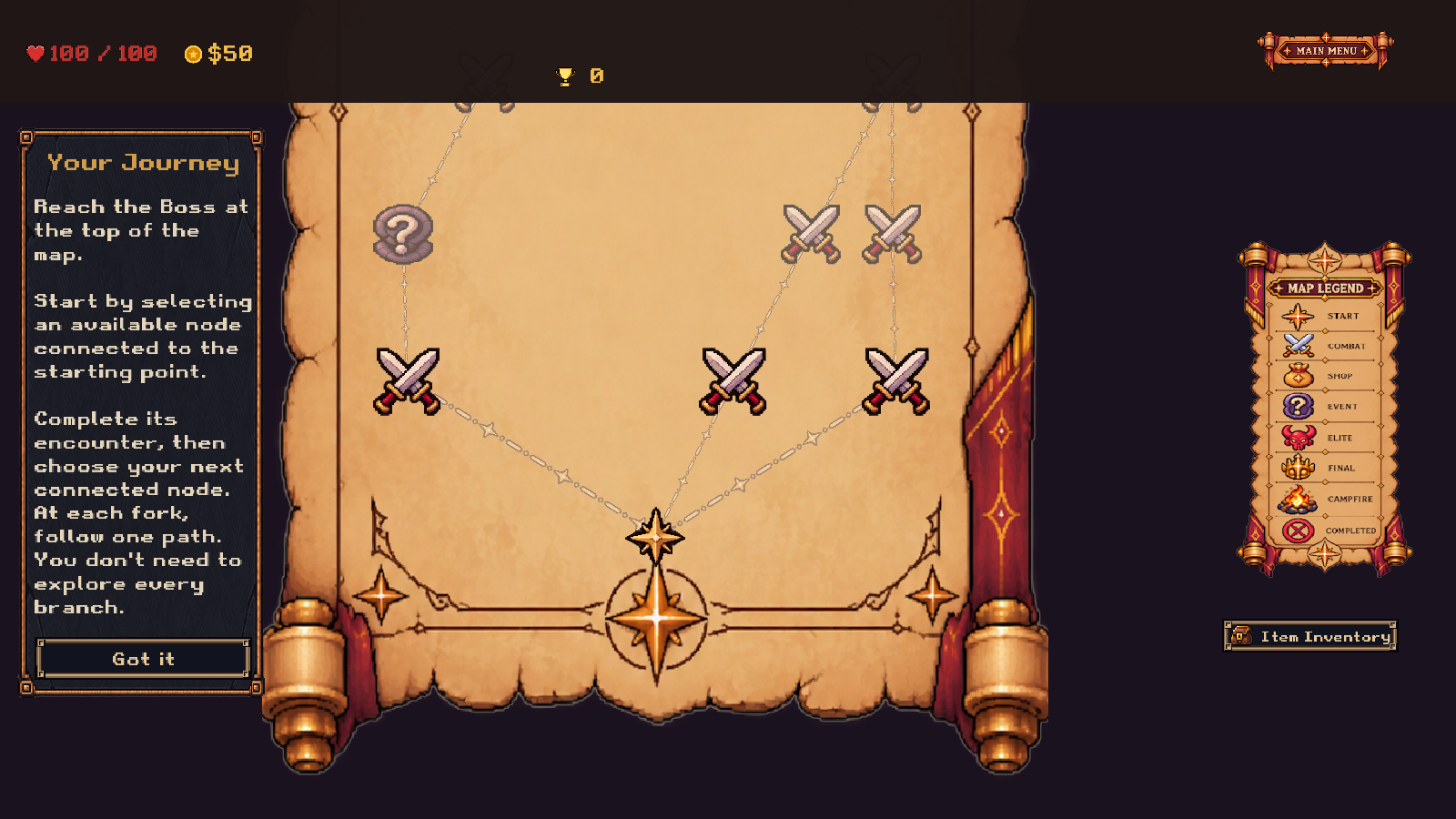
#450 delivered the lightweight explanation using the available skin. Team 3's later consistency feedback required #493 to reuse Inventory artwork and the shared button frame. This was necessary to make onboarding fit the surrounding UI without changing Map interaction or first-display behaviour. The follow-up retained those behaviours and passed the shared-UI regressions and two-resolution visual checks. The lesson is to review new panels beside existing screens early and agree reusable style interfaces before separate styling spreads.
- Map Display System
- Tutorial Entry and Fresh Run Transition
- Tutorial Acceptance Test Plan
- Repository Map guide
Codex assisted with documentation drafting and evidence checking. Ownership, source references and the limits of recorded verification are stated above.