Repository navigation
Lead the fellowship
Part of Features. New here? Start with how it works.
- Create a fellowship
- Shape the journey
- Manage the fellowship
- The rulebook and votes
- Guild Master tournament
Five steps, and you can change everything later except the challenges:
- Fellowship: the name, your role, how many you will be (Duo, Trio, Party, Large or any size; it picks the rules that fit) and the banner: a colour and an emblem from picture crests and 16 heraldic emblems.
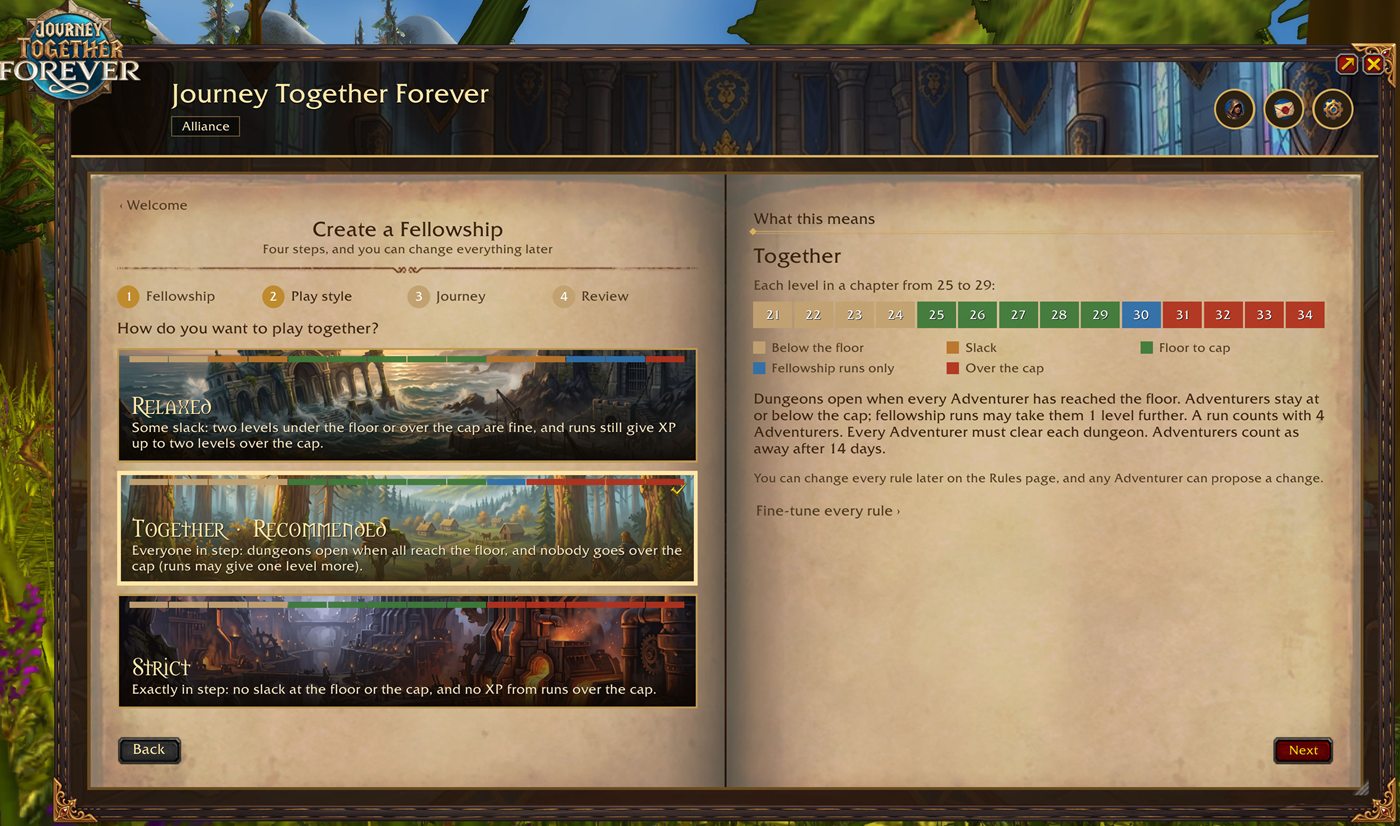
- Play style: Relaxed, Together or Strict, each shown as a strip of levels: below the floor, slack, floor to cap, fellowship runs only, over the cap. Or fine-tune every rule yourself.
- Journey: Forever, Classic, Short chapters, Long chapters, or your own journey (one more step: the journey editor).
- Challenges: none, or any of the challenge modes, on three banners side by side.
- Review: everything as rows, each with Change, then Create the fellowship.
Journey Admin (the Leader) is the journey editor, also used for your own journey while creating the fellowship:
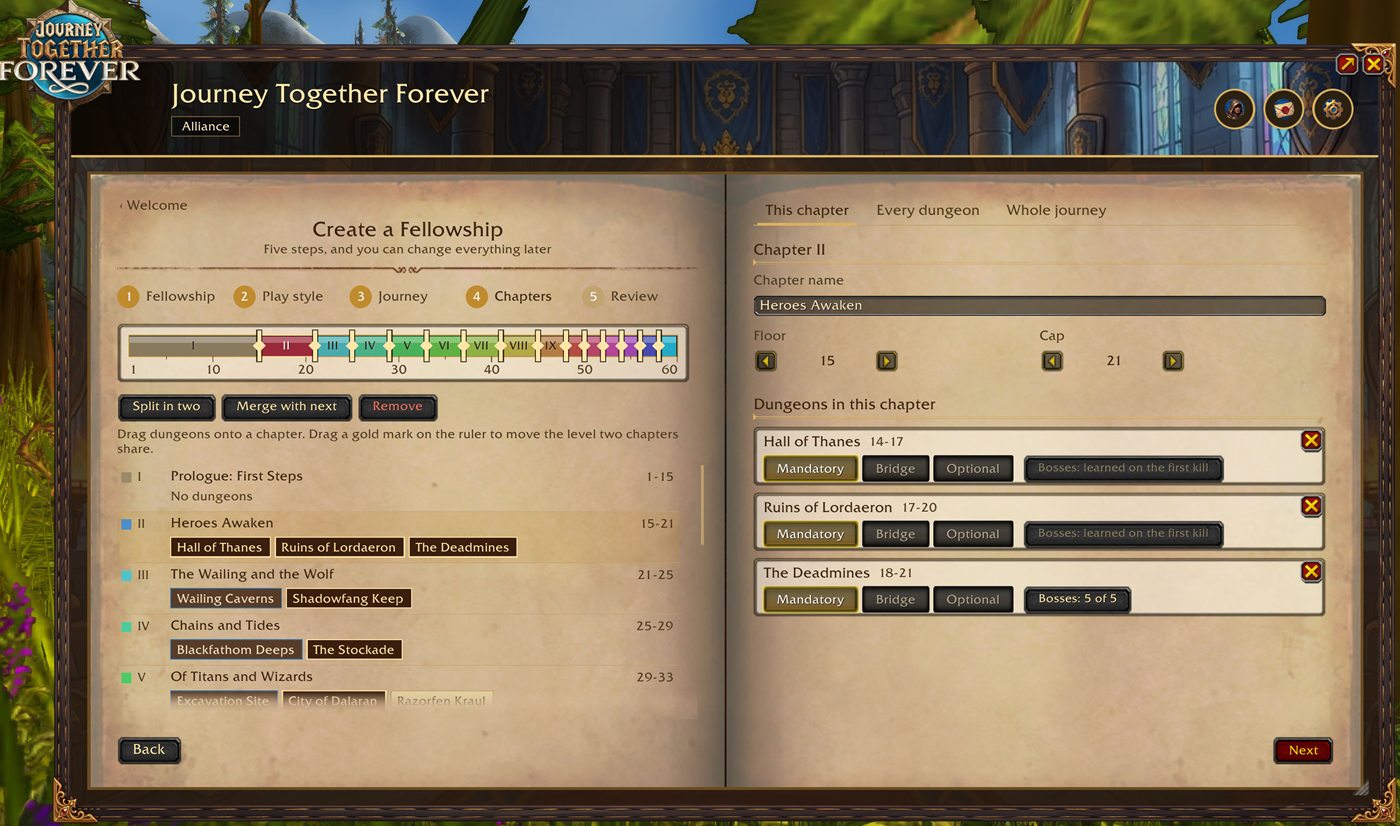
- A ruler from 1 to 60 with every chapter in its colour. Drag a gold mark to move the level two chapters share; Split in two, Merge with next and Remove chapters.
- The right page has three tabs: This chapter (its name, levels, dungeons and milestones), Every dungeon and Whole journey (start over, Import, Export).
- Drag dungeons from Every dungeon (all of them by level, gold where it fits) onto a chapter. A dungeon can sit in more than one chapter (Blackrock Depths in three, for its parts).
- Each dungeon is Mandatory, Bridge or Optional, and you can choose which bosses a clear needs.
- Milestones, up to ten per chapter, Required or Optional: a quest everyone has handed in, a level everyone reaches, an attunement or key, or one the Leader ticks off by hand.
- Export the journey as a string to share with another fellowship, or Import one. Changes are a draft until you press Publish, in a bar at the bottom that never scrolls; everyone gets a toast.
The Leader's Manage page has three tabs:
- Adventurers: what needs the Leader's attention (each line with Their card and Seen), then every Adventurer with Make leader, Mark away and Remove (each asks first), and the invite box with the invites still waiting for an answer.
- The fellowship: its name and banner, as the Adventurers see it in the book, and leaving.
- Rules: the rules on a draft, then Publish in a bar at the foot of the page that never scrolls (see the rulebook), and the challenges.
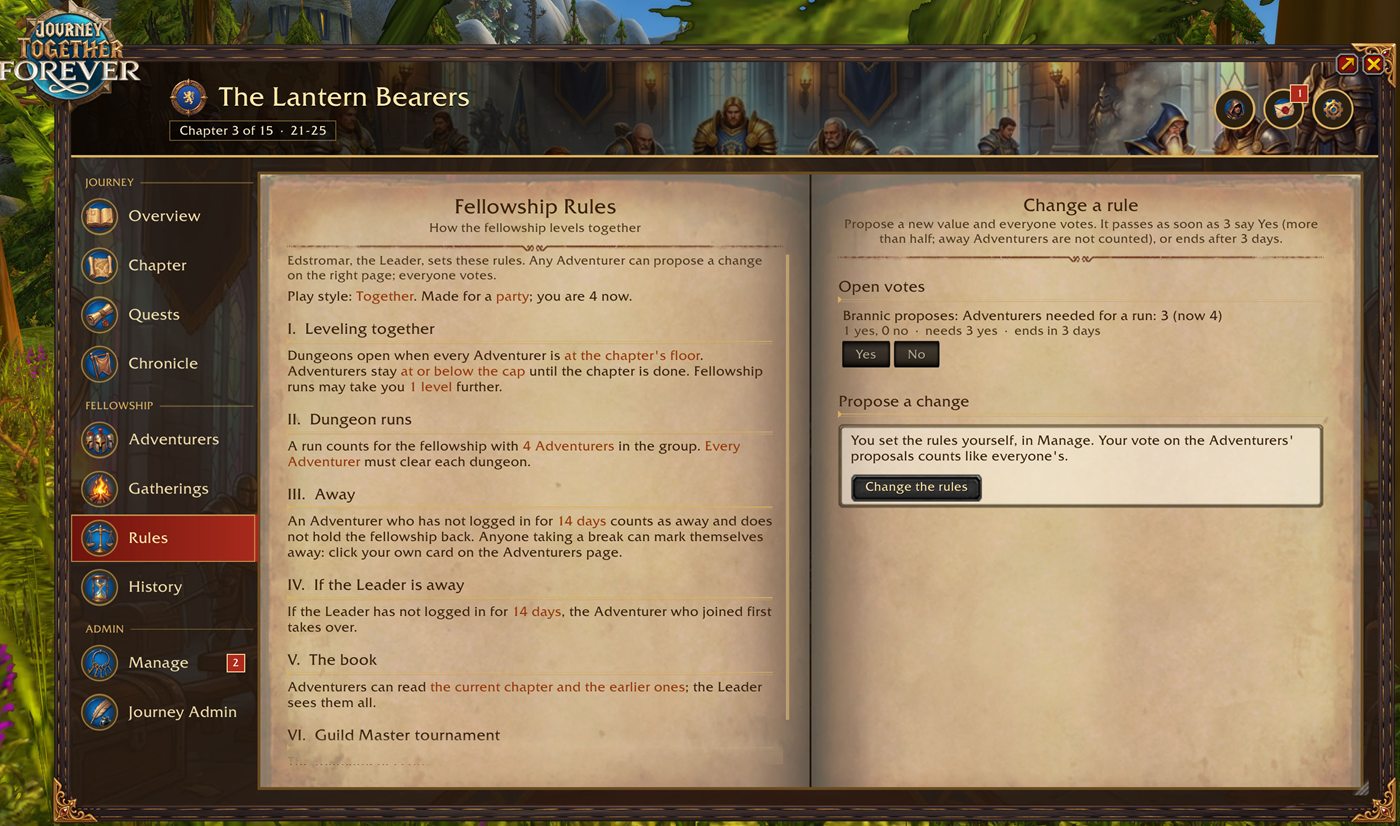
- The Rules page is the fellowship's rulebook: six numbered articles in plain sentences, today's values in colour (Leveling together, Dungeon runs, Away, If the Leader is away, The book, Guild Master tournament).
- Any Adventurer can propose a change, and everyone votes Yes or No. It passes when more than half say Yes (away Adventurers are not counted), or ends after 3 days.
- The Leader sets the rules on a draft in Manage and publishes them; everyone gets a toast and a line in the History.
- The rules: floor and cap allowance, XP from fellowship runs past the cap, Adventurers needed for a run, how many must clear each dungeon, away after N days, takeover after N days, which chapters Adventurers can see, and the tournament.
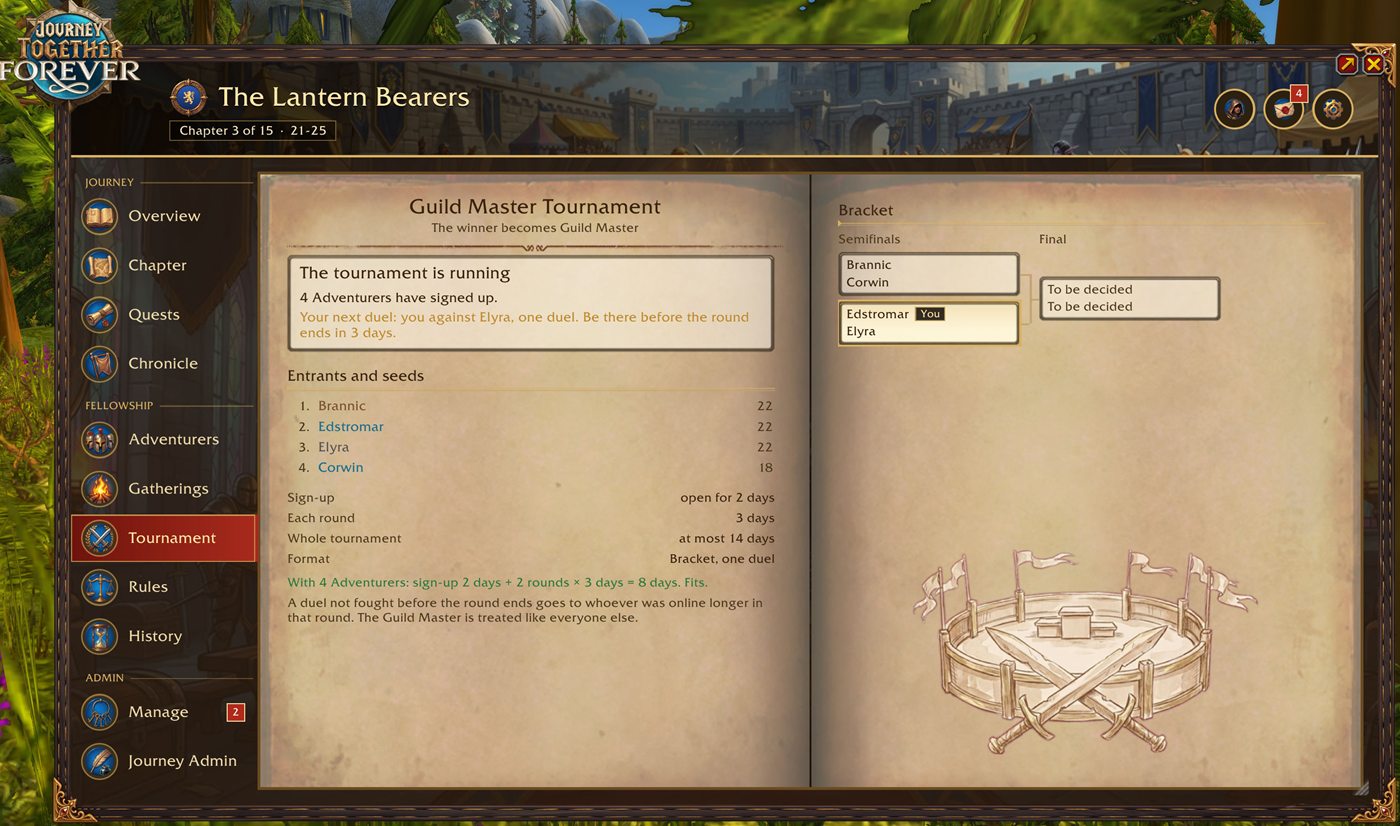
An optional tournament when the whole fellowship is one guild: the winner becomes Guild Master. Sign-up, seeds by level or random, and four formats: Bracket, Double elimination, Groups then bracket, and Round robin, with one duel, best of 3 or best of 5. Duels are picked up from the game's own message ("X has defeated Y in a duel"); a duel not fought before the round ends goes to whoever was online longer that round.