Description
When sharing Tiktok URL from the app, it's not recognized by Gutenberg -- rendered the Tiktok URL to turn into Paragraph block and hyperlink instead of the expected embedded content.
Step-by-step reproduction instructions
-
Go to Tiktok app, and find the Tiktok video you want to share.
-
Click on the share icon. You should see a sliding module appeared from the bottom.
-
Click the 'Copy Link' icon to copy the Tiktok video link for embed purpose.
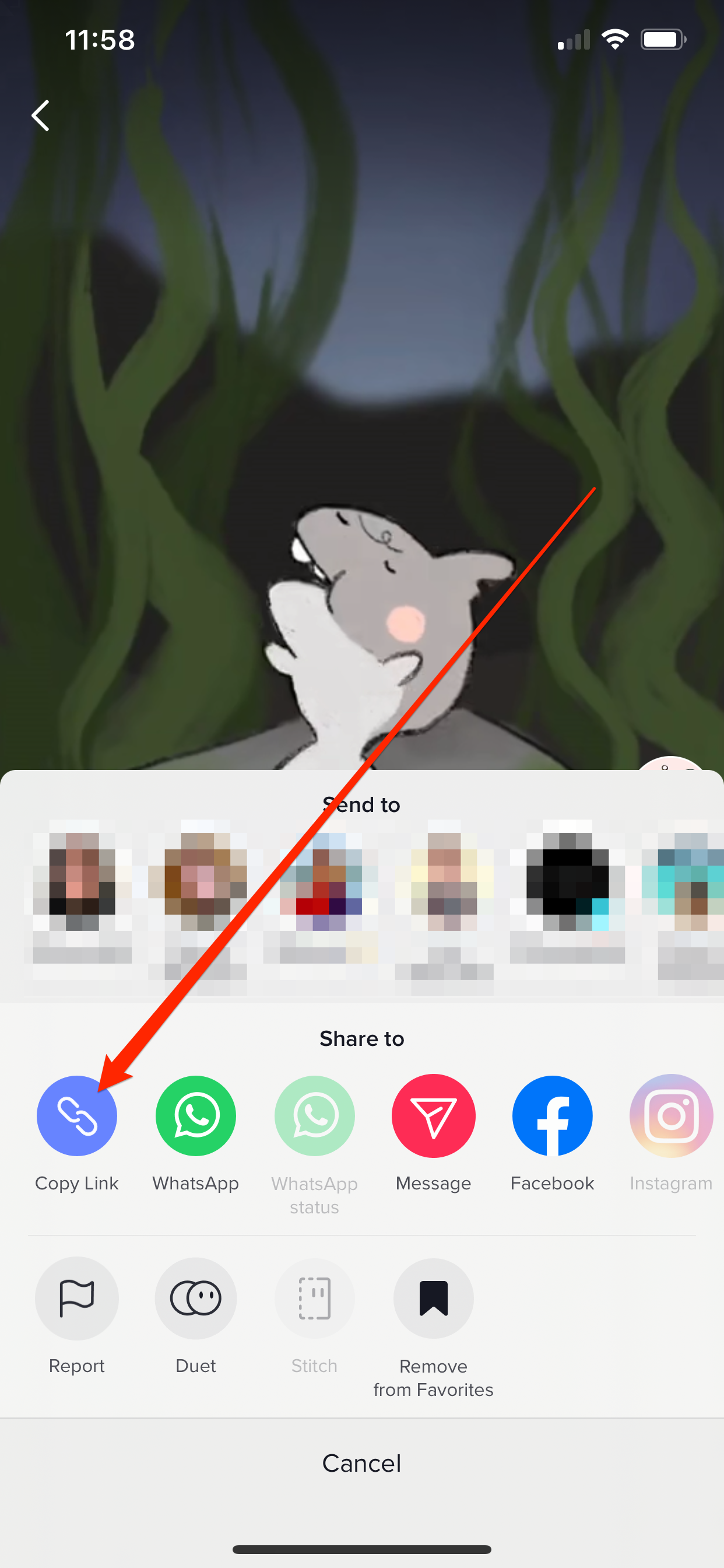
Direct link: https://cldup.com/dwp6ye7lCq.png
-
You should receive the URL/the URL should be copied directly to the clipboard. For this GH report purpose, the link is https://vt.tiktok.com/ZSTD5bW7/
-
Go to WordPress.com editor (post editor) and copy-paste the Tiktok URL on the editor.
Expected behaviour
The Tiktok video will be embedded properly on the editor and on the live site.
Actual behaviour
The URL will turn into regular Paragraph block with the URL as regular hyperlink text.
Additional finding:
I found this issue only happened when the Tiktok URL used is the https://vt.tiktok.com/... format. The video will be embedded properly if we go to Tiktok desktop version -- so the link will be this:
https://www.tiktok.com/@zobeebop/video/6910966691128298758
And to achieve that, we need to do:
- Open Tiktok on desktop version
- Search the video
- Copy-paste the link
Or...
- Copy-paste the link
https://vt.tiktok.com/ZSTD5bW7/ to a web browser
- Click the share icon
- Then, we will get the expected working embed link:
https://www.tiktok.com/@zobeebop/video/6910966691128298758
This might be under Tiktok's area, but I want to check if this is something we can work or maybe the only way to embed the Tiktok video is using the desktop version. Thank you!
WordPress information
- WordPress version: 5.6
- Gutenberg: v9.7.3
- Are you using a default theme (e.g. Twenty Twenty-One)? Yes. Spearhead. This can be replicated on other themes too (non-Varia themes)
Device information
Device: iPhone 11 Max Pro, MacBook Pro Big Sur (11.1), Chrome 87.0.4280.141
Description
When sharing Tiktok URL from the app, it's not recognized by Gutenberg -- rendered the Tiktok URL to turn into Paragraph block and hyperlink instead of the expected embedded content.
Step-by-step reproduction instructions
Go to Tiktok app, and find the Tiktok video you want to share.
Click on the share icon. You should see a sliding module appeared from the bottom.
Click the 'Copy Link' icon to copy the Tiktok video link for embed purpose.

Direct link: https://cldup.com/dwp6ye7lCq.png
You should receive the URL/the URL should be copied directly to the clipboard. For this GH report purpose, the link is
https://vt.tiktok.com/ZSTD5bW7/Go to WordPress.com editor (post editor) and copy-paste the Tiktok URL on the editor.
Expected behaviour
The Tiktok video will be embedded properly on the editor and on the live site.
Actual behaviour
The URL will turn into regular Paragraph block with the URL as regular hyperlink text.
Additional finding:
I found this issue only happened when the Tiktok URL used is the
https://vt.tiktok.com/...format. The video will be embedded properly if we go to Tiktok desktop version -- so the link will be this:And to achieve that, we need to do:
Or...
https://vt.tiktok.com/ZSTD5bW7/to a web browserhttps://www.tiktok.com/@zobeebop/video/6910966691128298758This might be under Tiktok's area, but I want to check if this is something we can work or maybe the only way to embed the Tiktok video is using the desktop version. Thank you!
WordPress information
Device information
Device: iPhone 11 Max Pro, MacBook Pro Big Sur (11.1), Chrome 87.0.4280.141