Repository navigation
Home
A feature-rich recompilation launcher for Fire Emblem: Fortune's Weave.
Recompiled ahead of time. Played natively. No emulator.
EmblemWeave builds Fire Emblem: Fortune's Weave from your own dump and plays it natively on Windows. It is a launcher wrapped around the fefw-recomp engine: it validates your game data, drives the recompilation pipeline, compiles the game, starts it, and manages everything around it: saves, profiles, mods, cheats, graphics settings and diagnostics.
It contains no game code, no assets, no firmware and no keys. It only reads the copy you provide.
Current release: 0.1.41. Playable, tested on an AMD Radeon RX 7900 XT at about 60 fps with sound and cutscenes. See the release notes and status.
-
Download
EmblemWeave-<version>-windows-x64.zipfrom Releases and unzip it anywhere. - Run
EmblemWeave.exe. The release is portable by default: settings, saves, builds and logs stay indatabeside the executable. - On Game Setup, choose your dump: a
.nup,.nx, plaintext.nsp, plaintext.xci, or an extracted folder. - Press Build the game once on Overview, then Play.
The build needs the Visual Studio C++ tools, LLVM, CMake and Ninja. The launcher checks each one, offers the exact install command, and can fetch the redistributable pieces itself.
| Start here | |
|---|---|
| Installation | Download, portable storage, accepted dump formats, first build. |
| System Requirements | CPU, GPU, memory, storage and build tools. |
| Using EmblemWeave | Every page of the launcher, the in-game F1 menu and shortcuts. |
| Building the Game | What the nine-stage pipeline does and what a build needs. |
| Features | |
|---|---|
| Saves and Profiles | Profiles, emulator imports, the save editor and backups. |
| Mods | RomFS mods, GameBanana, code mods and ExeFS patches. |
| Graphics and Performance | Upscalers, frame generation, ReShade and the Adaptive Performance Controller. |
| Troubleshooting | Logs, common messages, report bundles. |
| Reference | |
|---|---|
| Building from Source | Launcher, command-line tools, engine build and tests. |
| Architecture | Launcher, recompiler, runtime and verification layers. |
| Linux and Steam Deck | What works today and the Proton route. |
| FAQ | Short answers to the usual questions. |
| Legal and Credits | GPL-3.0, disclaimer, privacy and the people behind it. |
| Platform | Windows 10/11, 64-bit (Steam Deck through Proton; no native Linux build) |
| Graphics | Vulkan 1.3 GPU; upscalers optional |
| Processor | x86-64 with SSE4.2, POPCNT and CMPXCHG16B; FMA3 + AVX get the faster build |
| Memory | 8 GB minimum, 16 GB recommended |
| Storage | About 30 GB for game data, plus build output |
| Game data | Your own legally obtained copy |
| Licence | GPL-3.0-only (launcher and engine); third-party components keep their own |
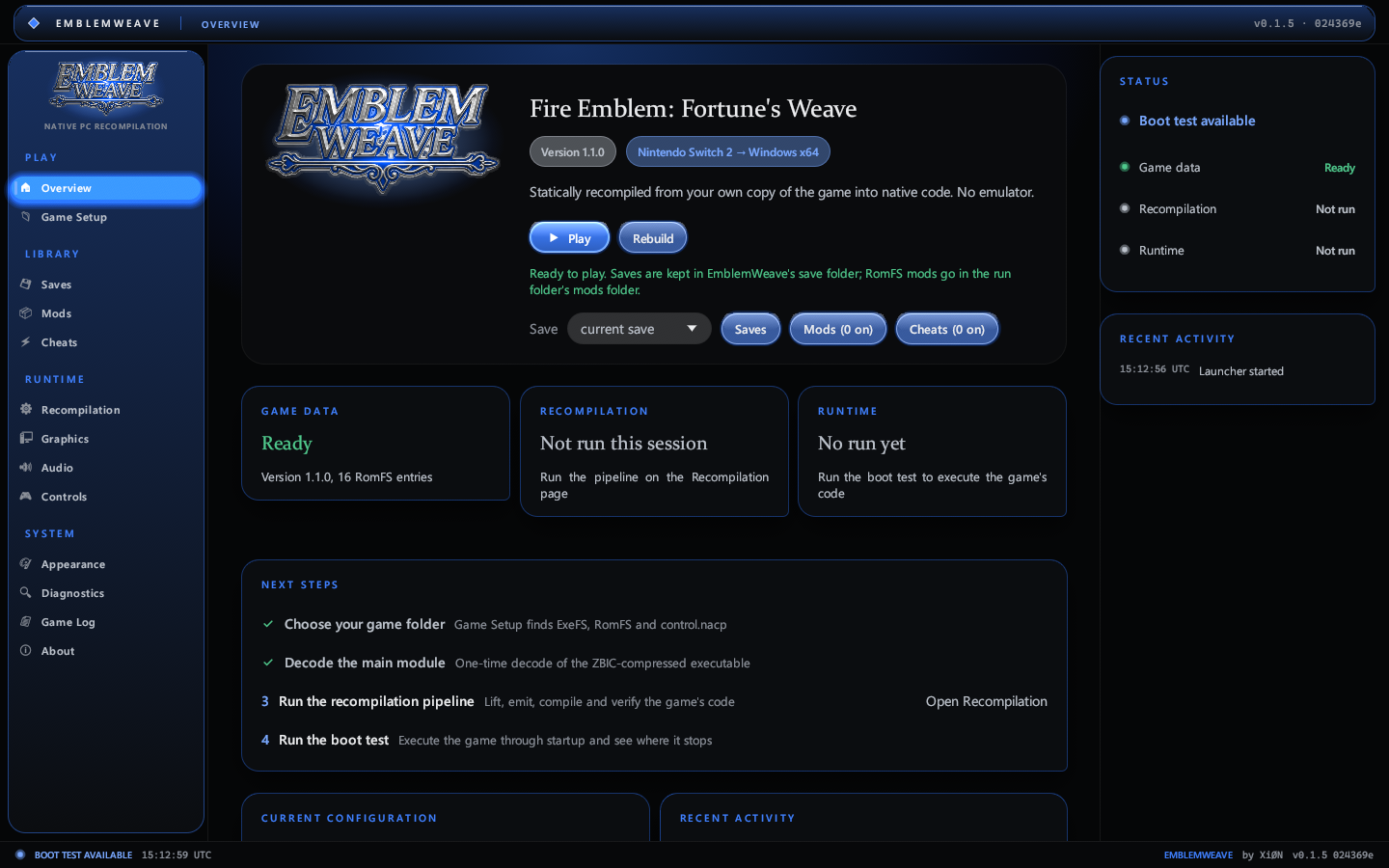
More on the Screenshots page.
EmblemWeave is not affiliated with, endorsed by or supported by Nintendo or Intelligent Systems. The names identify the software it interoperates with. You need your own legally obtained copy of the game and are responsible for using it lawfully where you live. EmblemWeave does not provide decryption keys, circumvention instructions or links to game content. This wiki is documentation, not legal advice. See Legal and Credits.