Repository navigation
Saves and Profiles
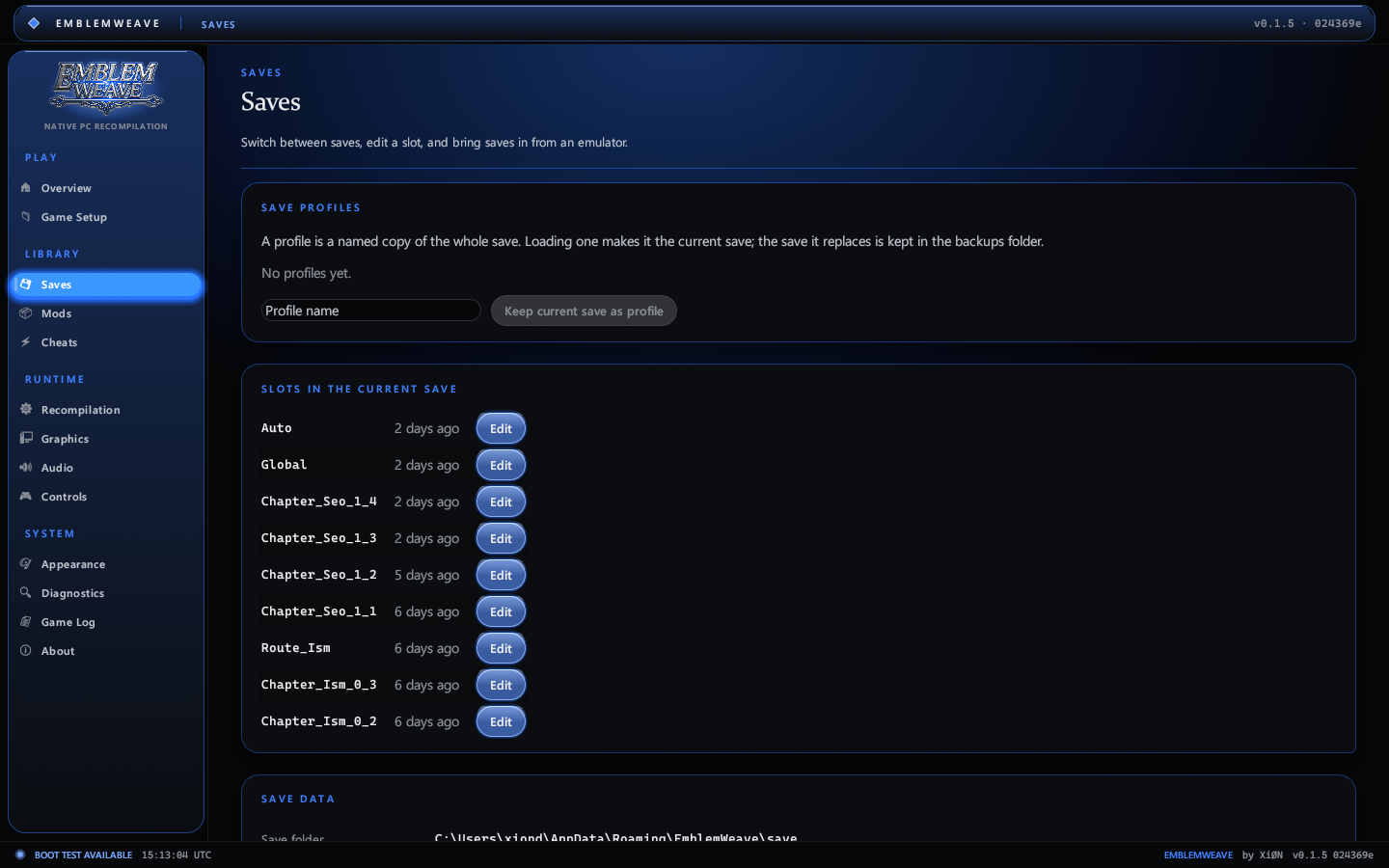
EmblemWeave keeps your saves in its own folder, separate from the built game, and gives you named profiles, imports from Switch emulators, backups and a save editor.
| Install | Save folder |
|---|---|
| Portable (default) |
data/save/ beside EmblemWeave.exe
|
| Profile | %APPDATA%\EmblemWeave\save\ |
About → Storage shows which one this copy uses. Backups live in save/backups; a profile load moves the save it
replaces there first.
A profile is a named copy of a save. Use the Saves page to:
- keep the current save under a name;
- load any profile later; the current save is backed up before it is replaced;
- see each profile's automatic portrait, which follows the route lord recorded in its newest readable save (Cai, Dietrich, Theodora, Leda or Eshmel);
- change that portrait with the small pencil on the card, or through Manage Saves.
Profiles are files, so they can be copied between installs.
The Saves page lists the slots in the current save. The editor covers:
- gold and renown;
- per unit: level, experience, max HP, stat gains, weapon masteries, items and spells.
Names come from your own game data, not from a built-in table. Editing writes the save in place; keep a profile or a backup before large changes.
The Saves page scans the yuzu NAND layout used by yuzu, suyu, sudachi, Citron, Eden, LICHII, Fritchii and torzu:
%APPDATA%\<emulator>\nand\user\save\<save id>\<profile>\<title id>
It looks in both %APPDATA% and %LOCALAPPDATA%, at <save id>\<title id> and at
<save id>\<profile>\<title id>.
Importing:
- copies into EmblemWeave's save folder;
- moves any existing save to
backupsfirst; - never changes or deletes the emulator's copy.
-
The folder looks empty in Explorer. Emulators create the title folder before writing a save, and unused profiles
stay empty. Check other
<save id>folders and profiles. - Ryujinx. Ryujinx keeps numbered folders resolved through its own index, which EmblemWeave does not read. Export or back up the save from Ryujinx, then use Import from folder.
-
A console or another PC. Point Import from folder at the folder that directly contains the save files (
000,Global,Route_*, or a single.sav), or at a ZIP of that folder.
The Saves page can export the current save into the emulator folder layout, so it can be opened by a supported emulator or moved to another EmblemWeave install.
Saves are tied to the game build that wrote them, not to the folder they live in. Keep the same game revision when moving saves between installs and emulators. The tested build is update 131072; other builds are reported honestly by Game Setup but are not validated save targets.
- Saves are written atomically.
- A profile load backs up the save it replaces.
- Import never modifies the source emulator folder.
- The save editor only writes the fields you change.