Getting Started
This tutorial translates two blocks of text in Mortal Kombat II (Game Boy,
Mortal Kombat II (USA, Europe).gb) into Ukrainian. All addresses are file
offsets in hex.
Work on a copy of the ROM. mapchar writes into the ROM file in place and keeps no backup.
mapchar starts with an empty project. To start a new one later, use File ▸ New Project (Ctrl+N).
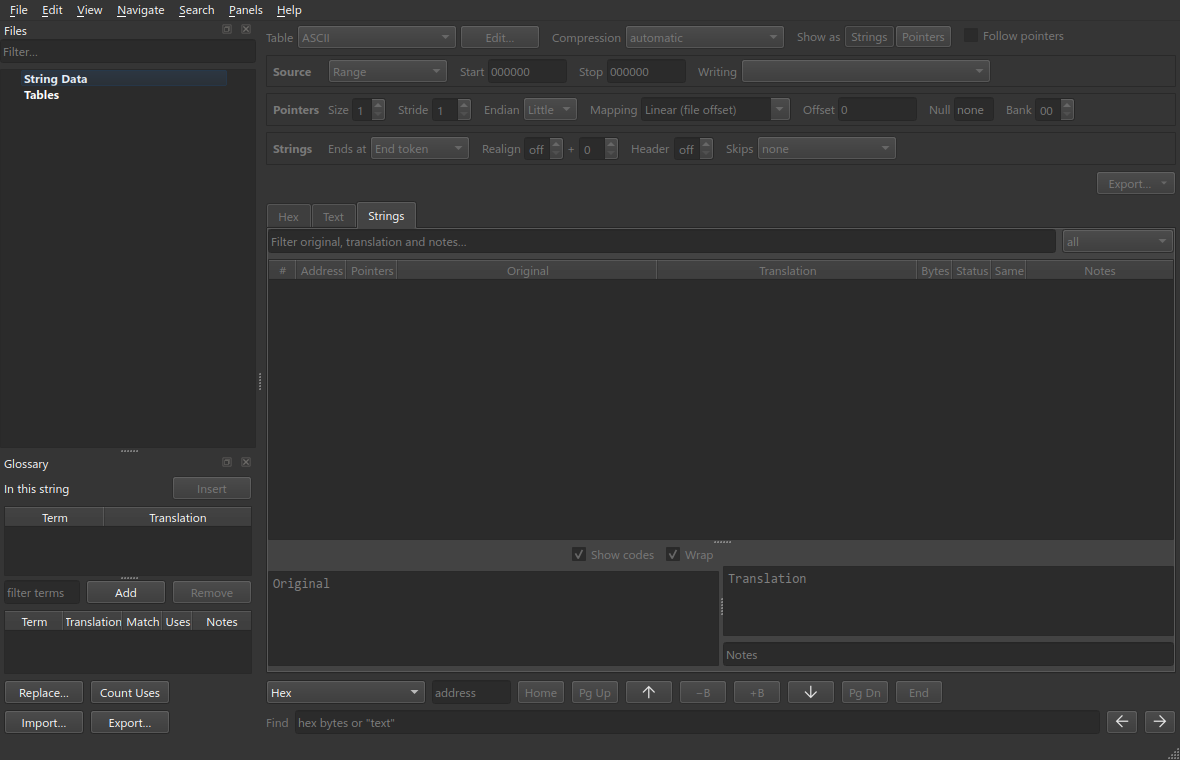
Open the ROM with File ▸ Open ROM… (Ctrl+Shift+O). Then save the project
with File ▸ Save Project (Ctrl+S) as MK2.mapchar, in the same folder as
the ROM.

No table is loaded yet, so the file is shown as ASCII.
A table maps bytes to characters.
Open Search ▸ Search Window… (Ctrl+Shift+F) and run a
relative search for KITANA. The result shows upper=41,
which means the letter A is the byte 41.

Choose File ▸ New Table… and save the table as mk2.tbl. The table opens
in the Table Editor.
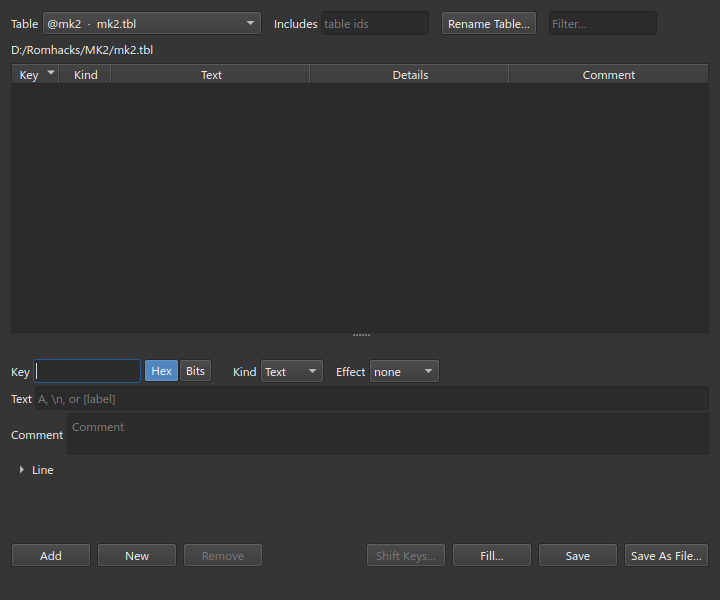
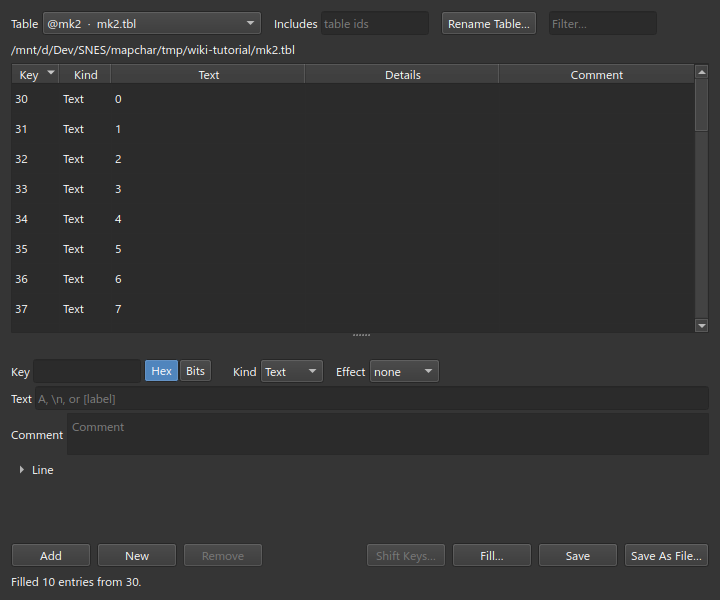
Click Fill…, choose A-Z, and set the first key to 41.

Click Fill… again, choose 0-9, and set the first key to 30.
Add the remaining entries one at a time. For each entry, click New, type the Key and the Text, and click Add.
| Key | Text |
|---|---|
20 |
space |
21 |
! |
2C |
, |
2E |
. |
3F |
? |
00 |
[end], Kind: End
|

Click Save.

Select @mk2 in the Table list.
Search ▸ Scan for Text… (Ctrl+Shift+R) lists the regions that look like text. For each region it shows how the strings end: with an End token, or with a Length prefix and the number of header bytes before it. Select a row to go to that region.

Find (Ctrl+F) searches for hex bytes or for "quoted text". Use it to find
the exact address of a string. In the Text tab, search for "FINISH":

The match is at $8649. Each string in this region has three bytes before it.
The third byte is the length of the string.
In the Hex tab, drag to select $8646 to $86A5. The selection starts at
the three bytes before FINISH HIM! and ends at the last ! of BABALITY!!.

Choose File ▸ New Block (Ctrl+Shift+B). Press F2 and rename the block to
Finishes.

The region contains no 00 byte, so the block reads it as one string. On the
Reading bar, set Ends at to Length prefix and Prefix to 1.

Each record is two position bytes, a length byte, then text:
05 CB   0B   46 49 4E 49 53 48 20 48 49 4D 21
pos     len  FINISH HIM!
The two bytes before each length byte are the screen position of the string. They are not text, so the block must skip them. If it does not, the first position byte is read as a length and every string is read incorrectly, as in the screenshot above.
Set Header to 2.

Original shows the text as it was when the block was created. Translation shows the text that is in the ROM now. This block is written slotted: each string keeps its address and can only use its own space.
Ctrl+1, Ctrl+2 and Ctrl+3 show the block as Hex, Text and Strings.
| Hex | Text | Strings |
|---|---|---|
 |
 |
 |
Select the ROM in the Files panel. Go to $8DE0 and select $8E02 to $8E4D.

Choose New Block and rename the block to Fighter names.

Open Search ▸ Find Pointers… (Ctrl+Shift+P). Leave the offsets at 0.
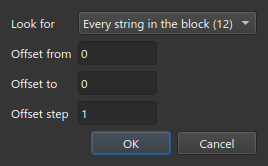
Select the first row and click Use as Pointer Table. The row is a table of
2-byte Game Boy pointers at $8DE9. The names are in bank 2, which the game
maps to address $4000. The pointer to $8E02 therefore holds the value
$4E02.

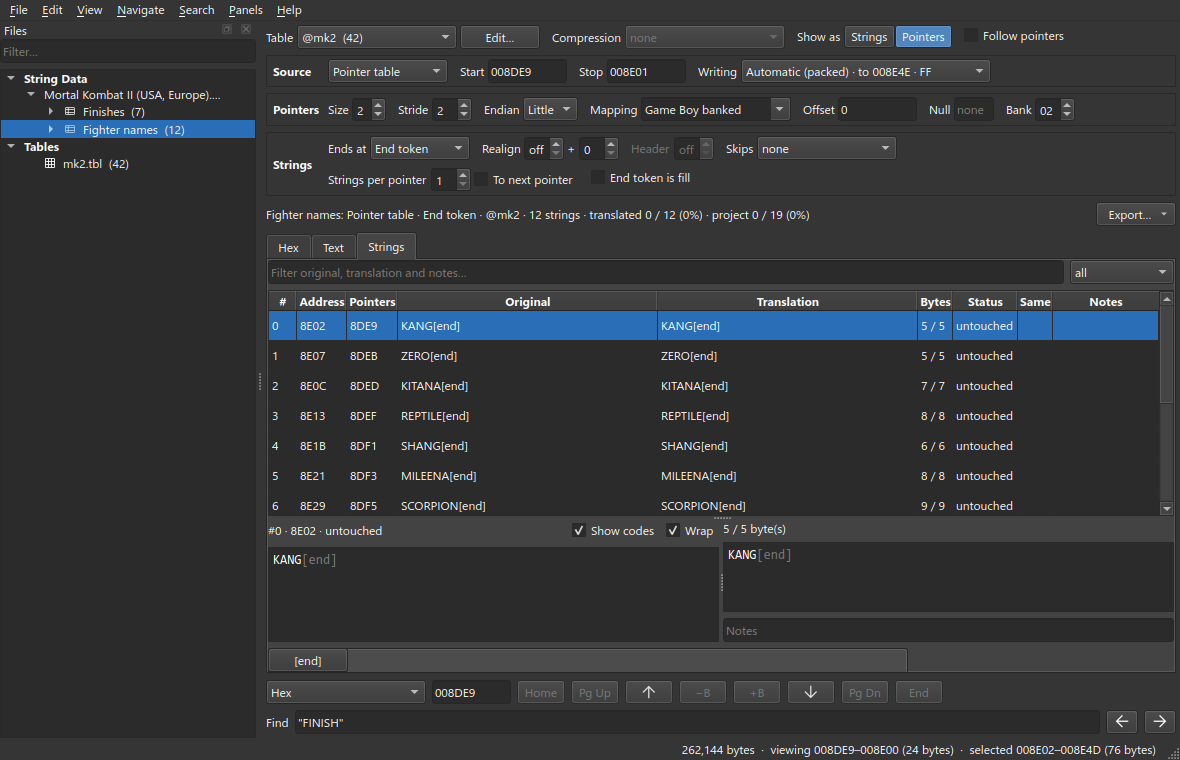
The block is now written packed. The strings share all the space up to the Bound, and the pointers are rewritten when strings move. By default, the bound is the end of the last name.
These are the same three views. The Strings view is shown with Panels ▸ Hex open:
| Hex | Text | Strings |
|---|---|---|
 |
 |
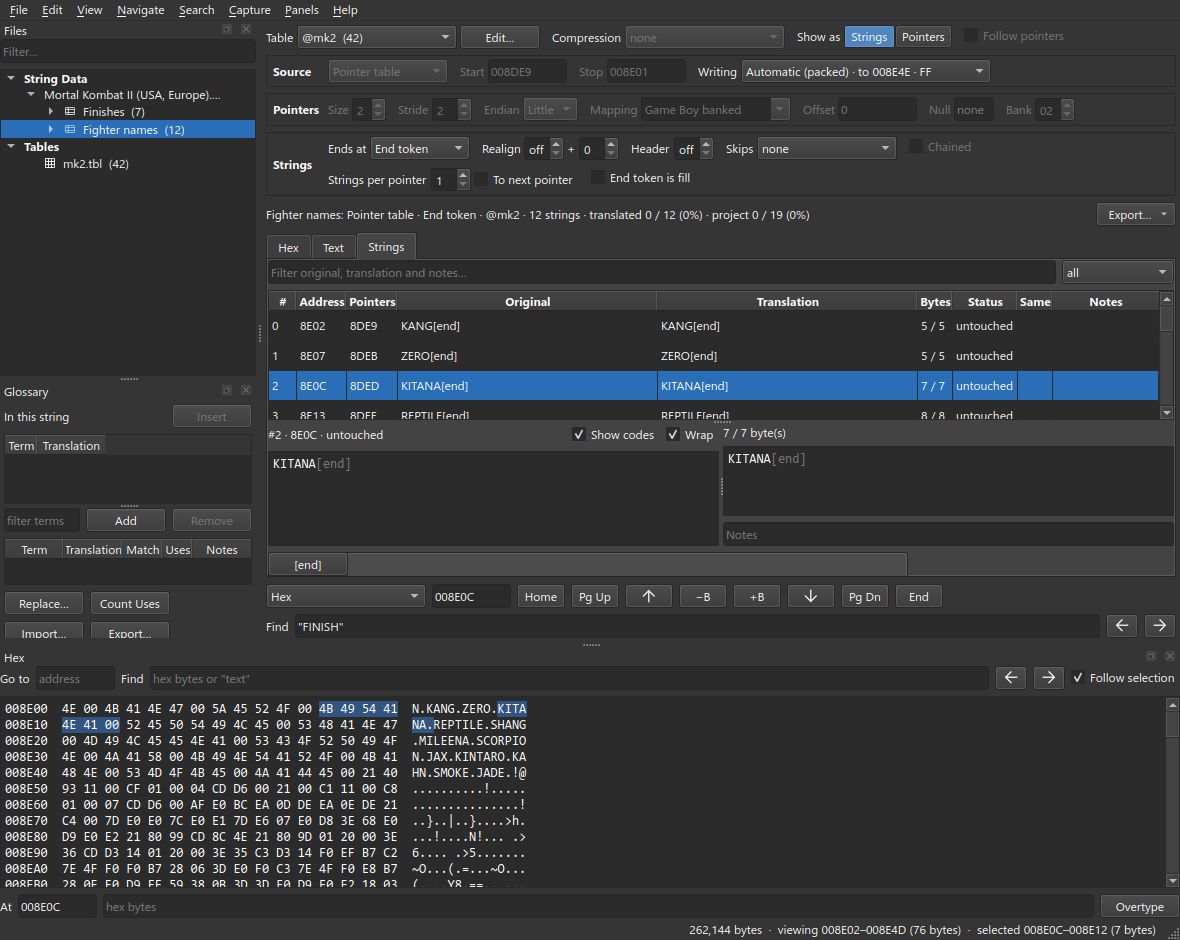 |
In Hex, Show as Pointers shows the pointer table instead of the strings it points to.

The font has only 26 letter tiles, so the Cyrillic letters must use the codes of the Latin letters. A Cyrillic letter that looks like a Latin letter keeps that letter's code. The other 14 codes are assigned to new letters.
| Code | Latin | Cyrillic | Code | Latin | Cyrillic | |
|---|---|---|---|---|---|---|
41 |
A | А | 4E |
N | И | |
42 |
B | В | 4F |
O | О | |
43 |
C | С | 50 |
P | Р | |
44 |
D | Д | 51 |
Q | Ч | |
45 |
E | Е | 52 |
R | Я | |
46 |
F | Ф | 53 |
S | Б | |
47 |
G | Г | 54 |
T | Т | |
48 |
H | Н | 55 |
U | П | |
49 |
I | І | 56 |
V | Ж | |
4A |
J | Й | 57 |
W | Ш | |
4B |
K | К | 58 |
X | Ї | |
4C |
L | Л | 59 |
Y | У | |
4D |
M | М | 5A |
Z | З |
There is no room for Ґ Є Х Ц Щ Ь Ю.
Choose File ▸ New Table… and save the table as mk2-translated.tbl. Click
Fill…, choose Custom…, set the first key to 41, and type the Cyrillic
letters in code order:
АВСДЕФГНІЙКЛМИОРЧЯБТПЖШЇУЗ

Add the digits, the punctuation and [end] as in step 2. Click Save.

mapchar does not edit graphics. Until the font is redrawn, the game shows
ДОБИЙ ЙОГО! as DOSNJ JOGO!.
- Find the font. The graphics in this ROM are compressed with RNC, in 29
RNC02streams. To list them, open View ▸ Decompressed View… (Ctrl+Shift+D) and choose Structures ▸ Find All. The font is the stream at$AC54. It is 1,951 bytes compressed and 3,056 bytes decompressed. It holds 191 Game Boy 2bpp tiles: a blank tile,0to9, thenAtoZ. - Decompress the stream and edit it in a tile editor such as celPix or YY-CHR. Compress it again to 1,951 bytes or fewer.
- Redraw these 14 tiles:
D F G J L N Q R S U V W X ZbecomeД Ф Г Й Л И Ч Я Б П Ж Ш Ї З. - Check both blocks in the game. Finishes and Fighter names are drawn by different routines.
- All text in the game uses this font. Any string that is not translated becomes unreadable.
Open Finishes and set Table to @mk2-translated.

The bytes have not changed, so every string still has the status untouched. The same bytes are now shown as Cyrillic letters.
Double-click a Translation cell and type the translation. Press Enter to save it and move to the next string.
| Original | Translation |
|---|---|
| FINISH HIM! | ДОБИЙ ЙОГО! |
| FINISH HER! | ДОБИЙ ЇЇ! |
| FLAWLESS VICTORY | ЧИСТА ПЕРЕМОГА |
| DOUBLE FLAWLESS | ПОДВІЙНА ЧИСТА |
| DRAW | ПАТ |
| FATALITY | ФАТАЛІТІ |
| BABALITY!! | БАБАЛІТІ!! |
A translation that is longer than its slot is refused. For example, НІЧИЯ
does not fit in the slot of DRAW:


Translate Fighter names in the same way. Keep the [end] code at the end
of each name:
| Original | Translation | Original | Translation | |
|---|---|---|---|---|
| KANG | КАНГ | SCORPION | СКОРПІОН | |
| ZERO | ЗІРО | JAX | ДЖАКС | |
| KITANA | КІТАНА | KINTARO | КІНТАРО | |
| REPTILE | РЕПТАЙЛ | KAHN | КАН | |
| SHANG | ШАНГ | SMOKE | СМОУК | |
| MILEENA | МІЛІНА | JADE | ДЖЕЙД |
Packed strings share their space. ДЖАКС and ДЖЕЙД are longer than the
originals, so enter the shorter names first. The space they free is then
available.

Choose File ▸ Write All (Ctrl+Shift+W), then File ▸ Save Project (Ctrl+S).

View the ROM through the mk2 table to see what was written. The names have
moved and the pointers have new values:

Test the ROM in an emulator.