Repository navigation
v1.6.0

What the community asked for. The whole house on one chart, a way back from a subview on the wall, a camera in its own shape and live, a greeting for whoever is signed in, several sensors on one chart, people with their own actions and their phone's battery, openings with their own names, a colour per item, at rest too, and a new card for 3D printers.
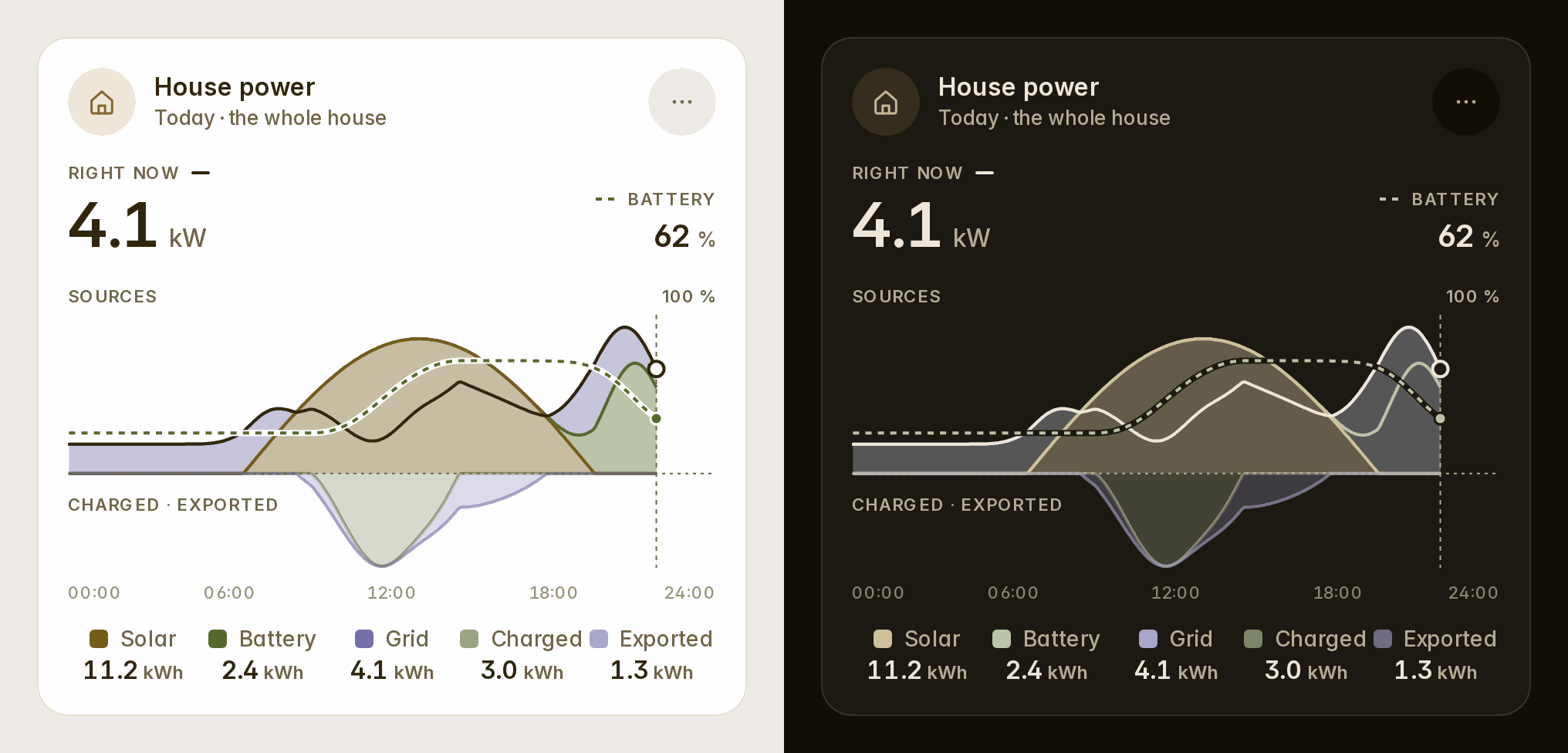
The whole house on one chart
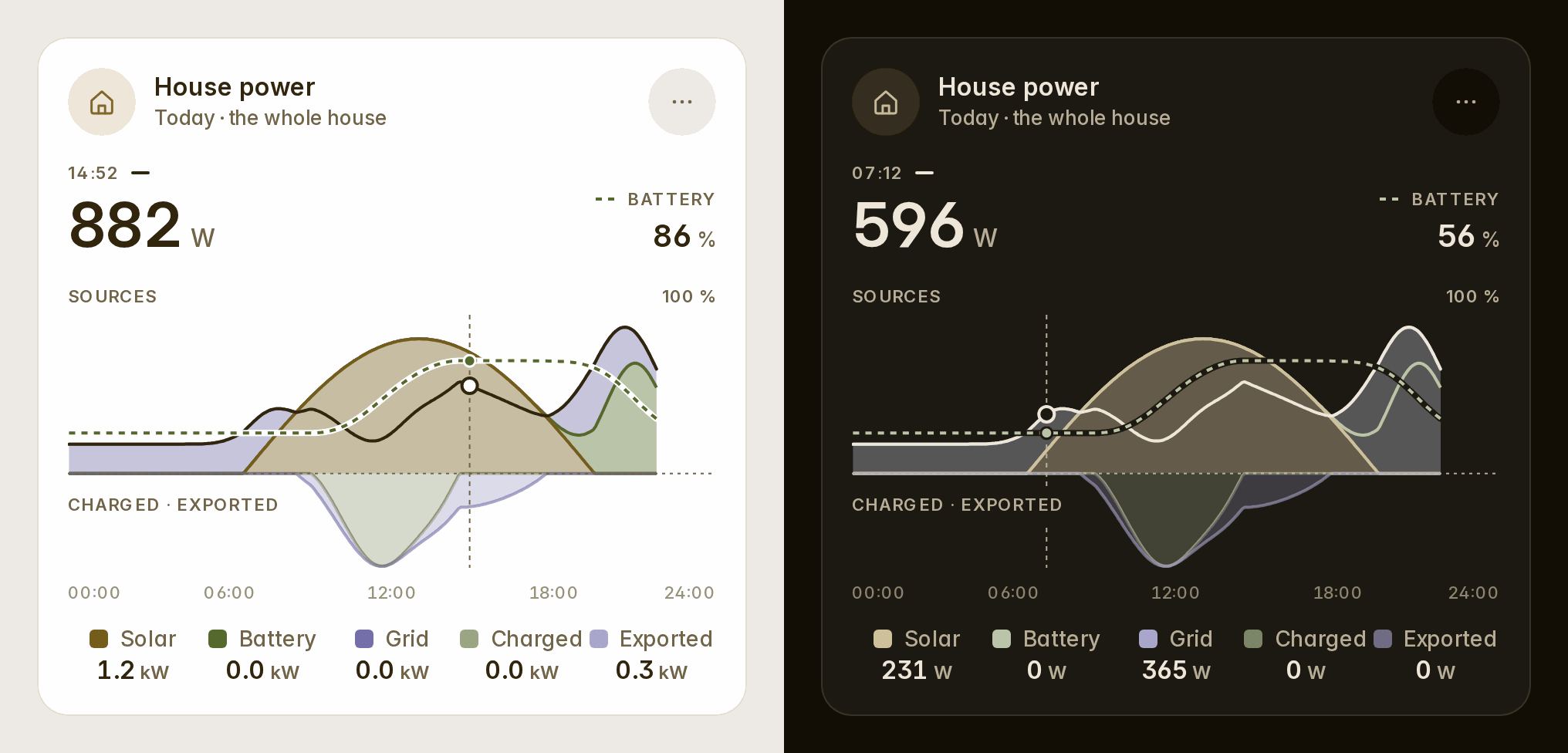
The energy card's variant: overview draws your day the way Home Assistant's "Power sources" graph does. The sun's whole production, the battery's discharge and the grid's import are stacked above the line. What went into the battery and out to the grid sits under it. The house's own use is a line over all of them. Your batteries' charge is dashed on its own 0–100 % scale. At rest the legend gives the day's energy; under your finger, each flow's power at that moment (#26).
type: custom:fluvy-energy-card
variant: overview
show_soc: true    # the batteries' charge, dashed (default: on when there is a battery)
show_house: true  # the house's use as a line
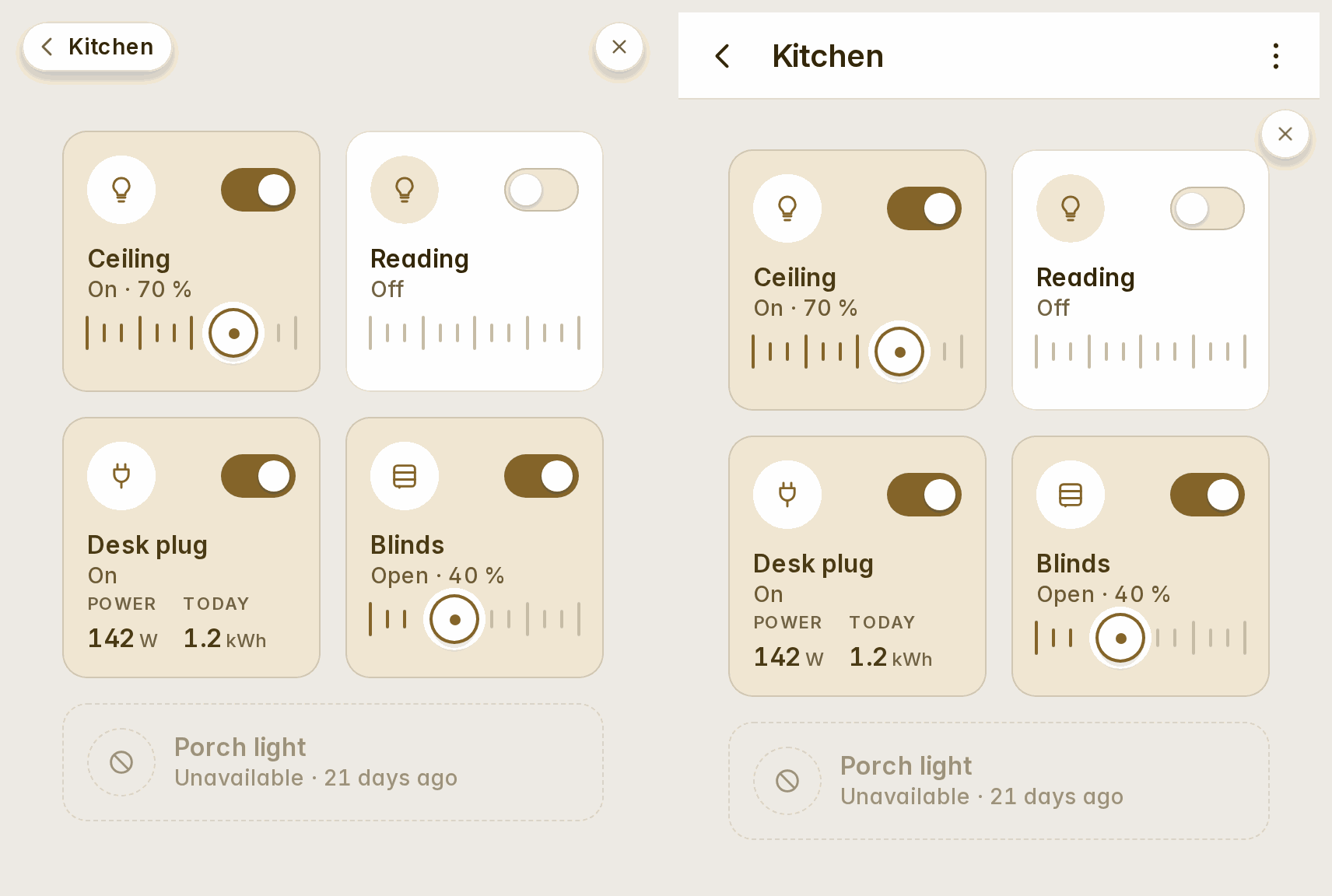
A way back from a subview on the wall
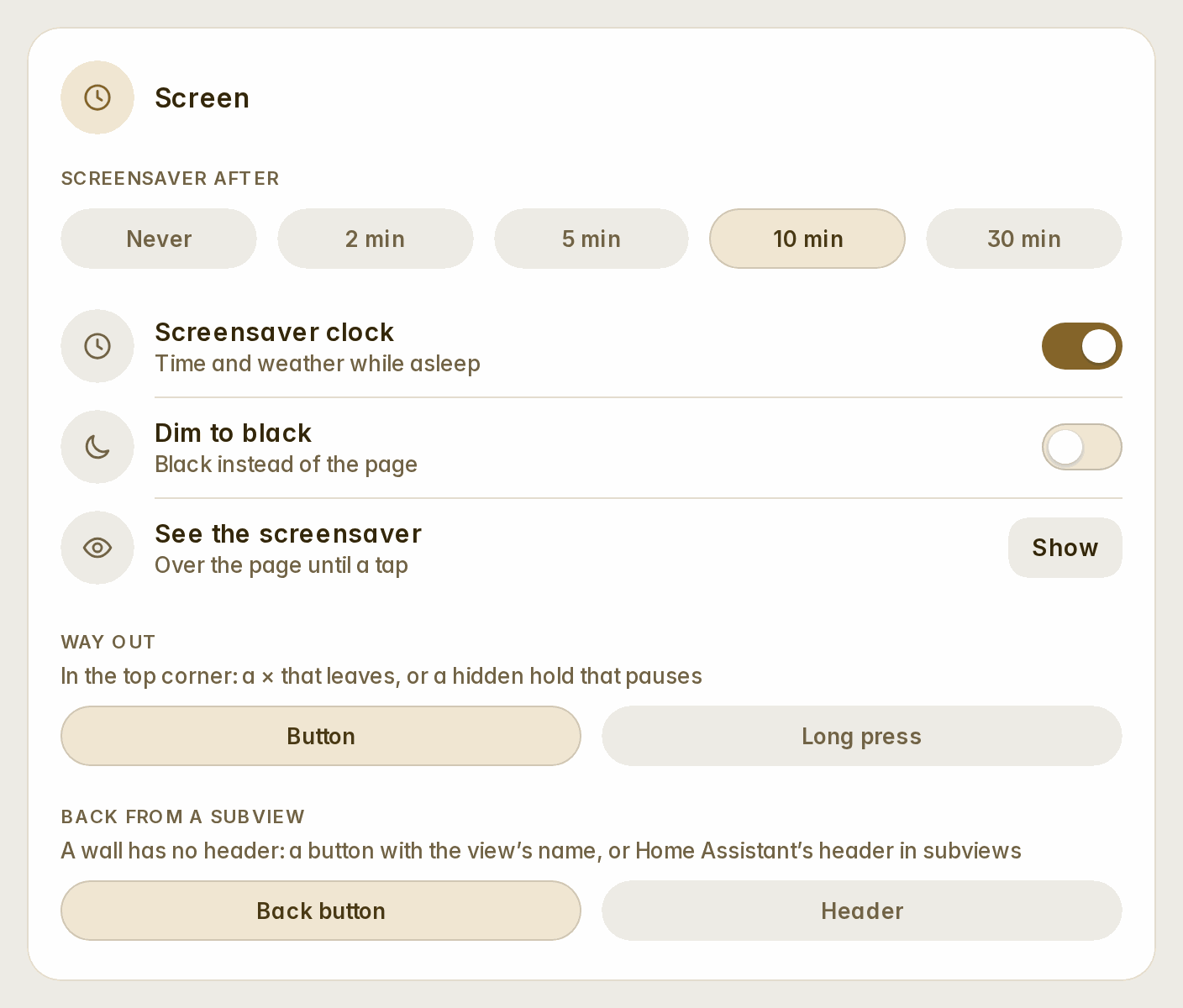
A wall has no header, so Home Assistant's back arrow went with it. Wall → Back from a subview now offers a choice (#26):
- a back button, the default: a pill at the top left with the subview's name, on the line of the exit corner;
- Home Assistant's header, in subviews only.
The camera, live and in its own shape
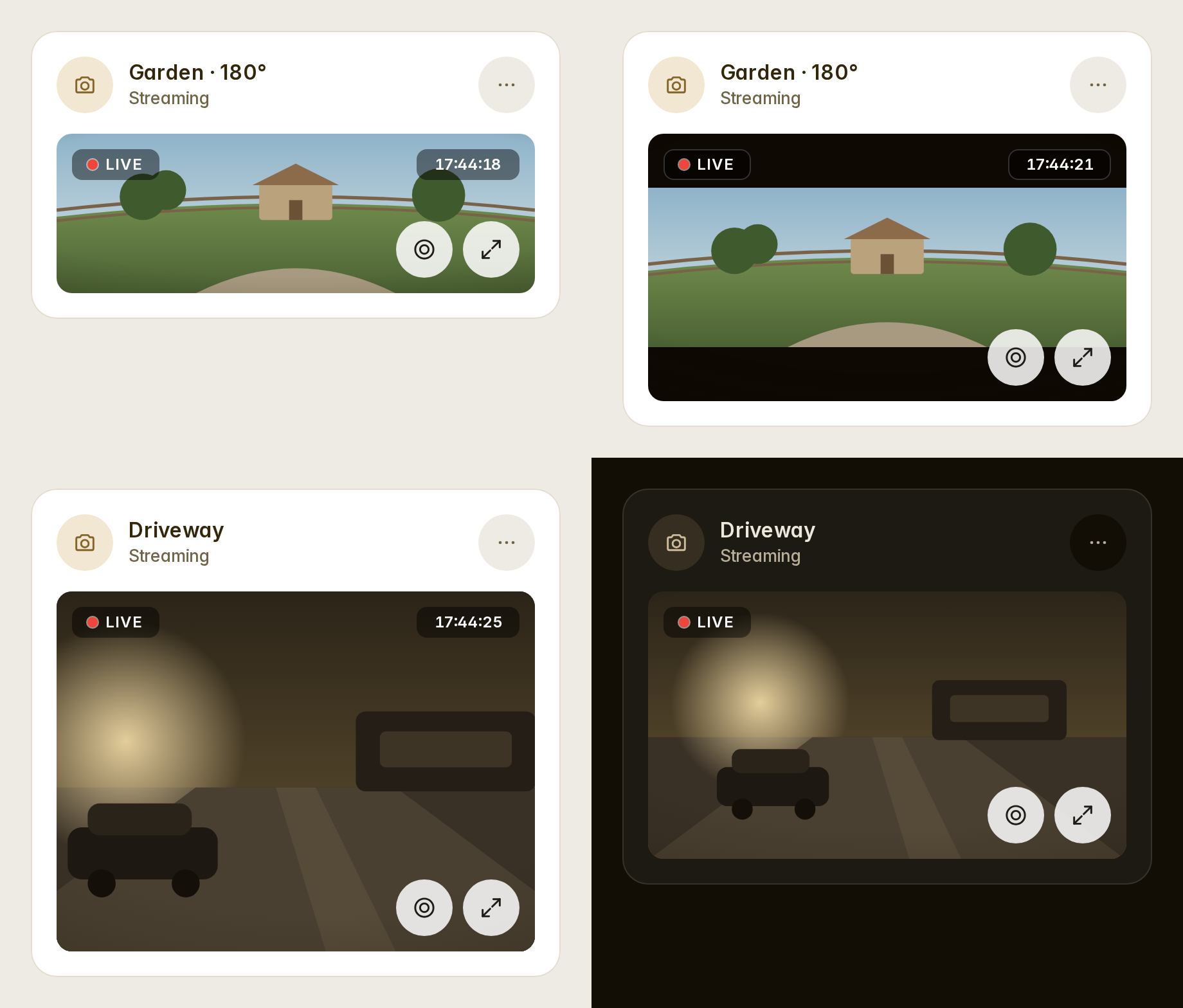
camera_view: live plays Home Assistant's own stream (WebRTC, HLS or MJPEG, whatever the camera offers) while the card is on screen. Where there is no stream, it falls back to stills. aspect_ratio takes 16:9, 4:3, 3:2, 1:1, 2:1, 21:9, or native, the camera's own. fit_mode: contain shows the whole picture, as a 180° camera needs. refresh now goes down to half a second. Stills are asked at the card's width in device pixels: sharp, and no heavier than they need to be (#26).
type: custom:fluvy-camera-card
entity: camera.garden
camera_view: live     # or auto: stills every `refresh` seconds (0.5 and up)
aspect_ratio: native  # 16:9 · 4:3 · 3:2 · 1:1 · 2:1 · 21:9 · native
fit_mode: contain     # the whole picture; cover fills the plate
The greeting is whoever is signed in
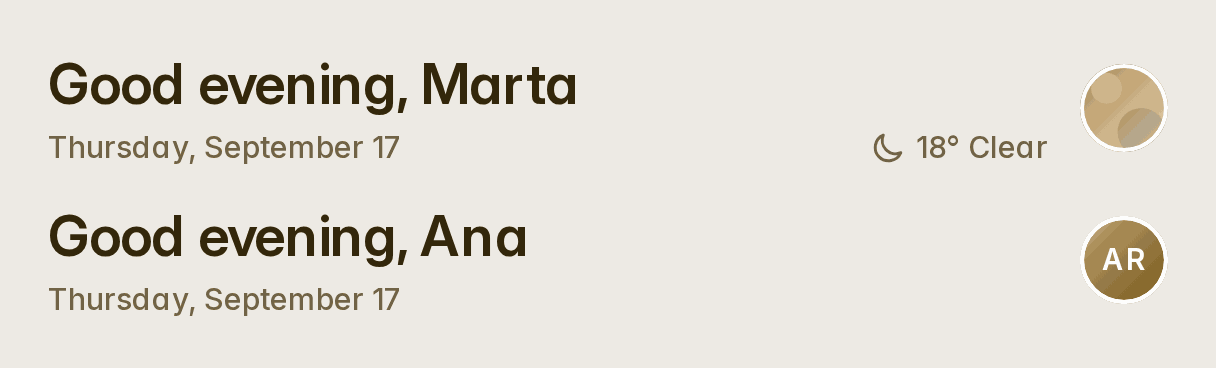
A greeting card without a person now greets whoever is signed in, with their person's name, their picture and their details on a tap. The automatic dashboards and a new card no longer write a person into it. A card that names one keeps it: empty its Person field to follow the signed-in user (#26).
Several sensors on one chart
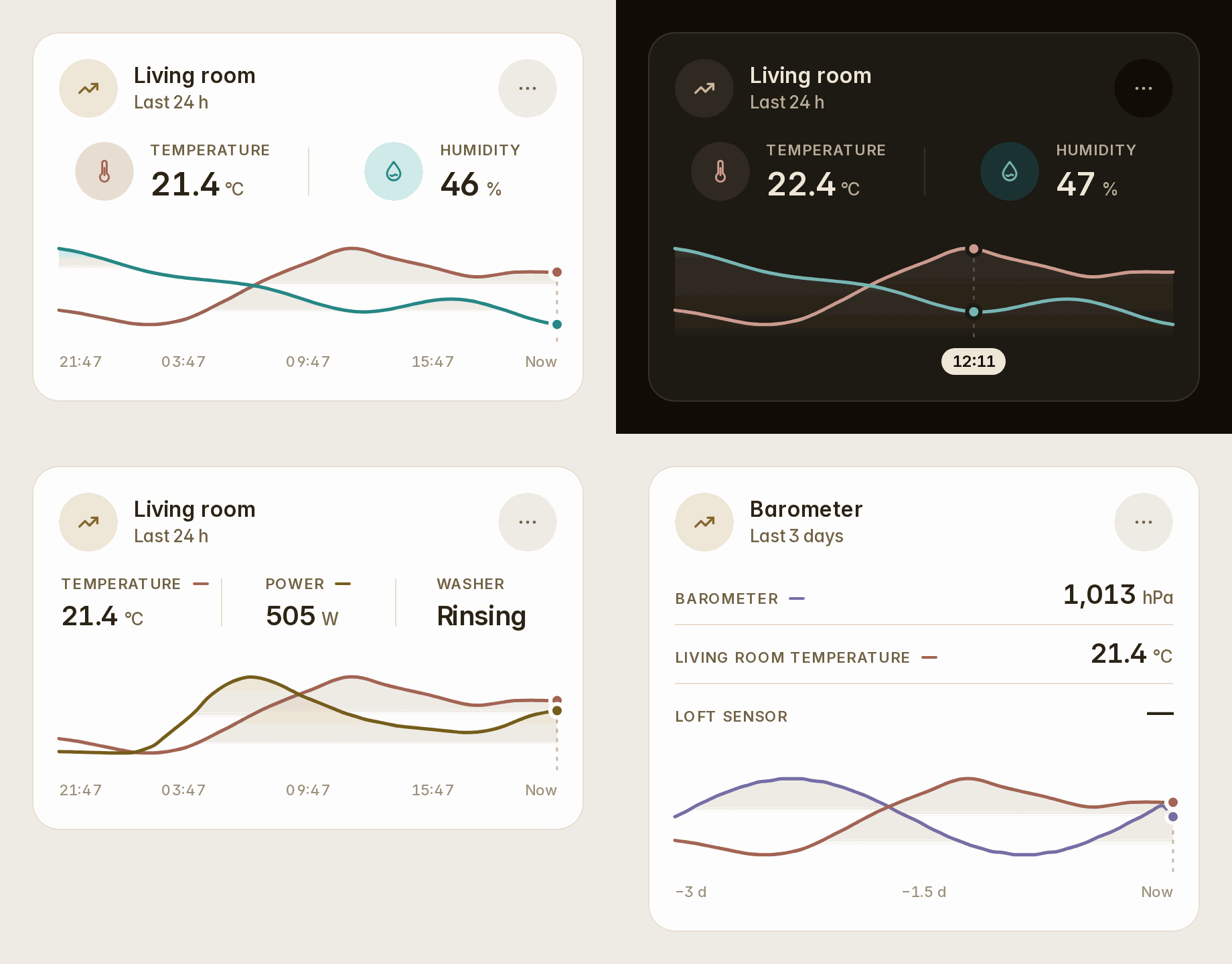
The sensor card's Also on the chart adds up to two more sensors. Each gets a readout above the chart and a curve on its own scale, in its measure's tone. Scrub the chart and every readout says that moment while the axis says when (#26).
type: custom:fluvy-sensor-card
entity: sensor.living_temperature
entities:
  - sensor.living_humidity
People: an action and a phone battery each
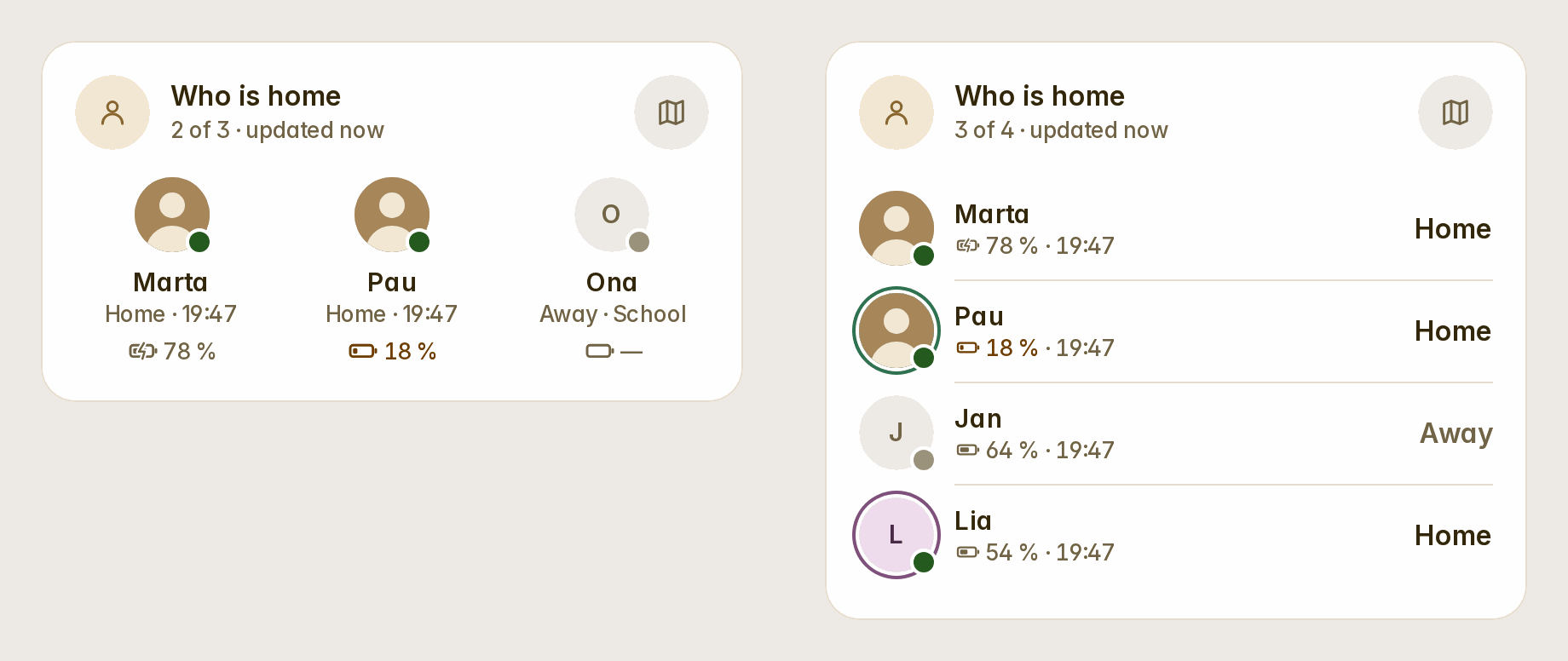
The people card's people take a name, a colour (a ring round their picture), and a tap and a hold action for each person. One use is navigate to a page of their own (#25). show_battery puts each phone's battery beside its person: a glyph filled to its level and "78 %", in the warning tone at 20 % and under, with a bolt while it charges. It is found from the person's phone, or named as battery (#26).
type: custom:fluvy-people-card
show_battery: true
people:
  - entity: person.marta
    tap_action:
      action: navigate
      navigation_path: /dashboard-family/marta
  - entity: person.pau
    color: teal
    battery: sensor.pau_phone_battery_level
Openings with their own names
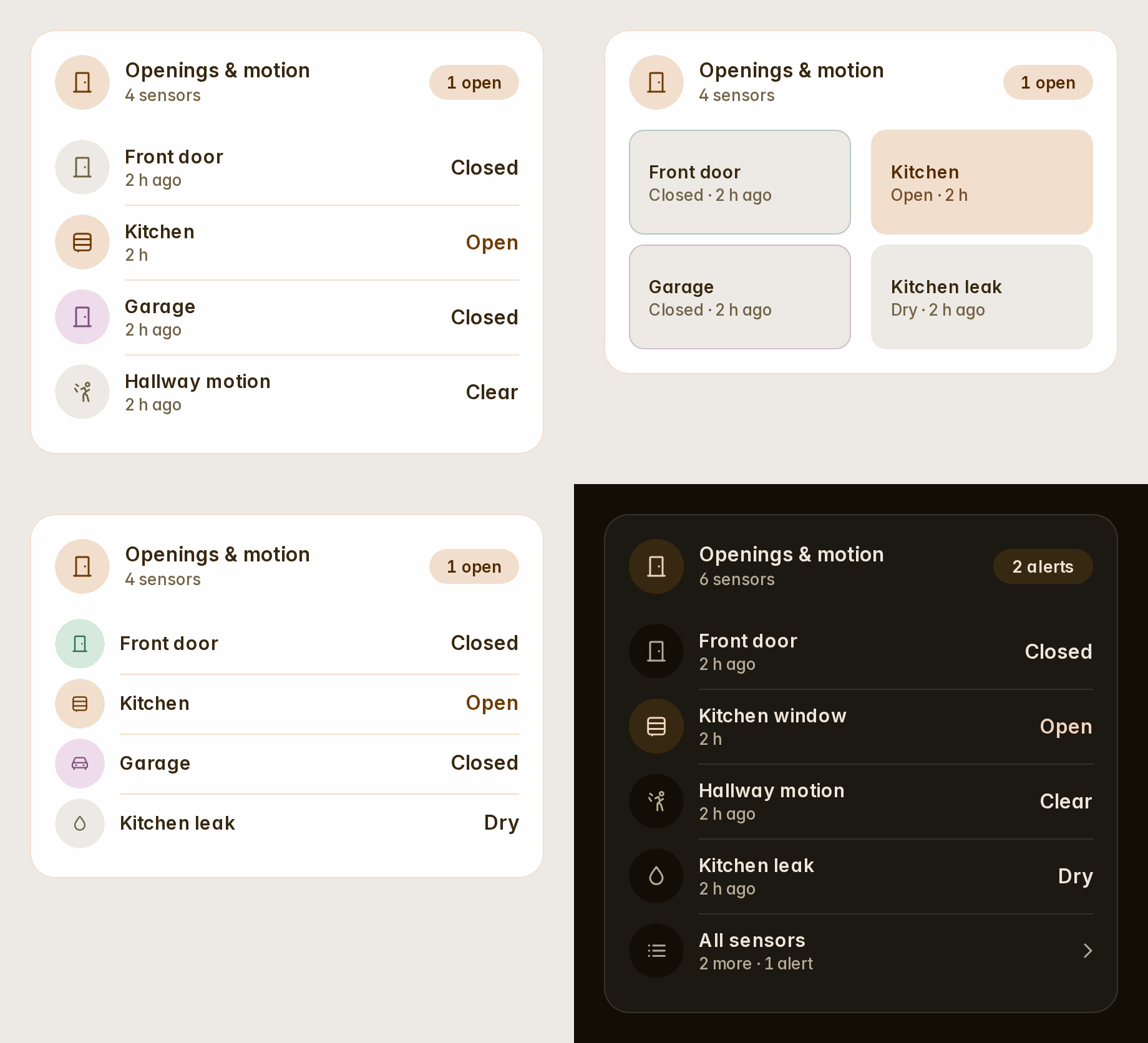
The openings card's rows take a name, an icon, a colour and a tap and a hold for each opening. variant: compact lays them out as 48 px rows, variant: tiles puts them two a row, and show_time takes the times away. An alert folded under All sensors is always said there, before its count (#26).
type: custom:fluvy-openings-card
variant: tiles
rows:
  - entity: binary_sensor.front_door_contact
    name: Front door
    color: teal
  - entity: binary_sensor.garage_door_contact
    name: Garage
    icon: mdi:garage
A colour per item, at rest too
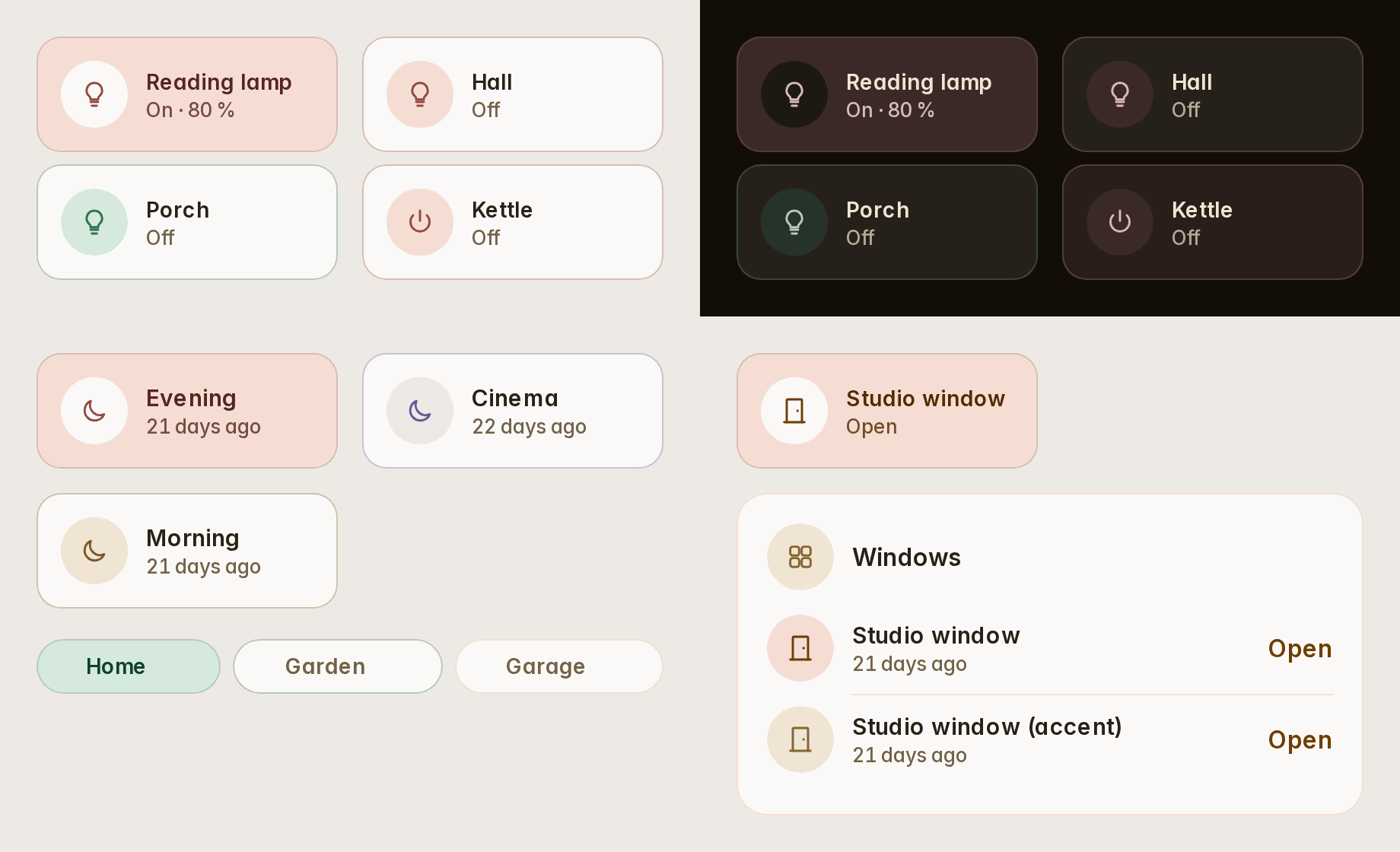
Scenes, chips, people and openings take a color for each item, as tiles already did. tint: always on tiles, tile groups, scenes, chips, rooms and lights shows an item's colour at rest too: a quiet wash with a hairline of it, while on keeps the full fill. A colour never hides a status: an open window stays in the warning's tone (#26).
type: custom:fluvy-tiles-card
tint: always
tiles:
  - entity: light.reading_lamp
    color: red
  - entity: light.porch
    color: teal
A card for 3D printers
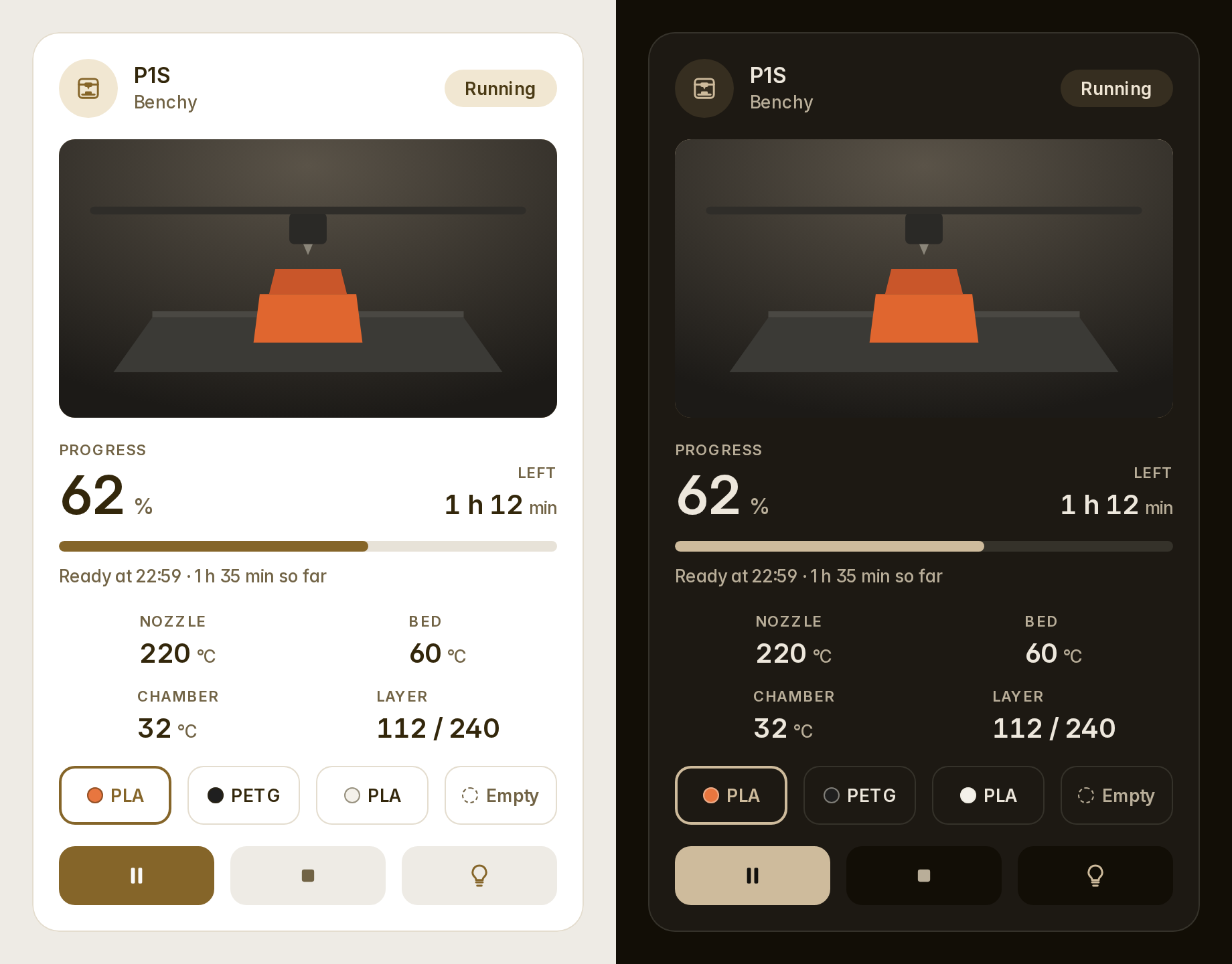
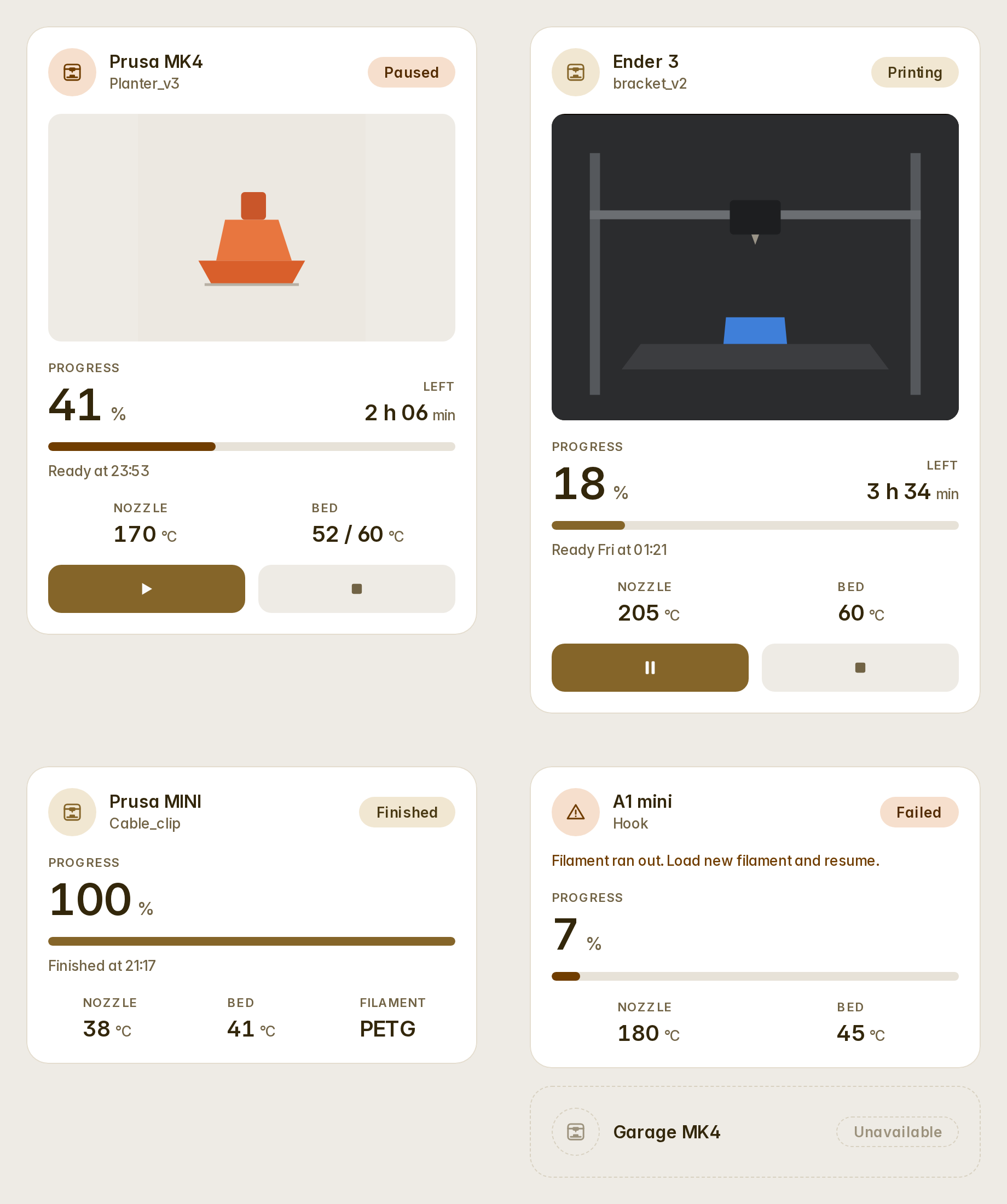
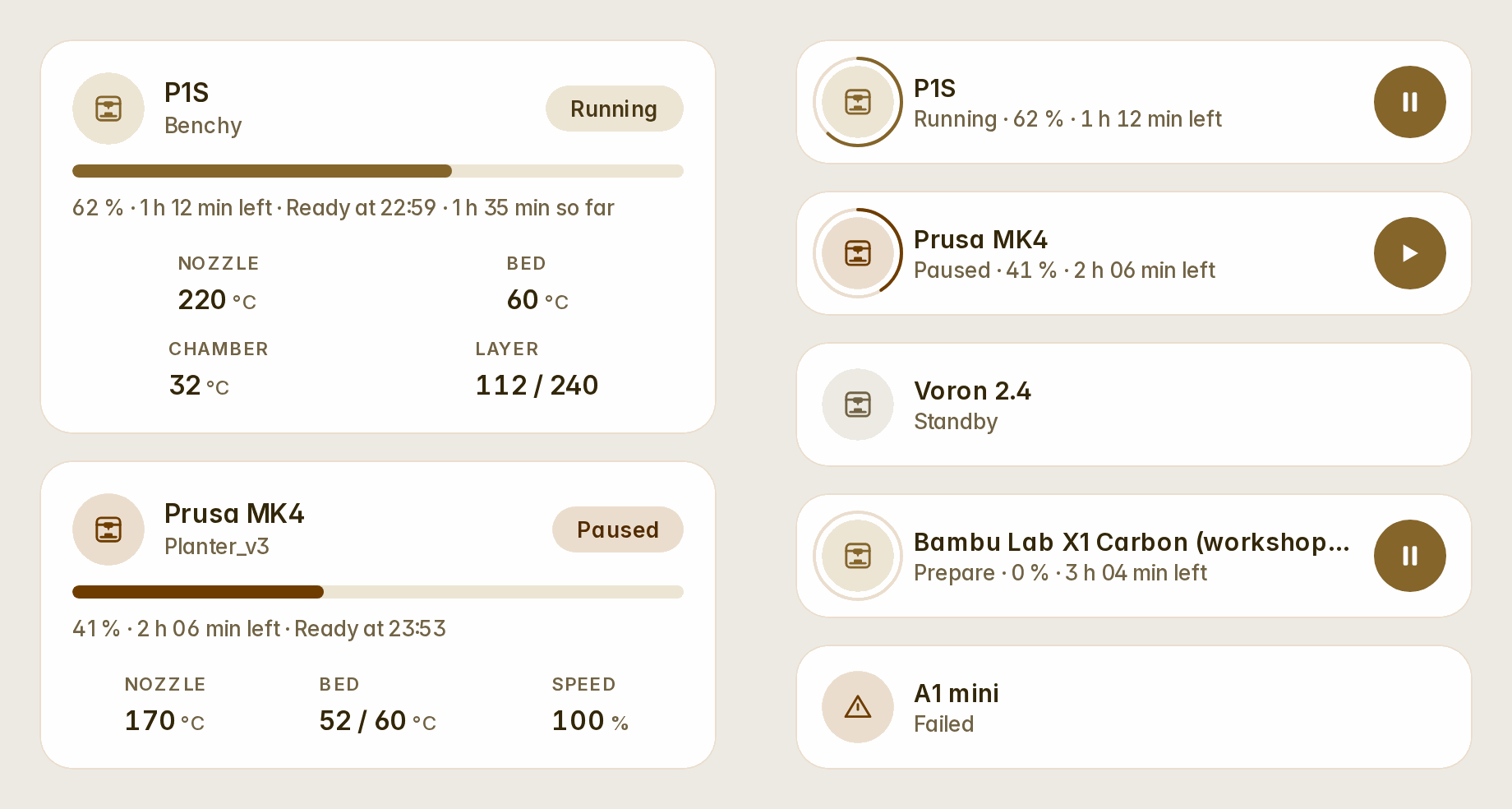
custom:fluvy-printer-card finds everything on your printer's device itself, for OctoPrint, PrusaLink, Bambu Lab and Moonraker (#27). It shows:
- the job and its picture: the camera's stills, its live stream, or the job's preview;
- the progress, the time left, when it will be ready and how long it has run;
- the nozzle, the bed and the chamber (both figures while a heater is on its way), the layers, the speed and the filament;
- a Bambu Lab AMS's trays with their colours, the one printing marked;
- the stage while it prepares and, when a print fails, why.
Pause or resume, stop (asked first) and the light are one tap away. Any readout opens its entity, and any other entity of the printer can be one more readout. System buttons and an emergency stop are never shown. The automatic Home dashboard adds one for each printer it finds.
type: custom:fluvy-printer-card
device: <your printer's device>   # picked in the editor
variant: full                     # full · compact · row
readouts: [nozzle, bed, chamber, layer, speed, filament, elapsed]
sensors:
  - sensor.p1s_aux_fan
camera_view: live
Celsius and Fahrenheit
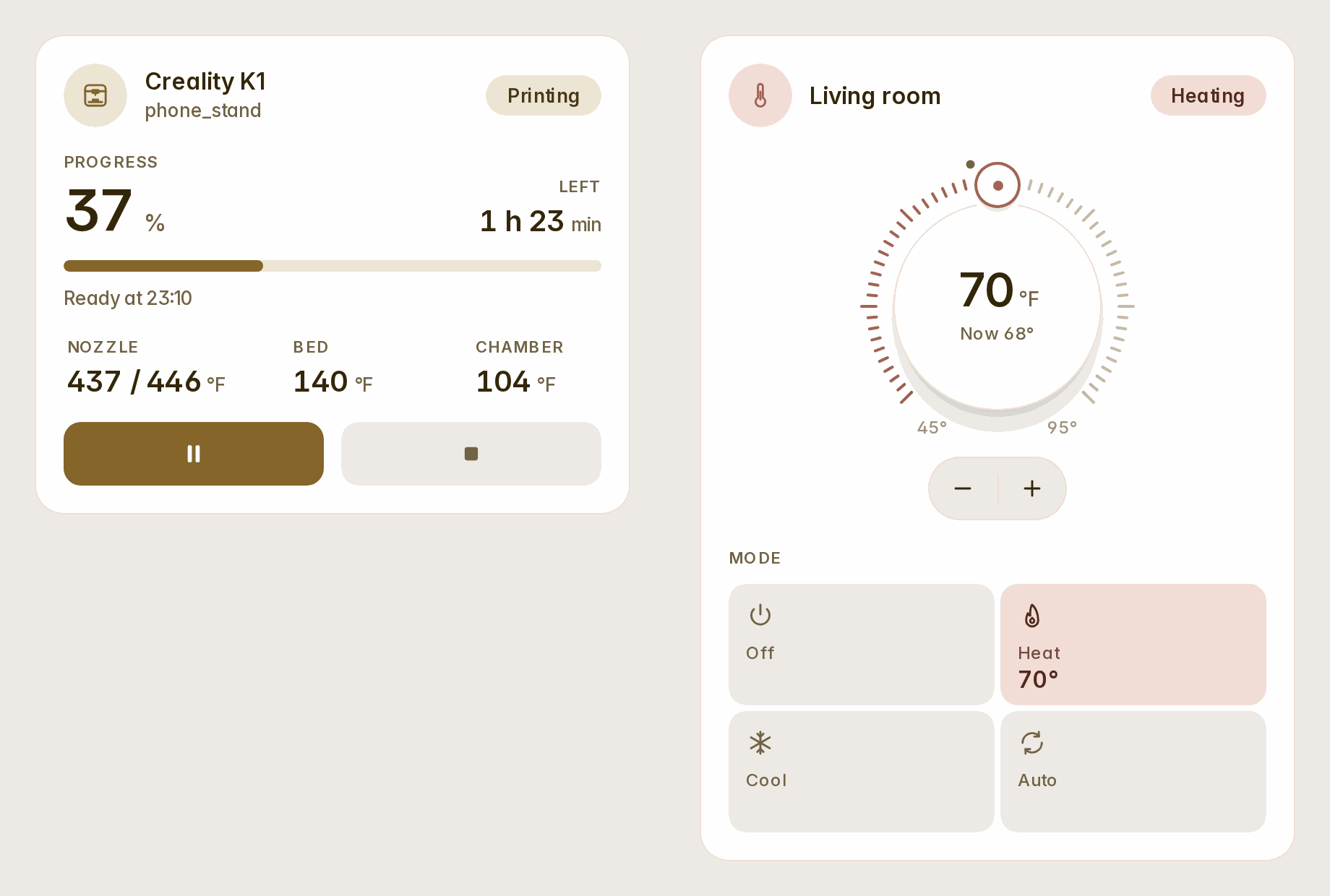
Every card reads a temperature in your house's unit. In a house in Fahrenheit, a thermostat whose entity gives no range or step takes Home Assistant's own: 45–95 °F, a whole degree a step. The printer's heaters say "now / target" from 5 °F off.
Also
- The camera, lock and alarm cards load on demand, with the printer: what every dashboard loads first is 9 KB lighter.
- The visual editor shows every switch and choice as the card does it when the config says nothing (forty cards).
- Narrow columns, large sizes and long languages give way in order: a badge first, then the circles, a row's age in its short form, the greeting's short hello on a phone at 150 %. Nothing is cut in any of the eight languages.
Full changelog: CHANGELOG.md