Repository navigation

Three issues from the first days of 1.7 — two new cards and the light card's colours of your own — and the fix that keeps the chips still. Thank you svb91 and xoatrash.
Automations (#33)
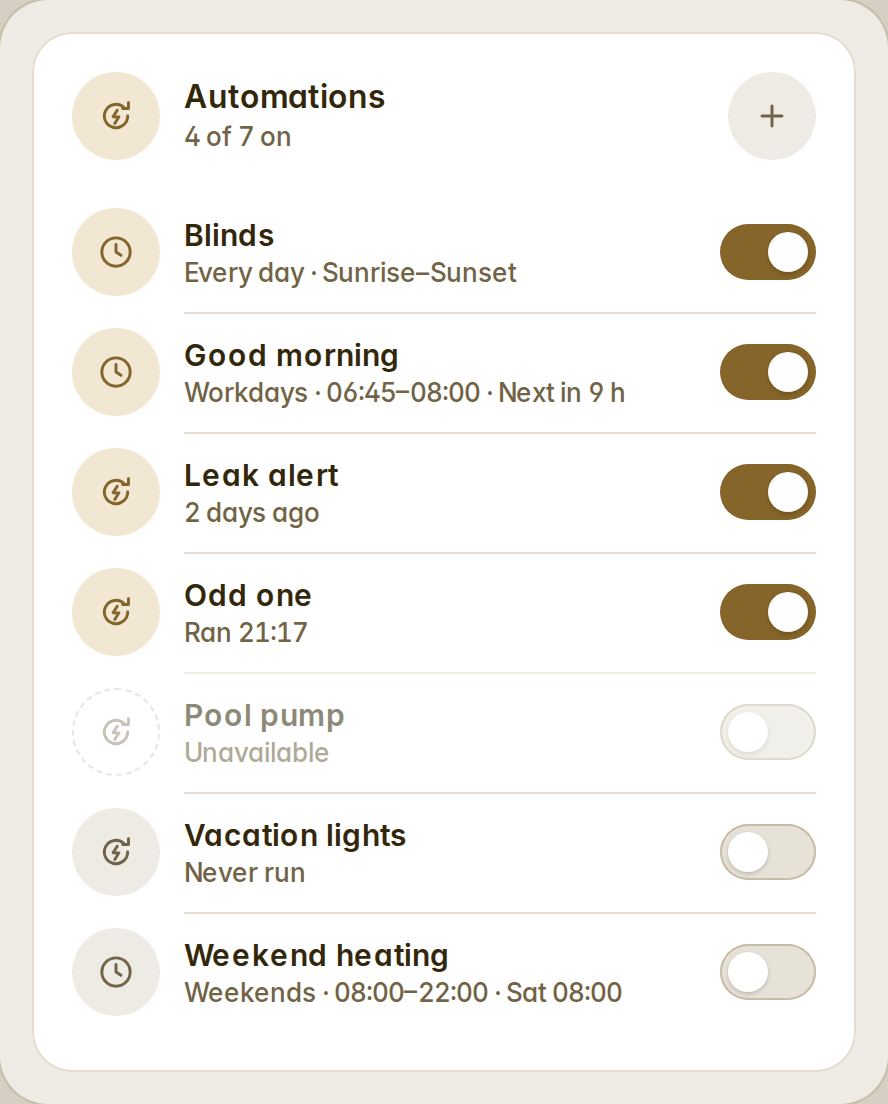
fluvy-automations-card lists every automation of the house — a switch, the last run, filters, rows, compact rows or tiles, a fold row for the rest — and writes schedules as native Home Assistant automations through the config API. There is no scheduler of its own and nothing stored outside Home Assistant: every schedule is also in Settings → Automations, editable there, and anything edited there beyond Fluvy's shape is still listed as a plain row.
A schedule is what to do (turn on or off, open or close, run — with a brightness for lights or a temperature for climate), on which days (every day, workdays by the Workday sensor or Mon–Fri, weekends, chosen weekdays), from a time or sunrise/sunset with an offset, until another time if you want, with a name suggested for you. A schedule's row reads the way people say it: "Workdays · 06:45–08:00 · Next in 9 h".
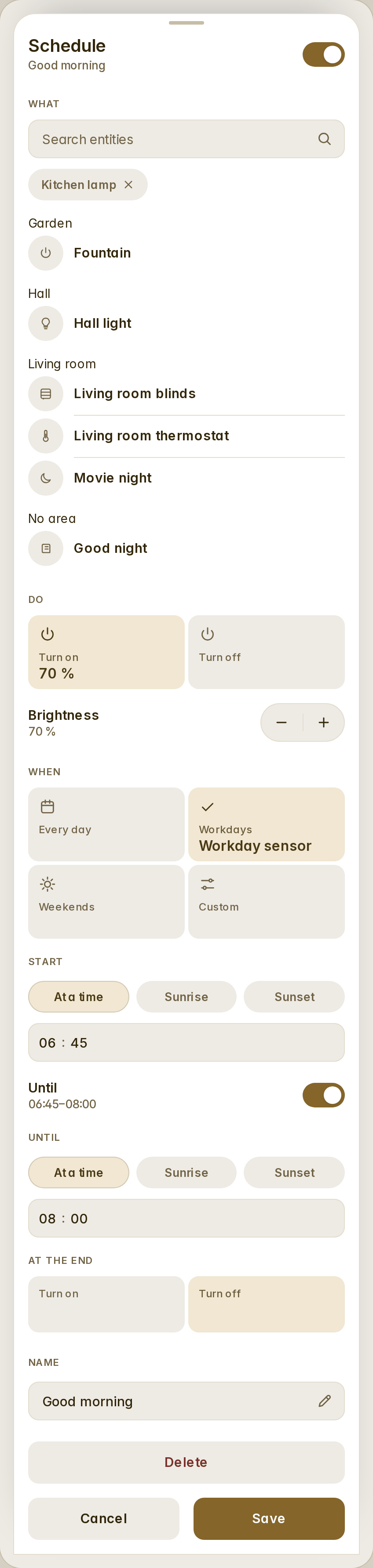
Administrators add and edit in a bottom sheet (search the entities, pick the verb and the level, the days, the start and the end, Save only when the schedule is whole, Delete armed on a first tap); everyone else sees the list, switches and runs. A plain automation opens its details: Run, Open in Home Assistant, Traces.
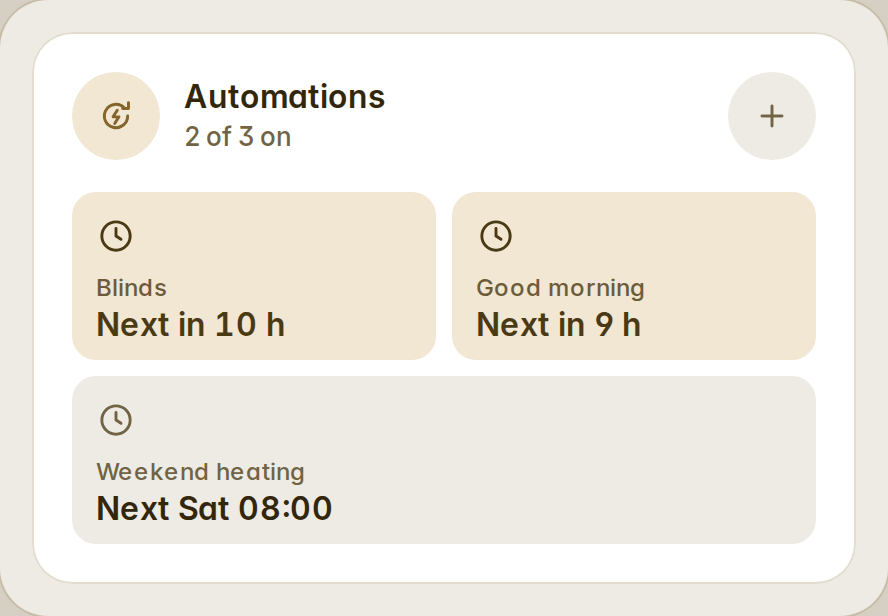
type: custom:fluvy-automations-card
show: schedules
variant: tiles
History bars (#38)
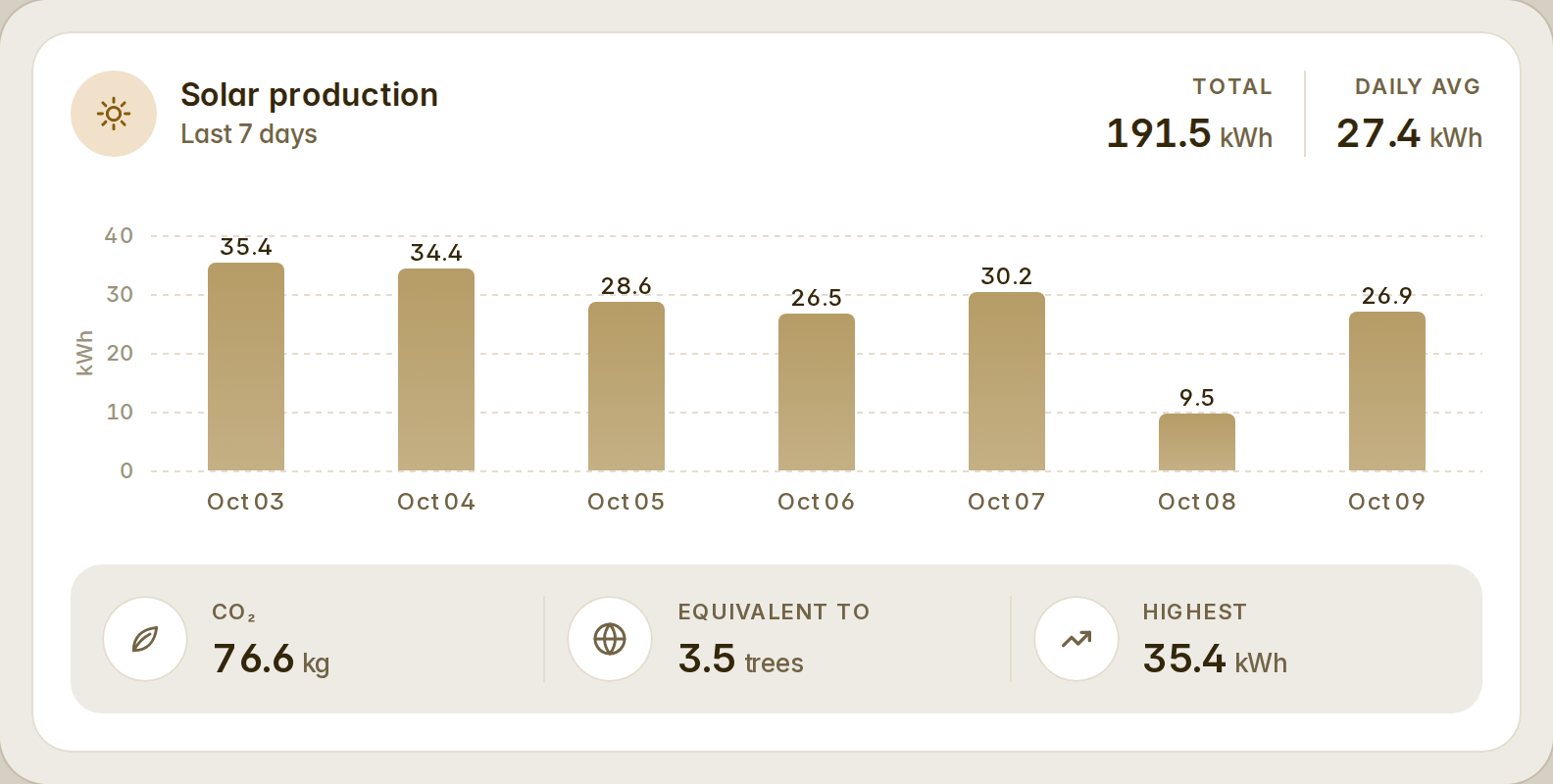
fluvy-history-bars-card draws a sensor's last days, weeks or months as bars from Home Assistant's long-term statistics: the total and the daily average in the head, the value over every bar on a nice scale with dashed gridlines and the unit on the axis, the dates under, and a strip of facts under the chart. Scrub the bars to read a day in the head.
The head readouts and the facts are lists you compose in order — total, average, highest, lowest, today, CO₂ and its trees or kilometres, a share of another sensor, money at a price, a template — each with its own name, icon, colour, unit, decimals, factor and tap action. Every part can be hidden; full, compact and mini. The defaults are honest numbers (highest, lowest, average); the equivalents appear only when you add them and their factors are in the open.
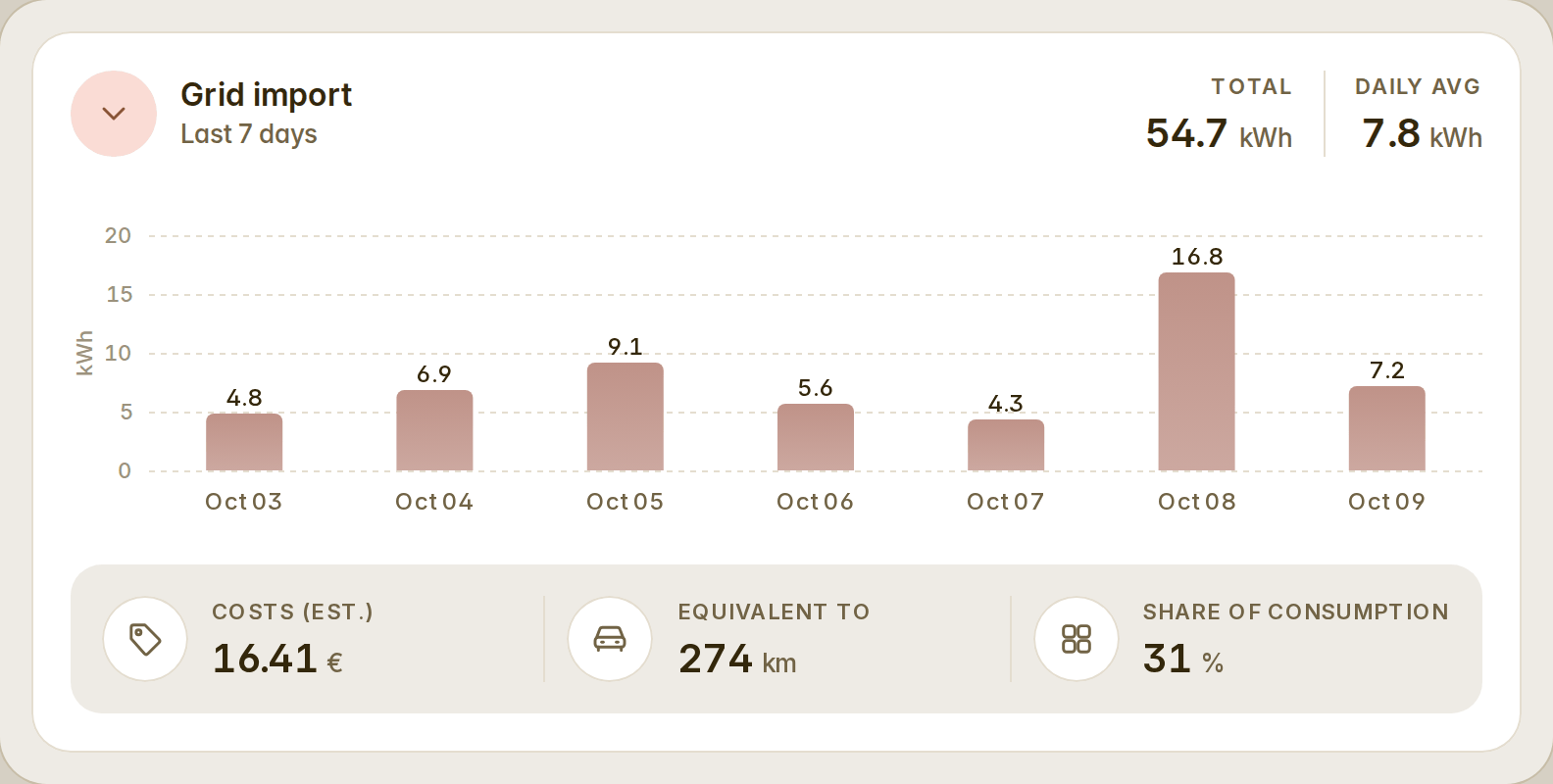
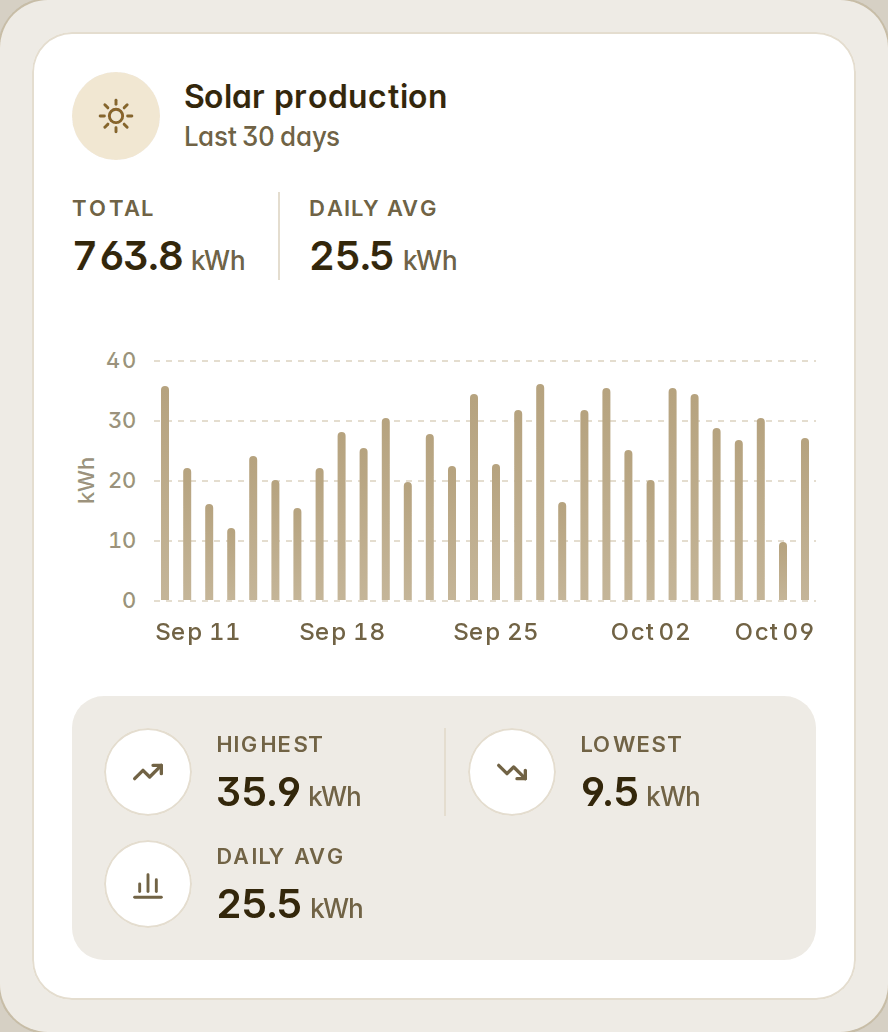
type: custom:fluvy-history-bars-card
entity: sensor.solar_production
color: '#C9A063'
days: 7
head: [total, average]
facts:
  - kind: co2
  - kind: trees
  - kind: highest
Quick colours of your own (#37)
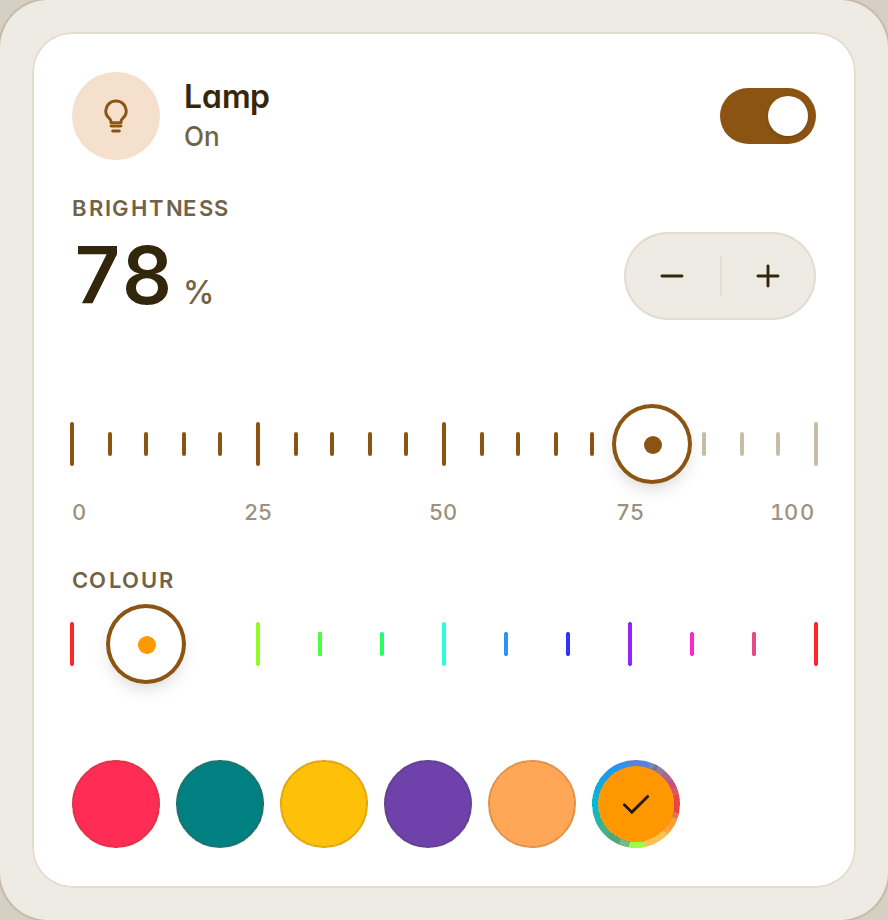
The light card's colors takes any number of entries, in your order, each a word (warm, cool, a Home Assistant colour name), a #rrggbb, [r, g, b], picker, or { color, name } so the round says your name for it. The rounds wrap six a row and the card grows with them. The visual editor edits the list row by row: a word from the list, or "Custom colour" with a colour well and a name.
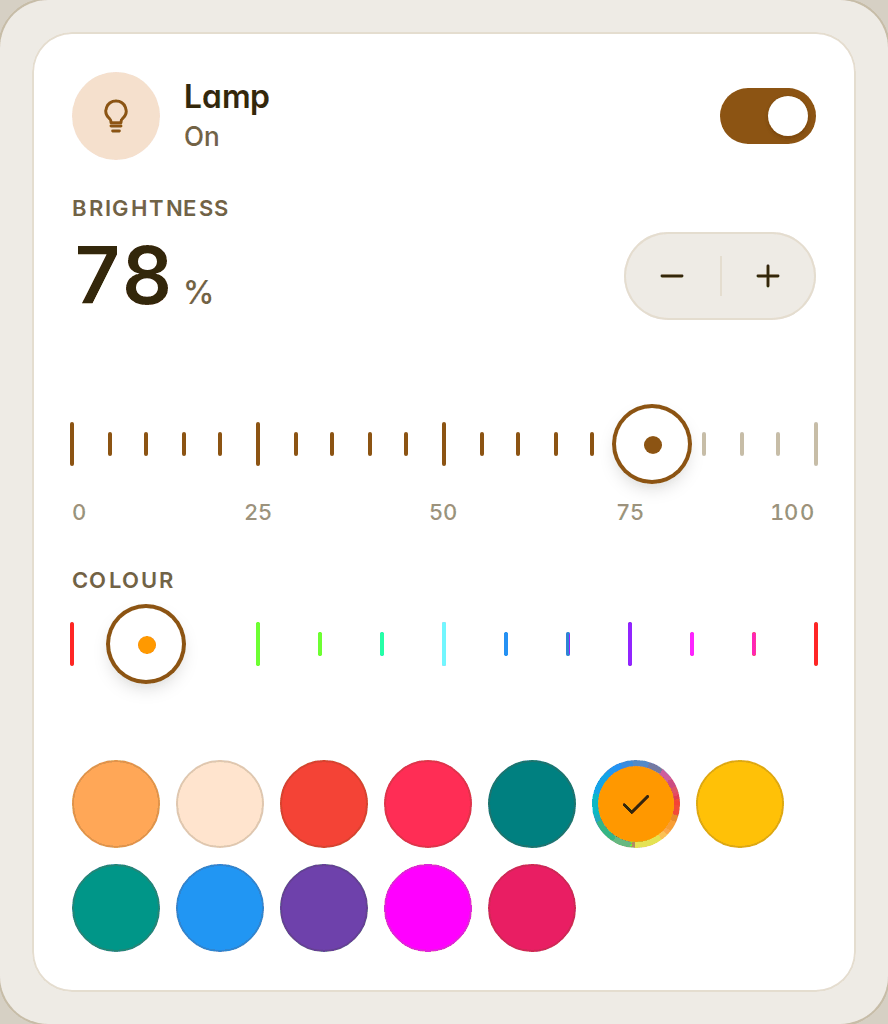
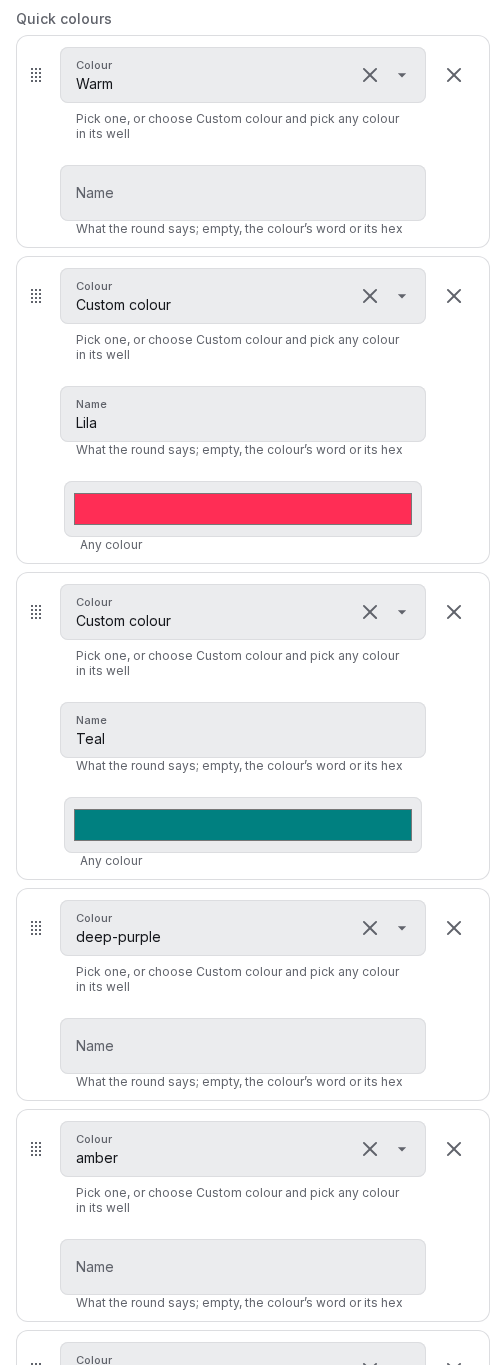
type: custom:fluvy-light-card
entity: light.lamp
colors:
  - warm
  - color: '#ff2d55'
    name: Lila
  - color: [0, 128, 128]
    name: Teal
  - deep-purple
  - picker
Also
- A chip was fitted by its box instead of its content and fitted again in the font event itself, so a tab row could flicker between filling its line and not; fixed, stable under zoom.
- Dev dependencies: eslint 10.12, typescript-eslint 8.71.1, Vite 8.3.4, happy-dom 20.14.6, Playwright 1.64.
- Fifty-two cards. Full details in the changelog.