Repository navigation
v1.9.0

Eleven issues since 1.8 — two new families of cards, the light card in its bulb's colour, the automations card for one lamp, history bars that count right, scales on the energy chart and the bugs you found — plus two calls of our own: a card never changes size because a device went away, and the status colours can be yours. Thank you @svb91, @xoatrash, @eduardoribeiro, @JarlMorgennebel and @sriramsv.
Appliances (#47)
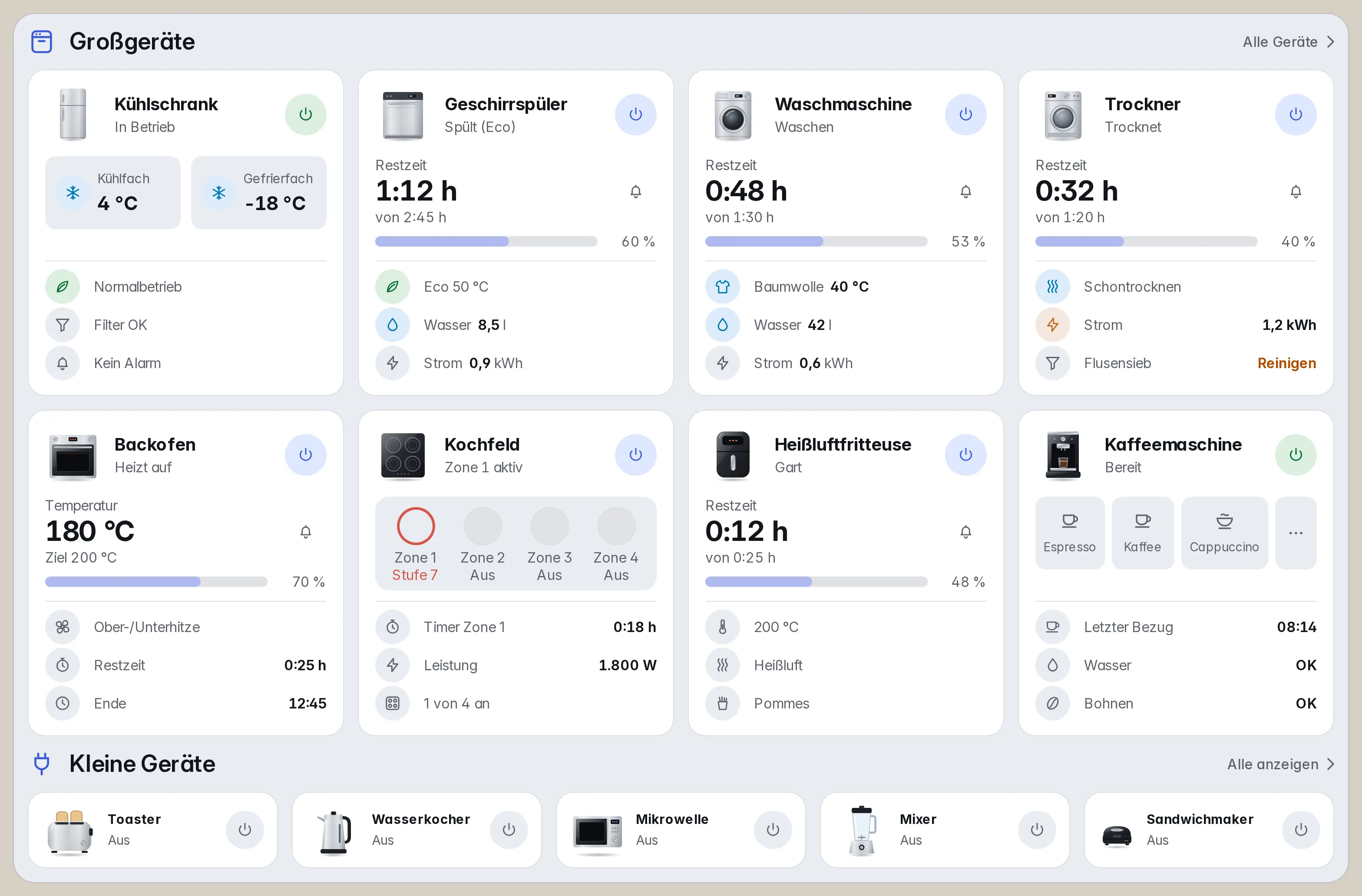
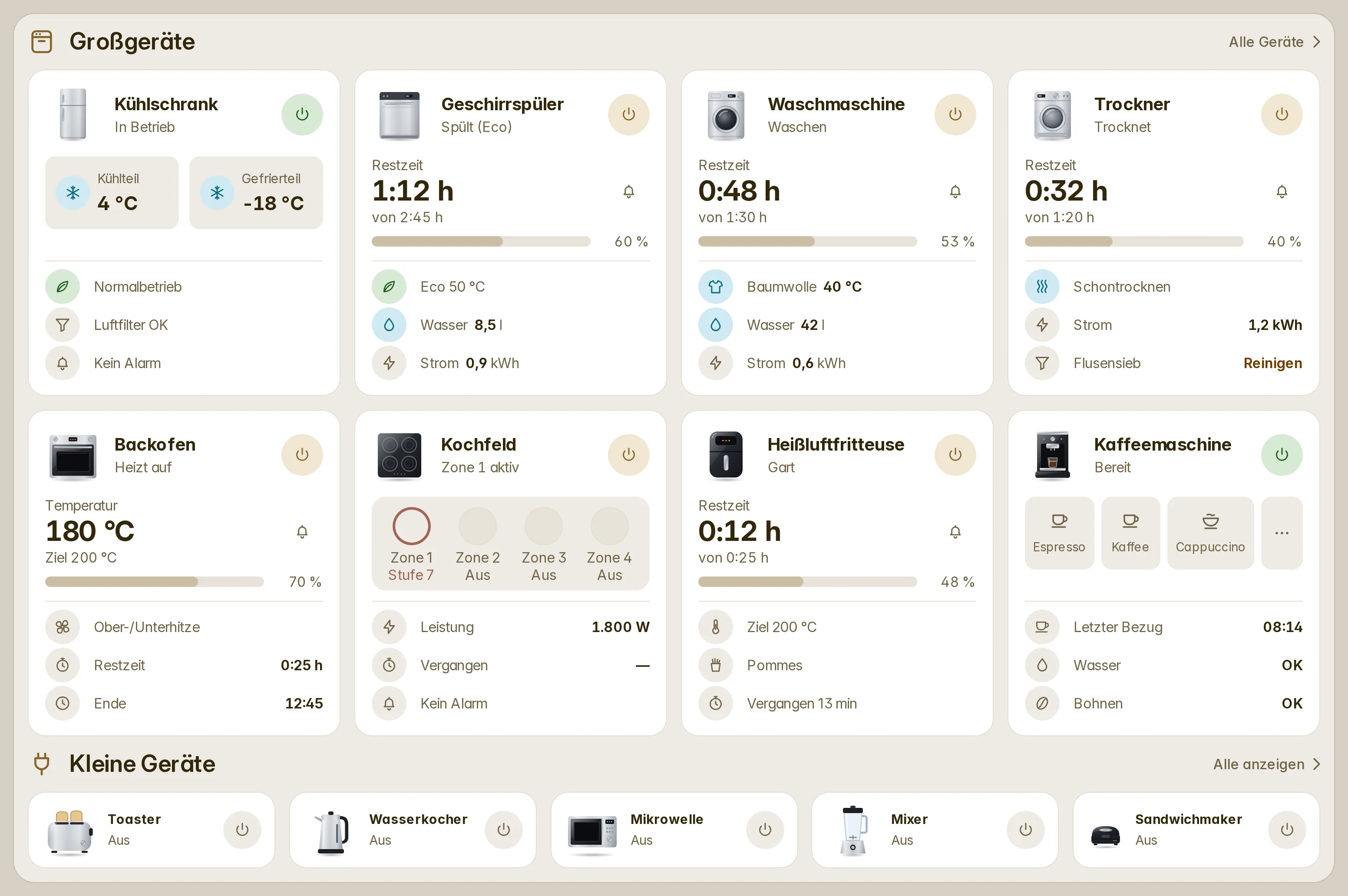
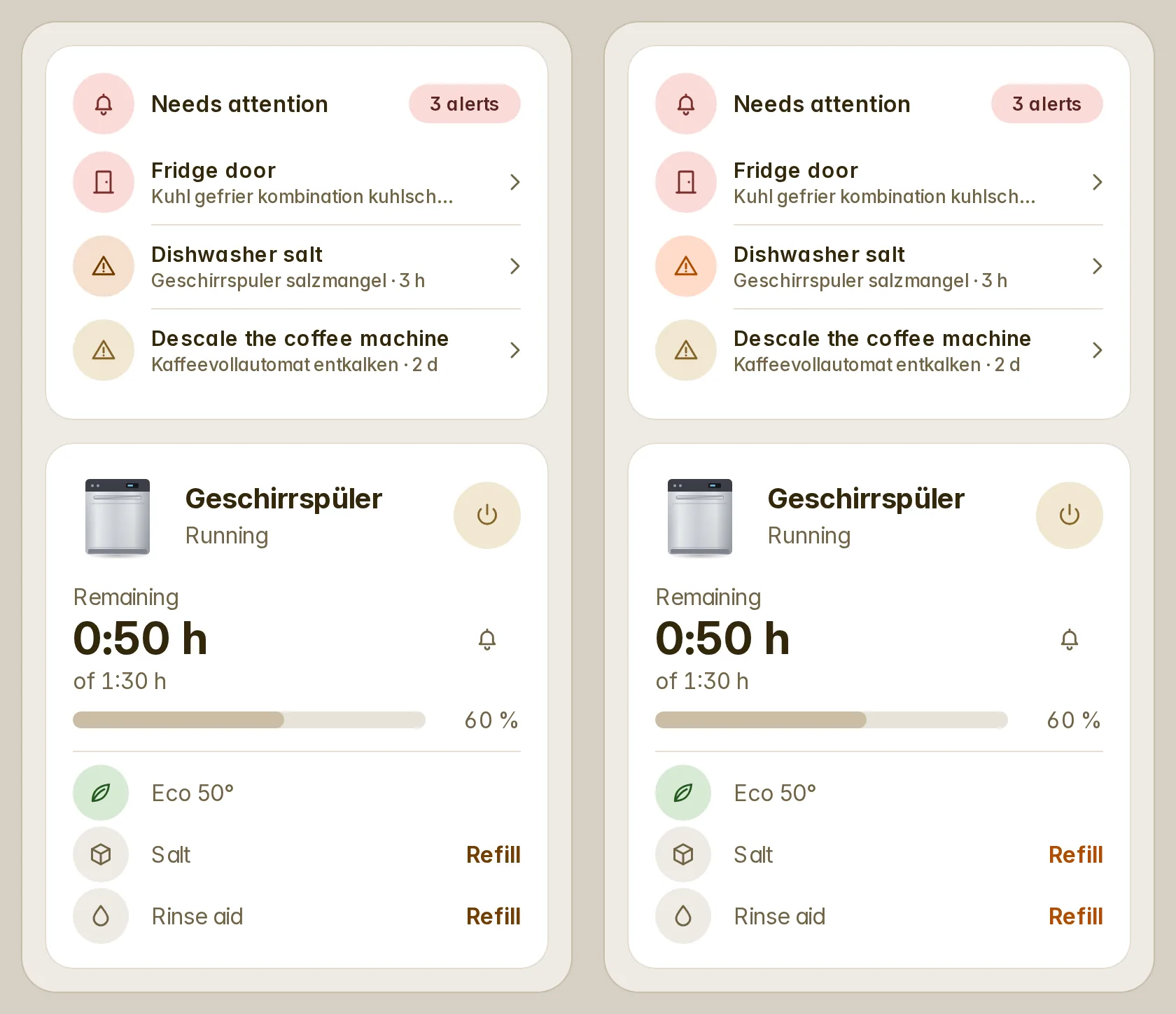
fluvy-appliance-card is one card for a washer, a dryer, a dishwasher, an oven, a hob, a fridge, a coffee machine, a kettle, an air fryer, a toaster, a blender or a sandwich maker, drawn the way the mockup in #47 draws it: a picture of the appliance, its name and what it is doing, a power button tinted by its state, the time left over a bar, and three rows under it — the programme, water, energy, a filter to clean. A fridge shows its compartments, a hob its zones, a coffee machine its drinks; the small ones on smart plugs are rows. Every big appliance is the same height, so a row of them lines up, and one that lacks a row shows its next one or a dash in its place.
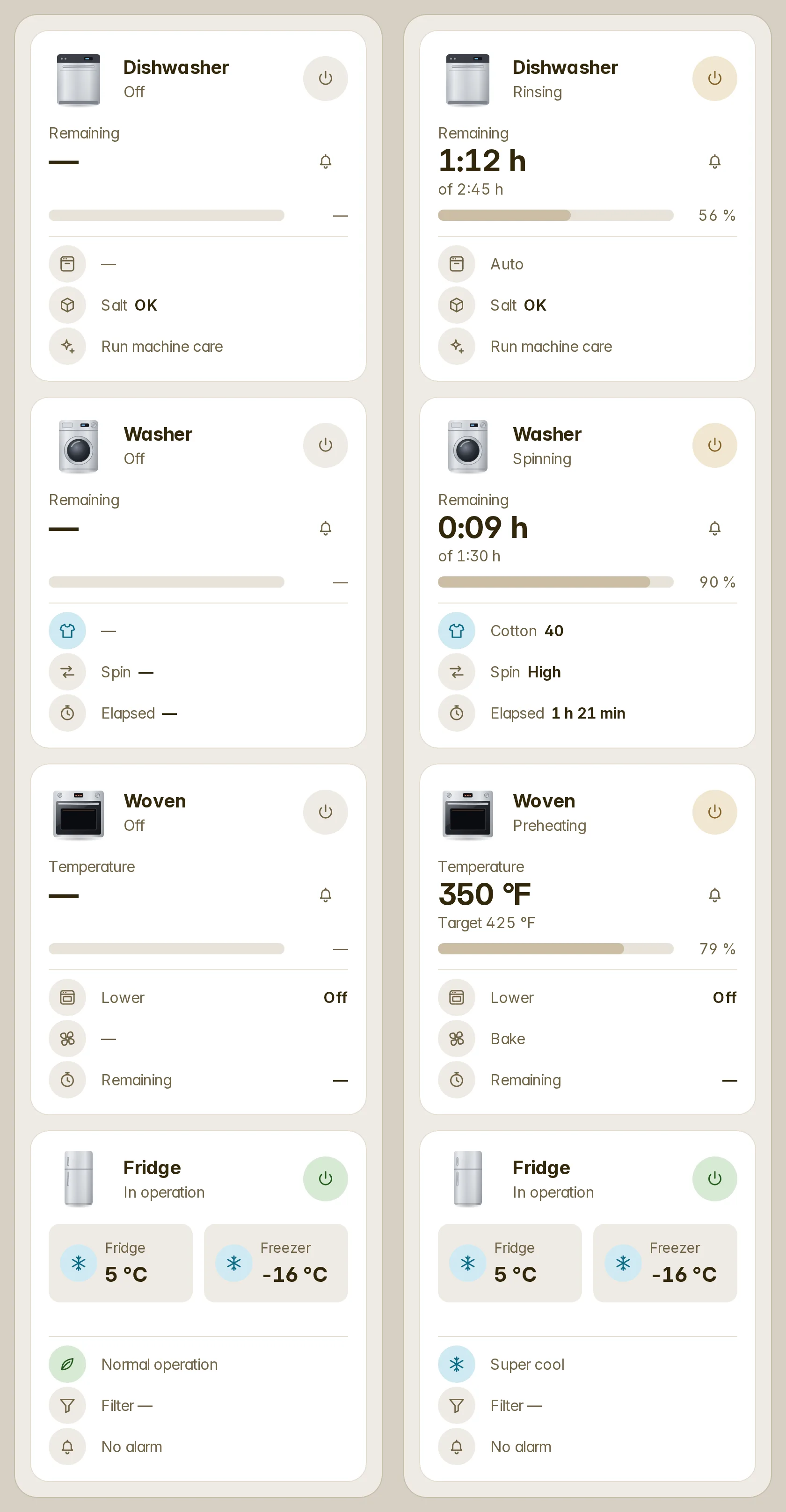
It reads LG ThinQ and LG's older SmartThinQ, Home Connect (Bosch, Siemens, Neff, Gaggenau), Miele, SmartThings, Matter, Whirlpool, Tuya, hOn and Electrolux/AEG, or an appliance on a smart plug by the power it draws: the step of its cycle, when it is ready, a door left open, why it failed, what it asks to be looked after, and whether a load still waits to be unloaded (with a tap to say you did). Start, stop, power and setpoints act only where the integration's own code says exactly how; everything else is shown, never written.
fluvy-appliances-card lists the house's appliances as rows, tiles, or each as its whole card side by side, and the automatic dashboards lay them out that way on Home and in every room, under a section title that leads to a page of all of them. An administrator's bell beside the time left — "Tell me when it's done" — writes a normal Home Assistant automation that notifies their phone when the cycle ends.
type: custom:fluvy-appliance-card
device: 1f2c…            # the appliance's device; or entity: one of its entities
rows: [program, water, energy]type: custom:fluvy-appliances-card
variant: cardsAlerts, and lists that may be empty (#48)
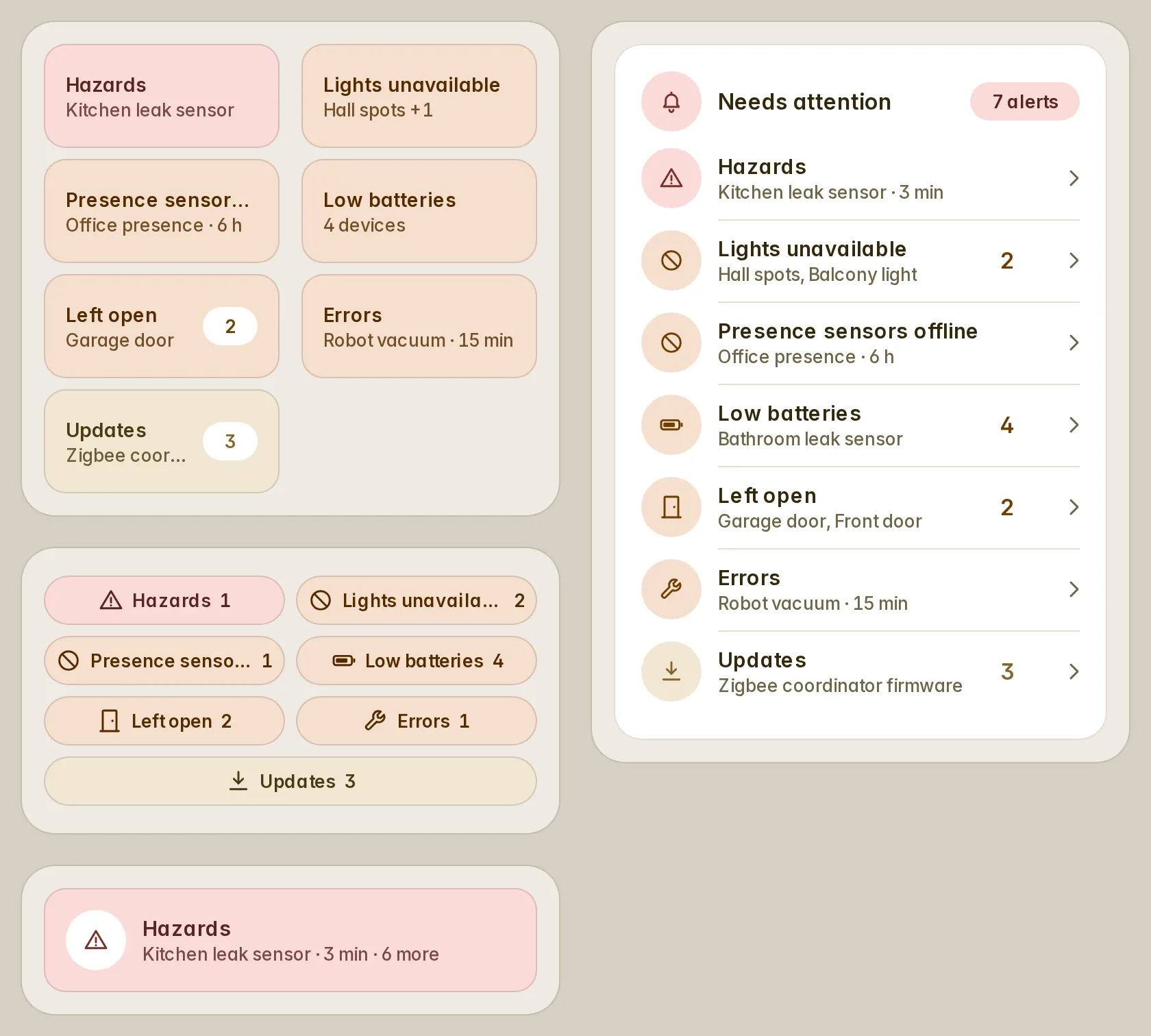
fluvy-alerts-card gathers what needs a look — low batteries, devices gone unavailable, doors left open, locks left unlocked, leaks and smoke, a vacuum in error, updates, lights left on, Home Assistant's own alerts and repairs. Each alert is one line (preset: low_battery) or a matcher of your own, and one definition drives its count, its list and its buttons, so they never drift apart. Severity orders and colours them (critical, warning, and info in a new notice tone), an open door waits five minutes and an unlocked lock ten before they count, and an alert can escalate after a while. Tiles, chips, rows or a turning banner; the card hides itself while all is clear.
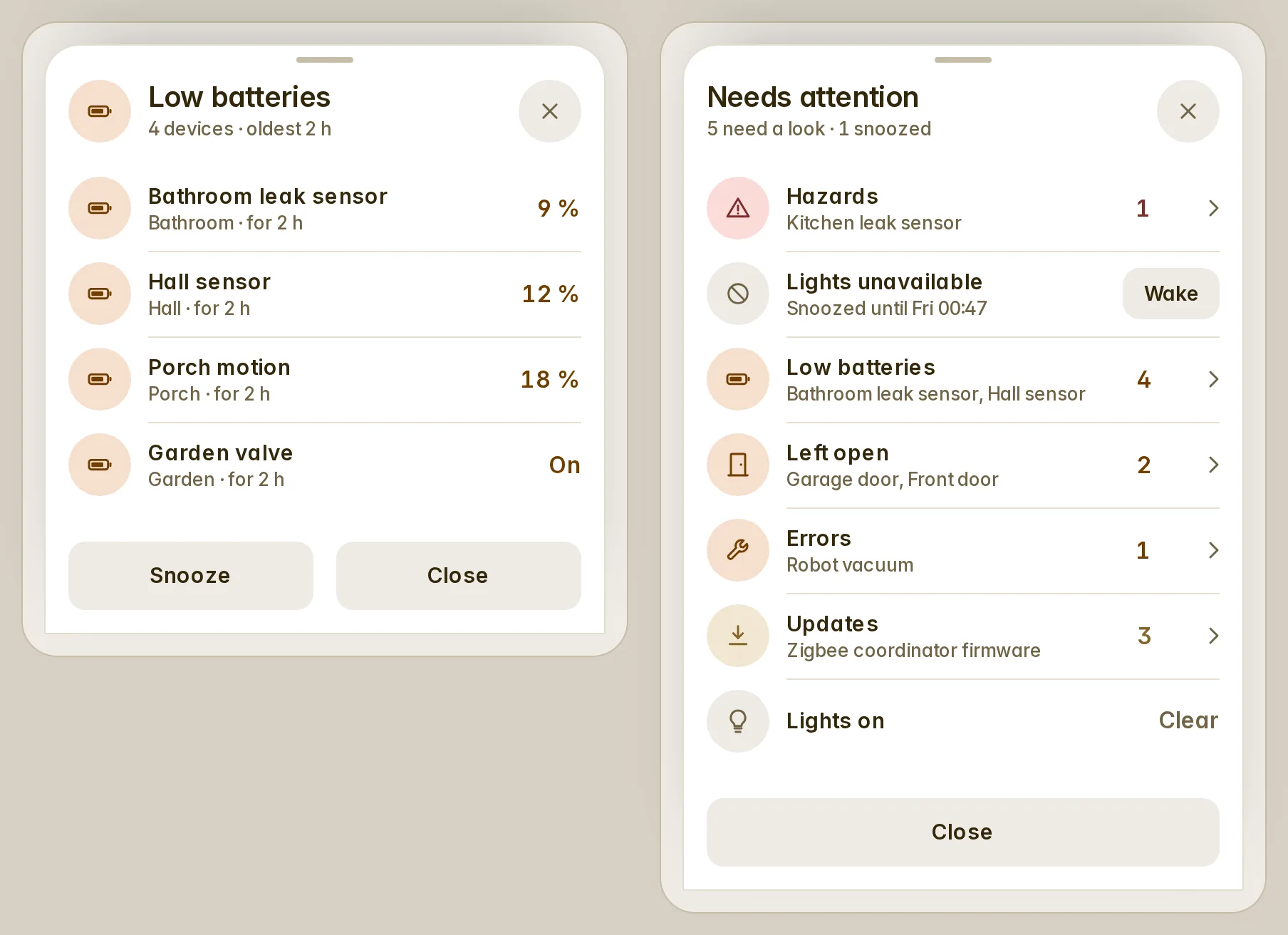
A tap opens the alert's list with a button per row (Lock, Close, Install, Dock) and one for all of them, asked first; Snooze for an hour, eight, until tomorrow morning or until it changes, and the snooze follows you to every device. A long press shows every alert, the snoozed ones with Wake.
type: custom:fluvy-alerts-card
alerts:
  - preset: hazards
  - preset: open
  - preset: unlocked
  - preset: low_battery
  - preset: unavailable
    domain: light
    name: Lights unavailable
  - preset: updates
The generated Home dashboard now opens with "Needs attention", hidden while all is clear, and a Danger tone is in every card's tone list.
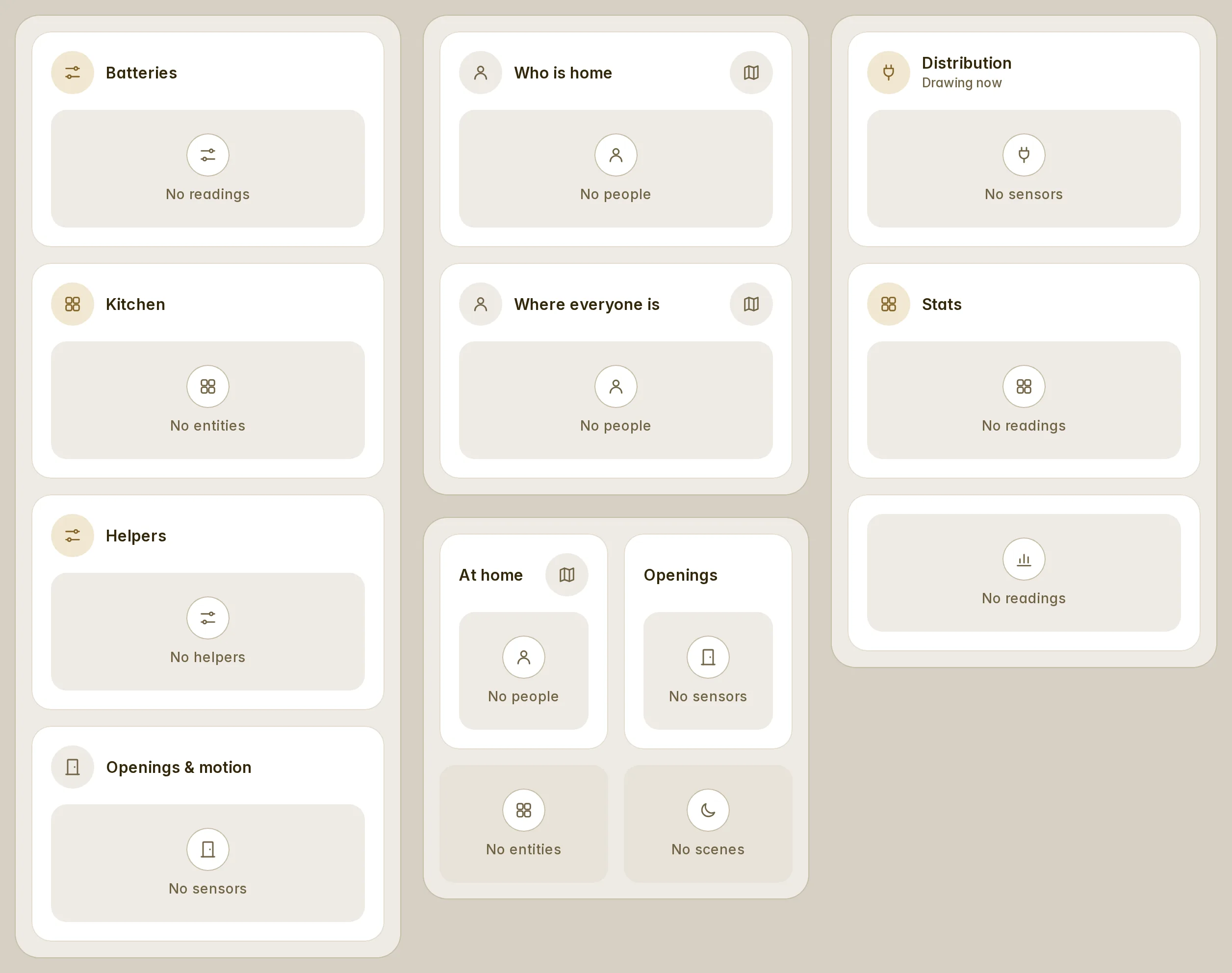
An empty list is no longer a configuration error. Fifteen list cards refused an empty auto-entities filter and kept the error even after it matched again; they now show their head and a short line ("No sensors"), and their rows the moment the filter finds something. empty_text says it in your words and hide_empty: true hides the card while it is empty. The bars and stat tiles read auto-entities' own entities key.
Status colours of your own
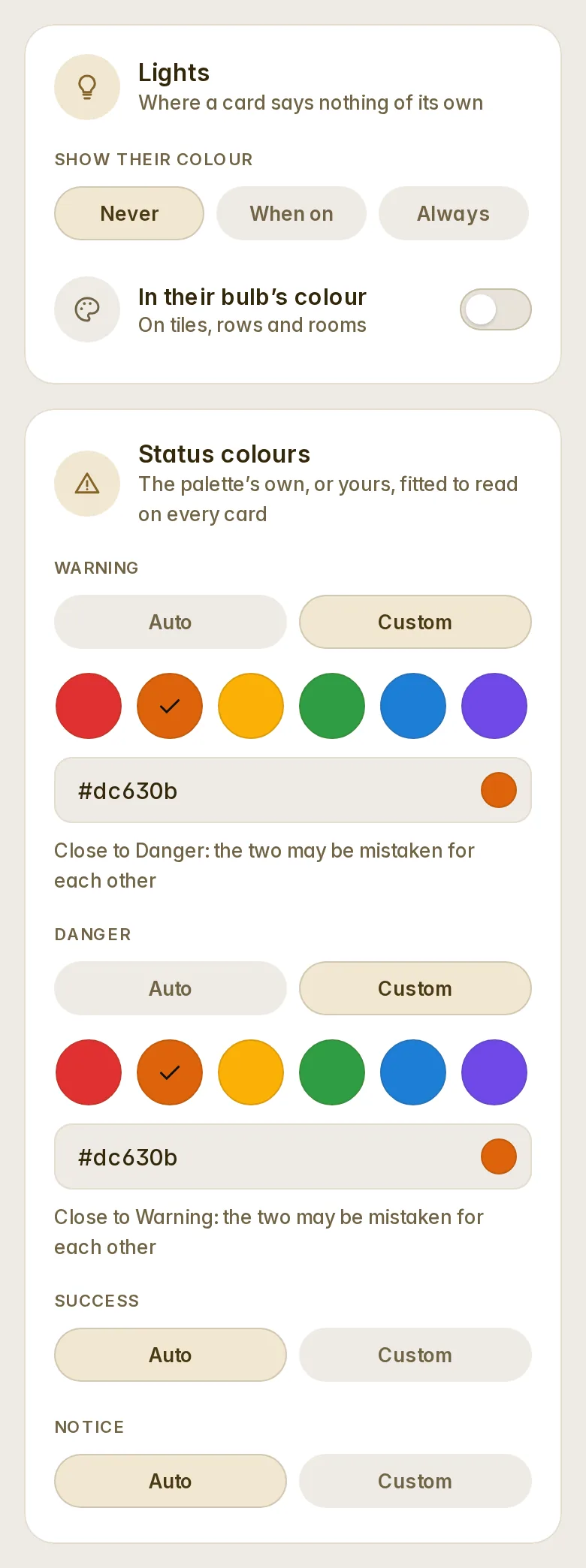
Fluvy's settings have a Status colours card under Appearance. Warning, danger, success and notice each keep the palette's colour (Auto, the default, so nothing changes on upgrade) or take one you pick: six suggestions, the orange of the #47 mockup among them, or any colour. Fluvy keeps the hue and only makes it as deep or as light as it has to be to read on your palette, in light and dark; the mockup's #dc630b becomes #b04c00 on a light card and stays itself in dark mode. Every card takes it at once, and so do Home Assistant's own warning, error and success colours. If two statuses end up looking alike, the panel tells you.
A lit light in its colour (#41)
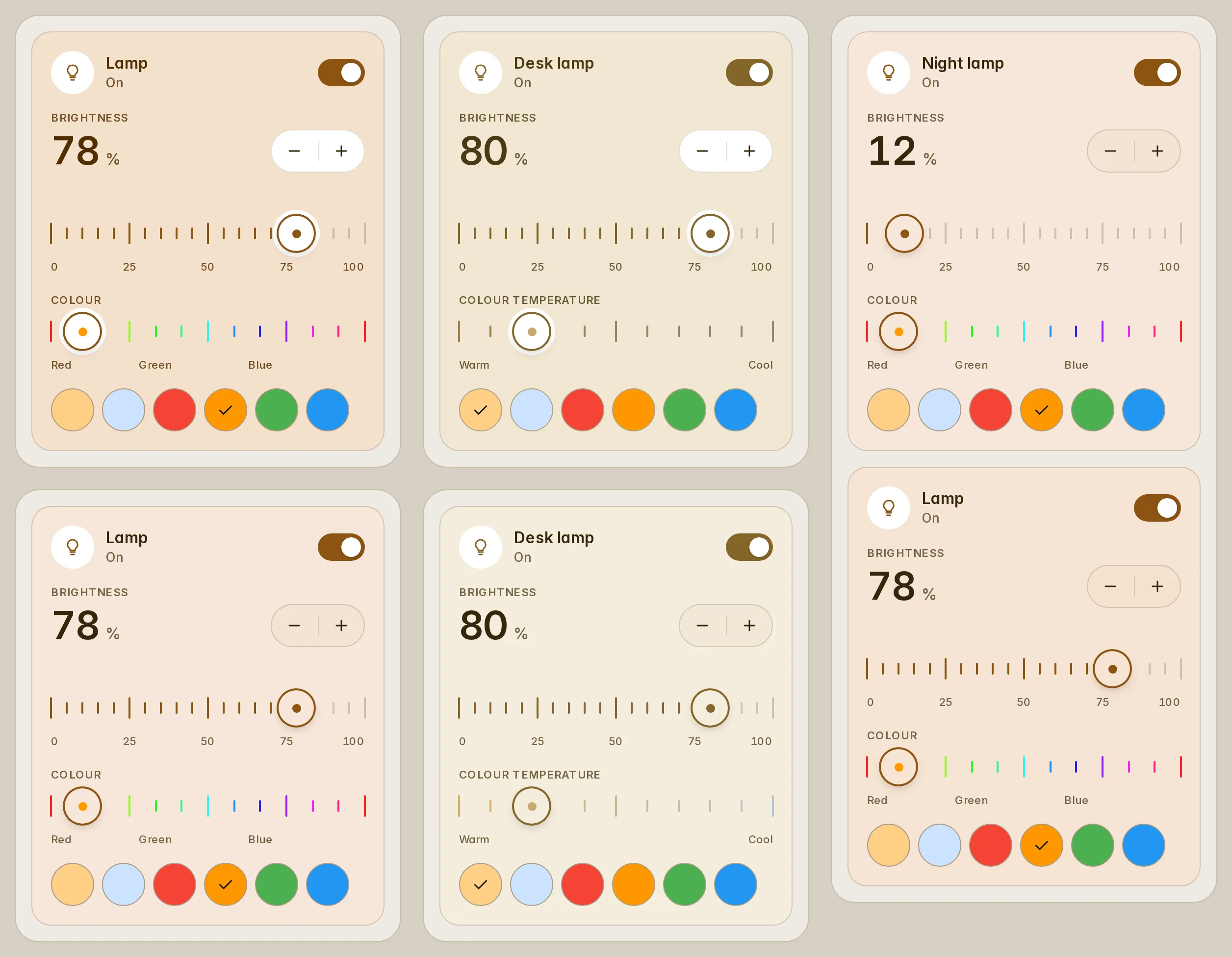
The light card can wear its light's colour on its whole surface: tint: on, or always for a quiet wash while the light is off too. tint_strength is full (a lit tile's fill), soft, or brightness, which follows the lamp. A group takes its lit members' colour by brightness; whites follow the theme, or their temperature with light_whites: temperature.
type: custom:fluvy-light-card
entity: light.sofa_lamp
tint: on
tint_strength: brightness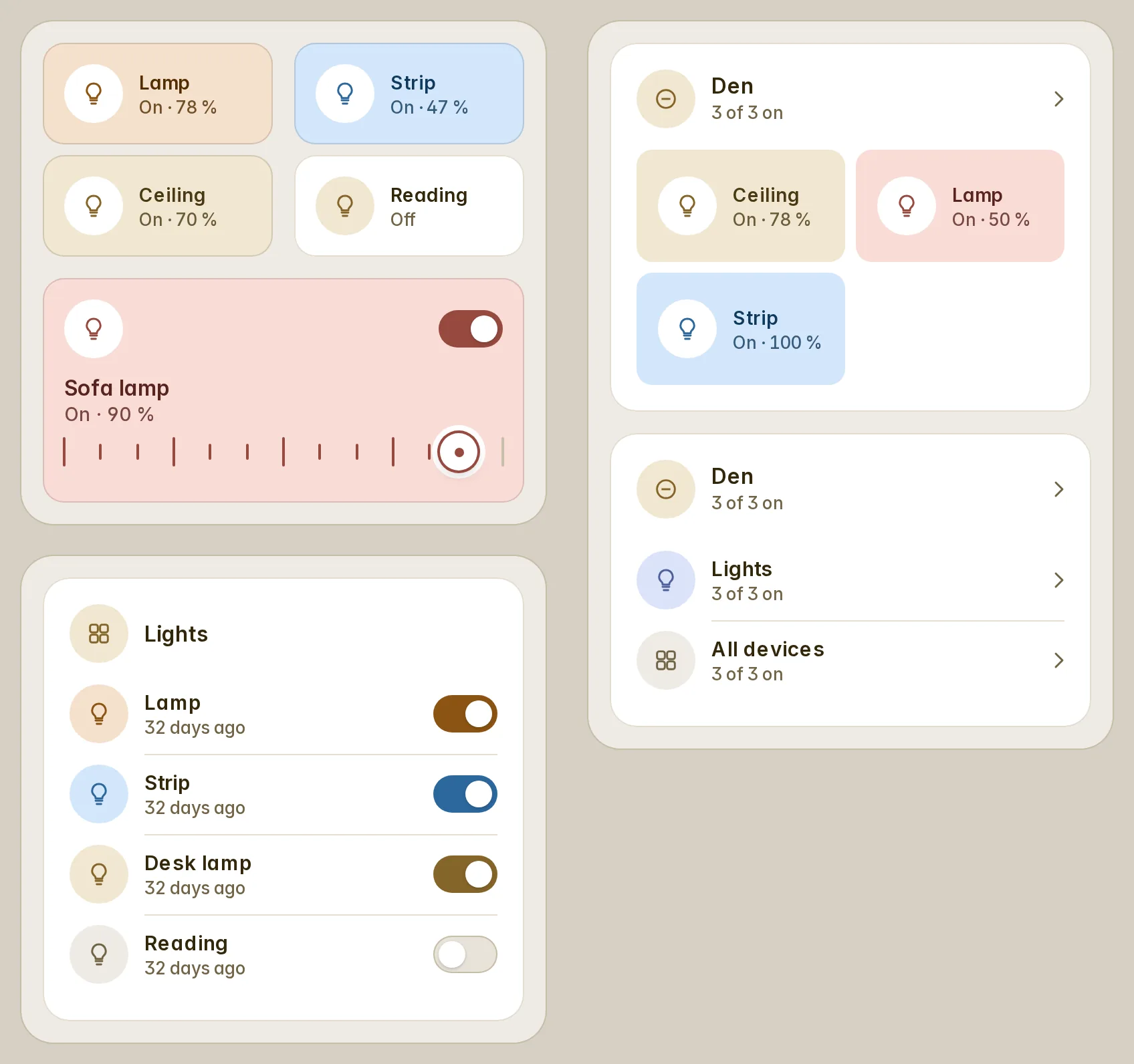
Tiles, rooms and entity rows can wear a lit bulb's colour too (light_colors: true), and the Appearance tab's Lights card turns both on for every card that does not say otherwise. Everything is off until you choose it.
The automations card for one lamp (#43)
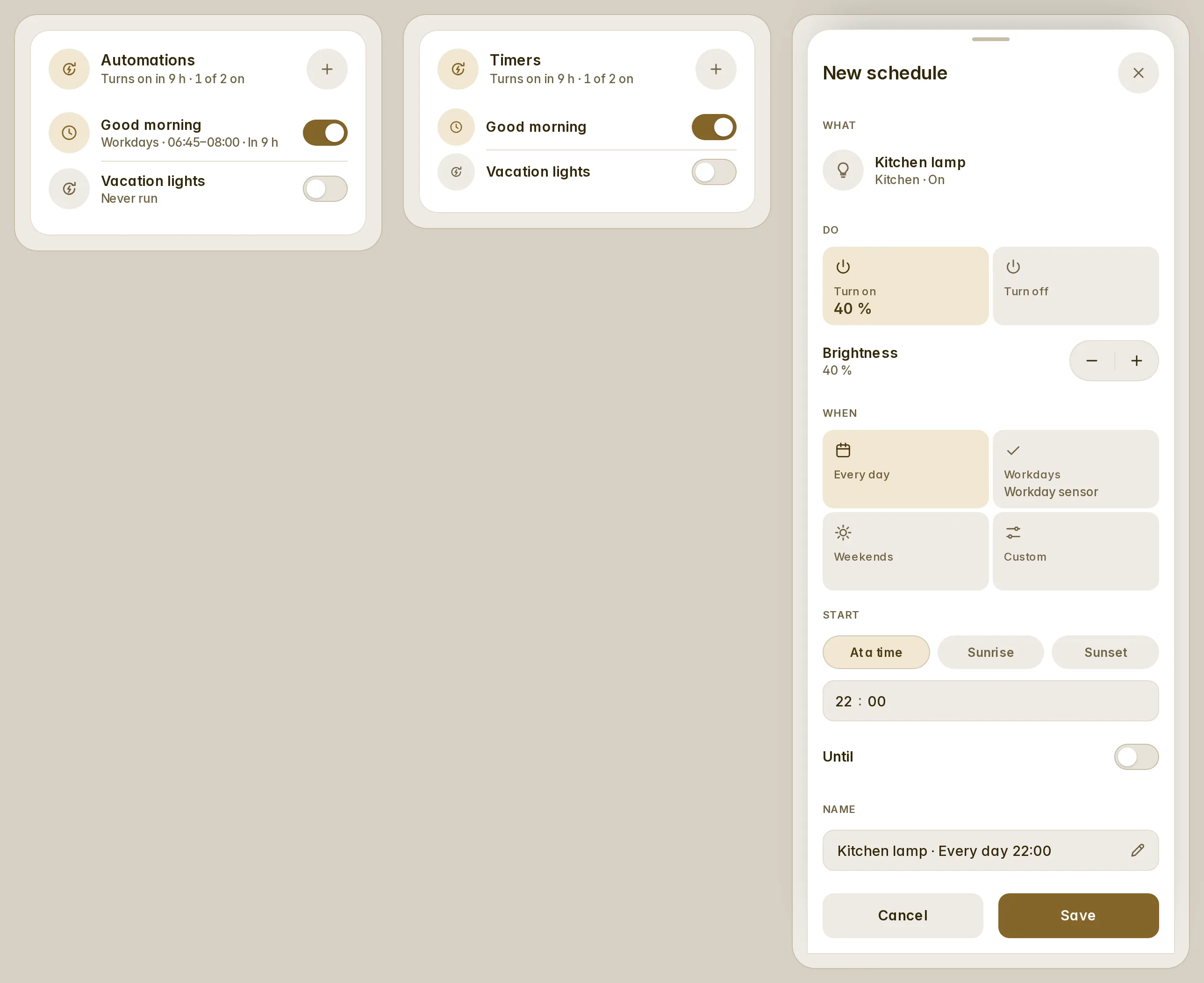
targets makes the automations card about the entities a popup is about: their schedules and the automations Home Assistant relates to them, when the lamp next turns on, and a + that opens the sheet already set to it — +, a time, Save.
type: custom:fluvy-automations-card
title: Timers
targets:
  - entity: light.kitchen_lamp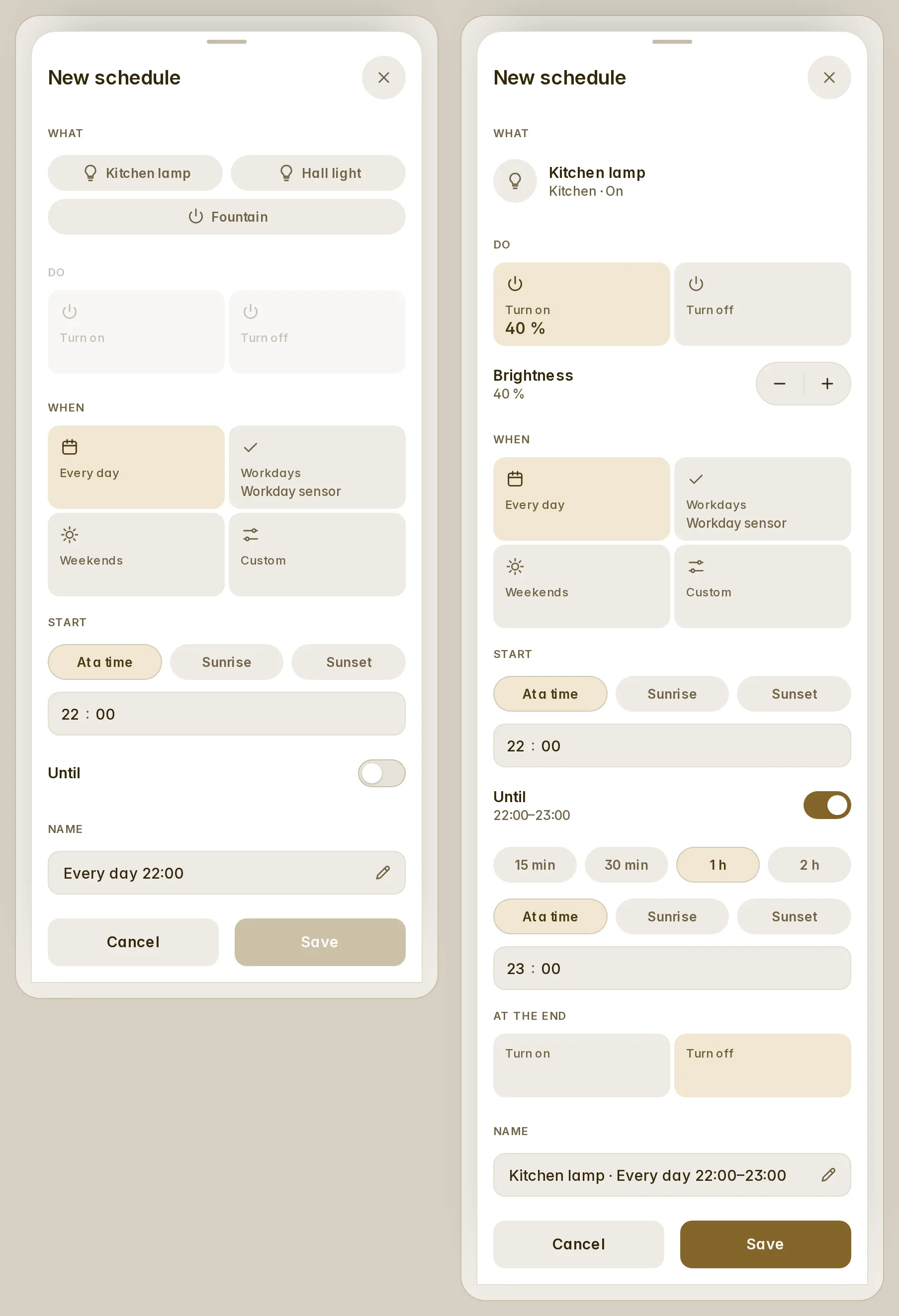
"Until" has quick ends (15 min, 30 min, 1 h, 2 h), and Escape or a swipe inside the sheet no longer closes a Bubble Card popup behind it.
History bars that count right (#44, #45)
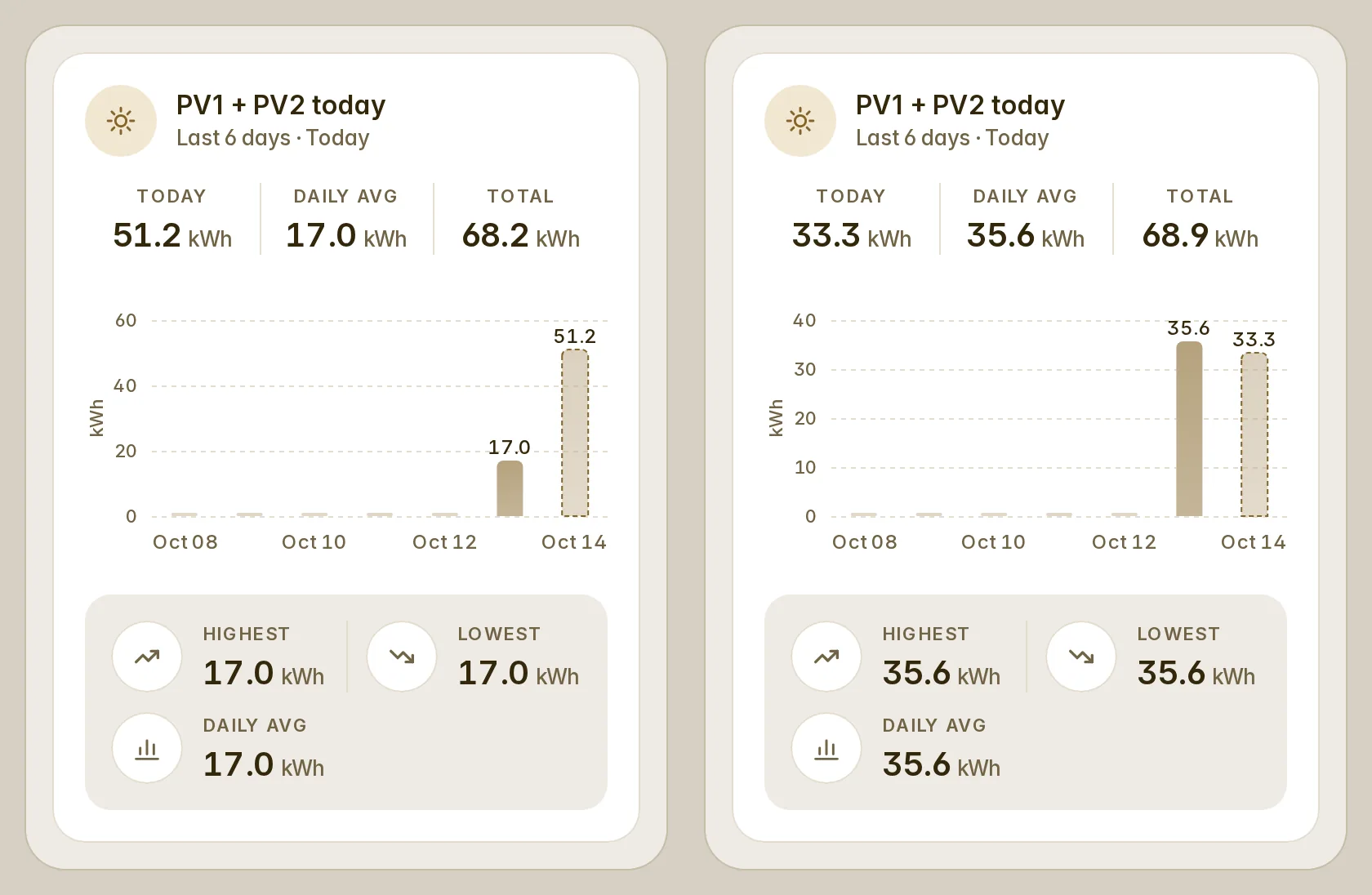
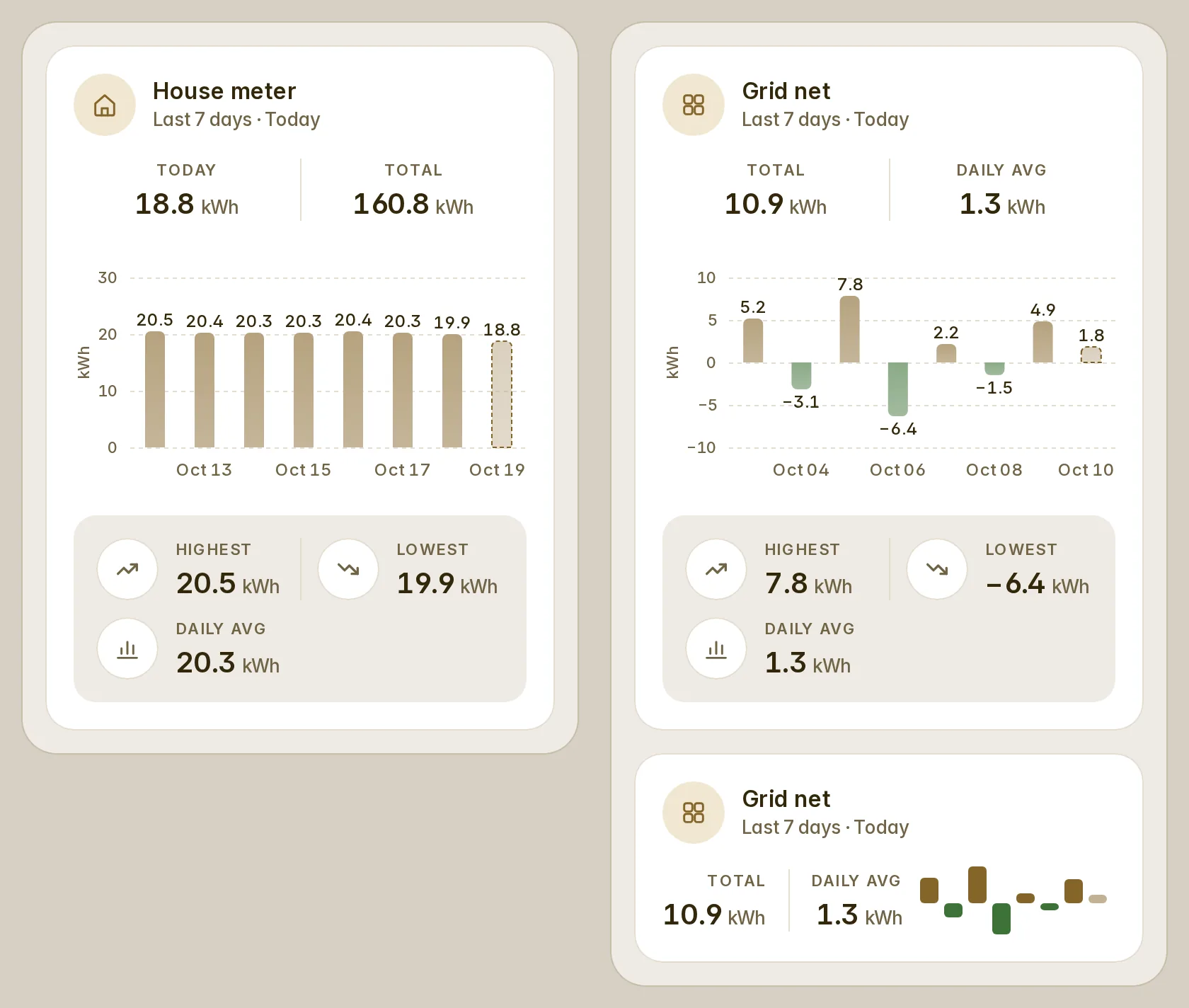
A counter that starts again — a day counter, a monthly rain gauge — can be read by its own readings: reset: day, week, month or year (never for a lifetime meter). A reset that comes as two writes, or a restart that reads 0, is never counted twice or below zero, and today's bar (include_today: true) follows the sensor live.
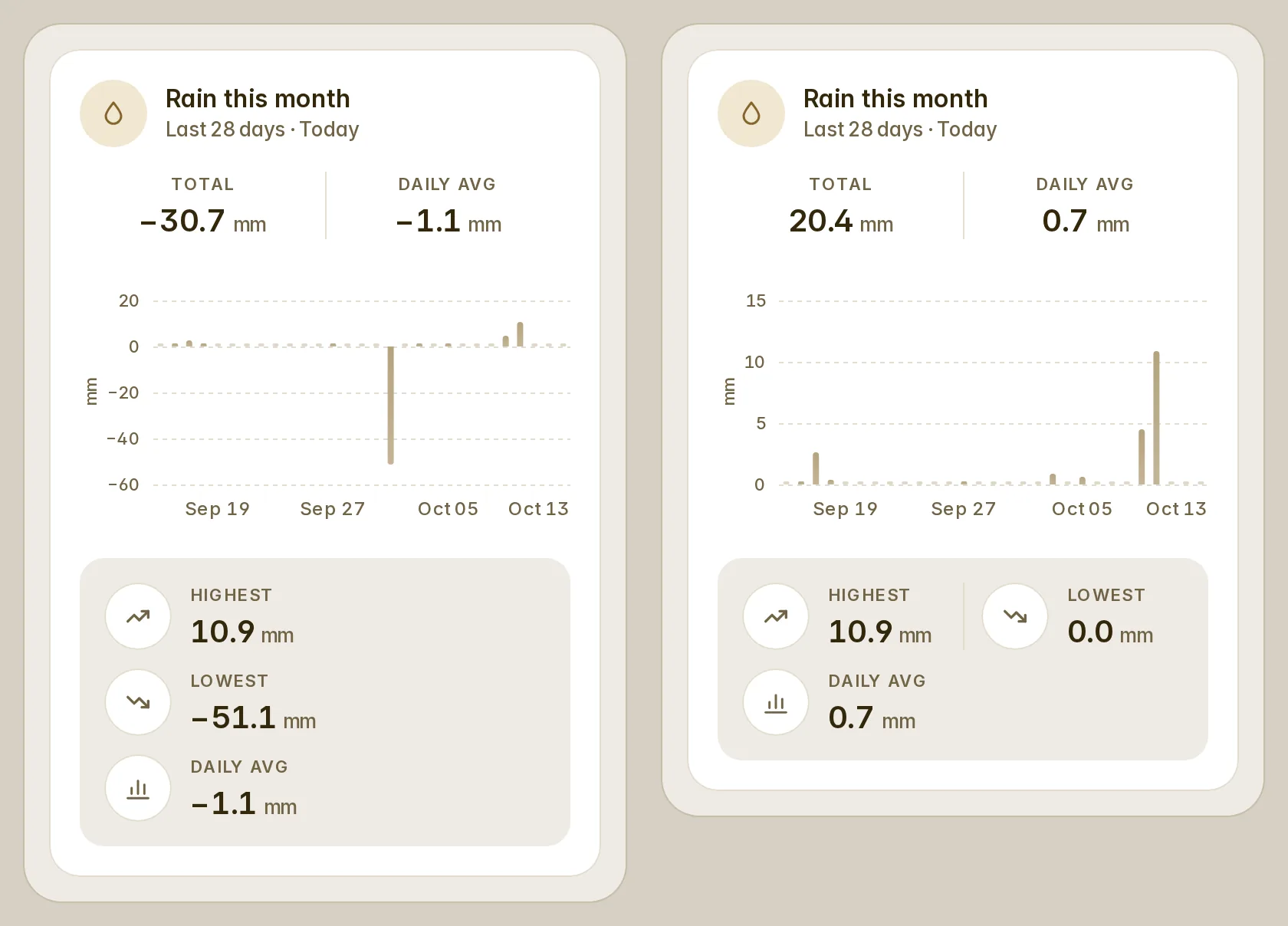
type: custom:fluvy-history-bars-card
entity: sensor.rain_this_month
reset: month
stat: state draws the reading at the end of each bar, so a monthly gauge by month is each month's rain. The average, the highest and the lowest use finished days, the days before a sensor existed are empty, a sensor without a state class reads its history, and the bars below zero and the one in progress can have colours of their own (negative_color, current_color).
Scales on the energy chart (#49)
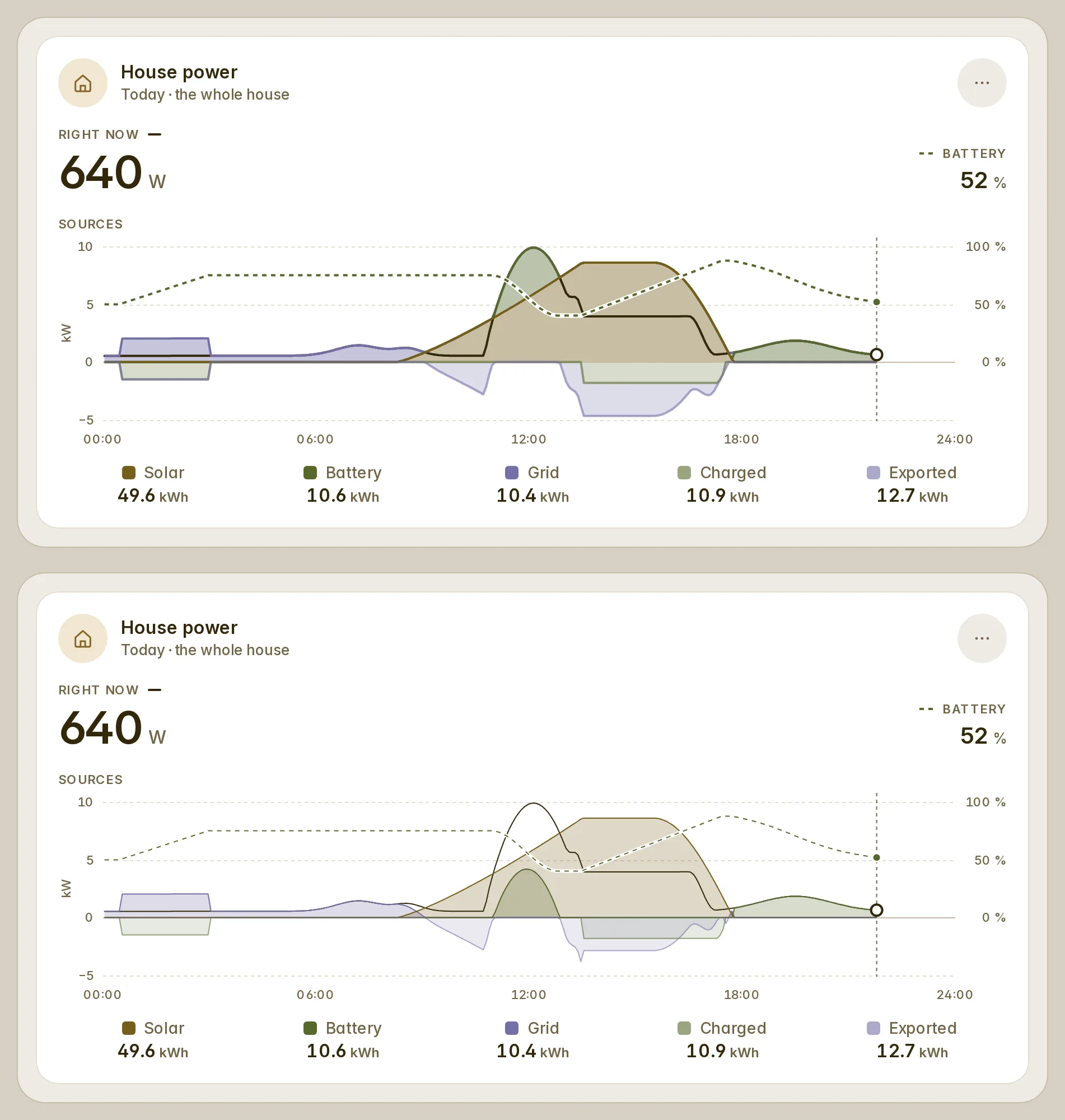
The whole house and by source now carry a power scale on the left (W or kW, negative values below the line) with dashed gridlines, and the whole house a 0–100 % scale for the battery's charge on the right, on the same lines. In a narrow card the charge's scale folds first. line_width: thin draws 1 px lines, stack: false draws every source from zero instead of stacked, and show_axis / show_grid turn the scales off. Reading the chart marks each source's edge with a dot, and the legend gives each source's power at that moment.
type: custom:fluvy-energy-card
variant: overview        # the whole house; sources for by source
line_width: thin
stack: false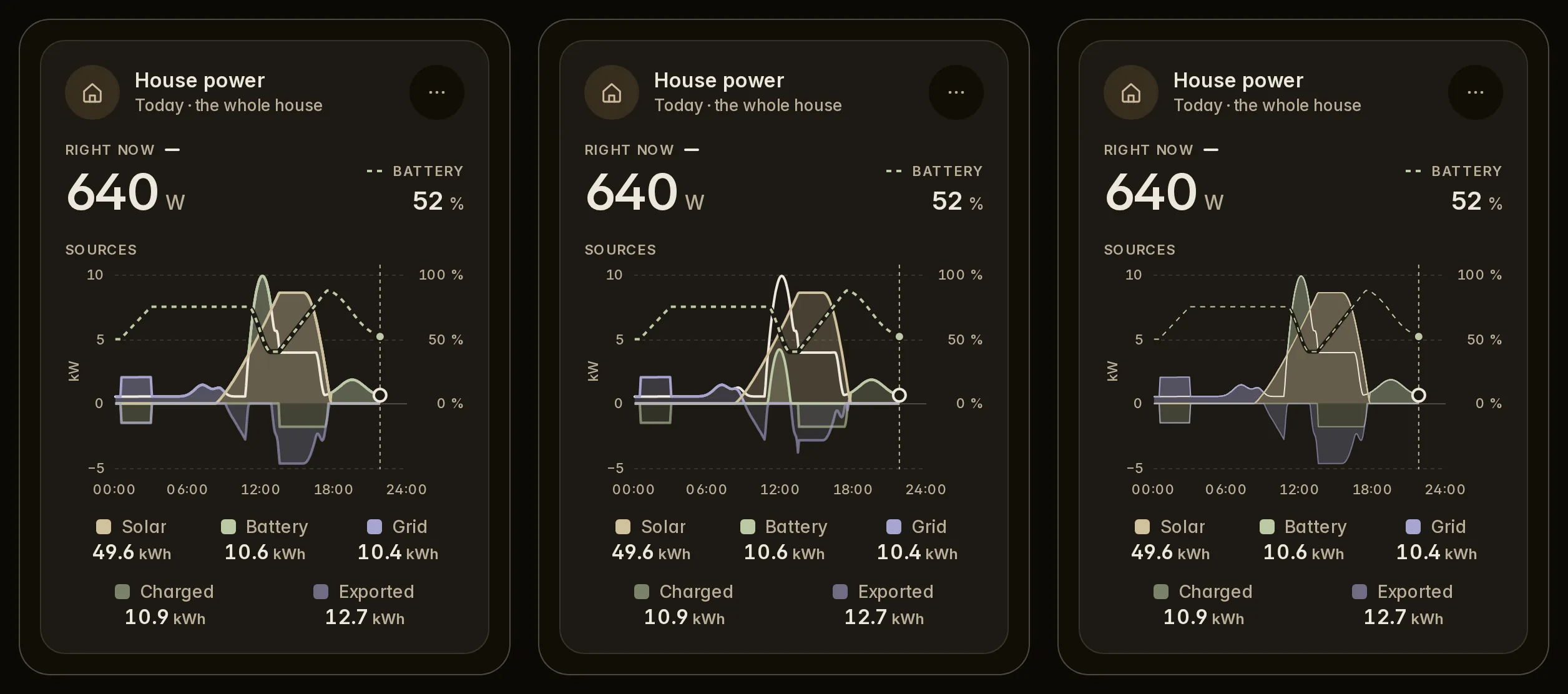
A room that has readings is never empty (#39)
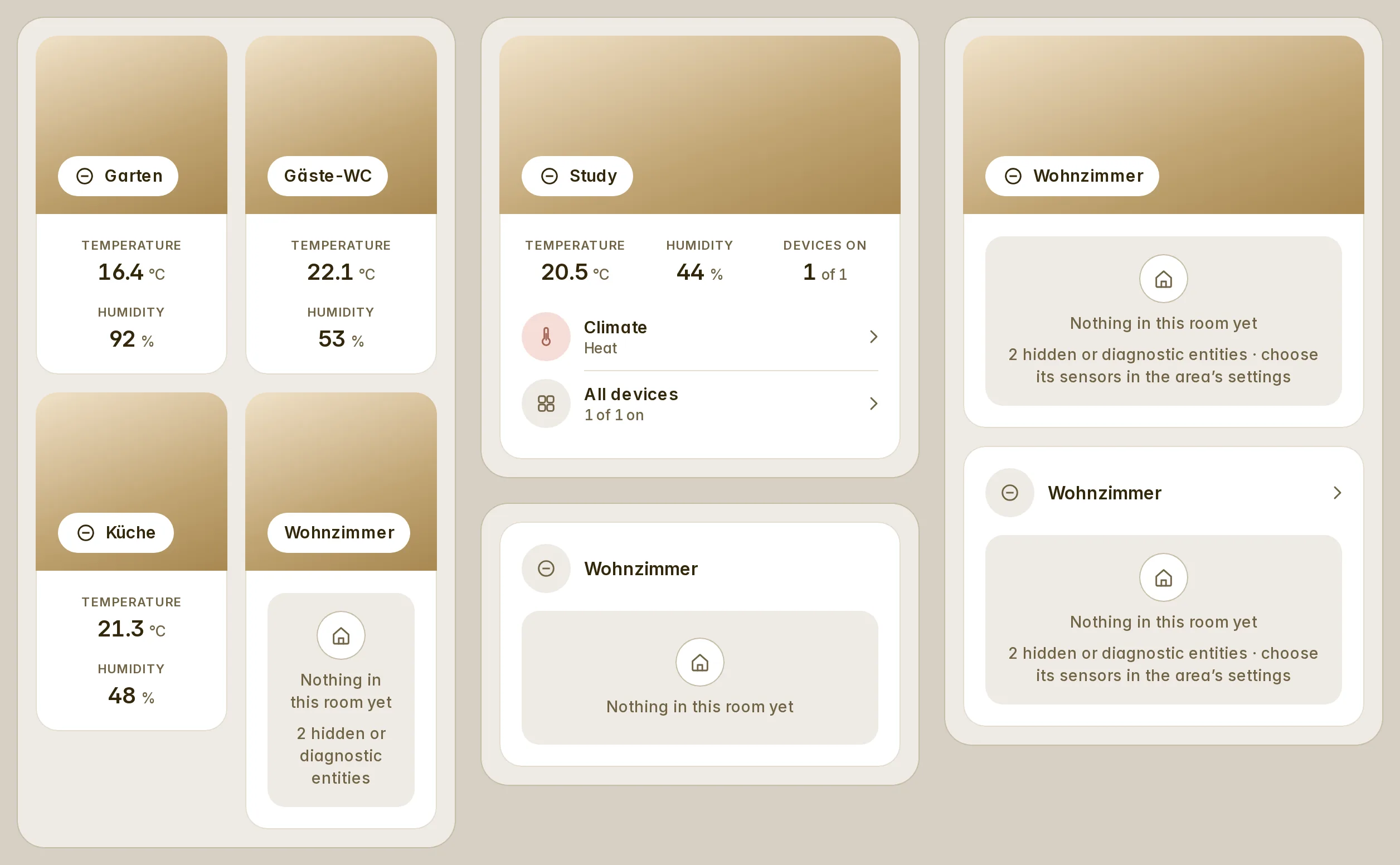
The temperature and humidity sensors chosen in the area's settings are read even when they are hidden or diagnostic, and the card's own temperature_entity and humidity_entity always are. A sensor that comes up late after a restart shows without a reload, a room with only a thermostat shows its temperature (and its humidity, where the thermostat measures one), and an empty room keeps its photo and its tap. An administrator sees why a room is empty: "2 hidden or diagnostic entities · choose its sensors in the area's settings".
Colours from the first frame, and greys that are grey (#40)
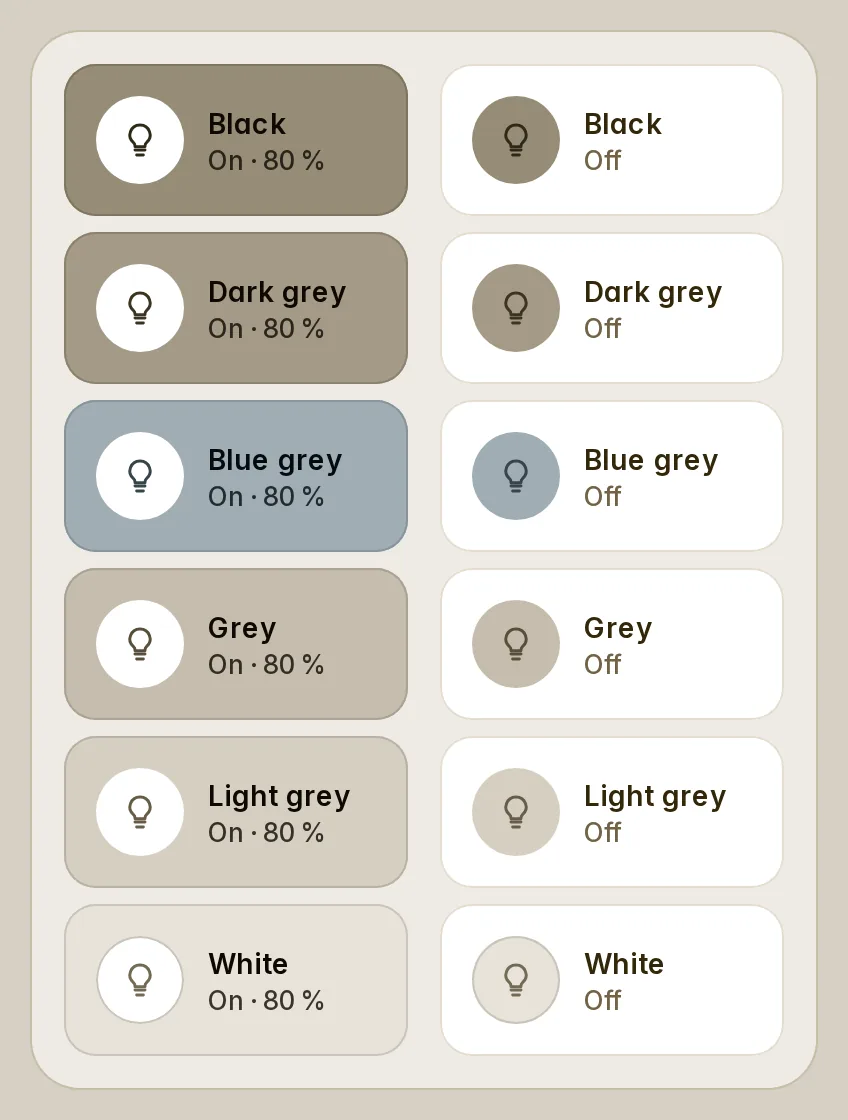
On a dashboard Fluvy's look does not reach, and in the card editor, cards worked out their colours on the default palette until they were attached again. Every card now wears your palette from its first frame. Black, dark grey, blue grey, grey, light grey and white are now six steps in your palette's own greys, so black no longer turns beige or white near-black; a grey you type (#000, #333, #fff) lands on the same ladder.
The whole head is the button (#42)
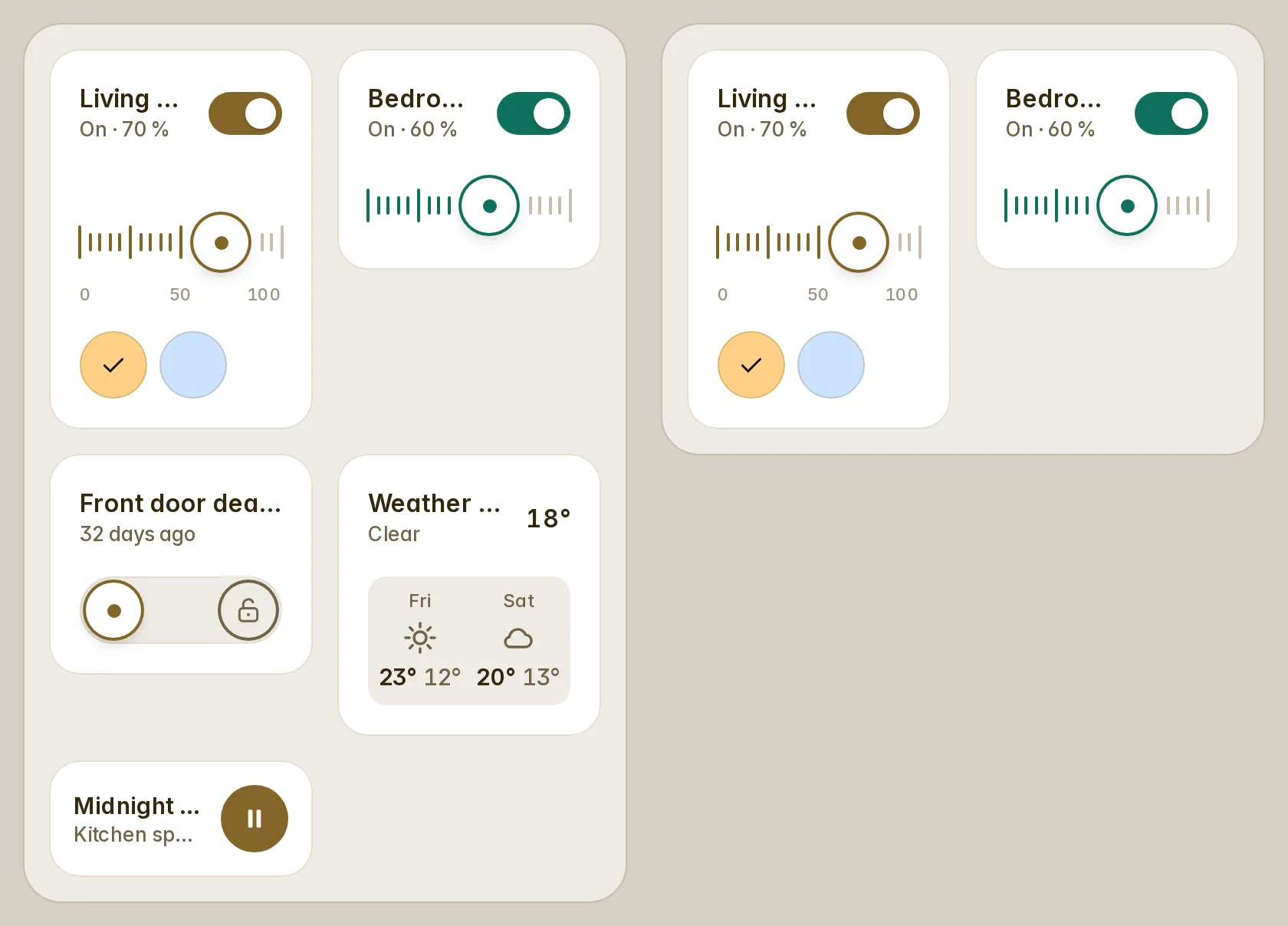
A card's tap no longer lives on its icon: the icon, the name and the line under it are one button, so a light in half a section whose icon gives way to a long name still opens or toggles, and a long press anywhere on the head is the hold. The switch keeps its own tap and a slider is never a tap. show_icon: always keeps the icon while the name still shows a few letters beside it; beside a switch in half a phone's section there is no room for both, so the name keeps the row there.
The compact thermostat in half a section (#46)
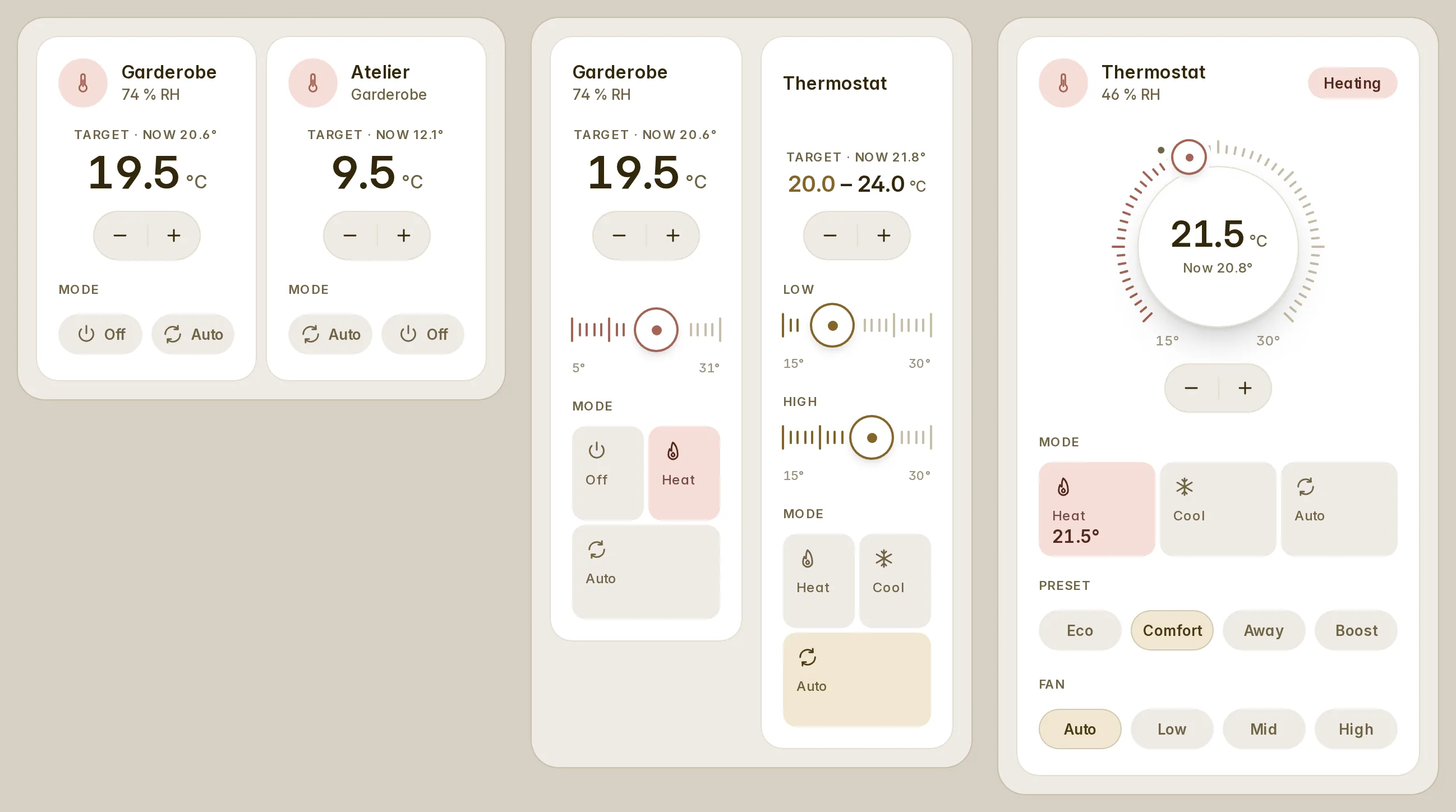
In half a section the − and + sit under the temperature, two cards side by side draw the same size whatever they read (9,5 next to 19,5), and nothing moves when you step past 10. The modes keep the order of your modes list, which the editor now shows as chips you drag, and on a compact card show_stepper: false hides − and + so a tap on the temperature opens the details.
A card keeps its size when a device goes away
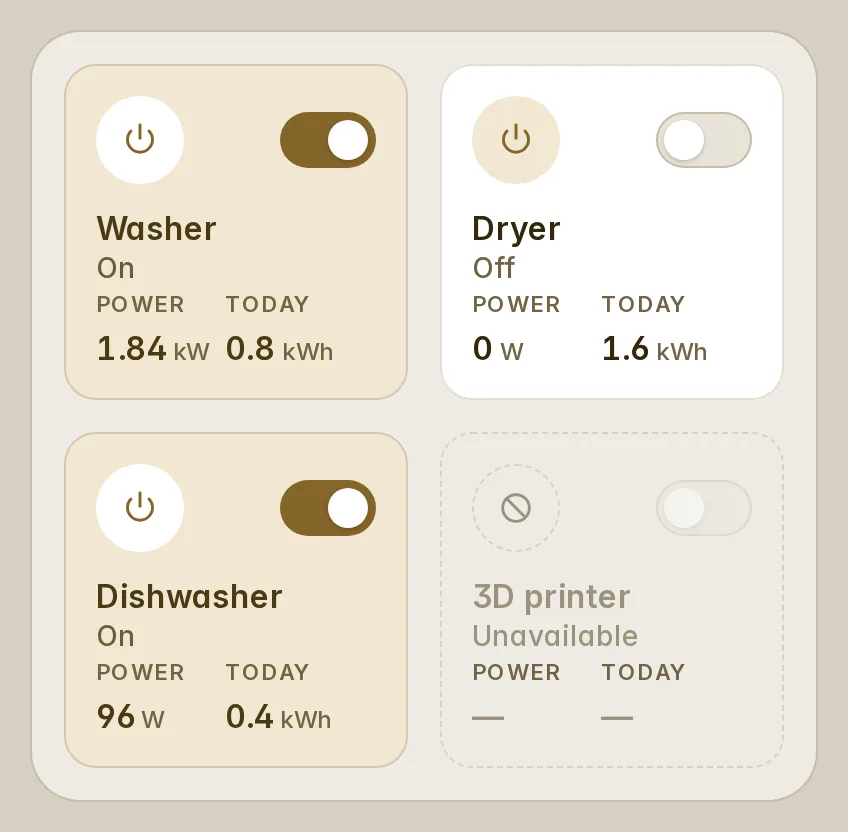
Unavailable, unknown or missing, every card now draws the anatomy it has live — its circle, its name, its state, its readings as "—", its controls greyed out — instead of a short row or one quiet line, so a grid never jumps when a device goes offline. Out of reach, a thermostat keeps its modes, a sensor its curve, a player its seek line, a calendar its grid, a printer the size of a job.
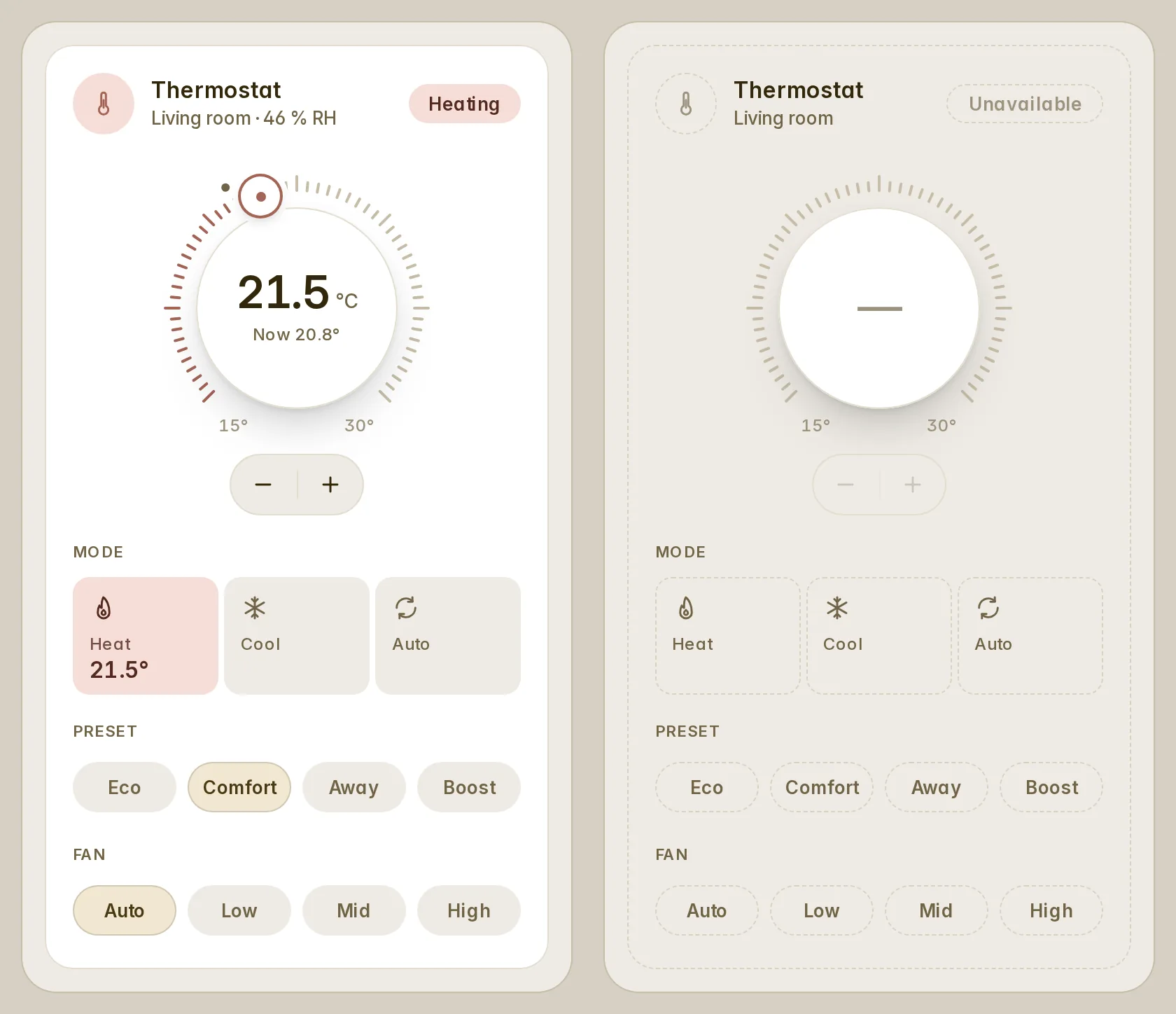
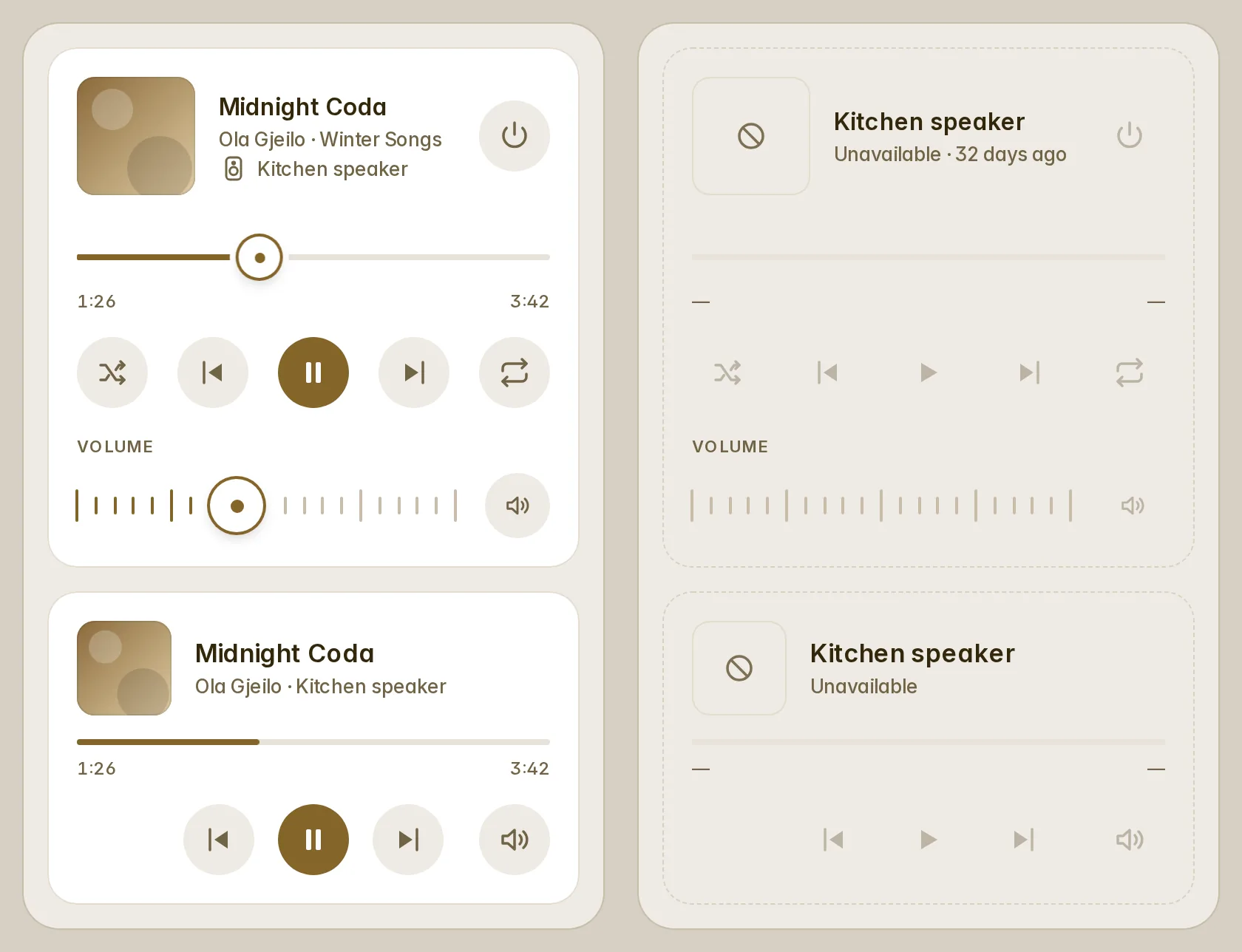
The automatic dashboards also reserve each card the height it really draws, so their columns end level.
Also
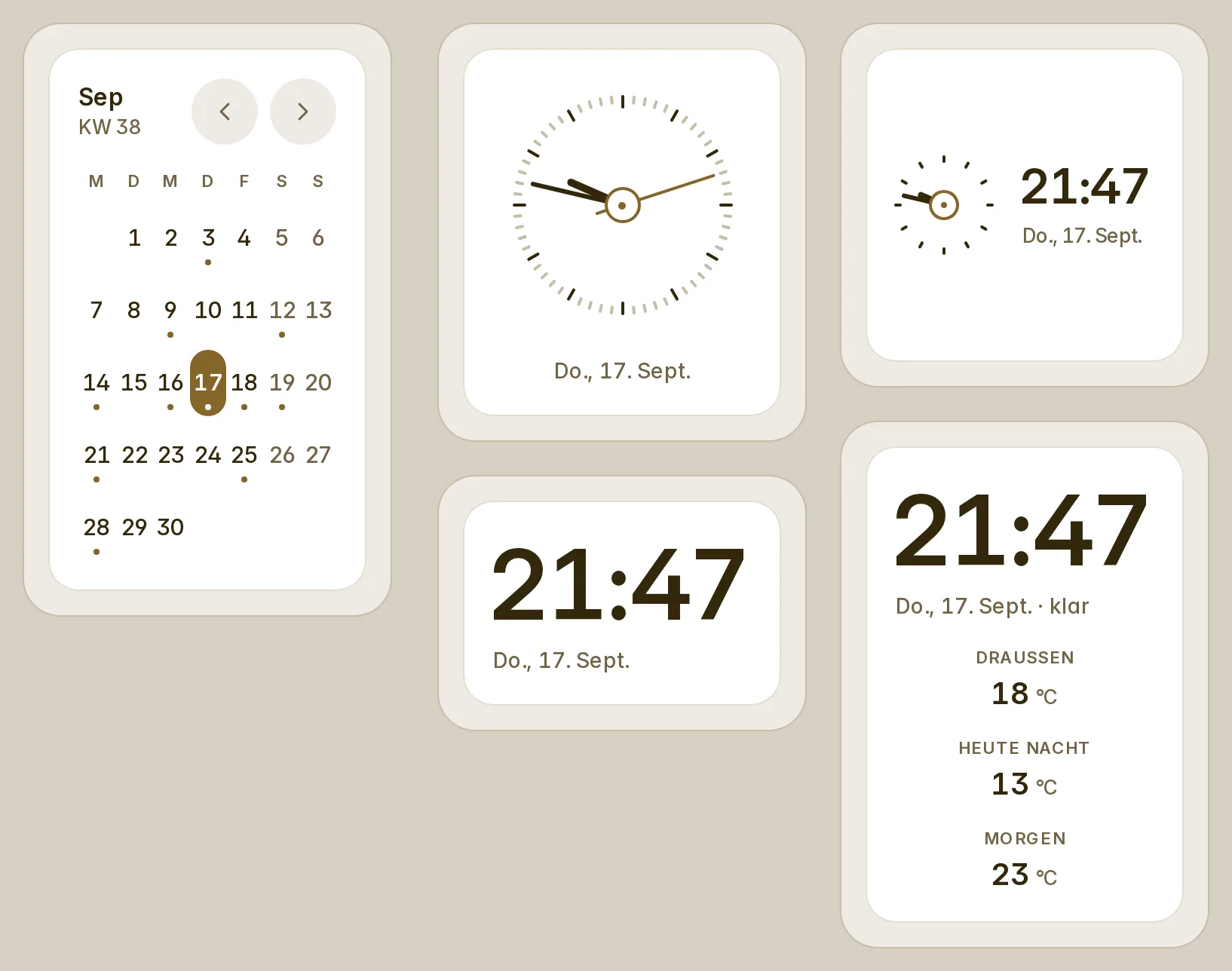
- Nothing is cut, broken inside a word or laid over another word at 152, 172, 211 and 266 px, in any of the eight languages: a word that would not fit takes its short form ("Now", "Today", "Not found", "KW 38"), and a value or a button goes under its words. CI now checks every language at those widths.
- In a YAML dashboard an unquoted
onoroffis read as the word it was:tint: on,motion: off,snooze: off,modes: [off, heat]and an alert'sstate: ondo what they say. - The alarm's keypad works again in the narrowest column; the schedule sheet's switches show their thumb in dark mode; the History page's date picker says From and To; a camera stream that fails says so.
- Counts of one are said as one in every language, and the translations had a review in all seven.
- Fifty-five cards. Every page loads about 235 KB gzip (its budget is 236 KB; 224 in 1.8); the appliances, the alerts and their sheets come in chunks of their own. Full details in the changelog.
Visible on upgrade
What may look different on a dashboard you already have:
- Compact thermostat, light, fan, lock, gauge and room cards take at least half a section (
min_columns4 → 6): one saved at four columns draws at six. - A tap on a card's name runs its tap action, as a tap on its icon did; the Actions, Helpers and Automations cards lose their "…" button. Card-mod aimed at
.fv-tile[role=button]or a head'sbutton.fv-icostops matching. - In half a section a thermostat, a full light, a fan and a timer put − and + under the reading (56 px taller there); − and + stay, greyed, while the device is off or unavailable.
- Black, the greys and white are a ladder; an item coloured
primaryis your palette's accent; Home Assistant's--blue-grey-coloris one cool grey. - Out of reach, every card keeps its size: a missing printer is the size of a job, an idle player shows its seek line, a thermostat, lock or alarm wears the dashed card.
- An empty room's photo card is taller, and the Rooms view and the wall include a room whose only reading is a sensor named in the area's settings or a thermostat.
- Empty list cards show their head and an empty panel instead of the error.
- Generated dashboards open with "Needs attention" (hidden while all is clear), and an appliance moves from the plug tiles into the appliance bands; the energy views are unchanged.
- History bars: the days before the first statistic are empty, the average uses finished days, today is live, and the scale reads in the secondary ink.
- Energy charts: scales and gridlines on by default (the plot is about 40 px narrower a side), "Right now" always there.
- A light card with a
tonedraws in that tone; a light group takes its lit members' colour. - The automations sheet's "Until" shows quick ends.
- Rows of three chips go two and one in a narrow column; lists give their circles to their names; long words take their short forms rather than be cut.
- In a YAML dashboard an unquoted
motion: offnow stops the energy flow, andmodes: [off, heat]keeps Off.
Thanks
To @svb91 for five issues found on a real house (#39–#43), @xoatrash for the history bars and the energy chart (#44, #45, #49), @JarlMorgennebel for the compact thermostat (#46), @eduardoribeiro for the appliance mockup and the LG dumps (#47), and @sriramsv for the alerts design (#48).


