User Interface
Core component for setting up the atmospheric scattering effect properties.
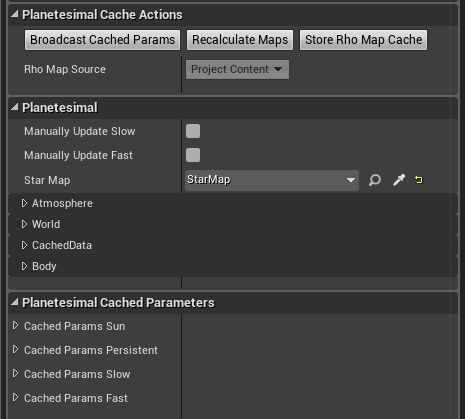
Broadcasts cached material parameters to linked Planetesimal Material Components and calls raw update functions.
Recalculate rho map and phase curves for the Planetesimal (reads rho map from cache if available). Can be used to update atmospheric compounds database changes.
Store optical density map (rho map) cache as asset for fast loading. Map are stored as texture assets in directory defined by Maps Cache Directory in the Project Settings for the Planetesimal plugin.
Read-only property indicating whether the optical density map (rho map) has been stored as an asset for fast reloading or not.
Handle OnMaterialSlowParametersChange manually and call BroadcastSlowParamsUpdate to propagate the change. See ManualUpdatesAndAnimations for more.
Handle OnMaterialFastParametersChange manually and call BroadcastFastParamsUpdate to propagate the change. See ManualUpdatesAndAnimations for more.
Default Star Map used by material dispatchers bound to this planetesimal.
Atmosphere geometry and content essentials defined as real world physical properties.
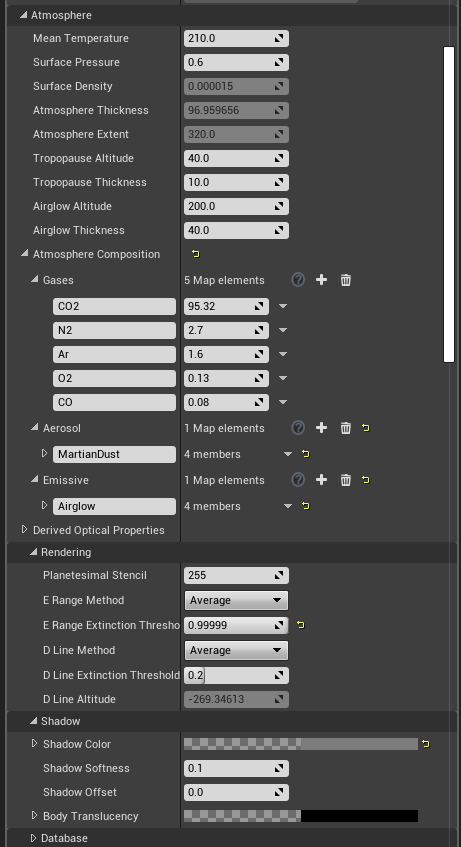
Mean temperature of the atmosphere. Together with surface gravity affects the extent of the exponential layer containing atmospheric gases.
Mean atmospheric pressure on the surface of the planetesimal. Surface pressure defines the overall density of atmospheric gases which correlates directly to the amount of atmospheric light scattering.
Calculated density of atmospheric gases on the planetesimal surface.
Calculated thickness of the exponential atmospheric gases layer.
Total extent of the visible atmosphere including additional user defined troposphere and airglow layers.
Altitude of the tropopause layer. Also defines the troposphere layer thickness.
Tropopause layer thickness. Also defines the troposphere layer falloff.
Altitude of the airglow layer.
Airglow layer thickness.
- Gases - Fraction of each Atmospheric Component
- Aerosol - Distribution of each Aerosol Component over atmospheric layers (troposphere, tropopause, airglow, gases)
- Emissive - Distribution of each Emissive Component over atmospheric layers (troposphere, tropopause, airglow, gases)
Summary of derived atmosphere optical properties mainly for analytic and debug purposes.
Planetesimal stencil ID used with Custom Depth Stencil for advanced sorting implementation. See ResolvingDoubleIntensity for more information.
E-range calculation method. Can be one of the following:
- Average - Calculate by averaging absorption spectrum components
- Min - Calculate by using min of all absorption spectrum components
- Max - Calculate by using max of all absorption spectrum components
E-range calculation extinction threshold.
D-line calculation method. Can be one of the following:
- Average - Calculate by averaging absorption spectrum components
- Min - Calculate by using min of all absorption spectrum components
- Max - Calculate by using max of all absorption spectrum components
D-line calculation extinction threshold.
Calculated D-line altitude.
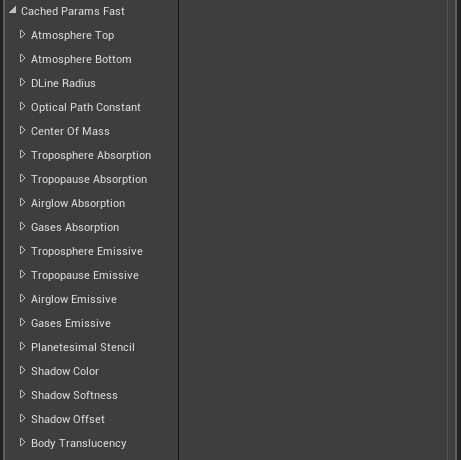
Shadow color, i.e. surface illumination dimming modifier.
Shadow falloff softness.
Shadow radial offset from the planetesimal surface (can be negative to lower the shadow).
Planetesimal body translucency for all raycasts.
Atmospheric gas components database asset.
Aerosol components database asset.
Emissive components database asset.
This section defines how the planetesimal physical geometric properties relate to Unreal Engine Units. For convenience the relation is defined by specifying the mesh size and what the referent Earth size would be rather than scale ratio. These setting drive the values provided by OnPlanetScaleChanged and OnAtmosphereScaleChanged interface function calls.

Referent Earth size in Unreal units.
Planetesimal mesh default size in Unreal units.
These settings define the properties of precalculated optical density map and phase curves texture associated with this planetesimal.

Resolution of a two-dimensional precalculated optical density map (rho map). Calculation time increases with the square of the resolution. This value should always be a power of two and typical values usually do not excede 1024 although the hard limit is set to 4096. The indication for low rho map resolution issues is banding of colors with respect to height within the atmospheric cloud.
Number of light path integration steps for optical density map. Calculation time increases linearly with respect to number of integration steps. Indication for increasing this number is missing thin optical layer (tropopause or airglow layer) and/or color banding issues concentric with respect to planetesimal's radial vector. Meaning that the thin atmospheric layer is not adequately sampled during integration process and shows aliasing issues as the ray angle varies.
Resolution of scattering phase function curves. Increasing this value does not affect rho map calculation time but rather phase curves texture rendering time. The dependence is linear but the effect might be significant if manual update of slow parameters is performed (see ManualUpdatesAndAnimations for more). Indication of phase curves resolution issues is banding around the Sun location.
These properties are inherited from Planetesimal Body Component which serves not only for defining atmospheric properties but orbital motion and stellar map rendering as well. All of the properties in this section are tightly interconnected and recalculate in a meaningful and intuitive way when any one of them changes. However, only Mean Radius and Surface Gravity are relevant to the atmosphere rendering. The rest are included for completeness.
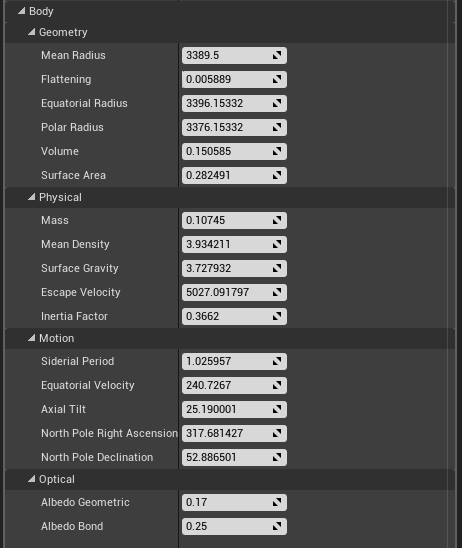
Mean radius of the celestial body.
Gravity at the surface of the planetesimal.
Read-only derived material parameters passed to dynamic material instances directly or through dispatching Planetesimal Material Component. Cached parameters are grouped into structures based on recommended update frequency.
Sun Color and Location.

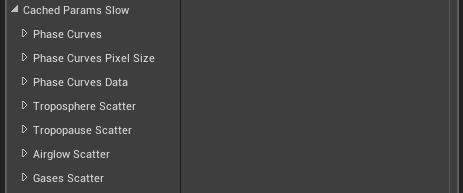
Precalculated optical density (rho) map not intended to be changed very often since updating, loading or recalculating it can be slow.

Phase curves texture and related material parameters which can be recalculated real-time but cost performance and should be updated wisely.
Simple derived material parameters which can be updated real-time without noticeable performance impact. These values can be copy/pasted and used in ManualUpdatesAndAnimations to animate the atmosphere.
Utility component for setting up dynamic material instances in both the editor and in game.
NOTE: Use of this component is optional. The atmospheric scattering effect can be set up without it.
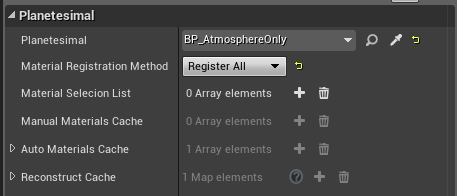
A reference to an actor containing a single Planetesimal Component which defines the atmosphere properties. Can be changed in run-time via blueprints to transition an object from one planetesimal to another.
A method used for automatized dynamic material instances generation. Can be one of the following:
- RegisterAll - All materials found in all actor's components will be instanced as dynamic
- ByComponentTags - All materials found in tagged components will be instanced as dynamic and registered. Recognized tags are "PlanetesimalATM" for atmosphere and "PlanetesimalSRF" * for surface mesh
- UseMaterialsList - Materials listed in the Material Selection List from any of the actor's components will be instanced as dynamic
- UseMaterialsListByTags - Materials from tagged components and listed in the Material Selection List will be instanced as dynamic
- **FullyManual **[default] - Manually register dynamic material instances via the Register Material Instance method
NOTE: The default value (FullyManual) must be selected in the blueprint class. Only level instances should use other values otherwise unpredictable behavior can occur.
List of Planetesimal materials to look for and replace with dynamic instances in the actor.
List of manually registered dynamic material instances.
List of automatically created dynamic material instances.
Original materials cache keyed by component Path Name relative to the Owner actor. Used for automatically reverting materials to original state.
Project wide settings for Planetesimal Plugin.
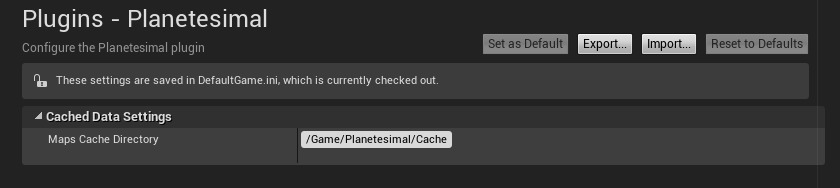
Project content directory for storing cached Planetesimal rho maps.
Atmospheric Constituents Database is a collection of optical properties for various gases and particles that can be found in planet atmospheres. It consists of Data Table assets with three types of Data Table Row Structures: AtmosphericGas, Aerosol, and EmissiveComponent.
Planetesimal Plugin comes with a default database in form of three predefined Data Table assets, one for each atmospheric constituent type, but they can be freely expanded, edited or replaced to produce a different visual style.
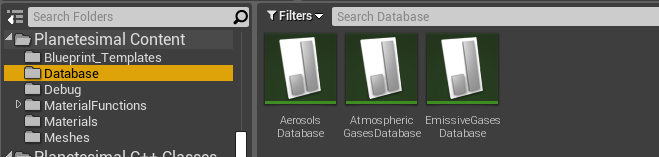
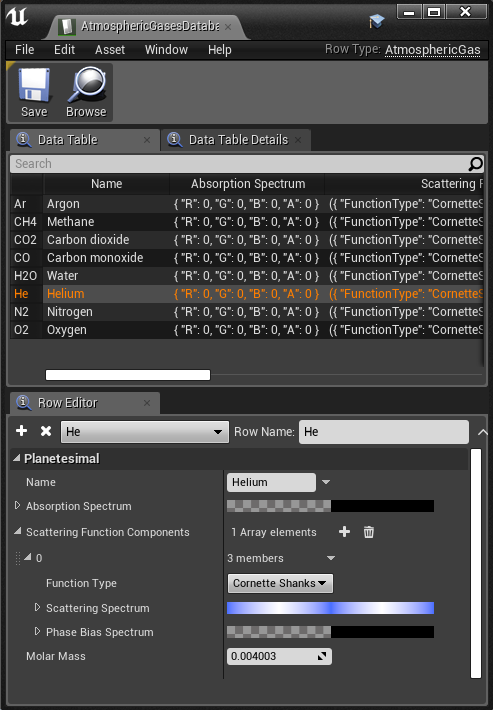
Data Table asset based on AtmosphericGas row structure. Optical properties include Absorption Spectrum and Scattering Function Components, while the Molar Mass enables the Planetesimal Component to calculate physically correct atmosphere extent and gradient (based on average Molar Mass of atmospheric gases together with Mean Temperature and Surface Gravity).
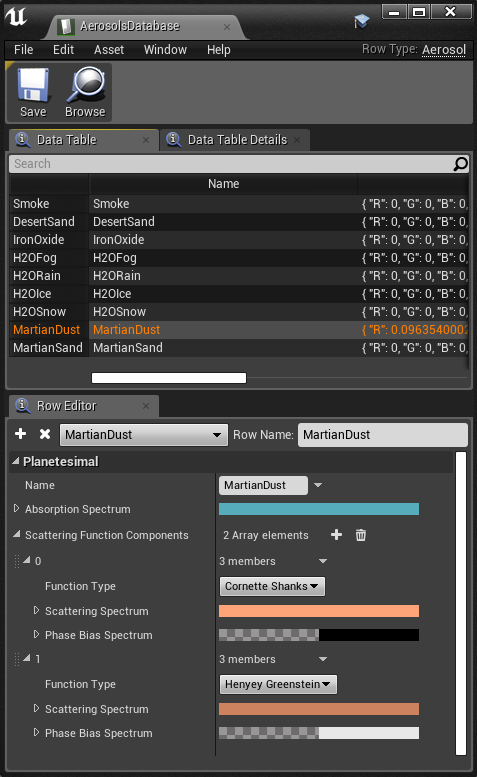
Data Table asset based on Aerosol row structure. Optical properties include Absorption Spectrum and Scattering Function Components.
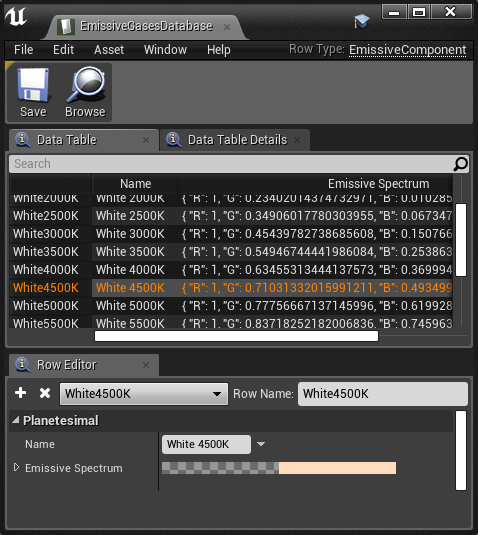
Data Table asset based on EmissiveComponent row structure. The simplest of the three with only Emissive Spectrum defining it's optical properties.