BackgroundChanger v3.0.0

BackgroundChanger v3.0.0
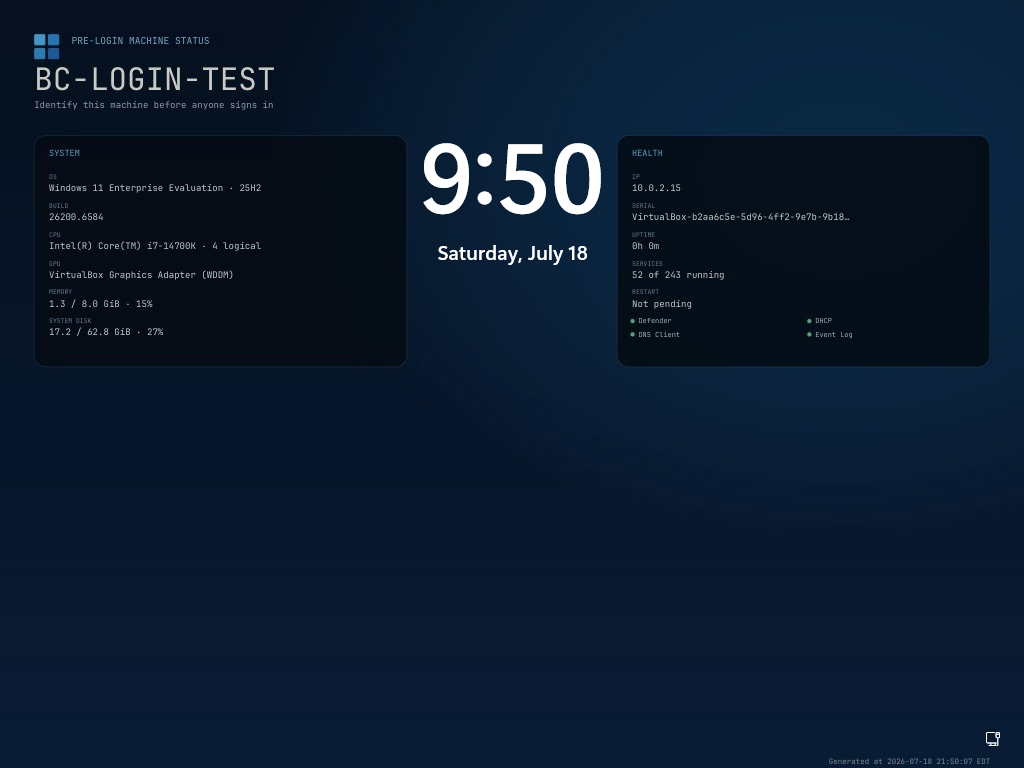
Version 3 is a ground-up redesign focused on one outcome: current machine identity and health on the Windows background before anyone signs in.
Highlights
- New fastfetch-inspired, resolution-aware pre-login design
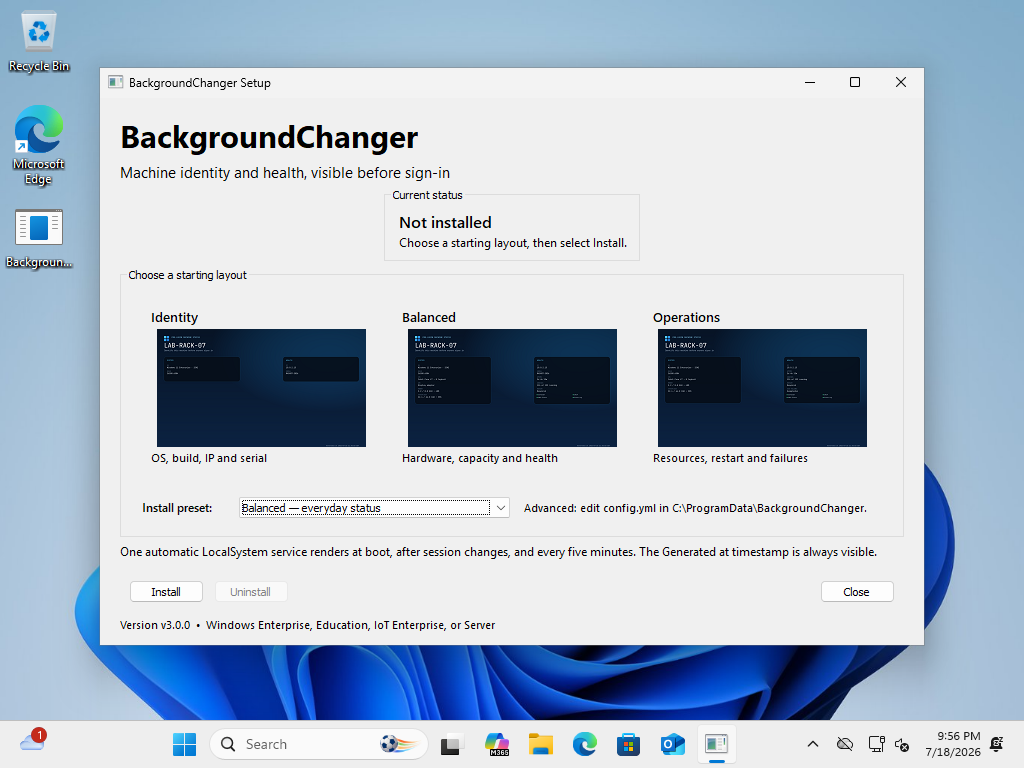
- Three installer presets with live screenshot examples: Identity, Balanced, and Operations
- Power-user
config.ymlwith per-field visibility, refresh, background-image, and output-size controls - Hostname and timezone-qualified Generated at text are permanently included so stale output is obvious
- One self-contained native Windows executable for setup, service, repair, and uninstall
- Automatic LocalSystem service refreshes during boot, after boot settles, every five minutes, and on session/power events
- Versioned image rotation avoids stale Windows image caches
- Uses supported Group Policy and Microsoft's LocalSystem
MDM_Personalizationbridge - Reserves the Windows 11 top-center and Windows 10 lower-left clock regions and disables credential-screen acrylic blur
- Never terminates
LogonUI.exe; only refreshesLockApp.exewhen it is present - Native graphical installer with offline install, visual preset selection, and Apps & features registration
- Atomic status/config writes, append-only diagnostics, service recovery actions, upgrade cleanup, and restoration of pre-existing policy values
- Automated Go tests, Windows CI build, SHA-256 release checksum, and a three-VM Windows 10/11 validation matrix
Compatibility
Fully supported targets are Windows 10/11 Enterprise, Education, IoT Enterprise, and Windows Server. Clean Windows 10 Enterprise and Windows 11 Enterprise guests displayed the live image successfully. A clean Windows 11 Pro guest confirmed Microsoft's documented boundary: it accepted the registry and MDM writes but retained the stock image. Pro and Home are therefore unsupported by default.
Microsoft allows the Personalization CSP on Pro only when an administrator separately configures SharedPC SetEduPolicies or BootToCloudPCEnhanced. BackgroundChanger does not silently enable those broader management settings.
Validation
- Windows 11 Enterprise Evaluation 25H2 (26200.6584): passed boot-time refresh before any user session, lock and credential display, repair/upgrade
- Windows 10 Enterprise Evaluation 22H2 (19045.2006): passed service, policy, and Windows 10 clock-safe lock-screen layout
- Windows 11 Pro 25H2 (26200.6584): expected unsupported result; render and writes passed, stock image remained
- Uninstall restored or removed owned policy state and removed the service, installed executable, and rollback files
Upgrade notes
Running BackgroundChangerSetup.exe removes the old BgStatusService service and its BgStatusServiceBoot / BgStatusServiceLock scheduled tasks before installing the v3 service. No network download is performed.
Screenshots
Pre-login machine status
Installer presets