Wallpaper Identity v4.5.0

Wallpaper Identity v4.5.0
v4.5.0 makes the graphical setup experience feel like a small, native Windows installer while retaining the deployment-grade CLI introduced in version 4.
Highlights
- Full-size, real rendered previews for Identity, Balanced, and Operations now fill their native selection wells at common Windows display scaling levels.
- The entire preview card is clickable and provides a check mark plus plain-language selection feedback.
- Existing named and custom configurations remain untouched during repair or upgrade unless a replacement preset is explicitly selected.
- Install, Repair / Upgrade, Close, and Uninstall use a conventional Windows action row with the advancing action in the lower right.
- Setup and progress windows use clean fixed layouts, and successful progress finishes at 100% with an explicit Done state and focused Close button.
- Unit coverage now includes preset intent, current/custom configuration behavior, success and error completion copy, and DPI-aware preview dimensions.
The LocalSystem service, boot-time rendering, guarded Windows 11 Pro pre-login refresh, power-user config.yml, and headless/RMM commands are unchanged from the verified version 4 implementation.
Screenshots
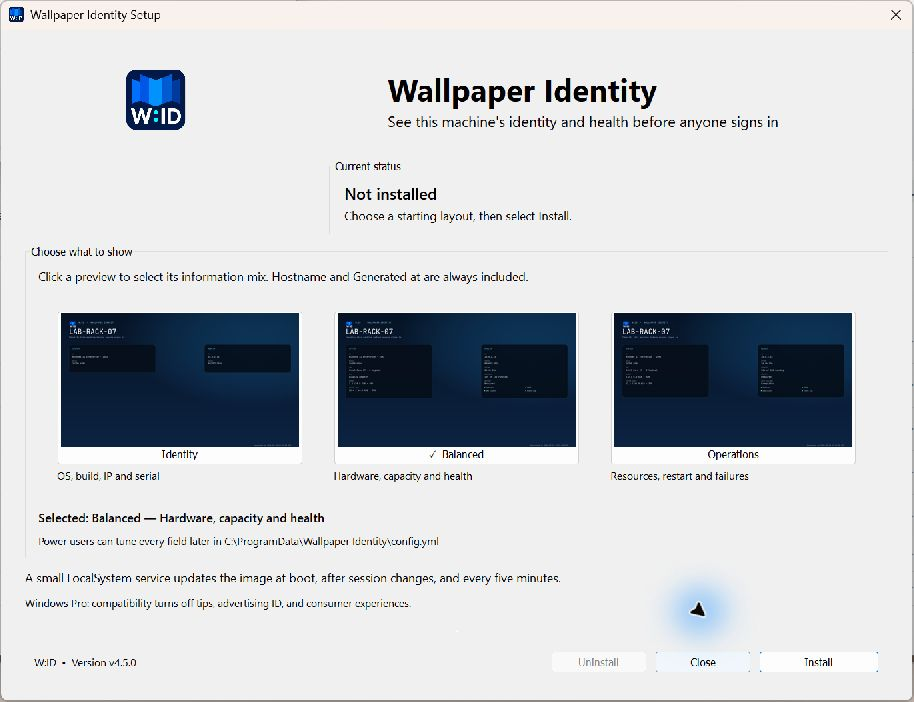
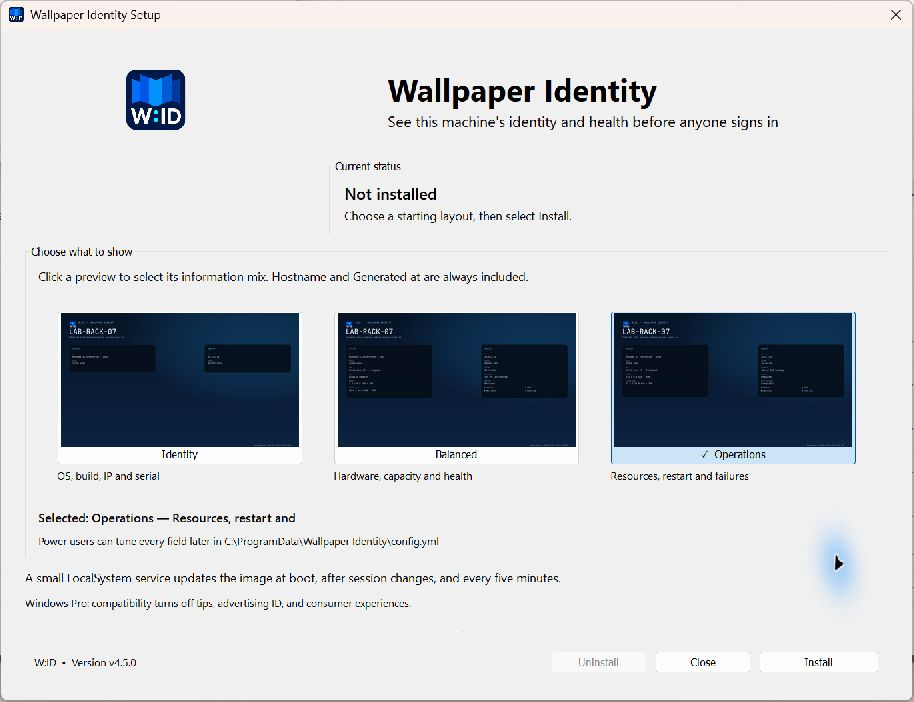
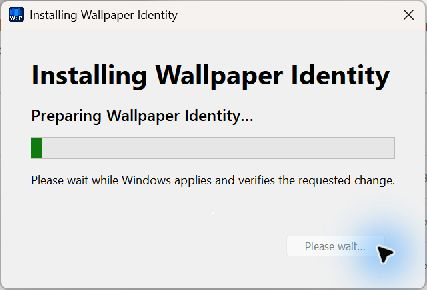
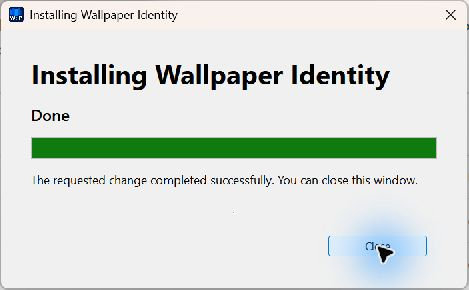
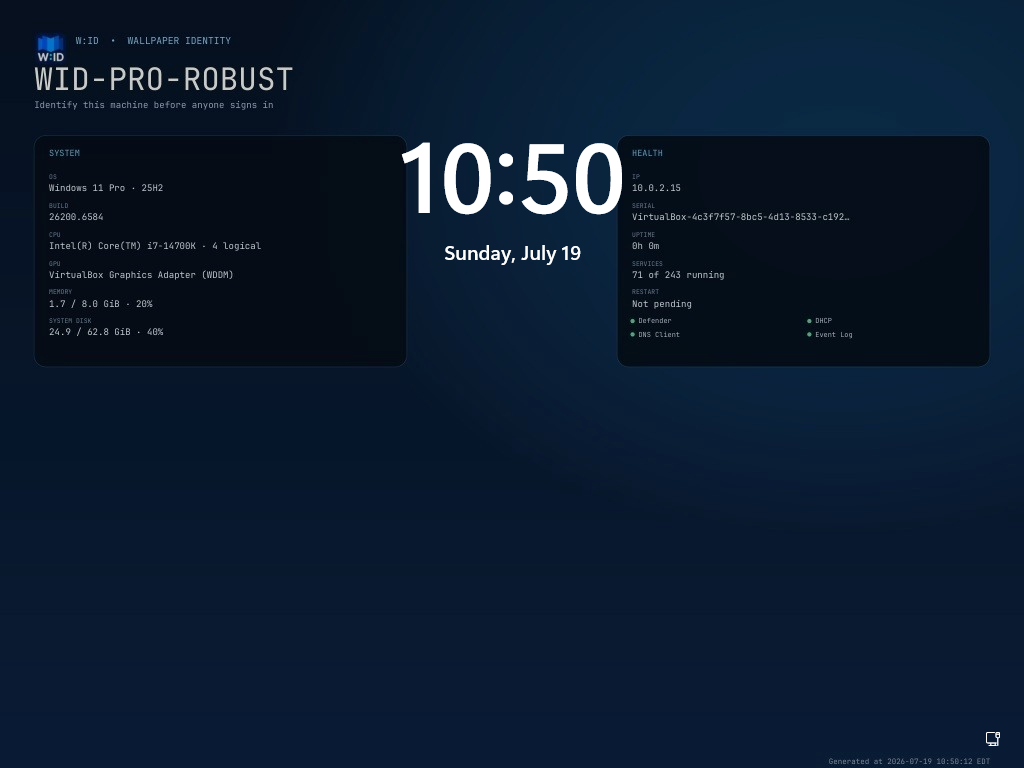
The login-screen result remains the real Windows 11 Pro frame captured after a powered-off network change:
Validation
The clean-install, preset-selection, installed-maintenance, active-progress, and final Done states were inspected from built Windows executables at 150% display scaling. The release also passes the full Go test suite, race-enabled internal tests, go vet, repository whitespace checks, and the reproducible release build.
Upgrade
Run WallpaperIdentitySetup.exe and choose Repair / Upgrade, or deploy the console artifact from an elevated RMM session:
& .\WallpaperIdentityCLI.exe upgrade --quietExisting config.yml, generated images, logs, and rollback data are preserved.