Wallpaper Identity v4.7.0

Wallpaper Identity v4.7.0
v4.7.0 makes W:ID resilient to unusual machine data and displays, then gives administrators a simple visual way to distinguish groups of servers and workstations.
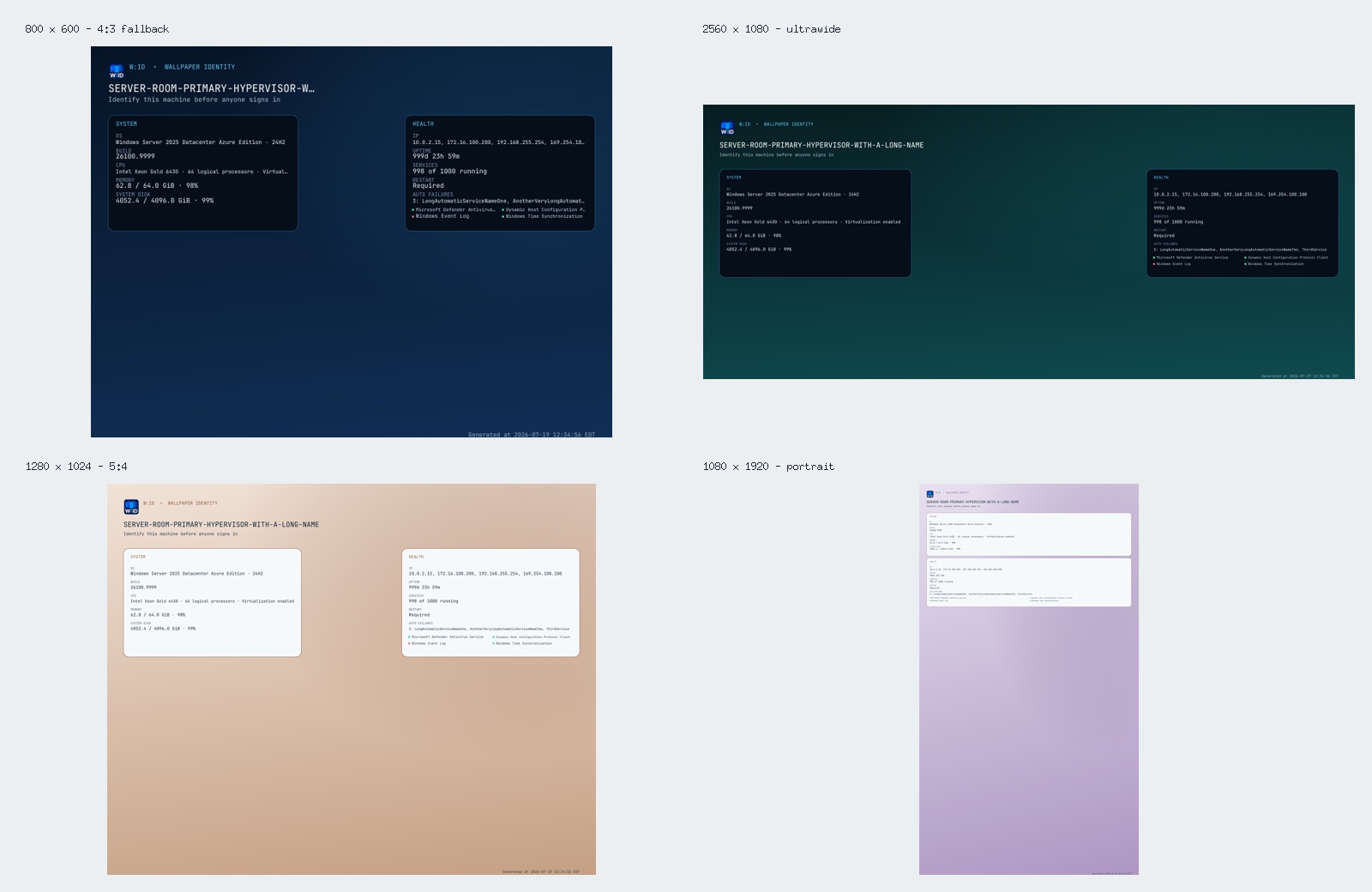
Responsive, overflow-safe rendering
- Every hostname, machine value, failed-service list, health label, and generated timestamp is measured in pixels before it is drawn.
- Long values step down to a bounded readable size and are elided only when they still cannot fit; configured rows are no longer silently dropped at the panel edge.
- Credible detected display dimensions are used directly. Partial or implausibly small display reports retain their aspect ratio and select a sensible 4:3, 16:10, 16:9, ultrawide, or portrait fallback.
- Standard and wide screens preserve the two clock-safe side panels. Tall screens stack the panels below the identity header.
Background choices
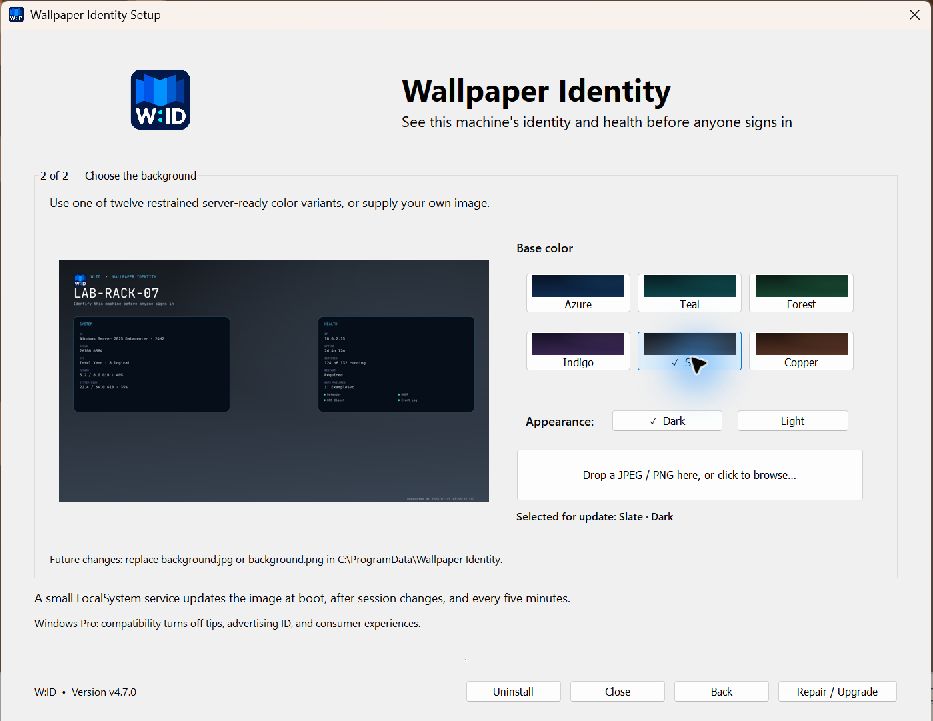
- Six restrained color families—Azure, Teal, Forest, Indigo, Slate, and Copper—each support matching Dark and Light panel/text treatments.
- The installer's second page has a live rendered preview, clickable color swatches, Dark/Light controls, and a JPEG/PNG well that supports both drag-and-drop and the native file browser.
- A selected image is validated and copied to
C:\ProgramData\Wallpaper Identity\background.jpgorbackground.png. - With
base_imageempty, the service discovers those standard files on every render. Replacing the file changes the next background without rerunning setup. - RMM callers receive matching
--background-image,--background-color,--background-mode, and--use-colorsoptions.
Validation
The release renders all twelve built-in variants and tests layout bounds at 800×600, 1024×768, 1280×1024, 1366×768, 1920×1080, 2560×1080, 3440×1440, and 1080×1920 with deliberately long machine values. Standard image discovery and PNG/JPEG replacement are covered by filesystem tests. The built installer was inspected at 150% Windows scaling through both pages, multiple color/mode changes, live-preview updates, and the native file browser.
The LocalSystem service, guarded boot-time pre-login refresh, permanent Generated at timestamp, policy rollback, and headless/RMM result contract remain intact.
Upgrade
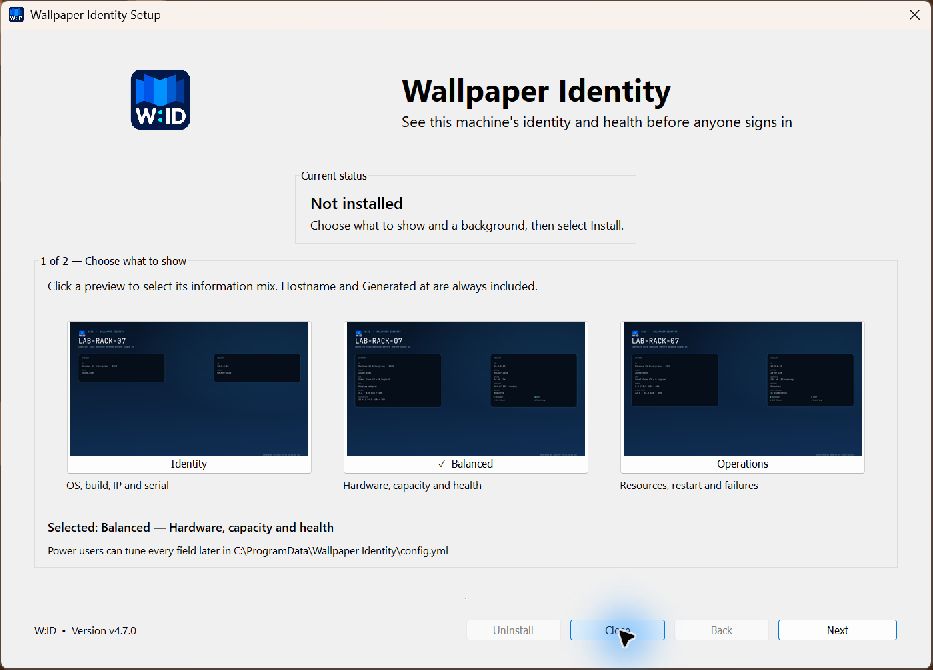
Run WallpaperIdentitySetup.exe and proceed through both pages to Repair / Upgrade, or use the console artifact from an elevated RMM session:
& .\WallpaperIdentityCLI.exe upgrade --quietExisting configuration, images, logs, and policy rollback data are preserved unless an explicit replacement preset or background is selected.