Repository navigation
Web App
The server includes the web app: open the server's address in any modern browser and sign in. It works on phones too, and it can be installed like an app (Chrome/Edge: Install in the address bar; Safari on iPhone: Share → Add to Home Screen).
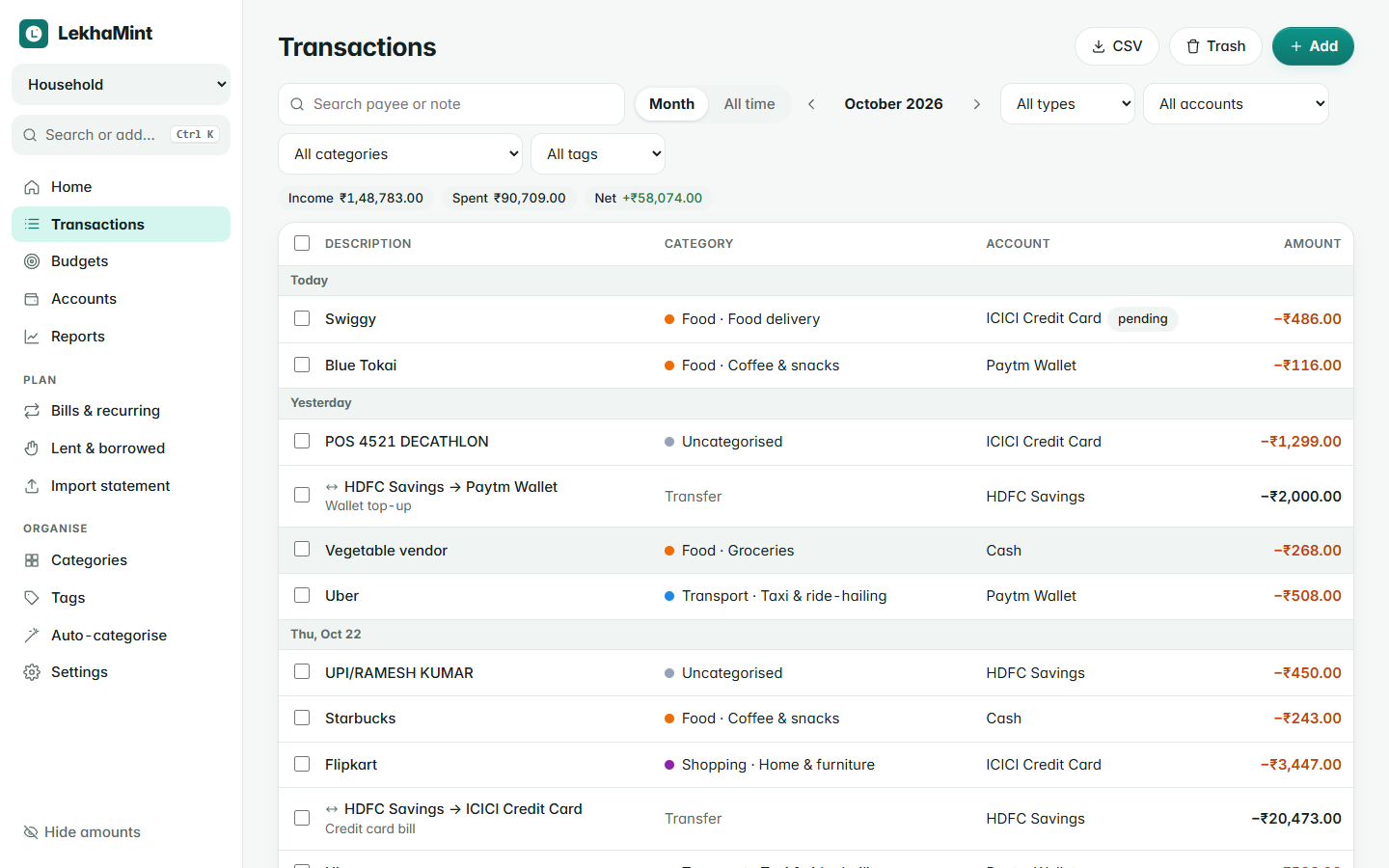
| Page | What it's for |
|---|---|
| Home | Money available to spend, this month in and out, net worth, insights (unusual spending, things to categorise), a spending-pace chart, budgets and recent activity |
| Transactions | Search and filter by month, type, account, category, tag or amount; bulk edit, split across categories, CSV export, Trash with restore |
| Budgets | Monthly, weekly, quarterly, yearly or custom budgets, with rollover and a daily allowance |
| Accounts | Balances calculated from transactions, credit-card limits, reconcile against your bank |
| Reports | Category breakdown, 12-month trend, needs/wants/savings, income by source, top payees and tags |
| Bills & recurring | Rent, salary, subscriptions: remind or record automatically |
| Loans & EMIs | Bank loans with an EMI schedule, prepayments and interest paid |
| Deposits | Fixed and recurring deposits with maturity value and reminders |
| Lent & borrowed | Money you lent or borrowed, with repayments; never counted as spending. Older loans can be entered with their real date. See Loans, Debts and Cards |
| Calculators & tools | EMI, SIP, FD and other calculators |
| Assistant | Ask questions about your money in plain words; see the assistant guide in the repository (docs/11-assistant.md) |
| Statements & export | Printable statements, spreadsheet and CSV export of everything |
| Import statement | Bring in a bank CSV; importing the same file twice adds nothing |
| Categories, Tags, Auto-categorise | Organise, and let rules fill in category, payee and tags |
| Settings | Book name and currency, exchange rates, sharing, signed-in devices, password, theme, export and import |
Type into the box on the Home page and press Enter:
450 swiggy dinner yesterday #work @hdfc
amount, what it was for, an optional date (yesterday, mon, 12 oct), tags with # and the account with @. A preview shows exactly what will be saved.
| Keys | Action |
|---|---|
Ctrl K / ⌘ K
|
Command palette: jump anywhere, add anything |
N |
New transaction |
/ |
Search |
G then H, T, B, A, R, C, S
|
Go to Home, Transactions, Budgets, Accounts, Reports, Categories, Settings |
Shift H |
Hide or show amounts |
? |
Show all shortcuts |
The app opens without a connection and shows the last data it loaded, but saving needs the server. On a phone, the Android app is the better choice when you are often offline.