Repository navigation
Home


PicoCam turns a Luckfox Pico board and a camera module into a complete IP camera. It replaces the demo camera app with one small program and a modern web page: live video, recording, motion alerts and AI that runs on the board itself (people, vehicles, number plates, faces). No cloud, no account, no subscription.
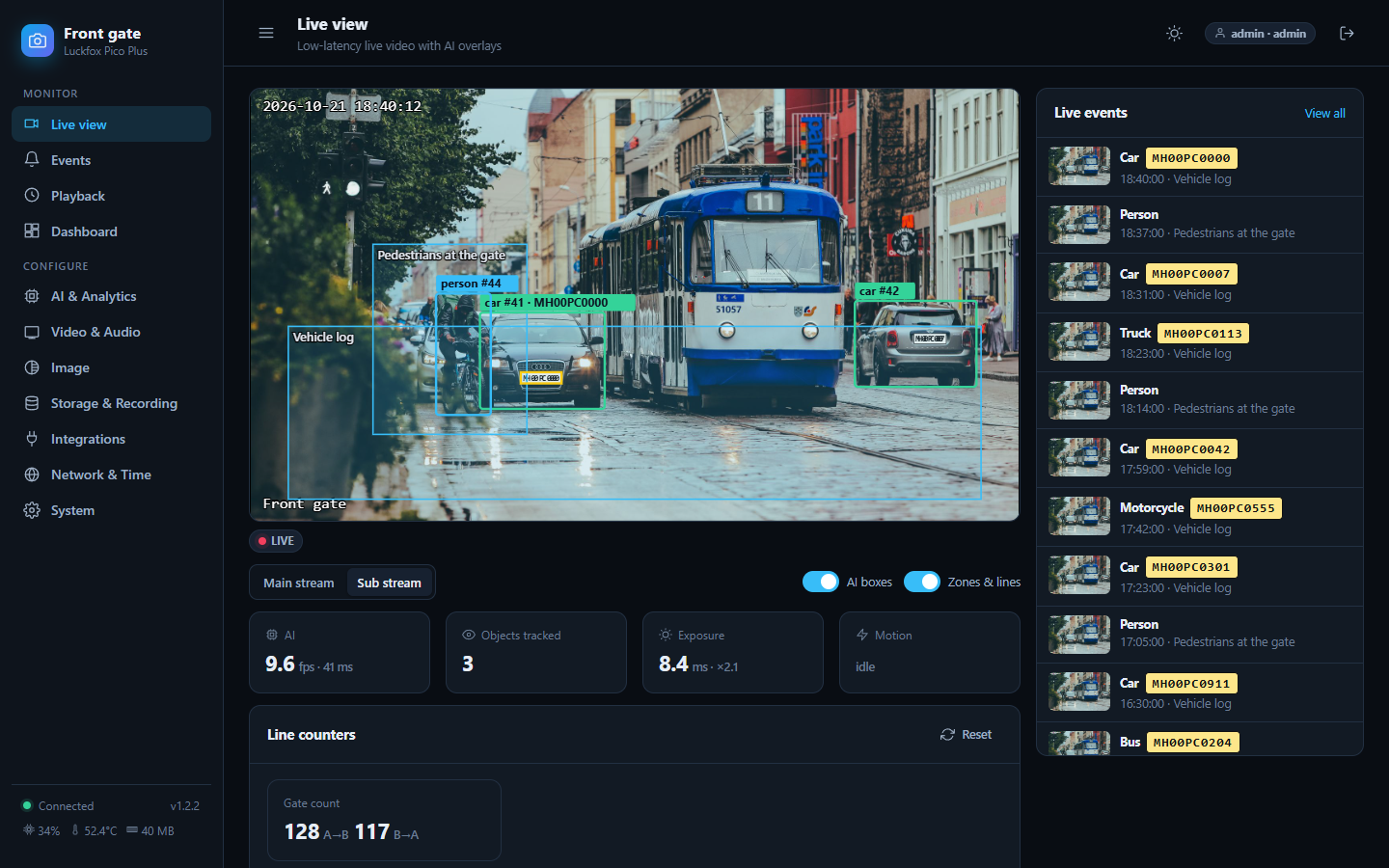
The live view in demo mode. The street is a stock photo (Vlad Fonsark, Pexels) with fictional number plates, not footage from a PicoCam.
- Live view in your browser with about 0.3 s delay, on desktop and phone, with boxes and zones drawn over the video
- Standard streams for any player or recorder: RTSP, ONVIF (NVRs find it), JPEG snapshots, REST API
- AI on the camera's NPU: people and vehicles, number plates (ANPR), face recognition, line counting, intrusion zones. Ready-made models included; bring your own if you like
- Alerts where you are: Telegram, email, webhooks, MQTT (with Home Assistant), FTP, a relay output. Events are queued and retried if the network drops
- Recording to an SD card by event, schedule or continuously, with a timeline player
- Works on the whole Luckfox Pico family: it detects your chip, memory, flash type (SPI NAND / eMMC / SD) and camera module by itself, and protects small flash from wear
- Hard to break: hardware watchdog, automatic rollback of a bad update, last-known-good settings, an install you can undo in one command
-
Flash the standard Luckfox Buildroot image onto your board, if it is not already on it. (How, with every detail)
-
Connect it to your PC with the USB cable (the board is then
172.32.0.93) or an Ethernet cable. (Details and drivers) -
Run the installer. It downloads the latest release and installs it. Password:
luckfox.Windows (PowerShell) Linux / macOS / WSL / Git Bash .\picocam\tools\deploy.ps1picocam/tools/deploy.sh.\picocam\tools\deploy.ps1 -Board 192.168.1.64picocam/tools/deploy.sh -b 192.168.1.64
Then open http://172.32.0.93/ (or your board's address), choose an admin password and follow the four-step wizard.
No compiler, no Docker. Little flash on your board? Add -Lite / --lite.
Back to the stock firmware at any time: sh /oem/picocam/uninstall.sh && reboot.
The full guide, with the steps for every operating system and what to do when something does not match, is in docs/INSTALL.md.
| Install guide | Flashing, connecting, installing, first start, updating |
| User guide | Every page of the web portal with pictures |
| Connecting other software | VLC, NVRs, Frigate, Home Assistant, alerts, the API |
| EdgeAI server API | REST + webhooks for faces, people, vehicles and plates, with images (OpenAPI spec included) |
| AI models | The ready-made models, adding your own |
| Boards | Which boards, flash types, what is verified |
| FAQ | Short answers |
| Troubleshooting | "It does not work": every case we know, with the fix |
| Building from source | For developers |
The same pages are on the project's Wiki.
One package serves every board. While running, the firmware detects the chip, RAM, boot flash, Ethernet/Wi-Fi and the camera module, shows them under System, and sets its limits from them.
| Family | Chip | Typical |
|---|---|---|
| Pico, Pico Mini, Pico Plus ... | RV1103 | 64-128 MB RAM; Ethernet on the Plus; SPI NAND or SD |
| Pico Pro, Pico Max, Pico Ultra ... | RV1106 | 256 MB RAM; Ethernet; SPI NAND / eMMC / SD |
Verified on real hardware so far: Luckfox Pico and Pico Plus with the SC3336 3 MP module. Other boards run the same code but are not yet confirmed: please send a board report. Details: docs/BOARDS.md.
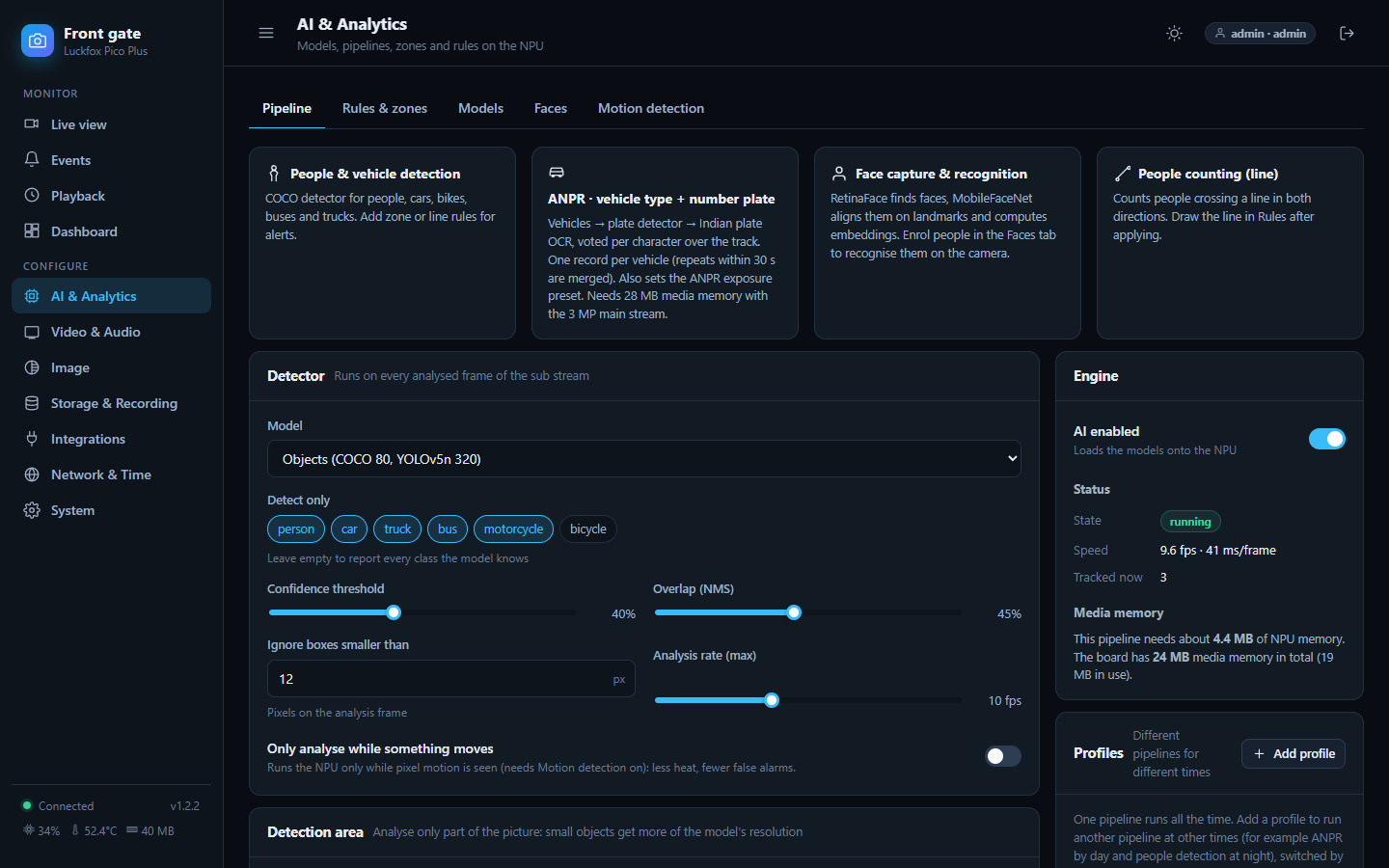
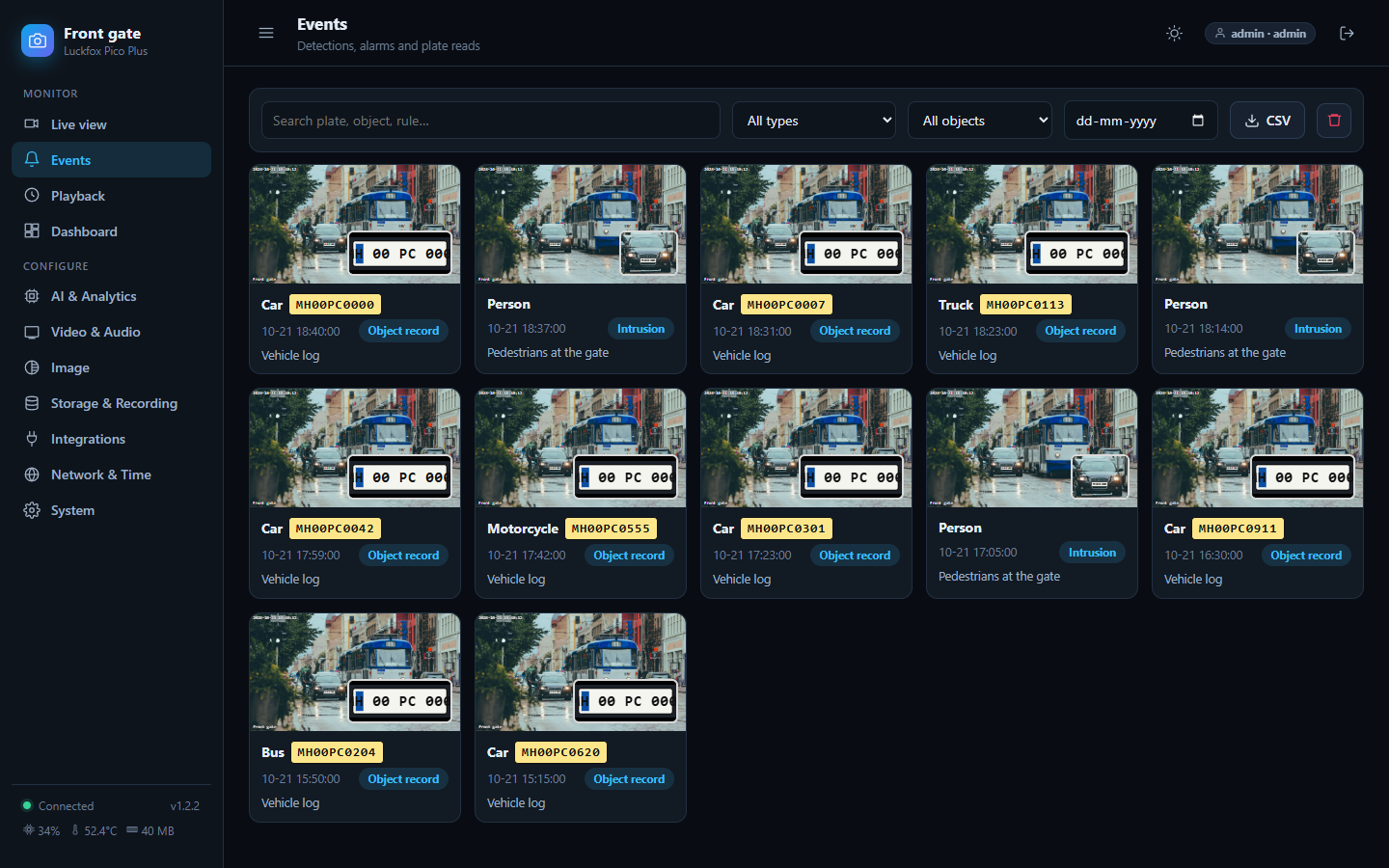
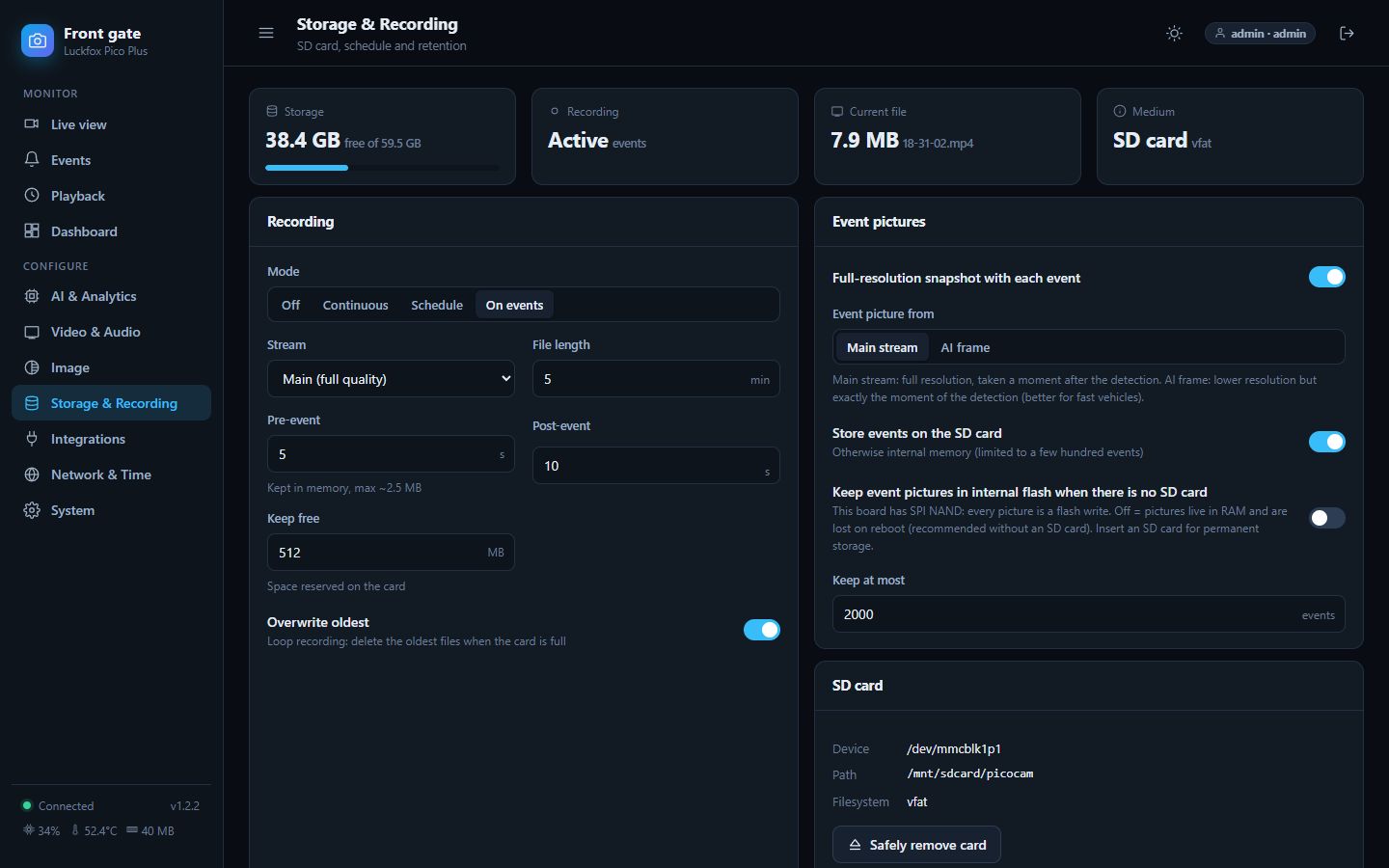
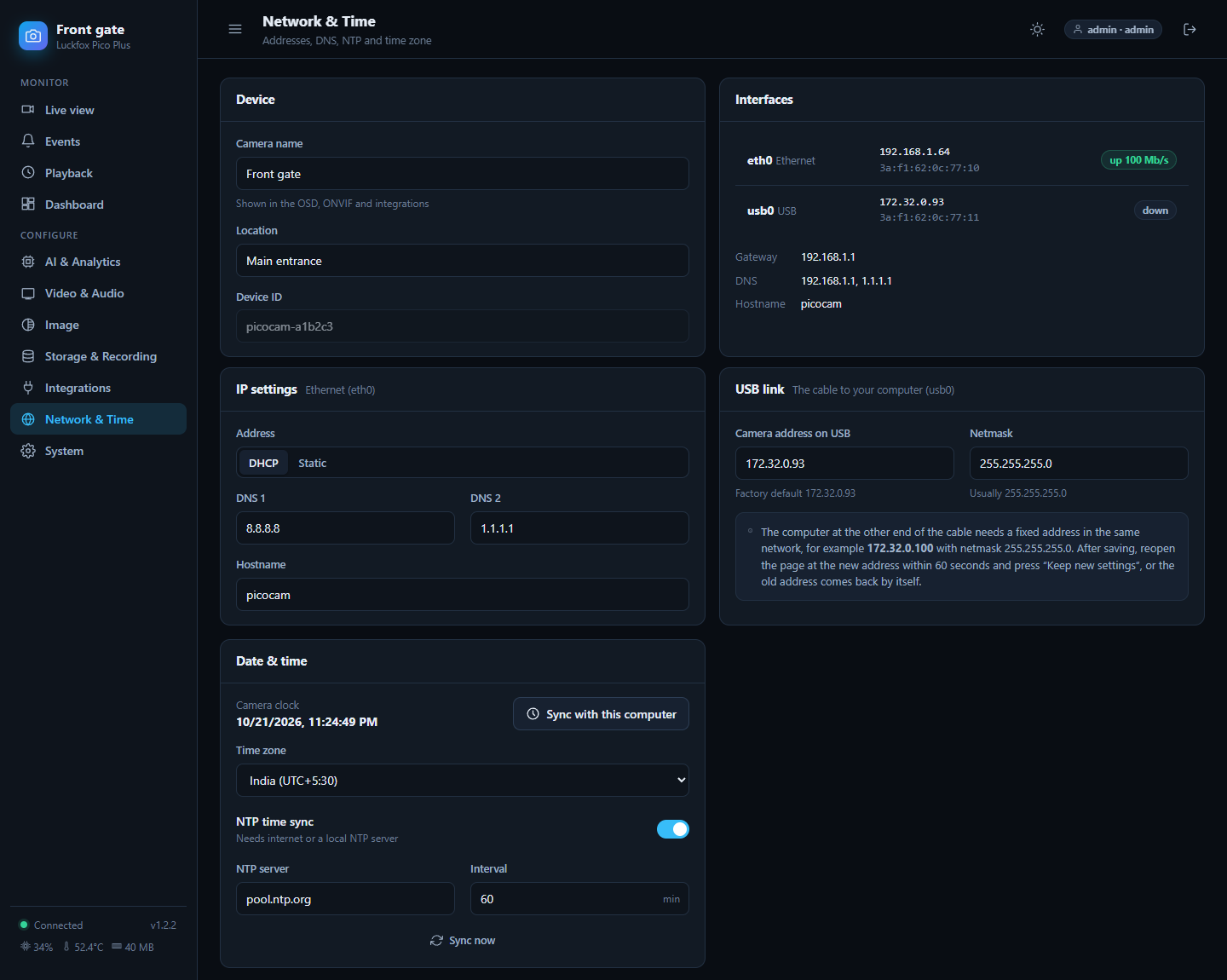
cd picocam/web && npm ci && npm run build && npm run mock # then open http://localhost:8099/A pretend camera with made-up data (all screenshots in this repository come from it; the street picture is a stock photo, not PicoCam footage).
| Path | What |
|---|---|
picocam/ |
firmware (C++), web portal (Preact), board scripts, installers |
docs/ |
the documentation above |
models/, ocr/
|
scripts to train and convert AI models (ONNX to RKNN) |
server/, web/
|
optional EdgeAI receiver (Go) and its dashboard for collecting events from many cameras |
docker/ |
the optional build/conversion image |
Releases are built automatically by GitHub Actions when a version tag is pushed (release.yml).
Contributions are welcome: CONTRIBUTING.md. The code is MIT licensed (LICENSE). Third-party components and the licence caveats for the ready-made AI models are in NOTICE.md. Report security problems privately: SECURITY.md.