A lightweight desktop reminder that keeps short breaks from turning into lost afternoons.




focturn.verttra.xyz — Live website
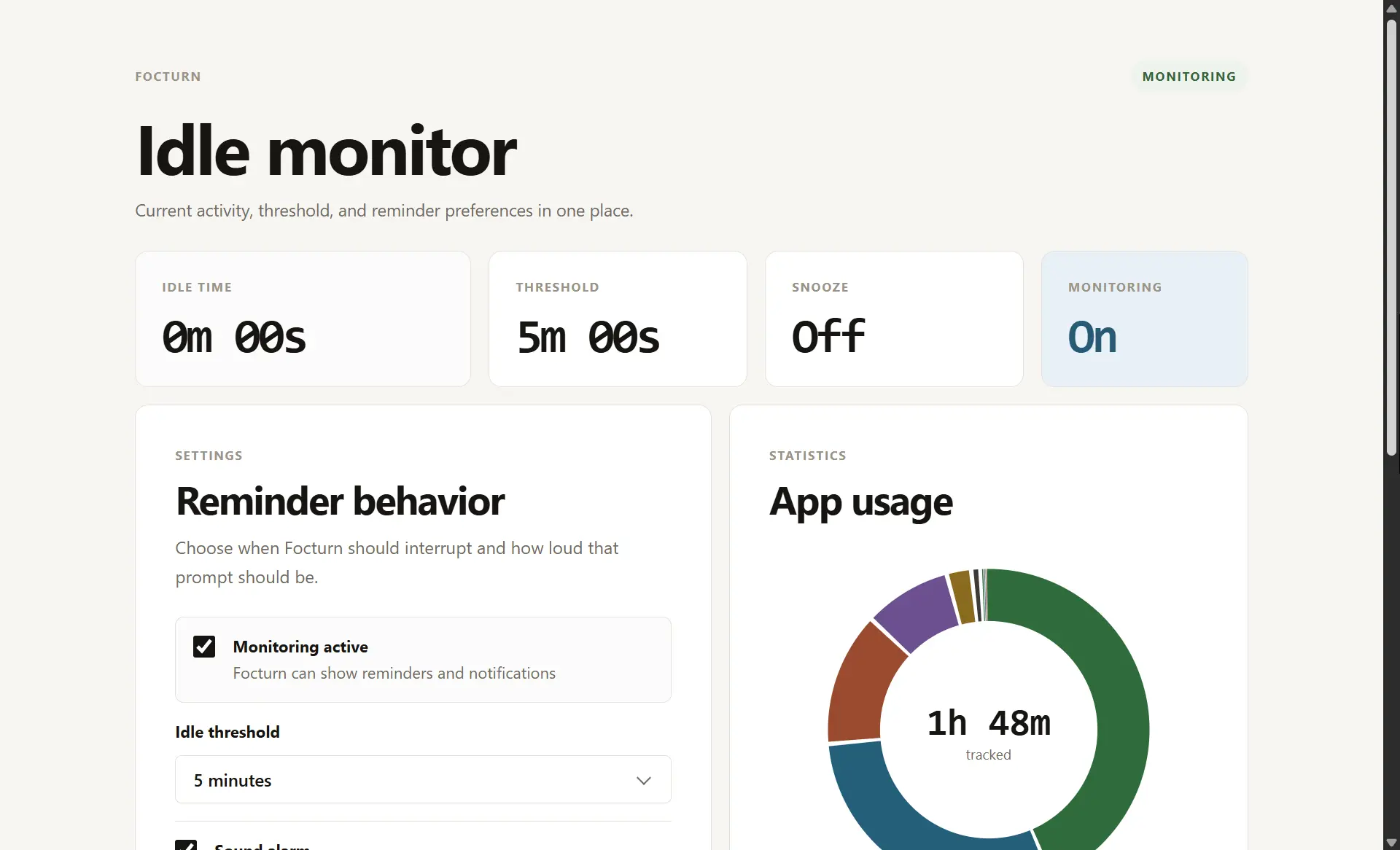
Focturn is a local-first desktop app that monitors your computer's idle time and reminds you when a break has gone too long. It runs quietly in the background, watches for inactivity, and triggers a reminder through a popup, sound, and desktop notification when your configured threshold is reached.
The app is built with Tauri 2, Next.js, React, TypeScript, and Rust so it can stay small, fast, and close to the operating system APIs needed for native idle detection.
Breaks are healthy. Accidentally disappearing for an hour is not.
Focturn is designed for programmers, students, freelancers, and remote workers who want a simple nudge when they step away from the keyboard for too long. It does not try to be a full productivity suite; it focuses on one job: notice idle time, then bring you back gently.
- Native idle monitoring using the Windows last-input timestamp.
- Configurable idle threshold with standard presets and a short testing option.
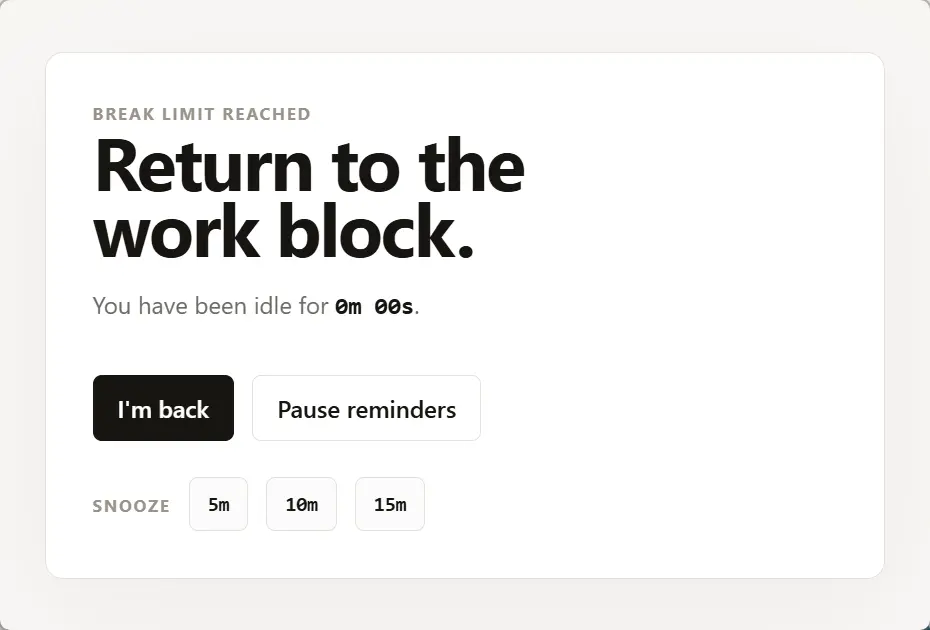
- Reminder popup with back-to-work, snooze, and temporary-disable actions.
- Sound alerts with template selection, custom sound support, and volume control.
- Desktop notifications through the Tauri notification plugin.
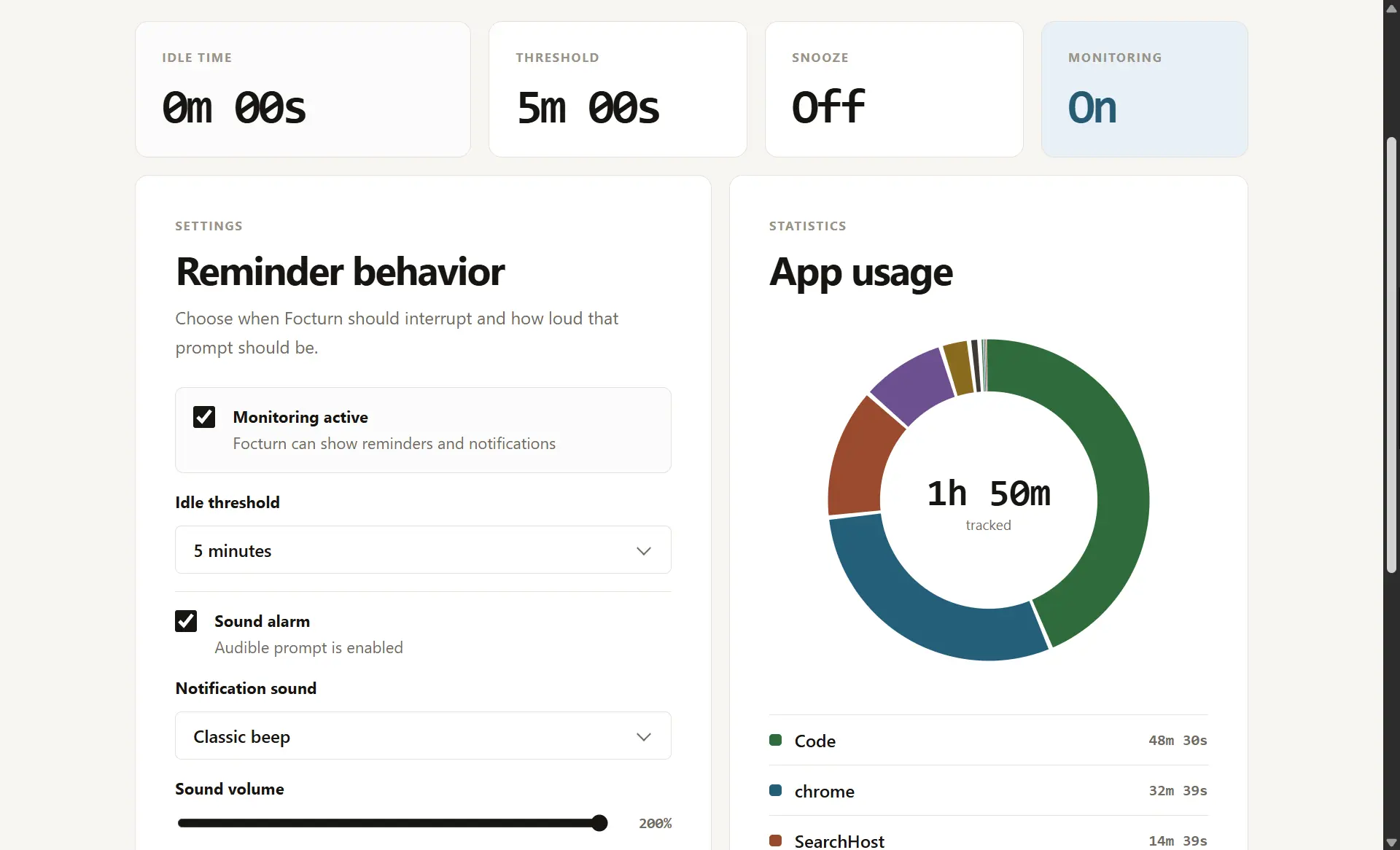
- Snooze state surfaced directly in the dashboard.
- Monitoring toggle to pause or resume reminders from the UI.
- Auto-start setting powered by the Tauri autostart plugin.
- System tray behavior so closing the main window hides the app instead of quitting it.
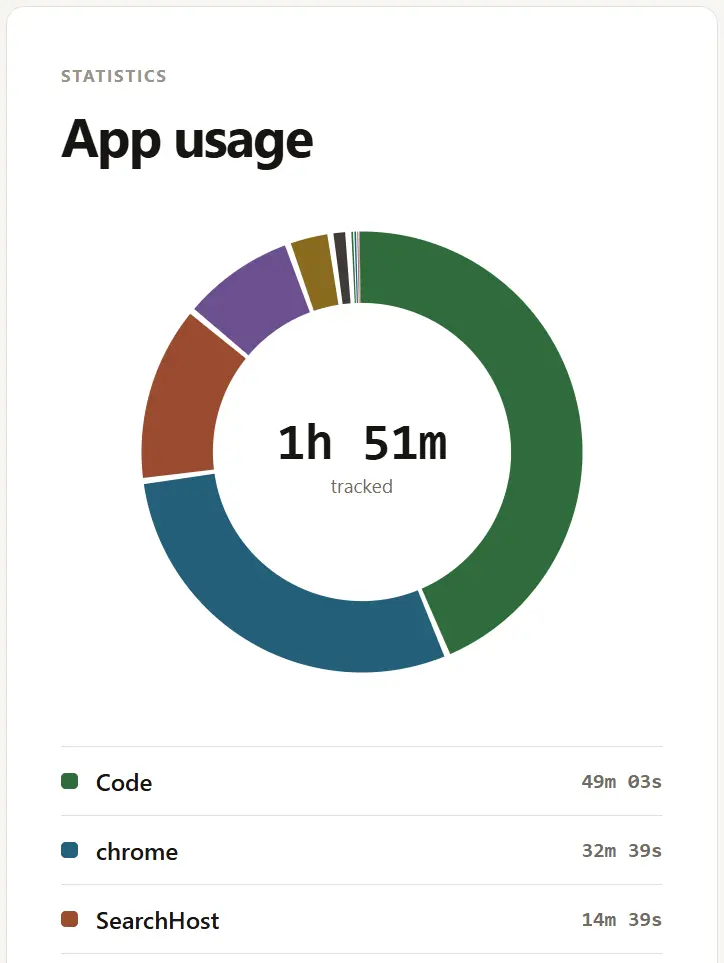
- Current-session app usage statistics with a high-contrast donut chart.
- Local settings persistence in the OS app configuration directory.
| Dashboard | Reminder popup | Usage stats |
|---|---|---|
 |
 |
 |
Focturn is currently a Windows-first MVP.
| Capability | Windows | macOS / Linux |
|---|---|---|
| Idle detection | Supported | Not implemented yet |
| Active app tracking | Supported | Not implemented yet |
| Tray behavior | Supported through Tauri | Planned |
| Desktop notifications | Supported through Tauri | Planned |
| Settings UI | Supported | Planned |
The frontend can be previewed in a browser, but native idle detection, notifications, tray behavior, autostart, and app usage tracking require running the app through Tauri.
| Layer | Technology |
|---|---|
| Desktop shell | Tauri 2 |
| Frontend | Next.js static export + React + TypeScript |
| Native logic | Rust |
| Styling | Vanilla CSS with centralized design tokens |
| Native integrations | Tauri notification, autostart, tray, and single-instance plugins |
| Windows APIs | windows crate for idle detection and active-window tracking |
Install the standard Tauri development requirements first:
- Node.js 24 or compatible current Node.js runtime
- npm
- Rust toolchain
- Windows build tools
- Microsoft Edge WebView2 Runtime
For the full Tauri setup guide, see the official Tauri prerequisites documentation: https://tauri.app/start/prerequisites/.
npm ciUse npm install only when you intentionally want to update package-lock.json.
npm run tauri:devThis is the recommended development entry point because it exercises the native runtime.
npm run dev:desktopBrowser preview is useful for layout work, but it cannot fully exercise native features such as idle detection, notifications, tray behavior, autostart, or active-app tracking.
npm run buildThe static frontend is exported to out/ for Tauri packaging.
npm run tauri:build| Command | Purpose |
|---|---|
npm run dev:desktop |
Start the desktop Next.js preview server. |
npm run dev:website |
Start the marketing website preview server. |
npm run check |
Run source line-limit checks and Knip project-health checks. |
npm run check:lines |
Verify source files stay within the project line-limit convention. |
npm run knip |
Check for unused files, dependencies, and exports. |
npm run build |
Run checks, type-checks, tests, and build both workspace apps. |
npm run build:desktop |
Build the desktop Next.js static export. |
npm run build:website |
Build the marketing website static export. |
npm run preview:desktop |
Preview the built desktop frontend output. |
npm run preview:website |
Preview the built website output. |
npm run tauri:dev |
Run Focturn through the Tauri desktop shell. |
npm run tauri:build |
Create a packaged Tauri build. |
apps/desktop/
  app/               Next.js desktop route used by Tauri
  src/               React components, hooks, IPC wrappers, and desktop styles
  src-tauri/         Rust commands, monitor state, settings, tray, and native APIs

apps/website/
  app/               Standalone marketing website

packages/design-system/
  tokens.css         Shared semantic design tokens
Desktop frontend code communicates with Rust through typed service functions in apps/desktop/src/services/tauriClient.ts. Components should not call Tauri invoke directly.
Current command surface:
get_idle_stateget_active_appget_monitor_snapshotload_settingssave_settingsshow_main_windowacknowledge_reminderdisable_reminders_temporarilysnooze_reminder
Focturn is designed as a local desktop utility:
- Settings are stored locally in the OS app configuration directory.
- Idle detection and active-app tracking run through local native APIs.
- The current app does not require an account or cloud sync.
- The frontend talks to the backend through the local Tauri IPC boundary.
If future versions add sync, telemetry, or remote integrations, they should be documented clearly before release.
- Windows idle detection
- Reminder popup, sound, and desktop notification
- Snooze and temporary-disable actions
- System tray behavior
- Auto-start setting
- Current-session app usage chart
- Release-ready Windows installer flow
- Screenshot and documentation polish
- Linux idle detection and active-app tracking
- macOS idle detection and active-app tracking
- Optional focus-mode and schedule controls
Contributions are welcome, especially around documentation, Windows polish, and future platform support.
Before opening a pull request:
npm run build
cargo fmt --check --manifest-path apps/desktop/src-tauri/Cargo.toml
cargo clippy --manifest-path apps/desktop/src-tauri/Cargo.toml --all-targets -- -D warnings
cargo test --manifest-path apps/desktop/src-tauri/Cargo.toml
Project conventions to keep in mind:
- Keep UI styling token-based and avoid hardcoded component colors.
- Keep React components focused on presentation and interaction.
- Keep Tauri commands thin; move native behavior into focused Rust modules.
- Wrap all frontend IPC calls in typed service functions.
- Avoid
any,unwrap(), andexpect()in production paths unless there is a documented reason. - Keep source files small and reviewable.
For meaningful changes, verify both automated checks and the native app flow:
- Run
npm run build. - Run Rust formatting, clippy, and tests.
- Start the app with
npm run tauri:dev. - Manually check reminder popup behavior, snooze, monitoring toggle, tray hiding/showing, autostart setting, and usage chart updates.
Licensed under the Apache License, Version 2.0.