Releases: anomal3/FreeOpenSourceSystemAI
Release list
FreeOS 0.3.108 — a desktop with files, packages by button, programs in the menu

Phases 34 through 39a gave this system a network, an SSH server and updates over
TLS. This release is what happened after that: the desktop was made presentable.
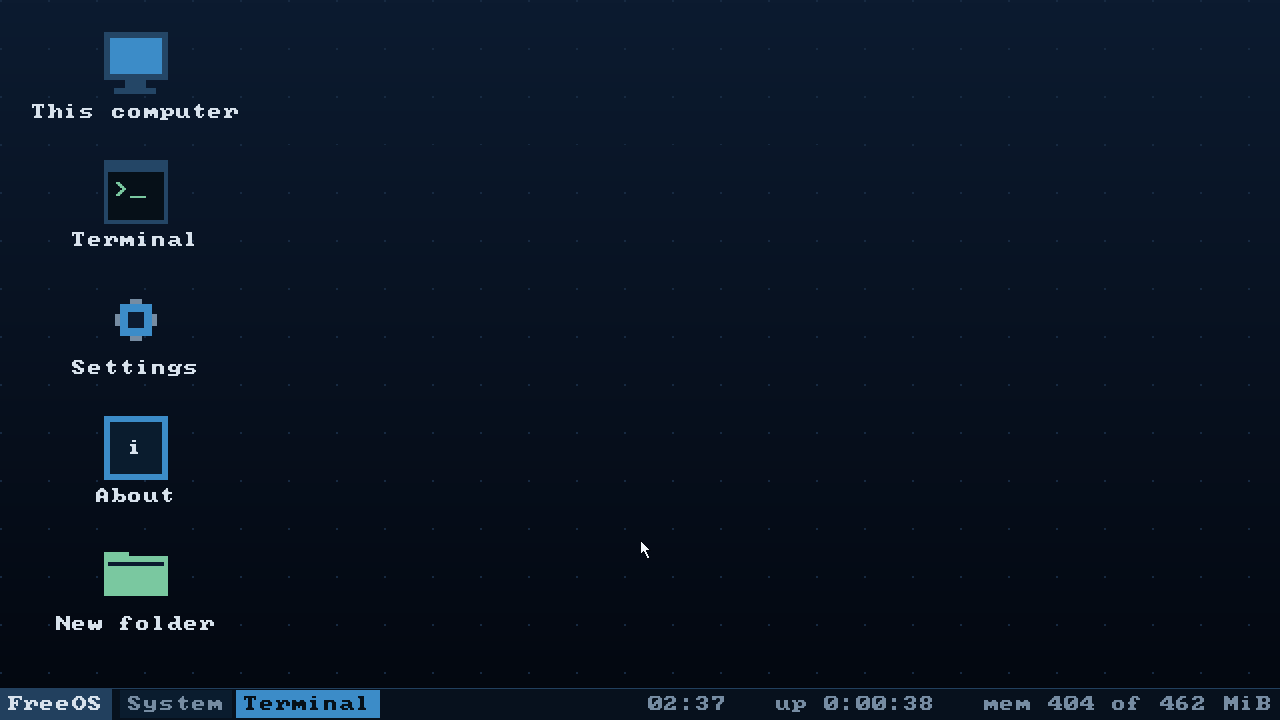
A desktop with files on it
The icons stopped being a fixed list of four programs. They are the four system
icons plus whatever lies in ~/Desktop, laid out in columns that end at the
taskbar.
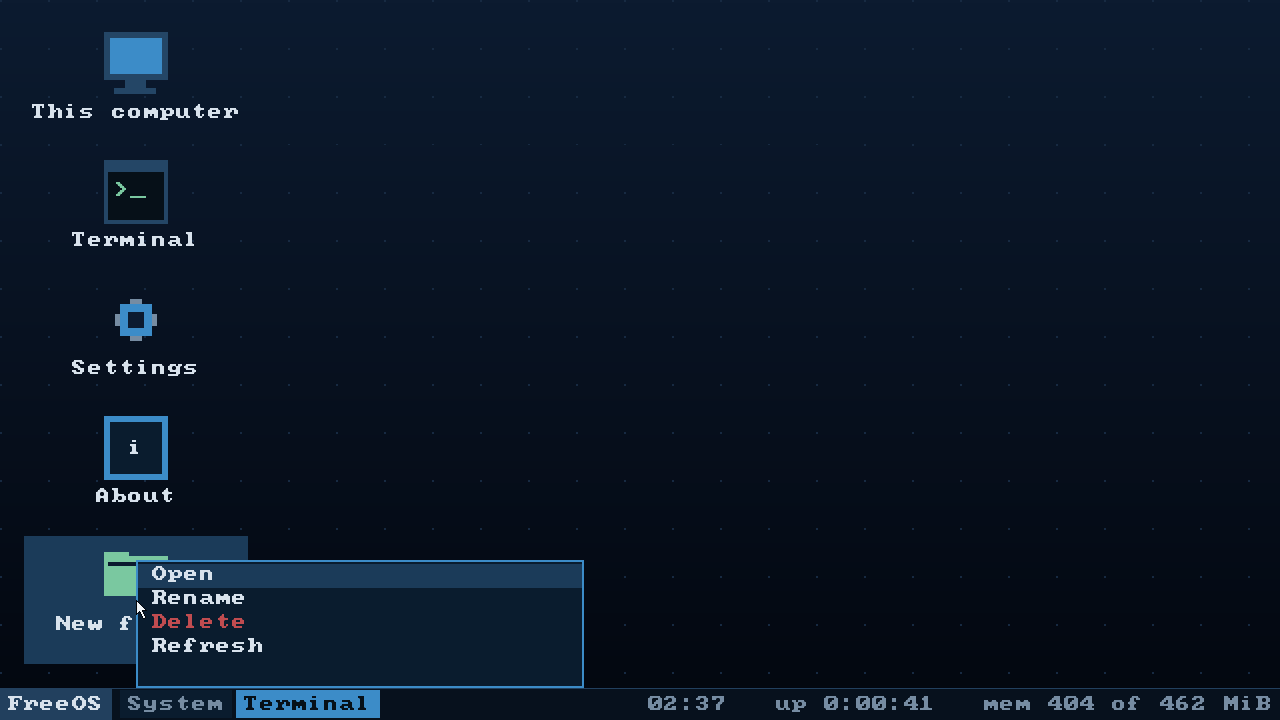
The context menu grew a second face. Opened on empty desktop it offers what it
always did; opened on a file or a folder it offers Open, Rename and Delete.
Showing all seven items and greying half of them would have been honest right up
to the first question about the grey Delete — the answer being "you aimed at
nothing", and that question is cheaper not to ask.
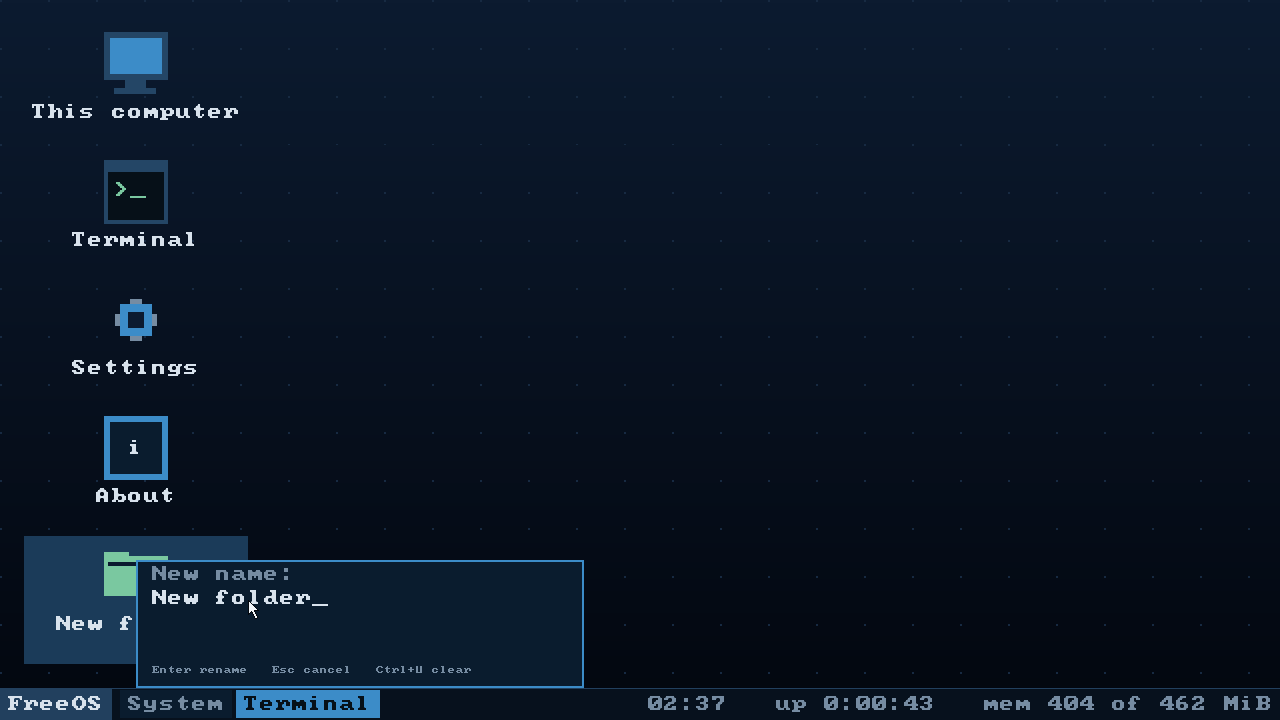
Renaming needs a name, and there is no dialog window in this system. Adding one
would mean a window class, input focus and modality — half a window manager for
one line of text. The menu already takes all input while it is open, so the name
is typed in the menu itself: the old name comes pre-filled, Ctrl+U clears it,
Enter commits, Esc forgets.
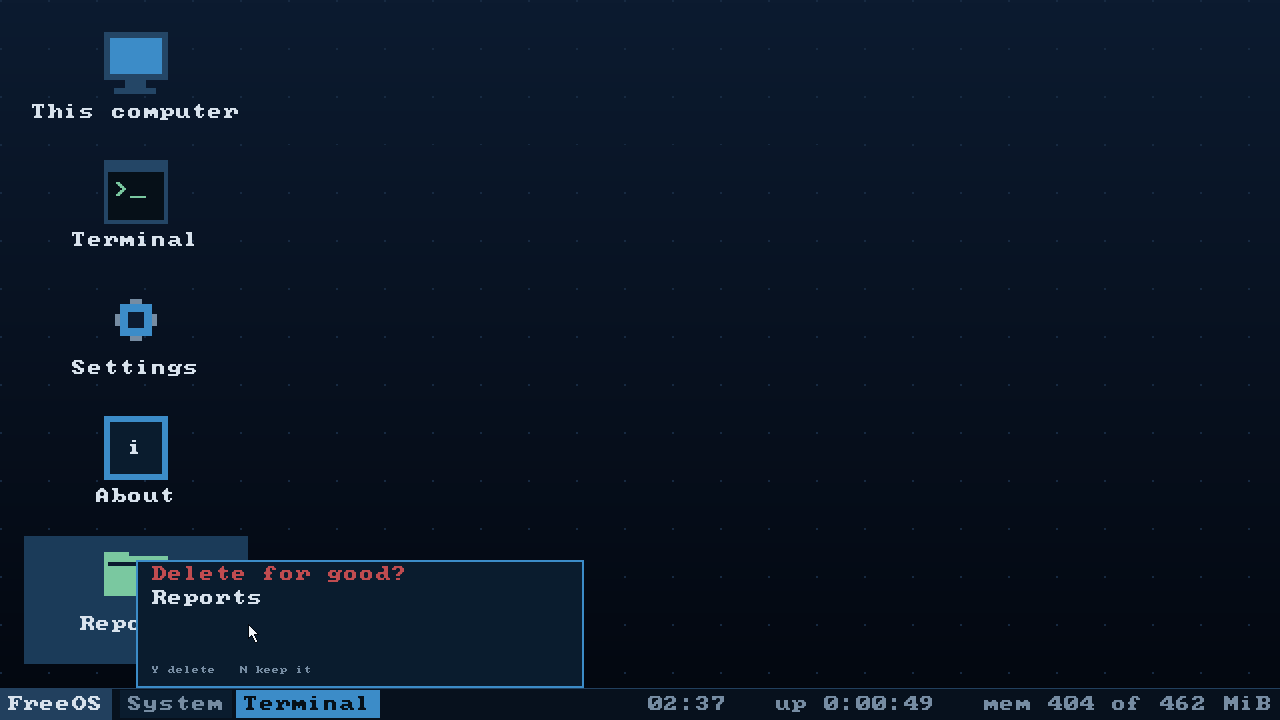
Deleting always asks first. There is no wastebasket, and a mis-aimed click means
a lost file.
Packages by button
The Programs section of Settings lists the .fpk files this machine can see and
installs one at a press; every installed package gets a remove beside it that
asks before it does anything.
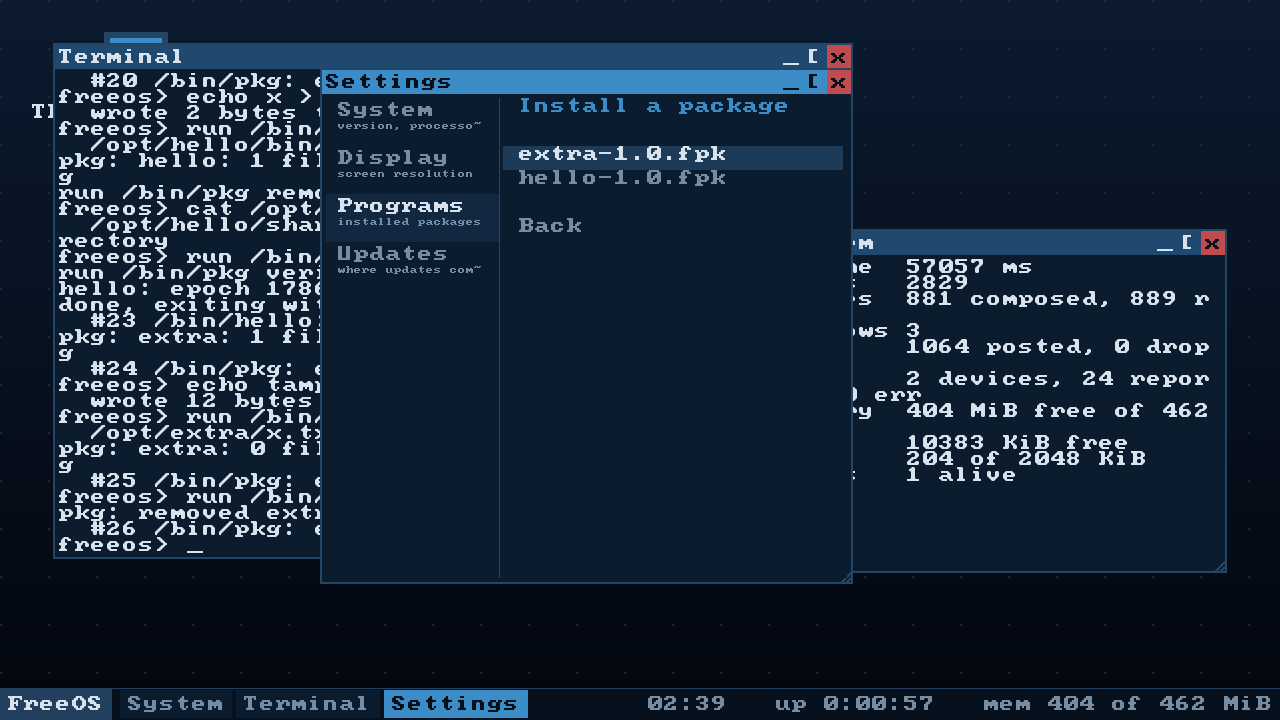
System update containers are filtered out by reading their header. They live in
the same /media with the same extension, but sysupdate installs them, not
pkg. Offering one would offer an action that ends in a refusal, and the person
would conclude that they, or the file, are broken.
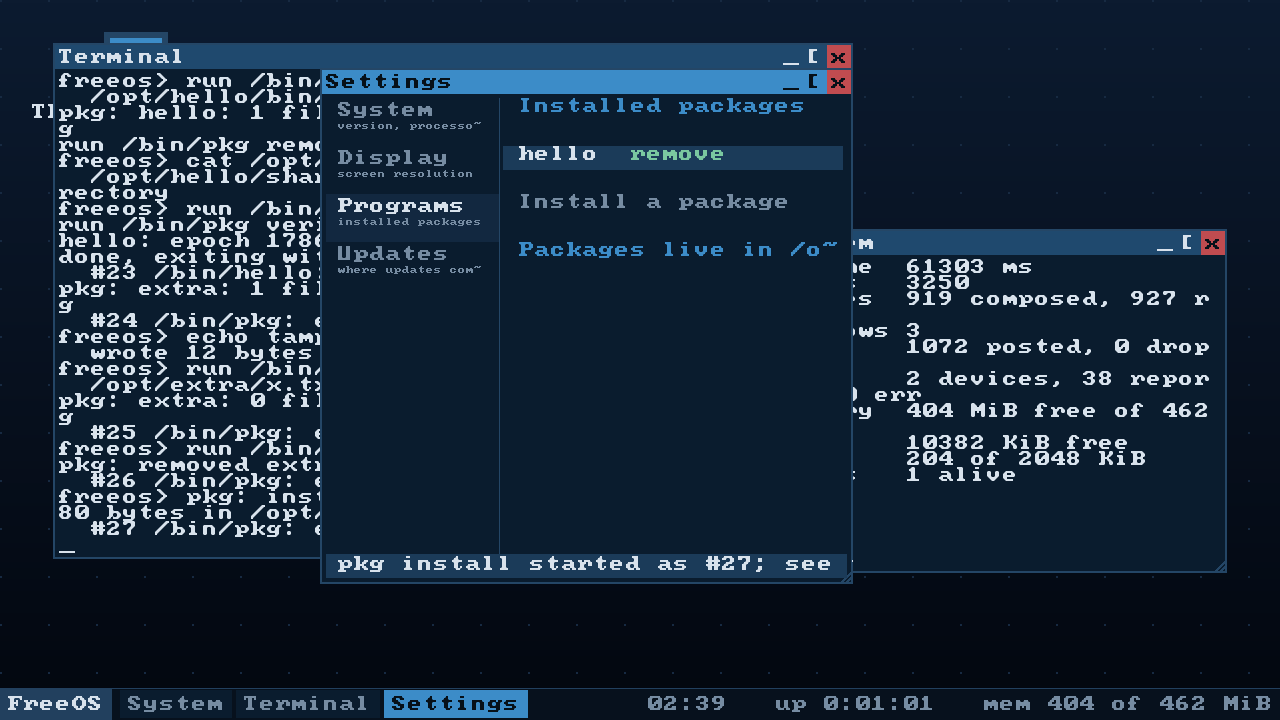
The window does not wait for pkg and cannot: that code runs inside input
dispatch, while pkg reads a file, unpacks it and writes to disk. All the window
says is that the program started; the program itself talks in the terminal.
The programs from /bin in the start menu
A second column, one name per row, with left and right arrows moving between the
columns. Two columns rather than one list because /bin holds two dozen programs
and each window entry already takes two rows — as one list the menu is over a
thousand pixels tall, and the work area on 1280x720 is 696.
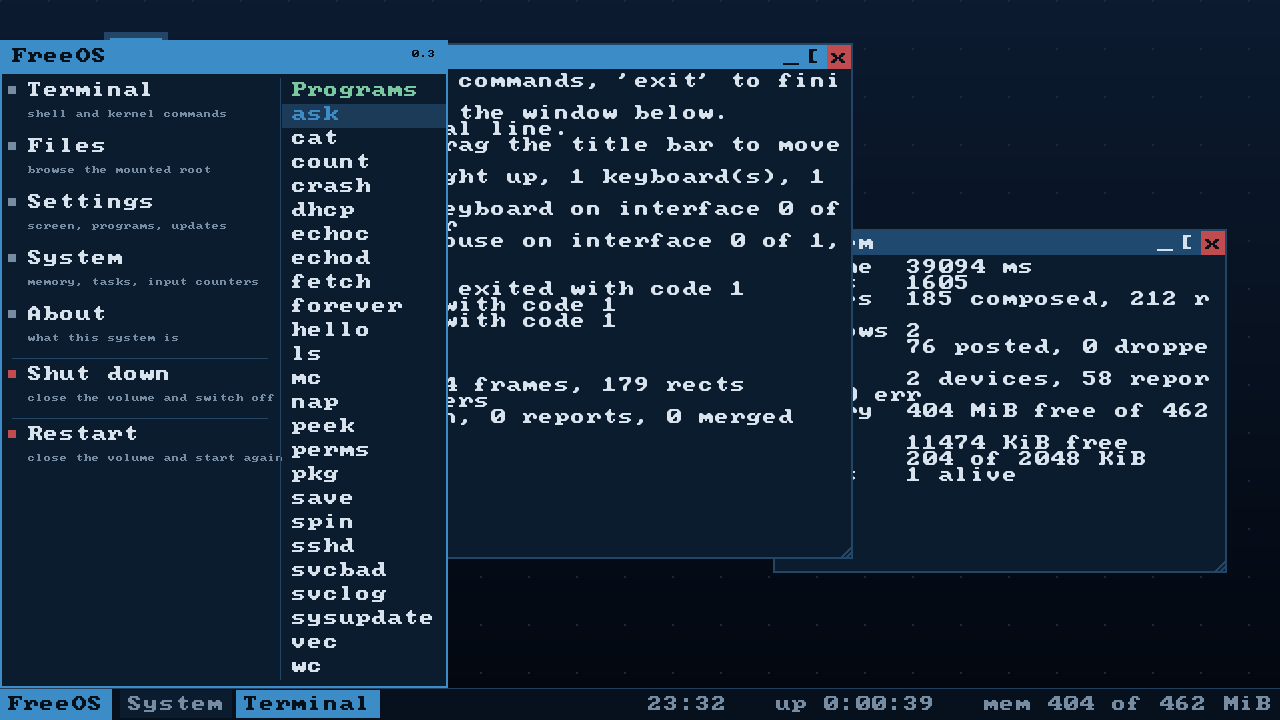
Choosing a program starts it and raises the shell window. A program that talks in
lines, started into a closed window, is a program whose answer is nowhere to be
seen.
The frame is assembled in memory, and the font stopped being a staircase
Layers no longer go straight to the framebuffer. They are stacked in a buffer,
and the finished picture goes to the screen as one copy per row. Nothing
flickers; the screen is written once where it used to be written three times; and
the buffer can be read, which is what the font smoothing stands on.
The glyphs are 8x8 and shown doubled, so every diagonal was a staircase of blocks
four pixels across — that is what makes a screen look pixellated. There is no
second font and nowhere to get one; the Cyrillic here is drawn by hand. So the
one we have is smoothed, by the Scale2x/EPX corner rule, except the corner is
painted a half-tone mixed with whatever is under it rather than a solid neighbour
colour — a solid bevel is itself a staircase, merely half the size.
The buffer is a band, not a whole screen: 1920x1080 at four bytes a pixel is
eight megabytes out of a sixteen-megabyte heap, half of it for one picture.
Outside the emulator
Running in VirtualBox on a real machine, with a virtio-net card, an address from
the hypervisor's DHCP, and sshd listening on port 22 — a real ssh from the
host logs in with a key and runs commands.
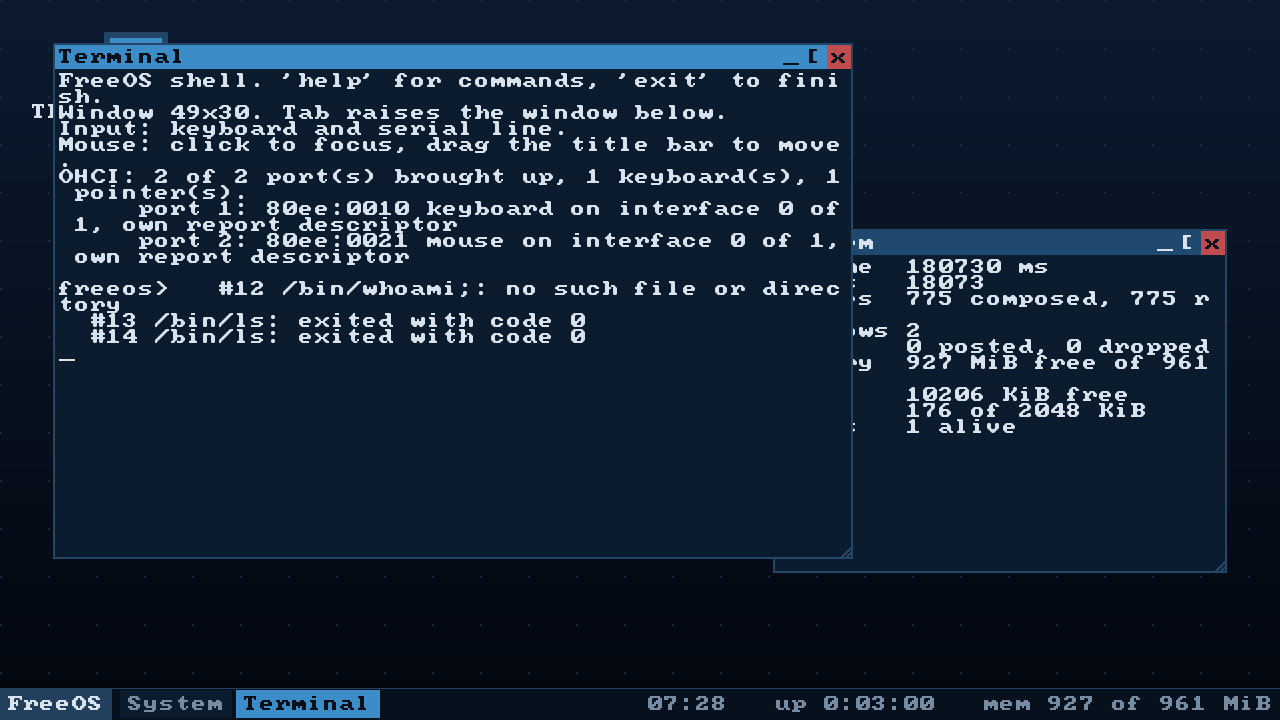
One thing to know before you try the network. The kernel drives virtio-net
and nothing else. VirtualBox offers an Intel PRO/1000 by default, and with it the
machine has no network at all — the log says so plainly (no virtio-net card attached to this machine), but it is easy to read as a broken network stack.
Set the adapter type to Paravirtualized Network (virtio-net); NAT or bridged
both work. An e1000 driver is not written yet.
Which file to take
FreeOS-Installer_*— boots an installer of seven screens and puts the system
on a disk. This is the one to take: on an installed system the desktop can
create files andpkgcan install packages.FreeOS_*— the live system, boots straight to the desktop and touches no
disk. Its root is a FAT image in memory, so it cannot store anything, and the
menu says so in words rather than failing.
Both need a virtual machine with EFI enabled. x86_64 and aarch64 are the
same code; the build number 108 describes the state of the sources, so all four
images carry it.
What was verified, and what was not
The test bench ran desktop, mouse, install, installed and pkg on x86_64
and desktop on aarch64, in both the debug and the release profile, and the
whole path was walked by hand in VirtualBox. The full run — 46 scenarios, both
profiles, both architectures — was not made for this release.
Known and not fixed: with no network, sshd fails three times with "cannot
listen on port 22" and init gives up on it; in the log of a first boot that
looks like a fault, and it is not one.


FreeOS 0.1.57 — packages, A/B slots, services
Phases 31, 32 and 33: packages, two systems on one disk, and services that come back.
What is new
Packages. pkg install /media/hello-1.0.fpk lays a package out under
/opt, pkg list shows it, pkg verify checks every file by length and
checksum, pkg remove takes away exactly what was put there and nothing else.
The .fpk container has a fixed place for a signature from the very first
version — it is empty today, but adding it later would move the manifest, which
is a second format rather than a new field.
Two systems on one disk. The layout is now ESP, two root slots and a state
partition:
ESP (FAT32)      bootloader, kernel-a/-b, initrd-a/-b, the slot record
root_a (ext2)    the system; mounted read-only while it runs
root_b (ext2)    the other slot, the same size to the sector
state  (ext2)    /etc, /home, /root, /var, /opt
sysupdate apply <file.fpk> writes a whole new system into the free slot and
switches the pointer. If the new system does not come up, the bootloader spends
three attempts and returns to the previous slot by itself — no console, no
second computer, and not one file of /home lost. That is the case the whole
scheme exists for, and it is what the rollback scenario on the test bench
does end to end.
Services. /bin/init reads /etc/services and puts back what dies: a
service that is killed comes back in half a second, and one that crashes on
every start is stopped after three attempts with a line in the log — because
restarting a broken service forever is not resilience, it is hiding the fault.
A service runs as whoever its description says, not as whoever started it.
Three defects found on the way, all older than these phases
killdid not reach a sleeping program: killing was checked only on the way
out of an interrupt, so a service that sleeps between log lines died as many
seconds late as it had left to sleep.- Reading a large file from ext2 cost three device round trips per block, and
went one block at a time. The indirect table now survives the loop iteration
and consecutive blocks are read in one request. - One volume mounted at five prefixes counted as five volumes, so
fsck
checked the state partition five times over.
Verification
cargo xtask test --full — 34 scenarios on both architectures in both
profiles, 134 runs. All green; the two that failed first time were defects in
the new checks themselves (a command longer than the 32-byte PL011 FIFO, and a
step ordered by events rather than by log lines), fixed and re-run on AArch64.
Four new scenarios: pkg, services, rollback, update.
Which file to take
FreeOS-Installer_*.iso— installs onto a disk: partitions it, asks for an
account, keyboard and timezone. This is the one that gives you the A/B
slots and the state partition; the live image has neither.FreeOS_*.iso— boots into the running system without touching any disk.
x86_64 for a PC or an ordinary virtual machine, aarch64 for ARM64
(QEMU virt, UTM, VirtualBox on Apple Silicon). UEFI only — there is no BIOS
boot path.
FreeOS 0.1.23 — disks that are not virtio
An operating system written from scratch in Rust, for ARM64 and x86-64. UEFI boots
it, a compositor draws it, programs run outside the kernel in address spaces of their own,
and it installs itself onto a disk it partitioned. No telemetry, no network calls, no third
party kernel code.
This is the first published build. It is a working system, not a demo: it boots to a
desktop with a mouse, runs ring-3 programs that are scheduler tasks, enforces mode/uid/
gid on every path component, writes to an ext2 root that survives a reboot, and keeps the
wall clock to within a second or two of the host's.
What is new in 0.1.23
Disks that are not virtio. For nine phases the words "disk" and "virtio-blk" meant the
same thing in this kernel — fine inside QEMU, where there is no other disk, and useless
everywhere else. The installer would write a disk perfectly well through the firmware, and
then the installed system would not find its own root. Two drivers close that:
- AHCI — the controller behind every SATA port, and the one VirtualBox presents by
default. - NVMe — how the disk in any laptop bought in the last eight years is attached. Queues
in memory, a doorbell, a phase bit, and PRP lists instead of ports and registers.
Underneath both is the part that mattered more than either: the root partition is now
looked for on every disk the machine has, by its GPT type GUID, rather than on the one
that happened to be first.
One defect on the way is worth the sentence, because it is the class this project keeps
meeting — a state the firmware happened to leave behind, mistaken for a state of the
hardware. On x86-64 AHCI worked at once; on ARM the same disk reported "no device" while
the link was plainly up. OVMF has a SATA driver and had already introduced the device to
itself; ArmVirtQemu has none and had touched nothing. The driver now resets the link itself,
which makes the port's state identical whether the firmware set it up, ignored it, or left
it half-configured.
The full reasoning, including what each phase checks and what is known to be missing, is in
README.md.
What it looks like
The desktop, on x86-64 and on ARM64 — same source, same compositor, different machine:


The file manager, reading the mounted filesystem:

The installer picks a disk and refuses to offer the one it booted from, then asks for
confirmation last — everything you might change your mind about is asked before the point
of no return, not after:


And the installed system, running a program as the account the installer created. Four
files, four different answers, each for its own reason — the last one is refused because a
directory on the way is 0700 and owned by someone else, not because of the file's own
mode:

Which file to take
| File | What it is |
|---|---|
FreeOS_0.1.23_x86_64_release.iso |
Live system, x86-64. Boots, gives you the desktop, writes nothing to the host. |
FreeOS_0.1.23_aarch64_release.iso |
Live system, ARM64. |
FreeOS-Installer_0.1.23_x86_64_release.iso |
Installer, x86-64. Erases a disk and installs onto it. |
FreeOS-Installer_0.1.23_aarch64_release.iso |
Installer, ARM64. |
How to run it
EFI is required — there is no BIOS boot path at all, by design. A machine left on legacy
boot will simply not find the medium.
In VirtualBox: create a VM of type Other/Unknown (64-bit), turn on Settings → System →
Enable EFI, attach the .iso to the optical drive, start it. VMware works the same way;
on Hyper-V pick Generation 2, which is the EFI one. The defaults are fine — the pointing
device does not need changing any more, because the kernel reads the device's own HID report
descriptor rather than assuming a boot protocol.
In QEMU, from a clone of the repository: cargo xtask run --arch x86_64.
Honest limits
- The live ISO writes nothing. It boots, mounts its initrd, gives you the desktop and
the shell. That is the whole of it, and it is the point. - The installer erases the disk you select. It shows the layout and asks for
confirmation last, and it will not offer the medium it booted from — but it has no
resize, no dual boot, and no undo. Use a disk you are willing to lose. - Verified in QEMU, on both architectures, in both profiles — 84 automated scenarios,
driven over the serial line rather than by screenshots. The VirtualBox run for the new
disk drivers has not been done yet; when it is, it will be said out loud. - A disk with 4096-byte sectors is refused with a message, not silently treated as
512-byte. Removing that limit is the next phase — it existed because there was no way to
test against such a disk, and that stopped being true with the NVMe driver. - There is no login and no password prompt. The account exists and programs run under
it; nothing switches users yet, and the password digest in/etc/passwdis not produced
by a real key derivation function. That is stated in the code rather than dressed up.
Licence
MIT OR Apache-2.0.