
Phases 34 through 39a gave this system a network, an SSH server and updates over
TLS. This release is what happened after that: the desktop was made presentable.
A desktop with files on it
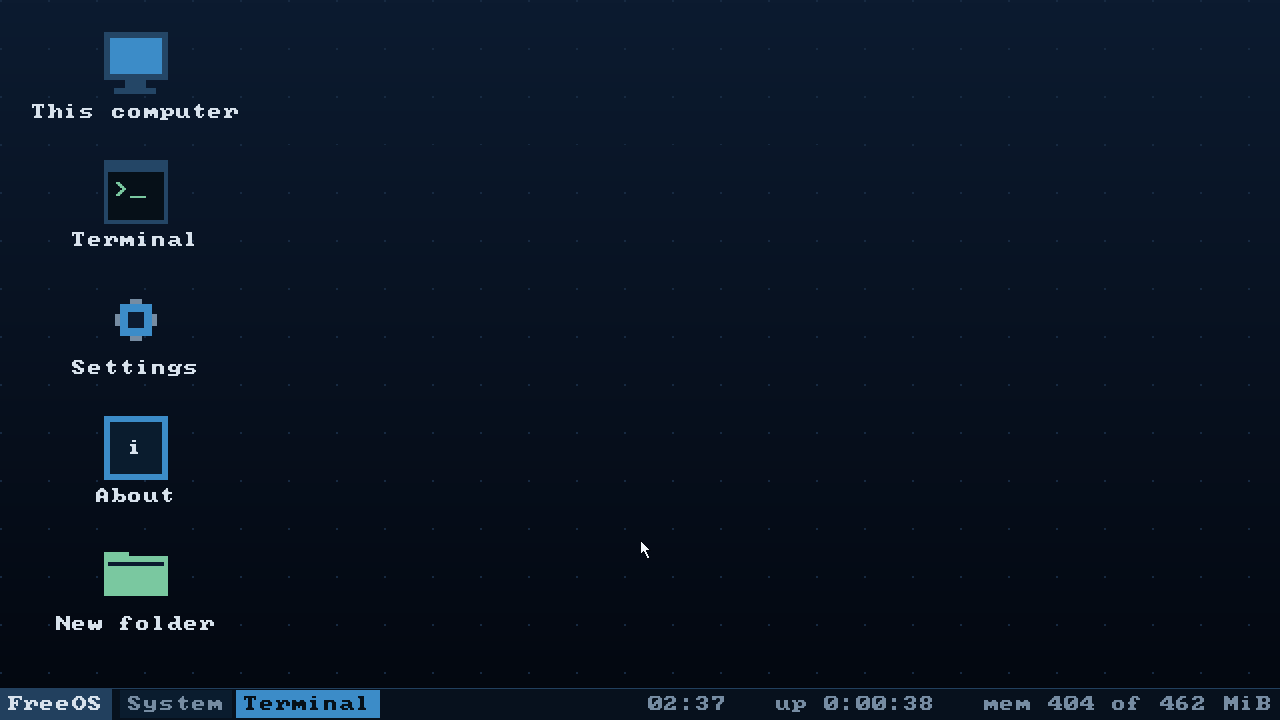
The icons stopped being a fixed list of four programs. They are the four system
icons plus whatever lies in ~/Desktop, laid out in columns that end at the
taskbar.
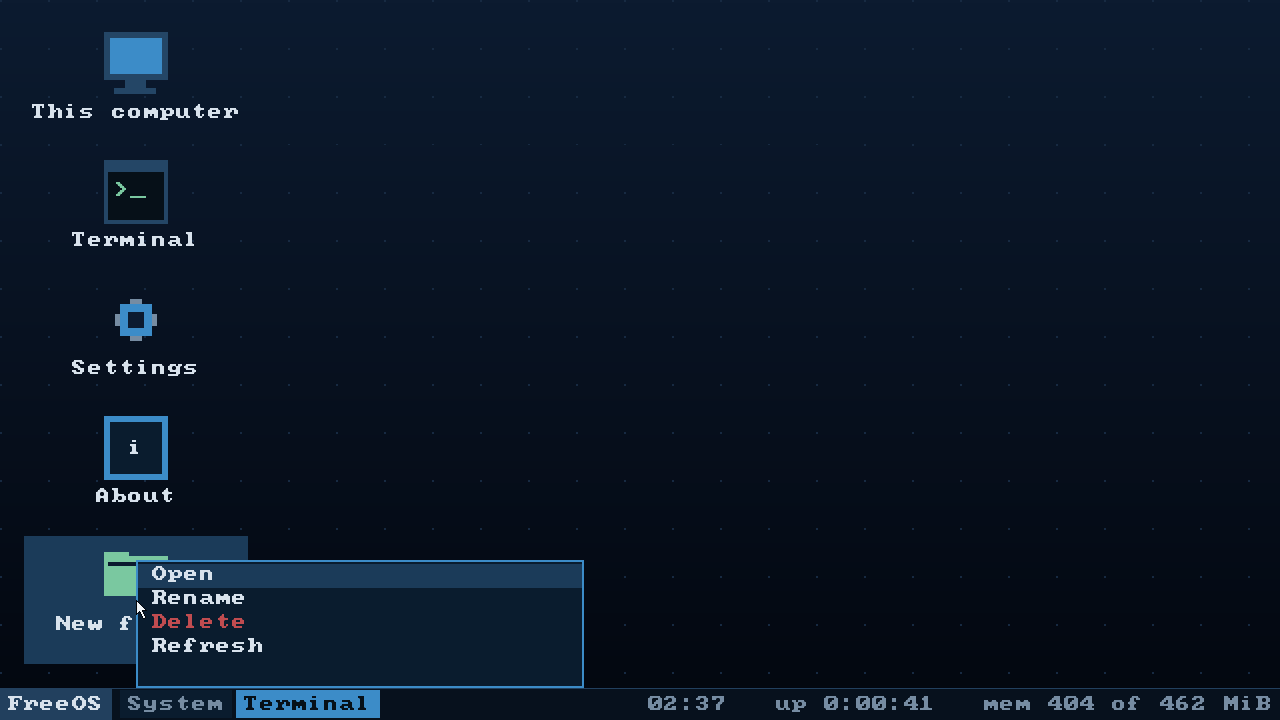
The context menu grew a second face. Opened on empty desktop it offers what it
always did; opened on a file or a folder it offers Open, Rename and Delete.
Showing all seven items and greying half of them would have been honest right up
to the first question about the grey Delete — the answer being "you aimed at
nothing", and that question is cheaper not to ask.
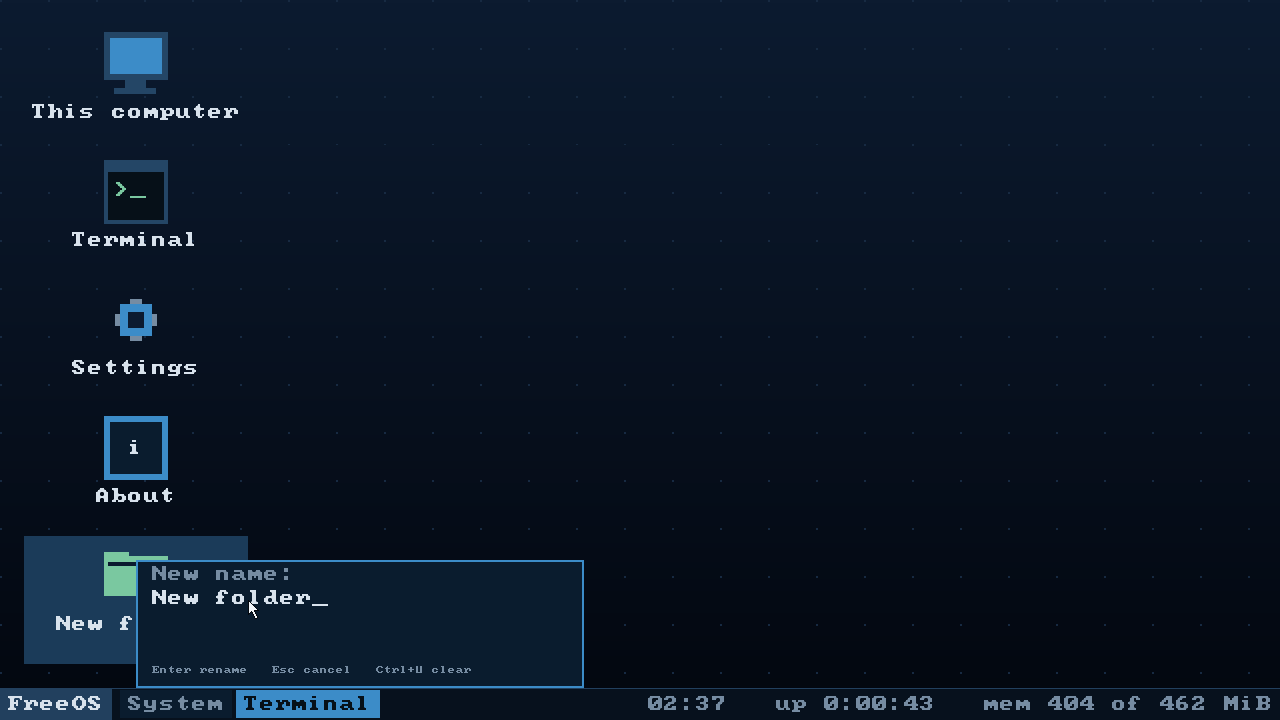
Renaming needs a name, and there is no dialog window in this system. Adding one
would mean a window class, input focus and modality — half a window manager for
one line of text. The menu already takes all input while it is open, so the name
is typed in the menu itself: the old name comes pre-filled, Ctrl+U clears it,
Enter commits, Esc forgets.
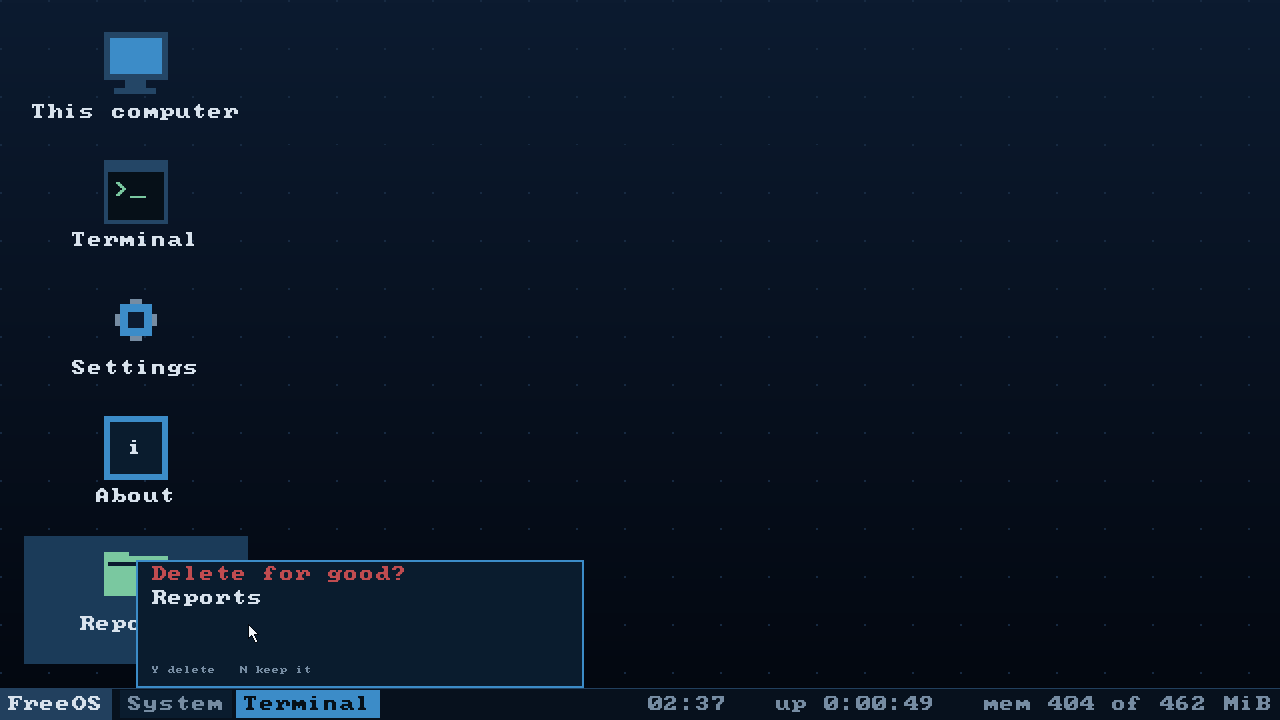
Deleting always asks first. There is no wastebasket, and a mis-aimed click means
a lost file.
Packages by button
The Programs section of Settings lists the .fpk files this machine can see and
installs one at a press; every installed package gets a remove beside it that
asks before it does anything.
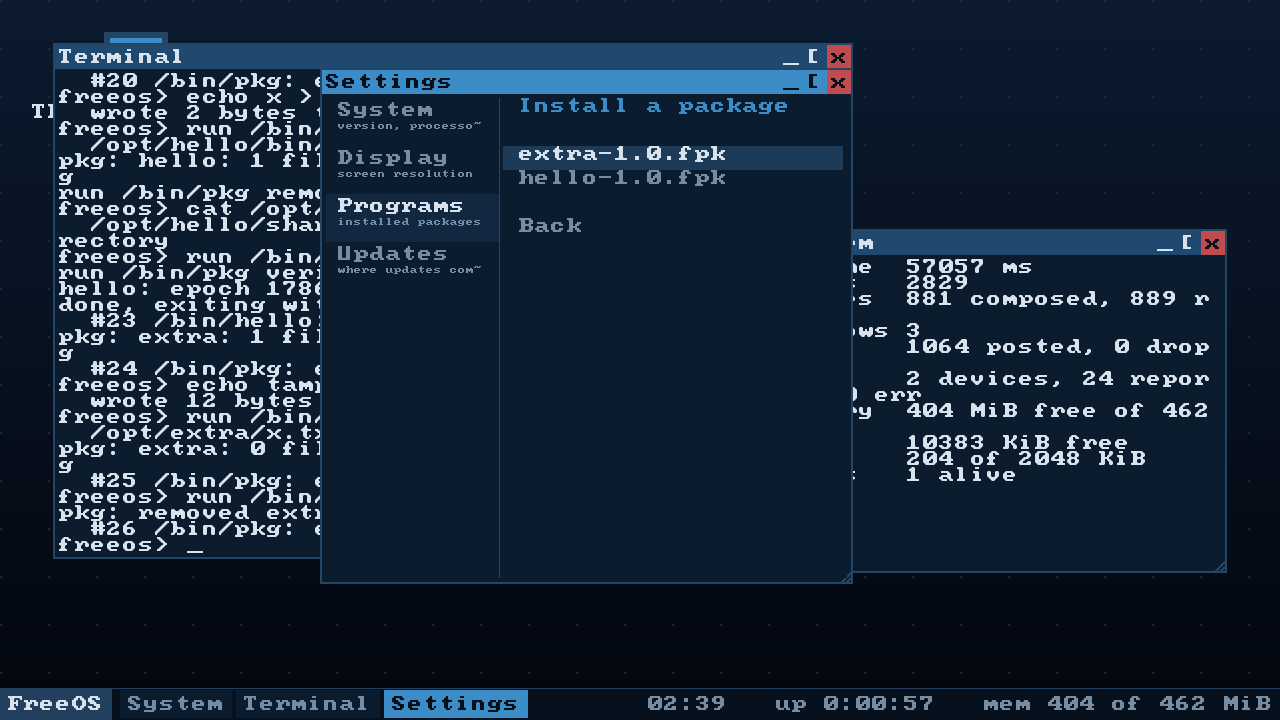
System update containers are filtered out by reading their header. They live in
the same /media with the same extension, but sysupdate installs them, not
pkg. Offering one would offer an action that ends in a refusal, and the person
would conclude that they, or the file, are broken.
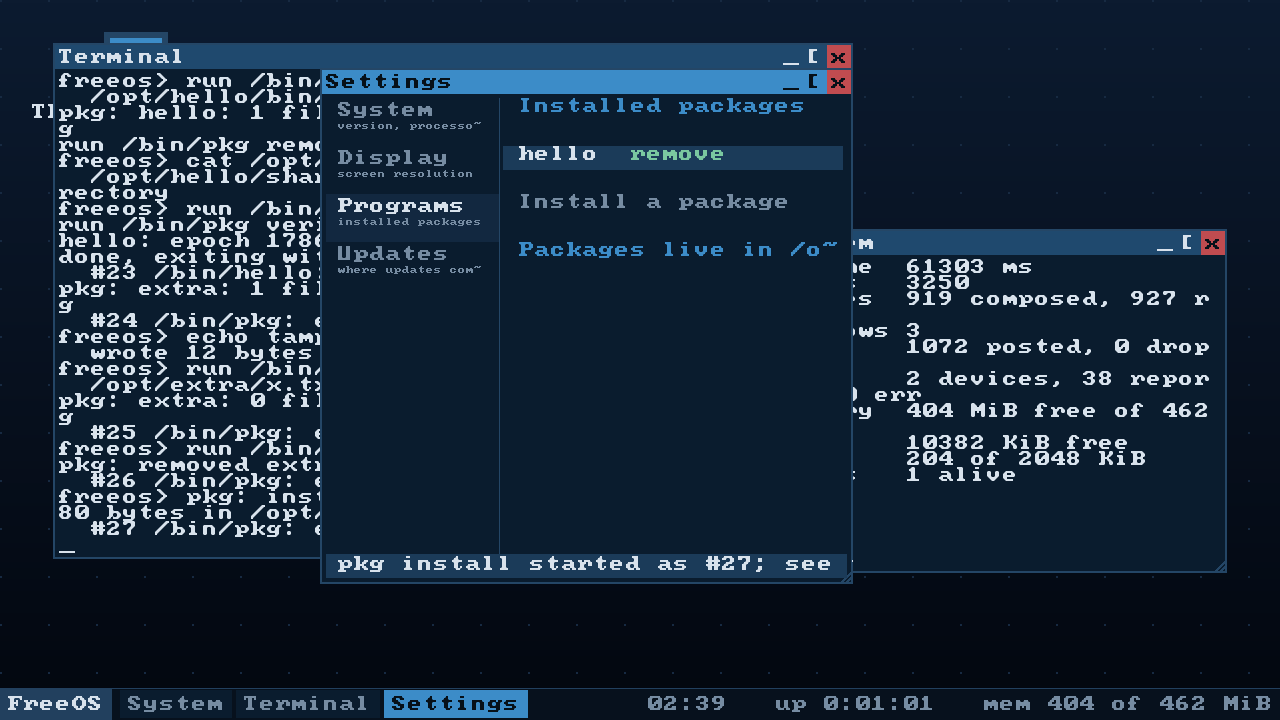
The window does not wait for pkg and cannot: that code runs inside input
dispatch, while pkg reads a file, unpacks it and writes to disk. All the window
says is that the program started; the program itself talks in the terminal.
The programs from /bin in the start menu
A second column, one name per row, with left and right arrows moving between the
columns. Two columns rather than one list because /bin holds two dozen programs
and each window entry already takes two rows — as one list the menu is over a
thousand pixels tall, and the work area on 1280x720 is 696.
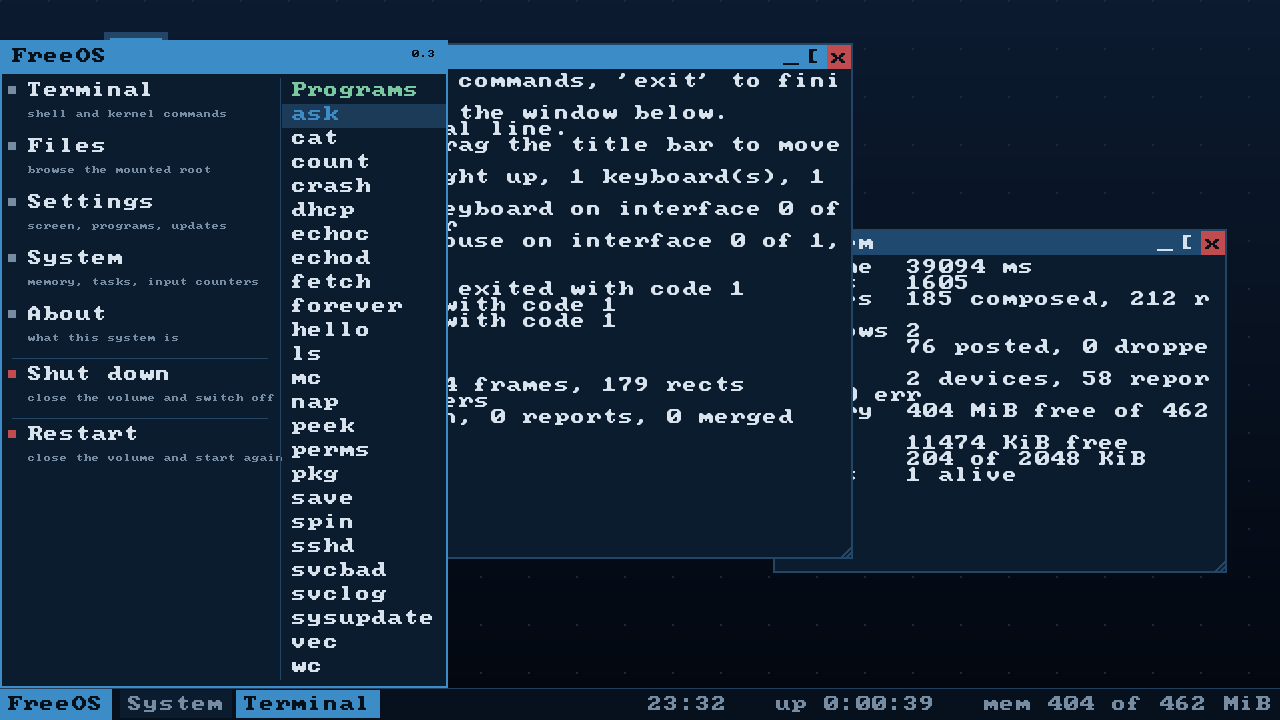
Choosing a program starts it and raises the shell window. A program that talks in
lines, started into a closed window, is a program whose answer is nowhere to be
seen.
The frame is assembled in memory, and the font stopped being a staircase
Layers no longer go straight to the framebuffer. They are stacked in a buffer,
and the finished picture goes to the screen as one copy per row. Nothing
flickers; the screen is written once where it used to be written three times; and
the buffer can be read, which is what the font smoothing stands on.
The glyphs are 8x8 and shown doubled, so every diagonal was a staircase of blocks
four pixels across — that is what makes a screen look pixellated. There is no
second font and nowhere to get one; the Cyrillic here is drawn by hand. So the
one we have is smoothed, by the Scale2x/EPX corner rule, except the corner is
painted a half-tone mixed with whatever is under it rather than a solid neighbour
colour — a solid bevel is itself a staircase, merely half the size.
The buffer is a band, not a whole screen: 1920x1080 at four bytes a pixel is
eight megabytes out of a sixteen-megabyte heap, half of it for one picture.
Outside the emulator
Running in VirtualBox on a real machine, with a virtio-net card, an address from
the hypervisor's DHCP, and sshd listening on port 22 — a real ssh from the
host logs in with a key and runs commands.
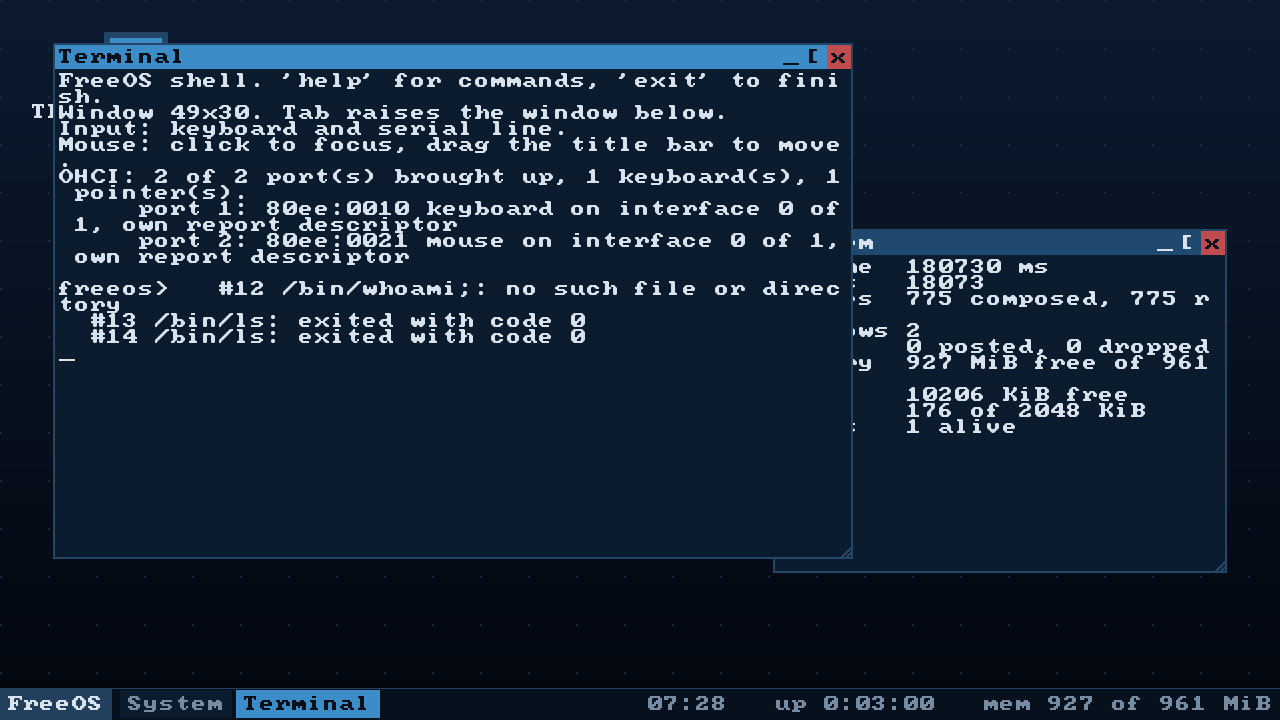
One thing to know before you try the network. The kernel drives virtio-net
and nothing else. VirtualBox offers an Intel PRO/1000 by default, and with it the
machine has no network at all — the log says so plainly (no virtio-net card attached to this machine), but it is easy to read as a broken network stack.
Set the adapter type to Paravirtualized Network (virtio-net); NAT or bridged
both work. An e1000 driver is not written yet.
Which file to take
FreeOS-Installer_*— boots an installer of seven screens and puts the system
on a disk. This is the one to take: on an installed system the desktop can
create files andpkgcan install packages.FreeOS_*— the live system, boots straight to the desktop and touches no
disk. Its root is a FAT image in memory, so it cannot store anything, and the
menu says so in words rather than failing.
Both need a virtual machine with EFI enabled. x86_64 and aarch64 are the
same code; the build number 108 describes the state of the sources, so all four
images carry it.
What was verified, and what was not
The test bench ran desktop, mouse, install, installed and pkg on x86_64
and desktop on aarch64, in both the debug and the release profile, and the
whole path was walked by hand in VirtualBox. The full run — 46 scenarios, both
profiles, both architectures — was not made for this release.
Known and not fixed: with no network, sshd fails three times with "cannot
listen on port 22" and init gives up on it; in the log of a first boot that
looks like a fault, and it is not one.