Multiple UV Channels (v5.5)
Warning
This page is for Mutable v5.5. A newer version is available — see the v5.8 version of this page.
Mutable supports using multiple UV channels in Mesh Sections, each with its layout strategy. This means texture parameters can have different customization options per UV channel.
To use multiple UV channels inside Mutable, the material graph and the Customizable Object graph must follow some rules.
Textures must be declared as texture parameters inside the material graph to be accessible. Texture parameters should have a valid UV channel, which can be set in the material graph and the Mesh Section node. Some nodes need to be set up accordingly.
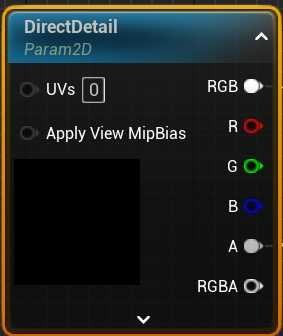
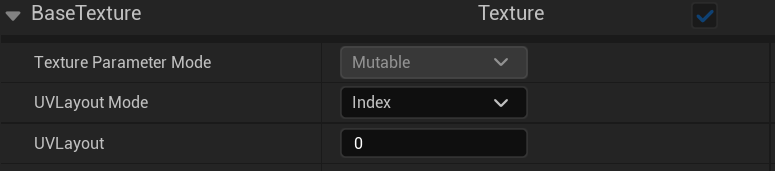
Below, you will find the list of the nodes that can interact with different or multiple UV channels and an overview of how they do it.
In the Node Properties tab of this node, we can decide which texture parameters are exposed to it and how the layout will affect the texture.
Mesh Section node reference page
The behavior of each UV channel can be defined per mesh section in the Layout Editor category inside the Node Properties tab.
Skeletal Mesh node reference page
The behavior of each UV channel can be defined per mesh section in the Layout Editor category inside the Node Properties tab.
It is possible to edit texture parameters from a Mesh Section with an Edit Mesh Section modifier node in any Object. This node lets you select which textures are edited and specify which part of the texture is affected by using UV layout blocks.
Edit Mesh section nodes can only edit textures from a single UV channel. To edit all textures from Mesh Sections with multiple UV channels, an edit node will be required for each of the channels to modify.
Edit Mesh Section node reference page
The "UV Layout" property in the node properties can be used to select the UV channel to remove blocks from. The mesh fragment within the layout blocks will be removed from all textures and UV channels.
Remove Mesh Blocks node reference page.
The UV channel to project to can be specified in the node’s properties tab with the option “Layout”.
Texture Project node reference page.
The UV channel to project to can be specified in the node’s properties tab with the option “UVLayout”.