Node Texture From Channels (v5.5)
Warning
This page is for Mutable v5.5. A newer version is available — see the v5.8 version of this page.
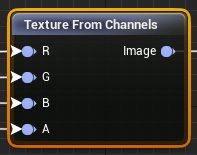
Make a colored texture with transparency from four grayscale textures that represent the values of each RGBA channel.
Rebuild a texture separated from a Texture To Channels Node after making a modification that only affects some of the channels, like turning down the blue and green channels on a tattoo to make it fade with age.
R: Grayscale texture that represents the red value of the final texture. White for maximum red, black for no red value, grayscale for middle values.
G: Grayscale texture that represents the green value of the final texture. White for maximum green, black for no green value, grayscale for middle values.
B: Grayscale texture that represents the blue value of the final texture. White for maximum blue, black for no blue value, grayscale for middle values.
A: Grayscale texture that represents the alpha value of the final texture. White for fully opaque, black for fully transparent, grayscale to represent middle values.
Texture: Texture resulting from taking the four input textures as color + alpha channels. In case different channels come from different sources the size of the resulting texture will be the size of the texture connected to the first connected pin with valid size from top to bottom.