16 Zic Pixel Drift
The Zic Pixel Drift is a specialized, performance-oriented groovebox mod designed for the Zic Pixel hardware platform. Powered by a Raspberry Pi Zero 2W, it pairs a hard-hitting Tekno Kick drum synthesizer, dual synth engines and real-time Scatter FX for high-energy live performance.
-
Tekno Kick Drum Generator (
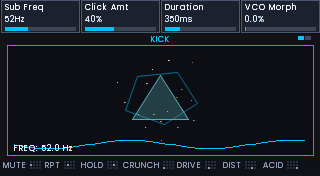
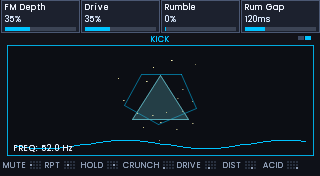
DriftKick): Dedicated punchy kick synthesis engine featuring pitch envelopes, drive, punch, sub-bass, click, decay, sweep, sub-harmonic shaping, and an interactive Kick Repeat stutter roll effect. -
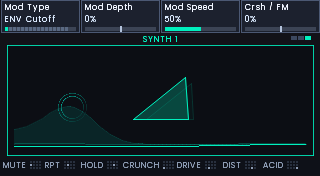
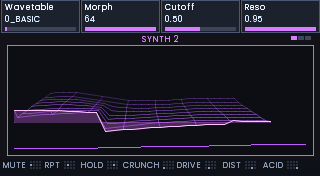
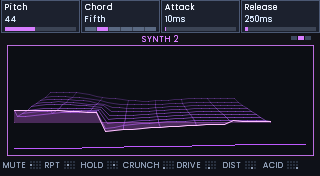
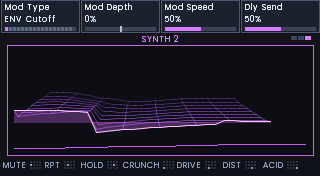
Dual Synthesizer Engines (
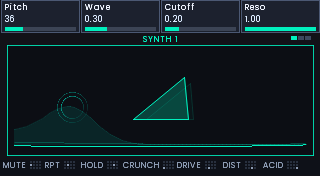
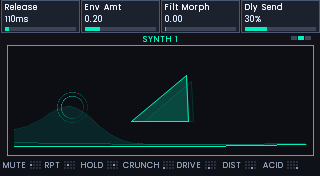
DriftSynth1&DriftWavetable): Multi-page sound design for basslines, leads, pads, and evolving textures (Oscillators, Filters, Envelopes, LFOs, Voice modes). -
Live Performance Pads & Latch Mode:
- Pad A: Kick trigger / Accent.
- Pad S: Kick Repeat (stutter beat roll with rate options: 1 step, 2 steps, 4 steps, 8 steps, 16 steps).
- Pads Z, X, C, V: Live Scatter FX (Crunch, Drive, Dist, Acid glitch performance modes).
- Key D (Latch Mode): Freeze/latch any active performance pad hands-free during live sets.
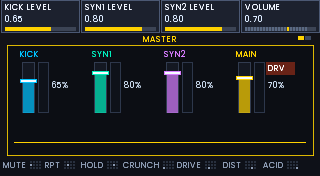
- Master FX & Mixer: 4-channel live mixer (Kick, Synth 1, Synth 2, Master) featuring smooth VU meters with peak hold, master multi-mode filter, and compressor.
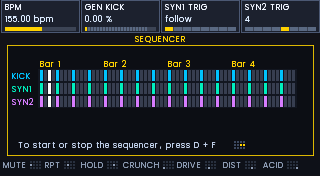
- Pattern Step Sequencer: Integrated step sequencer with note editing, tempo control, and real-time playback.
| Key / Button | Page | Description |
|---|---|---|
| Q | Kick Body 1 & 2 | Tekno Kick pitch, decay, drive, punch & sub controls |
| W | Synth 1 (Pages 1-3) | Oscillator, Filter, Envelope & FX settings for Synth 1 |
| E | Synth 2 (Pages 1-3) | Oscillator, Filter, Envelope & FX settings for Synth 2 |
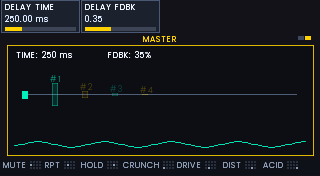
| R | Master 1 & 2 | 4-channel mixer, Master Filter, Compressor & Scatter FX |
| F | Sequencer | Step pattern editor & playback controls |
| D + F | Play / Pause | Toggle sequencer playback on/off |
| D + R | Shutdown Pi | Open Raspberry Pi shutdown confirmation modal |
| Key / Pad | Action |
|---|---|
| A | Trigger Kick |
| S | Kick Repeat (Stutter Roll) |
| Z | Scatter FX: Crunch Mode |
| X | Scatter FX: Drive Mode |
| C | Scatter FX: Distortion Mode |
| V | Scatter FX: Acid Glitch Mode |
| D |
Latch Toggle: Hold D while pressing any pad to lock its active effect hands-free |
| D + F | Toggle sequencer play / pause (defaults to playing on startup) |
| D + R | Open Raspberry Pi shutdown confirmation modal (press A to confirm halt, S to cancel) |
Zic Pixel Drift runs on the standard zicOs buildroot image for Raspberry Pi Zero 2W.
- Download the latest release from the GitHub Releases page (look for
zicPixelDrift-*.*). - Flash the provided
sdcard.imgto a micro SD card using Raspberry Pi Imager or Balena Etcher. - Insert the SD card into your Raspberry Pi Zero 2W and power on.
-
SSH Access:
ssh root@zic.local(Password:password).