This repository was archived by the owner on Jul 6, 2026. It is now read-only.
Releases: ar-gen-tin/spottt
Releases · ar-gen-tin/spottt
Release list
v0.5.0 — Security & Reliability Sweep

What's Changed
Security
- CORS restricted from wildcard
*tohttp://127.0.0.1 - Mutex poisoning resilience via
safe_lock()across all Rust code SystemTime::unwrap()→unwrap_or_default()for safety- Action throttling (500ms) to prevent API request spam
Reliability
ascii-art/missing directory now raises clearImportErrortrack_changed()split intois_new_track()+mark_track_seen()(no more side effects)- API server tries ports 18899→18901 instead of hard fail
- 13 bare
except: passreplaced with stderr logging - API retries exhausted now raises
ConnectionErrorinstead of silentNone
Code Quality
- Version synced to 0.5.0 across Python / Cargo.toml / package.json
- Removed dead code, redundant imports, misleading comments
logout()refactored to@staticmethod clear_tokens()requirements.txtcompleted withpywebview+pyobjc
Polish
- Frontend art cache capped at 20 entries (prevents memory leak)
- HTML entity escaping completed (added
') setup.shwarns whenascii-art/directory is missing
Install
Download Spottt.dmg, open it, drag to Applications.
Set SPOTIFY_CLIENT_ID env var or add to ~/.config/spottt/config.json.
🤖 Generated with Claude Code
v0.4.0 — Robustness & Contracts
Spottt v0.4.0
Applied the Ten Development Rules methodology — boundary-driven, contract-driven, dependency-ordered, staged, isolated, and closed-loop verified.
Unhappy-Path Hardening (Rule 7)
- All Spotify API calls: max 2 retries, prevent stack overflow
- OAuth token requests: 15s timeout (no more infinite hang)
- Audio features/analysis: narrowed exception catches (no more swallowing TypeError)
- Port conflict: clear error if 8888 or 18899 already in use
- Connection loss: 3 consecutive failures → "NO CONNECTION" in UI
- Token refresh: logs failure before triggering re-auth
Contract Cleanup (Rule 2)
ArtFrame.to_html()— renders HTML directly from char+color arrays, eliminates ANSI→HTML round-trip/stateAPI now includeserrorfield for frontend error display- Removed
ansi_to_html()function (40 lines of duplicated ANSI parsing)
Shared-Core Fix (Rule 5)
sys.pathhack is now temporary (insert → import → remove → clean path)- Removed
sys.pathmanipulation from desktop/app.py
Dead Code Removal (Rule 1)
- Removed unused
art_lines_limitedcomputation - Fixed stale TUI help text
Install
Download Spottt.dmg, drag to Applications.
v0.3.0 — TE Skin + Monochrome Icon
Spottt v0.3.0
Complete redesign: Teenage Engineering skin, 23:9 XPan widescreen, new monochrome dot-matrix icon.
New in v0.3.0
TE Widescreen Player
- 23:9 XPan aspect ratio — left ASCII album art + right spectrum visualization
- Teenage Engineering aluminum body + OLED display
- 4 TE-colored knobs (VOL/STYLE/VIZ/FX) + transport buttons
- Frameless window with custom TE dots (🔴🟡🟢 close/mini/fullscreen)
- Draggable top strip
Interactions
- GPU-composited spectrum (transform:scaleY, zero reflow)
- Album cover crossfade transition (double-buffer, 400ms)
- Button press feedback (:active scale)
- Optimistic play/pause update
- Style toast overlay on S key press
- Progress bar 100ms client-side interpolation
- Shuffle + Repeat wired to Spotify API
- Native fullscreen via F key or green dot
Monochrome Machine Icon
- 7×7 dot matrix with play-triangle luminance gradient
- Pure white on #0f0e12 — no color
- SVG source included
- Matching menubar icon
Install
Download Spottt.dmg, drag to Applications, run.
v0.2.0 — Security & Architecture
Spottt v0.2.0
Security hardening, architecture cleanup, and dead code removal.
Security
- Token/config files written with
600/700permissions (no longer world-readable) - OAuth
stateparameter validated on callback (CSRF protection) - CORS restricted from
*tonull(blocks cross-origin attacks) /action/endpoint validates against whitelist- API retry capped at 2 attempts (prevents stack overflow on persistent 401/429)
Architecture
- Merged duplicate
_api_put/_api_post→ single_api_request(method, path) - Merged
_exchange_code/_refresh→ shared_token_request() _frame_cachebounded to 10 entries (prevents memory growth)- Content-based ANSI cache key (replaces fragile
id(frame)) ThreadingHTTPServerreplaces single-threadedHTTPServer- Track metadata updates immediately on track change (no UI freeze during art download)
Cleanup
- Removed ~70 lines of dead code (unused properties, compat wrappers, broken keybindings)
Install
- Download
Spottt.dmgbelow - Drag
Spottt.appto Applications - Run — enter your Spotify Client ID when prompted
v0.1.0 — Initial Release
Spottt v0.1.0
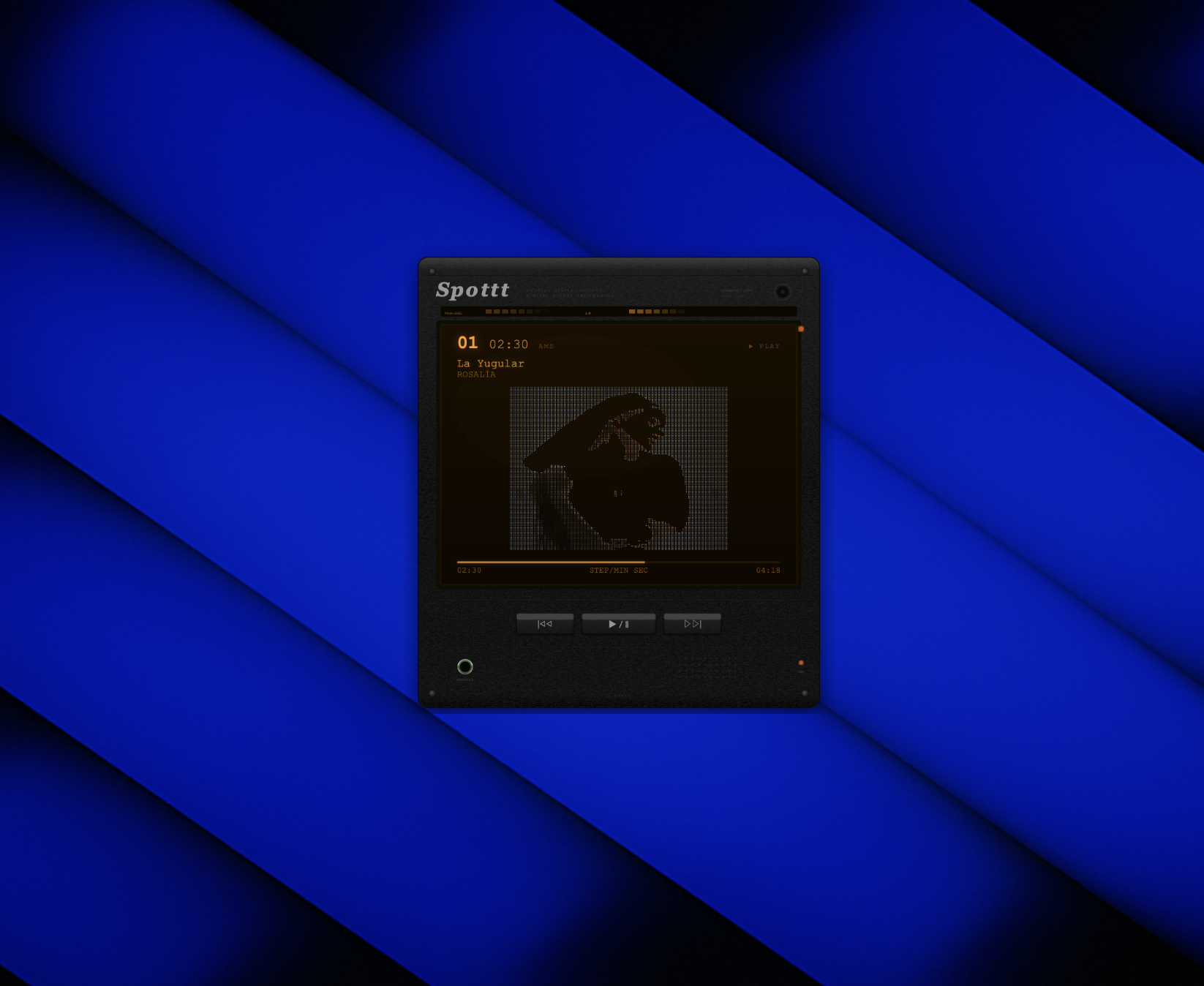
Retro Sony Discman-style desktop widget that displays your currently playing Spotify track as real-time colored ASCII art.
Features
- 7 ASCII art styles (braille, block, classic, edge, particles, retro-art, terminal)
- Spotify sync with playback controls (play/pause, next, previous)
- SVG hardware shell with amber LCD, peak level meter, brushed metal texture
- Frameless transparent macOS desktop widget
- Auto Client ID prompt on first launch
Install
- Download
Spottt.dmgbelow - Open the DMG, drag
Spottt.appto Applications - Run Spottt — it will prompt for your Spotify Client ID on first launch
Setup
- Create a Spotify app at developer.spotify.com/dashboard
- Set redirect URI to
http://127.0.0.1:8888/callback - Copy the Client ID and paste when prompted
Requirements
- macOS
- Spotify Premium account
- Spotify Developer App (create one here)