This repository was archived by the owner on Jul 6, 2026. It is now read-only.
v0.1.0 — Initial Release

Spottt v0.1.0
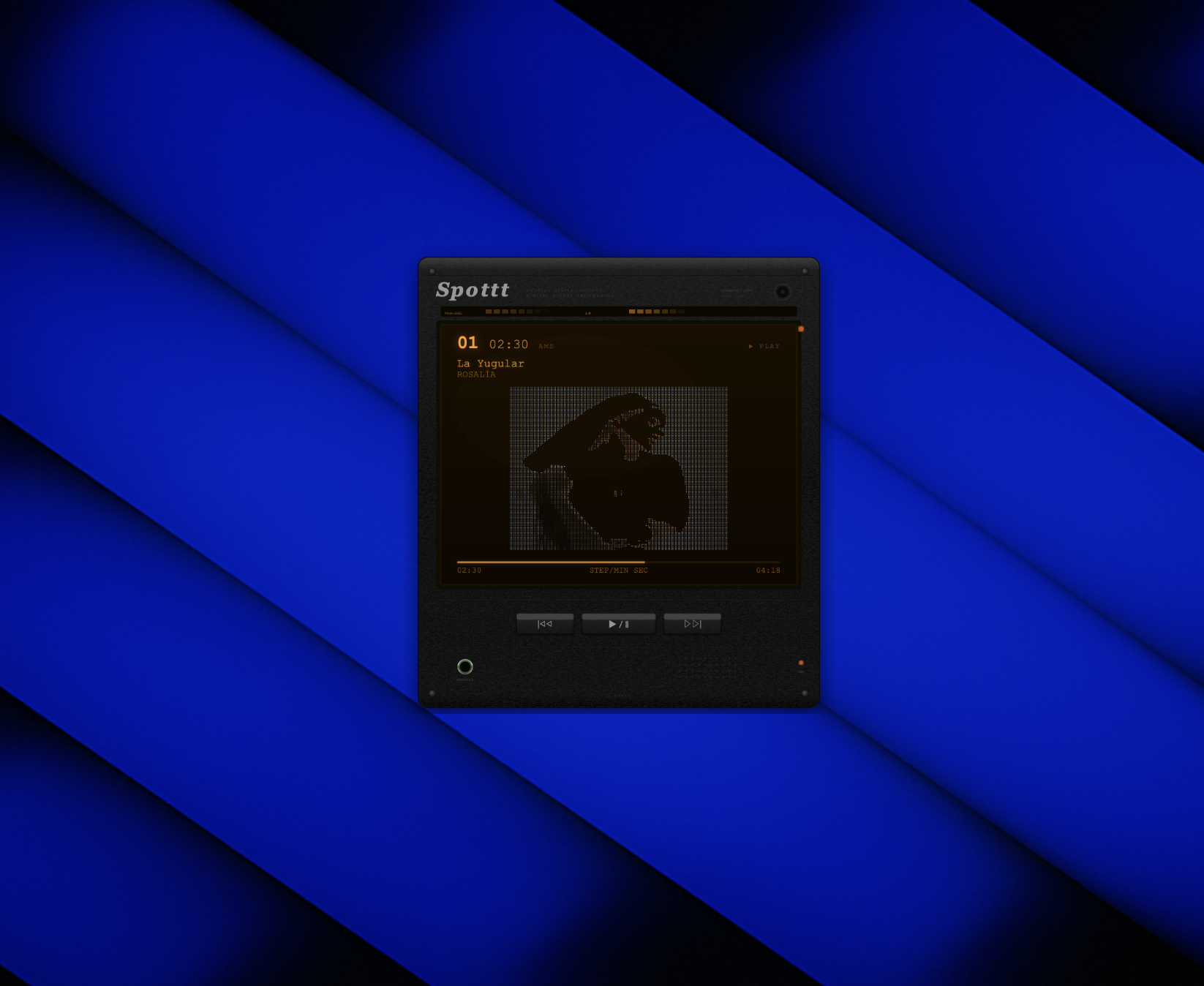
Retro Sony Discman-style desktop widget that displays your currently playing Spotify track as real-time colored ASCII art.
Features
- 7 ASCII art styles (braille, block, classic, edge, particles, retro-art, terminal)
- Spotify sync with playback controls (play/pause, next, previous)
- SVG hardware shell with amber LCD, peak level meter, brushed metal texture
- Frameless transparent macOS desktop widget
- Auto Client ID prompt on first launch
Install
- Download
Spottt.dmgbelow - Open the DMG, drag
Spottt.appto Applications - Run Spottt — it will prompt for your Spotify Client ID on first launch
Setup
- Create a Spotify app at developer.spotify.com/dashboard
- Set redirect URI to
http://127.0.0.1:8888/callback - Copy the Client ID and paste when prompted
Requirements
- macOS
- Spotify Premium account
- Spotify Developer App (create one here)