Tap-to-Drag, Slower Cursor, Scroll Encoder

What's new
- Tap-then-hold drag-lock replaces press-and-hold: tap, then touch again within 250 ms to grab and drag. The lock holds across finger lifts; released by a tap.
- Azoteq cursor now 50% of chip speed for a more consistent feel across hosts.
- Right encoder always scrolls (drops the trackpad-build zoom mode — two-finger trackpad scroll already covers it).
- ea2bd99 Merge remote-tracking branch 'upstream/main'
- 00de7c2 fix(west): bump azoteq SHA to ddda9f8 (race fix; missed in earlier commit)
- 7ca9c54 fix(west): bump azoteq SHA to ddda9f8 (race fix; missed in earlier commit)
- 01a87fb docs(trackpad): describe tap-then-hold drag-lock in WIRING_TRACKPAD
- b0eeab7 docs(trackpad): describe tap-then-hold drag-lock in WIRING_TRACKPAD
- cfd017e feat(encoder): right encoder always scrolls (drop trackpad zoom mode)
- 8b353d6 feat(encoder): right encoder always scrolls (drop trackpad zoom mode)
- 21d2bd5 feat(trackpad): tap-then-hold drag-lock (replace chip press-and-hold)
- 150ed7b feat(trackpad): tap-then-hold drag-lock (replace chip press-and-hold)
- b1e3fda feat(trackpad): slow Azoteq cursor 50% (cursor-scale-percent 75 -> 50)
- 8bec20d feat(trackpad): slow Azoteq cursor 50% (cursor-scale-percent 75 -> 50)
- 343c706 feat(trackpad): slow Azoteq cursor 25% via cursor-scale-percent
- 08cb109 build(west): bump cirque + azoteq forks for trackpad PM device support
- 6fe6df9 feat(mouse): faster emulated cursor (max 1200, ramp over 500ms)
- 494b309 build(west): bump azoteq driver to 35fac92 (scroll no longer right-clicks)
- 2eee9db build(west): bump zmk to d5963f2 (smart-idle before input-split chars)
Each zip is organized by trackpad scenario:
- no trackpads/ - standard left + right (no pointing device)
- trackpad on peripheral side/ - flash this pair if your trackpad is on the peripheral (right) half
- trackpad on central side/ - flash this pair if your trackpad is on the central (left) half
Pick the folder for your build and flash both halves from it (a peripheral-side trackpad forwards input to the central, so the halves must match). settings_reset-nice_nano_v2-zmk.uf2 is included for clean-slate flashing. Follow the flashing guide and the trackpad wiring guide.
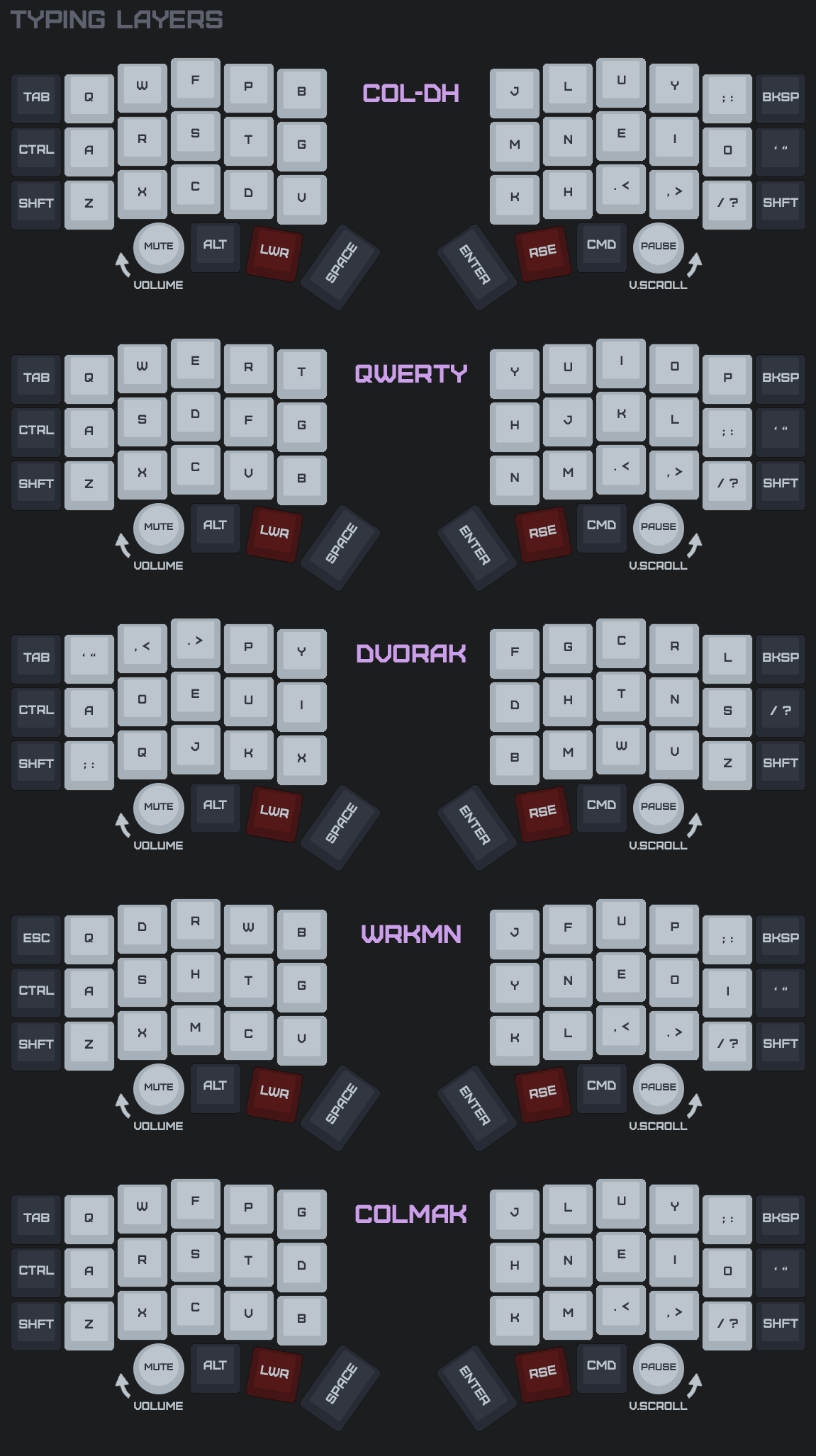
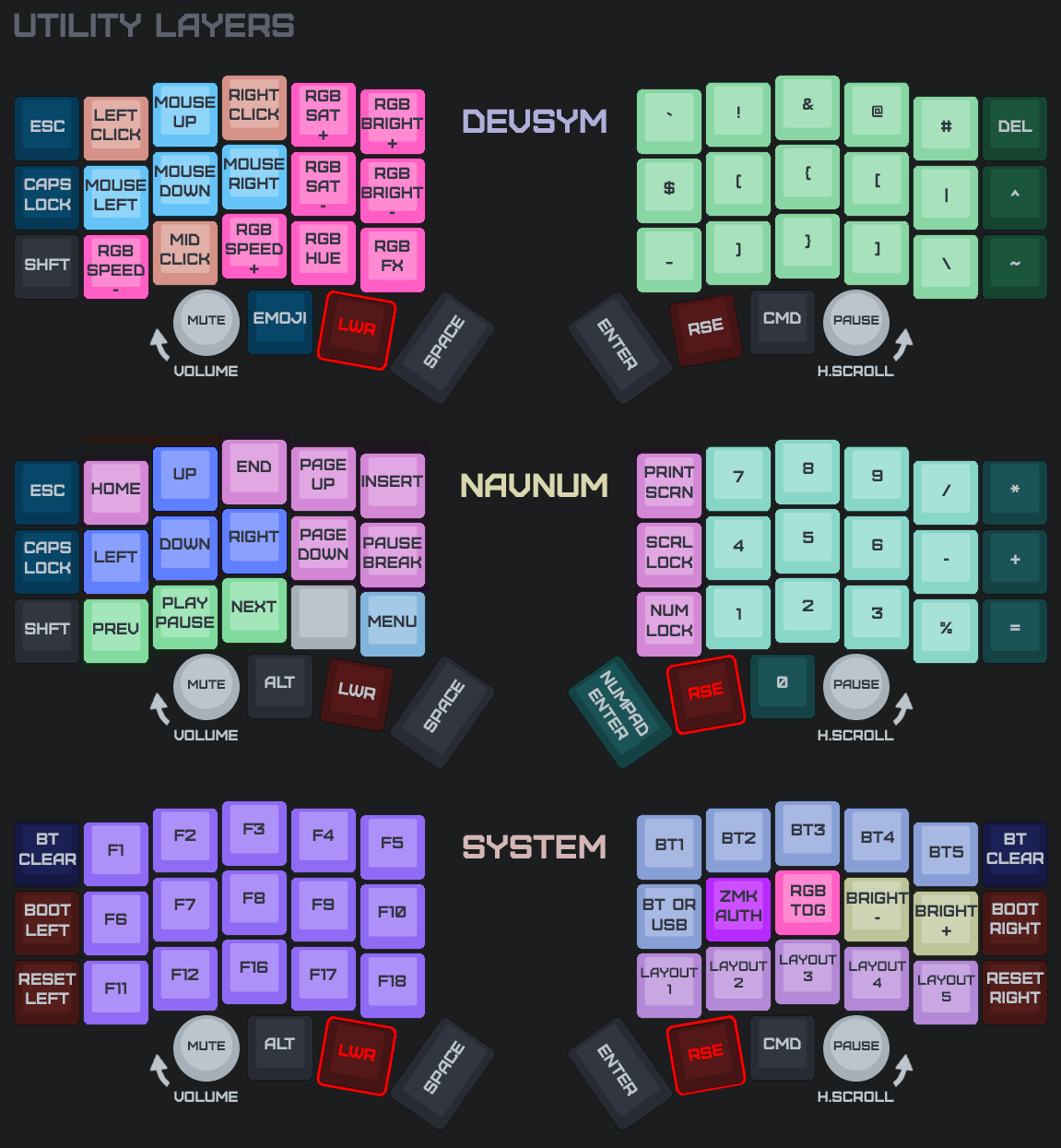
You can customize your keymap using ZMK Studio.
Keymap Images: