

A production-grade, local SQL workbench for querying files (CSV, Parquet, JSON) using DuckDB or Spark.
- Multi-Engine Support: Execute SQL via DuckDB (local) or Spark (local[*]). Native support for CSV, Parquet, JSON, and Excel (
.xlsx,.xls). - 📁 Dataset Catalog: Improved file browser with directory-first sorting, folder icons, and extension filtering for a cleaner experience.
- 🔗 Multi-Table Queries: Perform JOINs, unions, and subqueries across different file formats in a single session.
- 📊 Schema & Metadata HUD: Instant visibility of column names and data types for any dataset in your catalog.
- SQL Translation: Real-time translation between DuckDB and SparkSQL dialects using SQLGlot.
- Modern UI: Distraction-free interface with a hidden toolbar, reduced whitespace, and clear visual hierarchy.
- Safe Preview: Scrollable results limited to 1000 rows.
- Query History: Persists past queries in
~/.wherewolf/history.json. - Export: Download query results as CSV, Excel, or Parquet.
- Execution Metrics: Tracks row count and execution time.
Ensure you have uv installed.
uv tool install wherewolf
wherewolfgit clone https://github.com/beallio/wherewolf.git
cd wherewolf
uv syncIf running from source:
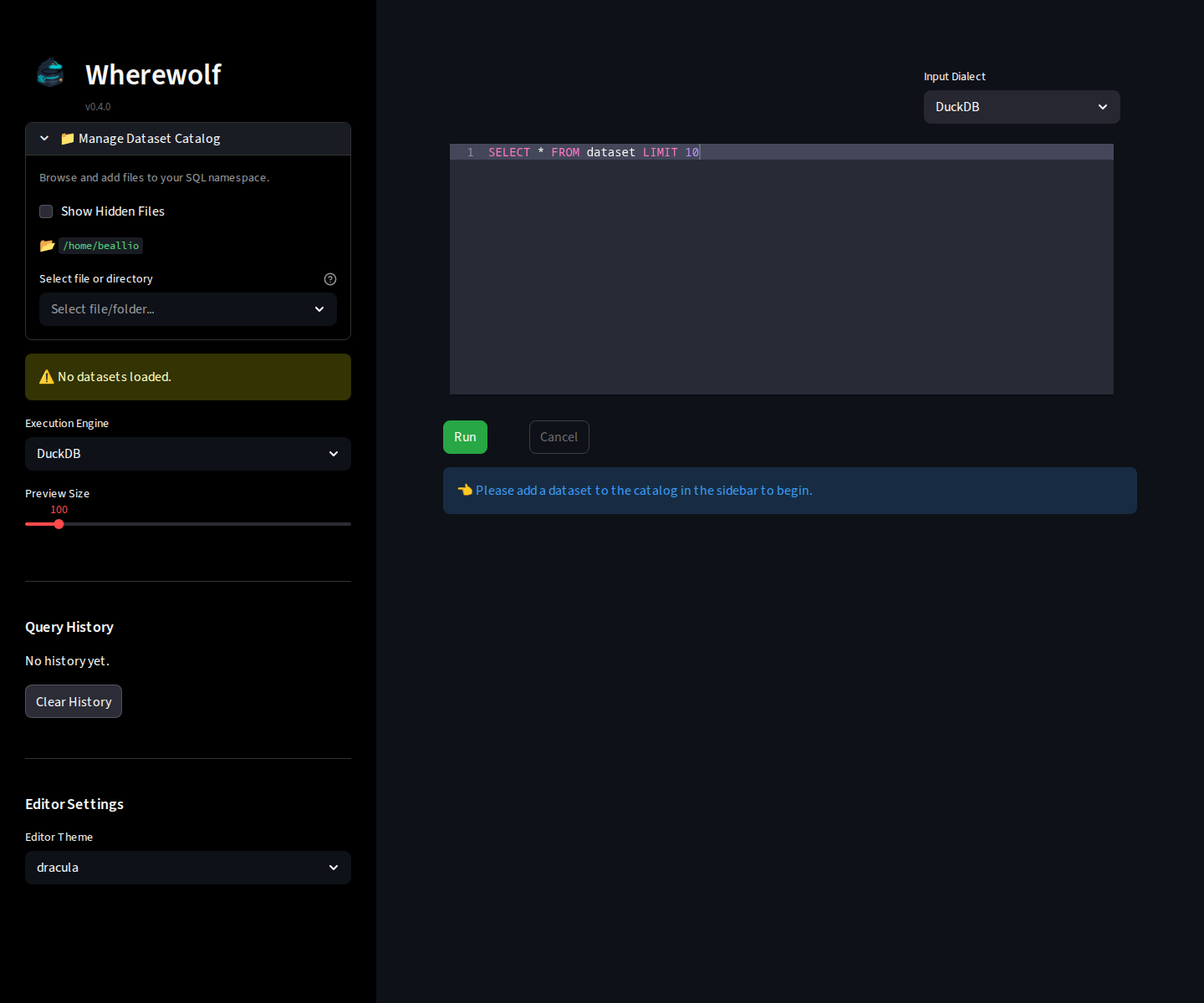
uv run streamlit run src/wherewolf/app.py- Use the Manage Dataset Catalog section in the sidebar to browse and add files.
- Each file is assigned an alias (e.g.,
users,orders). - Write your SQL query using these aliases in the editor.
- Click Run to execute.
- View results, execution metrics, or switch the Metadata Focus to inspect other schemas.
- Export or view the translated SQL if needed.
Run tests:
uv run pytestLint/Format:
ruff check . --fix
ruff format .
For information on how to release new versions, see RELEASING.md.
streamlitduckdbpysparkibis-frameworksqlglotpandaspyarrowopenpyxl