
Unetus is an open-source, cross-platform API client for GraphQL, REST, WebSockets, Server-sent events and gRPC.
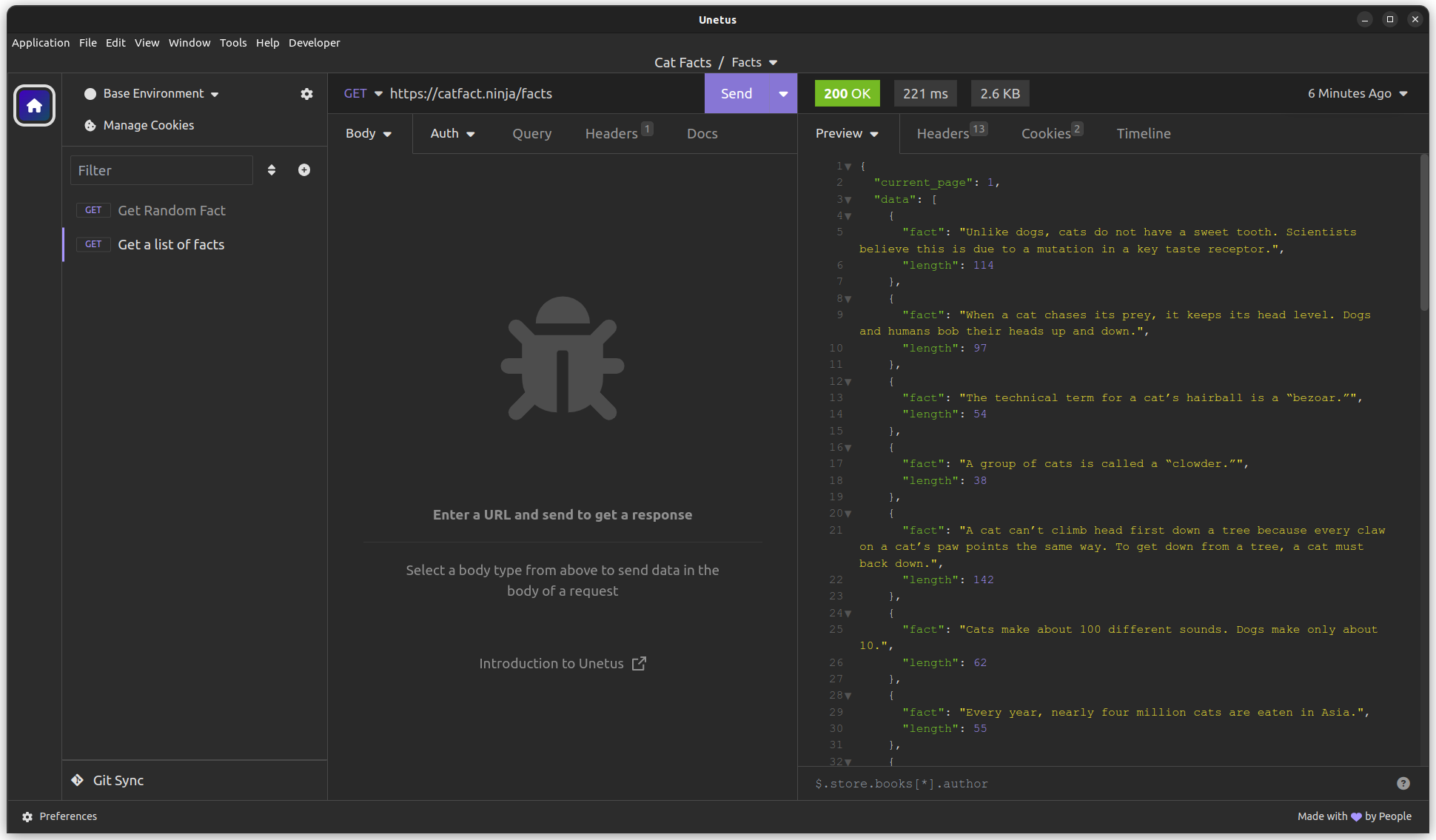
Unetus is a fork of the Insomnia project.
TLDR: You probably want to use bruno instead of this project!
I created this fork because I am not yet ready to change to a different tool and loose all my saved configurations.
This is a hobby project!
My plan is to keep this fork low maintenance. That means I will mainly keep electron and other dependencies up-to-date and fix smaller bugs if I can. I will not spend time extending or refactoring the code base. I am pretty happy with the existing features.
Here's the deal:
- I will accept bug reports, but I can't promise a timely response.
- I will accept pull-requests to fix bugs, but I can't promise a timely response.
- I will most probably not accept feature requests.
- I will not accept pull-requests that do large refactorings.
If that works for you: Welcome! 👋
Please see the contributing guidelines for details about bug reports and feature requests.
https://bernd.github.io/unetus/
Unetus is available for Mac, Windows, and Linux and can be downloaded from the release page.
Have a bug or a feature request? First, read the issue guidelines and search for existing and closed issues. If your problem is not addressed yet, please open a new issue.
Please read through our contributing guidelines and code of conduct. Included are directions for opening issues, coding standards, and notes on development.
Development on Unetus can be done on Mac, Windows, or Linux as long as you have Node.js and Git. See the .nvmrc file located in the project for the correct Node version.
Initial Dev Setup
This repository is structured as a monorepo and contains many Node.JS packages. Each package has its own set of commands, but the most common commands are available from the root package.json and can be accessed using the npm run … command. Here are the only three commands you should need to start developing on the app.
# Install and Link Dependencies
npm i

# Run Lint
npm run lint

# Run type checking
npm run type-check

# Run Tests
npm test

# Start App with Live Reload
npm run devIf you are on Linux, you may need to install the following supporting packages:
Ubuntu/Debian
# Update library
sudo apt-get update

# Install font configuration library & support
sudo apt-get install libfontconfig-dev
Fedora
# Install libcurl for node-libcurl
sudo dnf install libcurl-devel
Also on Linux, if Electron is failing during the install process, run the following
# Clear Electron install conflicts
rm -rf ~/.cache/electronIf you are on Windows and have problems, you may need to install Windows Build Tools
Editor Requirements
You can use any editor you'd like, but make sure to have support/plugins for the following tools:
- ESLint - For catching syntax problems and common errors
- JSX Syntax - For React components
npm i- Start the compiler in watch mode:
npm run inso-start - Run:
./packages/insomnia-inso/bin/inso -v
- Insomnia Documenter - Generate beautiful API documentation pages using the documenter plugin or your Insomnia export file.
- GitHub API Spec Importer - A complete set of GitHub REST API route specifications that can be imported straight into Unetus.
- Swaggymnia - Generate Swagger documentation for your existing API in Unetus.
Unetus is a fork of the Insomnia project.