A local-first native desktop workbench for Cloudflare D1, R2, and KV.
Binnacle is built for developers who want a fast, focused workspace for inspecting and operating Cloudflare data services without routing everyday workflows through a browser tab maze or an extra hosted control plane.
Inspect a D1 table, run a SQL query, browse R2, edit a KV key - all without opening the dashboard.
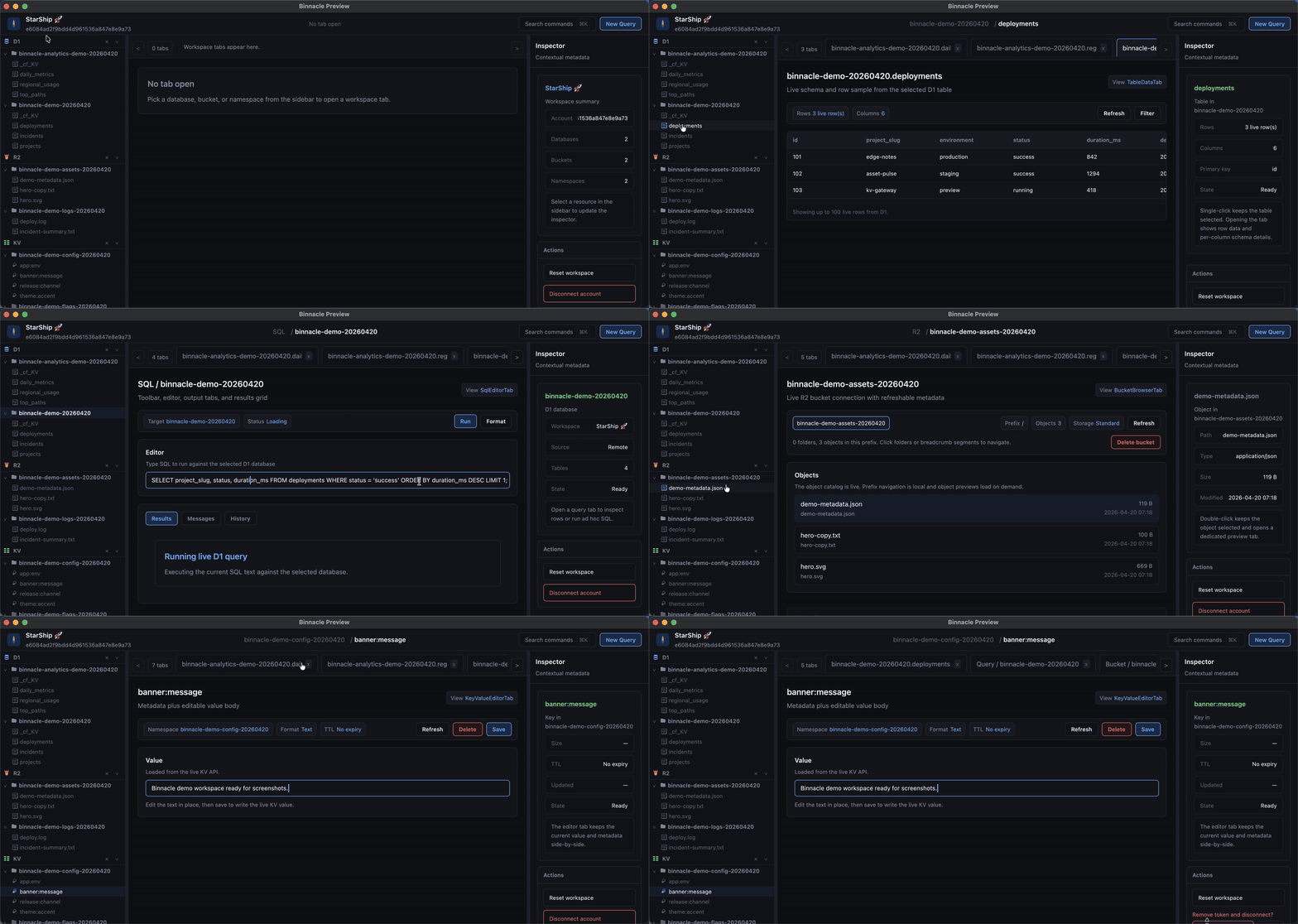
Binnacle is currently in preview for macOS. D1 querying, R2 object management, and KV editing all work today.
- Download the latest macOS
.zipfrom Releases. - Unzip the app and open
Binnacle Preview.app. - Create a local workspace.
- Paste a Cloudflare API token. See the token guide for the minimum scopes needed.
- Pick a D1 database, R2 bucket, or KV namespace from the sidebar.
Everything stays local.
- One workspace for Cloudflare data services. D1, R2, and KV live in one native shell instead of separate dashboard paths.
- Local-first by design. Tokens stay in the system keychain, account metadata stays on disk, and the app restores your working context locally.
- Built for the twentieth query of the day. Tabbed workspaces, keyboard navigation, persistent layout, and local query history support repeated daily use.
- Native stack, direct control. Rust + GPUI power the desktop shell, typed API clients talk to Cloudflare surfaces, and no mandatory third-party backend sits in the middle.
- Connect a local workspace with your own Cloudflare API token.
- Validate credentials before saving them locally.
- Keep tokens in the system keychain instead of relaying them through a Binnacle backend.
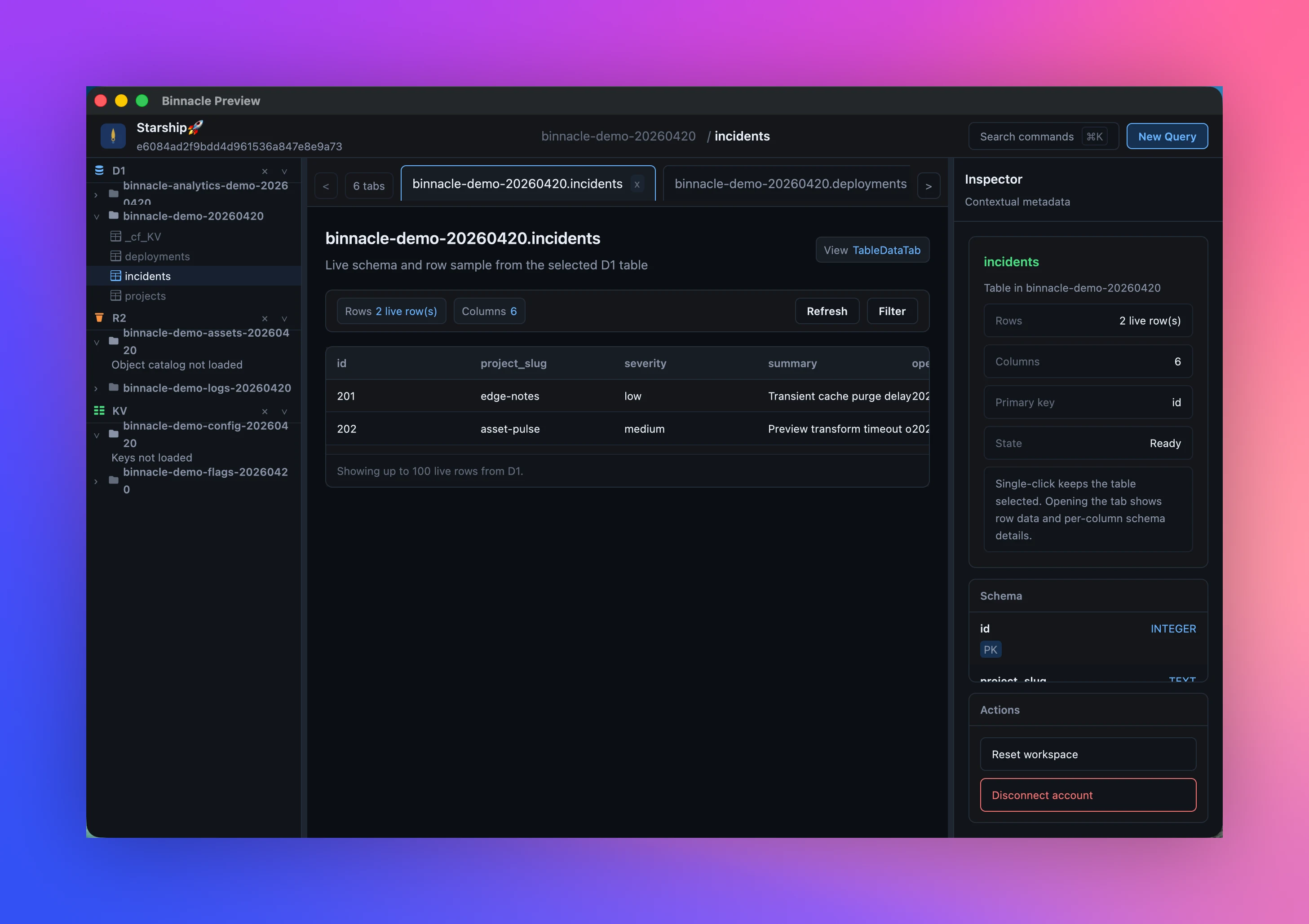
- Browse live databases for the active Cloudflare account.
- Inspect table lists, schema, and row samples.
- Run SQL queries inside the app workspace.
- Keep query history in local state.
- Load live buckets and object catalogs.
- Preview supported objects inside the shell.
- Upload, download, and delete objects.
- Keep large-object workflows metadata-first for safer operation.
- Load live namespaces and keys.
- Refresh, write, and delete key values.
- Keep the editor intentionally text-first for the preview surface.
- Cloudflare API token connection with keychain storage.
- D1 schema browsing, row sampling, SQL query execution, and local query history.
- R2 bucket and object management.
- KV namespace browsing and key editing.
- Local session restore for workspace layout, tabs, sidebar state, and panel widths.
- Saved queries.
- Schema diff for D1.
- Bulk operations for R2.
- TTL-aware KV writes.
- Better error surfacing across all three services.
- Windows and Linux builds.
- Team features such as cross-device query libraries and shared workspace state.
Roadmap discussion, bugs, and feature requests live in GitHub issues. Feedback shapes order and priority.
Binnacle has two top-level states:
ConnectWorkspaceViewwhen no local workspace session exists.AppShellViewonce a workspace is connected.
AppShellView is a three-pane desktop shell with a top bar, resource sidebar, tab workspace, and contextual inspector. Left and right panel widths are resizable and restored locally so the app reopens into the same working context.
Binnacle is built in Rust with GPUI for the desktop shell. The codebase is a Cargo workspace:
crates/app: GPUI entry point, app lifecycle, and shell wiring.crates/ui: shared layouts, panels, resource views, and shell primitives.crates/cf_api: typed Cloudflare API wrapper layer.crates/storage: local config, cache paths, session persistence, and secure secret handling.crates/sql_editor: SQL history and editing support.crates/preview: text and image preview support.
Tokens live in the OS keychain. Local config, cache, and session state are resolved through directories::ProjectDirs. The active workspace, open tabs, sidebar state, panel widths, and query history all persist locally so sessions resume without external services.
Clone the official repository:
git clone https://github.com/binnacle-app/Binnacle.git
cd Binnacle
From the repository root:
cargo check --workspace
cargo test --workspace
cargo run -p binnacle-app --bin binnacle
cargo fmt --all
For a macOS app bundle with the Binnacle icon:
cargo install cargo-bundle --locked
cargo bundle -p binnacle-app --bin binnacle --release --format osx
The app uses gpui with runtime_shaders, which avoids requiring xcrun metal during compilation. A full macOS GUI toolchain is still recommended for the native desktop workflow.
For setup details, see docs/setup.md.
Contributions are welcome. Bug reports, feature requests, and pull requests all help.
Please read CONTRIBUTING.md before opening a pull request.
If you are using Binnacle and have feedback, the fastest channels are:
- GitHub issues for bugs and feature requests.
- Email:
binnacle@messagebox.link.
Binnacle is an independent third-party tool. It is not affiliated with, endorsed by, or sponsored by Cloudflare.