cedikit 1.2.0 — just take a screenshot

📷 Just take a screenshot
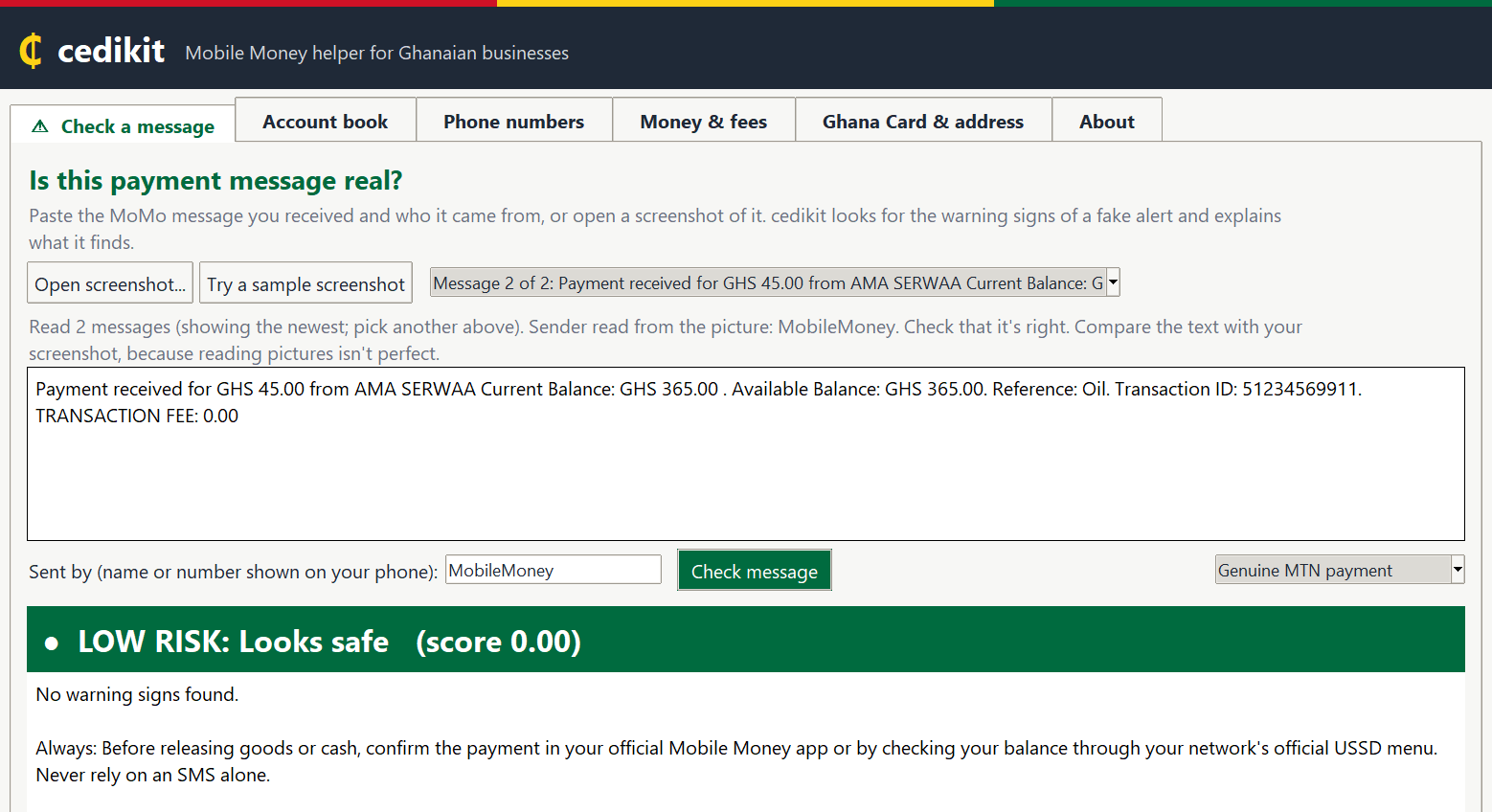
cedikit can now read MoMo messages straight from a screenshot: open the picture, and it reads
the message, fills in who sent it, and checks it for scams. No typing, no copying.
⬇️ Download
| File | For |
|---|---|
cedikit-app.exe |
🪟 Windows users: download and double-click. No Python needed. |
cedikit-1.2.0-py3-none-any.whl · cedikit-1.2.0.tar.gz |
👩💻 Python developers (the same files as on PyPI) |
Windows SmartScreen: the first time you open
cedikit-app.exe, Windows may say it's from
an "unknown publisher", because the program isn't code-signed. Click More info → Run anyway.
Only do this for the file downloaded from this page.
✨ What's new in 1.2.0
- 📷 Screenshots in the desktop and web apps:
- Check a message → Open screenshot...: reads the message, fills in the sender from the top of
the chat, and checks it. If a picture shows several messages, pick the one you want. - Account book → Open screenshots...: build your account book from many screenshots at once.
- Try a sample screenshot to see it working straight away.
- Check a message → Open screenshot...: reads the message, fills in the sender from the top of
- For developers:
cedikit.ocr.read_screenshot("shot.png")(pip install "cedikit[ocr]"). - Reading happens on your own computer (Windows' built-in text recognition; RapidOCR on Mac and
Linux). Nothing is uploaded. It fixes common slips (GHS50.OO→GHS50.00), ignores phone clutter
(clock, "Sender can't accept replies"...), and handles phones with large text. - On real (anonymised) screenshots: every complete message read correctly, the sender found every
time it was visible, genuine alerts rated LOW and scam messages rated HIGH. - The README has a new feature tour:
a screenshot and a test for every feature.
📦 Also on PyPI for the first time
Everything from 1.1.0 (the
desktop app, the web app and python -m cedikit) is now installable with pip:
pip install "cedikit[app]"    # then: cedikit app
pip install "cedikit[web]"    # then: cedikit web
🔒 Privacy
Everything runs on your own computer. Nothing you type or open is sent anywhere.
cedikit is a helper, not a bank: always confirm a payment in your official MoMo app before
handing over goods.
🔐 SHA-256 checksums
5140ee597733d3cb779ac8a58250460b916e14154420478278143a11388828a0  cedikit-app.exe
e68705c0abbd1b2ce282f2d7f33b46cb79ec07e60163fa618956a5148b538606  cedikit-1.2.0-py3-none-any.whl
824f5ecb0071310566829eb391864f29ac1c206785c839f0aeb3bc80ce0e40bd  cedikit-1.2.0.tar.gz
Full details: CHANGELOG ·
Documentation