

A minimal Rust crate for ticket-driven agentic workflows at scale.
Installation • Quick Start • Use Cases • API • Development
agentwerk lets you create agentic workflows around a ticket-driven execution loop, with built-in tools, a knowledge store, schema validation, retry mechanisms, budget policies, and multi-provider support.
agentwerk pairs "agent" with the German "Werk", a word for both factory and artwork: machinery for building agentic systems.
cargo add agentwerkuse agentwerk::tools::ReadFileTool;
use agentwerk::Agent;
#[tokio::main]
async fn main() {
let results = Agent::new()
.provider_from_env()
.model_from_env()
.role("You are a Rust developer who reads source files to answer questions.")
.tool(ReadFileTool)
.task("What does Cargo.toml describe?")
.run_dry()
.await;
let answer = results.last().unwrap();
println!("{answer}");
}Example projects built with agentwerk:
- Terminal REPL: minimal interactive chat
- Divide and Conquer: arithmetic problem shared across agents
- Deep Research: deep research pipeline (requires
BRAVE_API_KEY) - Malware Scanner: identify indicators of compromise in a software package
Configure an LLM provider first (see Environment).
make use_case                # list available names
make use_case name=<name> # run one- Agents: Workers that pick up tickets and produce results.
- Tickets: Ticket system allowing to orchestrate complex work.
- Prompting: Role, context, and task shaping the work of an agent.
- Tools: Capabilities agents use to solve a ticket.
- Knowledge: Knowledge base an agent creates during a run.
- Schemas: Schemas for validating ticket results.
- Events: Lifecycle events emitted while agents work.
- Stats: Metrics about tickets, tokens and time.
An Agent picks up tickets, uses assigned tools to solve them, and writes the result back onto each ticket.
use agentwerk::tools::ReadFileTool;

let agent = Agent::new()
    .name("worker_0")
    .label("math")
.tool(ReadFileTool)| Method | Description |
|---|---|
name(s) |
Set an identifier for assigning tickets. |
label(l) / labels([..]) |
Restrict the agent to tickets carrying matching labels. |
tool(t) / tools([..]) |
Register a tool the agent may call. |
dir(p) |
Set the directory accessible for tool calls. |
A Provider connects the agent to an LLM service. agentwerk ships providers for Anthropic, OpenAI, Mistral, and a LiteLLM proxy.
use agentwerk::providers::AnthropicProvider;

let agent = Agent::new()
    .provider(AnthropicProvider::new(key))
    .model("claude-sonnet-4-20250514");

// Or pick from environment variables (see Environment).
let agent = Agent::new()
    .provider_from_env()
    .model_from_env();
Each provider exposes .base_url(url) and .timeout(duration) to override the endpoint and request timeout.
| Method | Description |
|---|---|
provider(p) |
Set the LLM provider. |
provider_from_env() |
Detect the provider from environment variables. |
model(m) |
Set the model the provider runs. |
model_from_env() |
Read the model name from environment variables. |
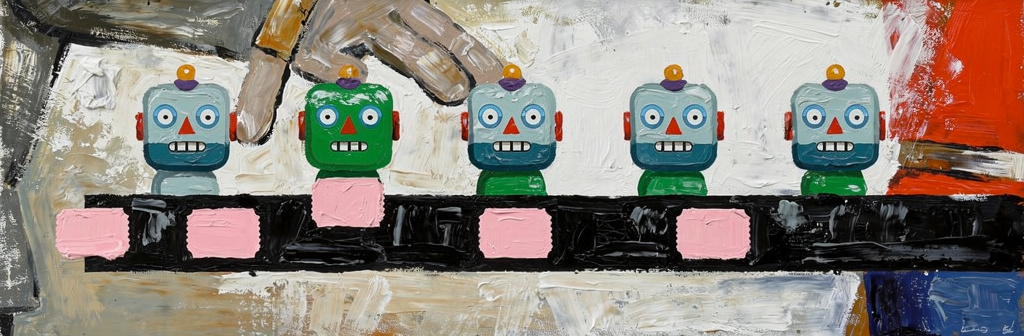
The TicketSystem is the core data structure of agentwerk to orchestrate complex collaboration between agents. A task is the work itself, a ticket wraps it with additional metadata, like labels and schemas. Labels route work to matching agents.
use agentwerk::{Ticket, TicketSystem};

let tickets = TicketSystem::new();

tickets.agent(security_reviewer);
tickets.agent(performance_reviewer);

for path in ["src/auth.rs", "src/session.rs", "src/tokens.rs"] {
    tickets.task_labeled(
        format!("Audit {path} for input-validation gaps."),
        "security",
    );
}

let audit = Ticket::new("Audit src/api/ for blocking I/O in async handlers.")
    .label("performance")
    .schema(finding_schema);

tickets.ticket(audit);| Method | Description |
|---|---|
agent(agent) |
Register an agent with the system. |
dir(d) |
Set the directory where knowledge, results, and ticket logs are persisted. |
task(t) |
Submit a task. |
task_labeled(t, l) |
Submit a task tagged with l for label-scoped routing. |
task_schema(t, s) |
Submit a task whose result must validate against s. |
task_schema_labeled(t, s, l) |
Submit a labeled task with a result schema. |
task_as::<R>(t) |
Submit a task whose result must deserialize into R. |
task_as_labeled::<R>(t, l) |
Submit a labeled task whose result must deserialize into R. |
ticket(t) |
Submit a caller-built Ticket. |
Start executing tickets with run calls:
let running = tickets.run();              // returns immediately
let results = tickets.run_dry().await; // waits for the queue to empty| Method | Description |
|---|---|
run() |
Begin processing tickets in the background. The caller can observe progress, submit more tickets, or stop the run while agents work. |
run_dry().await |
Begin processing tickets and block until the queue is empty. Returns a TicketResults bundle with first, last, all for reading the recorded answers, and tickets for the full per-ticket records. |
interrupt_signal(s) |
Signal allowing to stop every agent and tool execution. |
Configure execution policies on a ticket system. A breach fires EventKind::PolicyViolated and halts execution.
let tickets = TicketSystem::new()
    .max_steps(40)
    .max_time(std::time::Duration::from_secs(300))
    .max_input_tokens(200_000)
    .max_output_tokens(50_000)
    .max_request_tokens(8_000)
    .max_schema_retries(3)
    .max_request_retries(3)
.request_retry_delay(std::time::Duration::from_millis(500));| Method | Description |
|---|---|
max_steps(n) |
Cap the total number of steps. |
max_time(d) |
Cap the total elapsed duration. |
max_input_tokens(n) |
Cap the total input tokens. |
max_output_tokens(n) |
Cap the total output tokens. |
max_request_tokens(n) |
Cap the input tokens per request. |
max_schema_retries(n) |
Cap the schema-validation retry attempts. |
max_request_retries(n) |
Cap the retry attempts on recoverable provider errors. |
request_retry_delay(d) |
Set the base delay between request retries. |
Every prompt has three parts: role (who the agent is), context (the situation it operates in), and task (work it should perform). The structure follows the prompting guide.
let agent = Agent::new()
    .role("You are an arithmetic worker. Compute step by step and show your work.")
    .context("- Stage 2 of a math-tutor pipeline.\n- Attempts remaining: 2.")
    .task("Compute (47 * 92) / {divisor}, then round to the nearest integer.")
    .template_variable("divisor", "8");
When context(...) is not set, agentwerk supplies a default block:
- Working directory: /Users/caro
- Platform: darwin
- OS version: 25.1.0
- Date: 2026-05-06
- Steps remaining: 8
- Input tokens remaining: 95000
- Output tokens remaining: 12000
- Time remaining: 240s
At each step the agent sends:
- system:
role(...), with theknowledge(...)index - tools: tools registered with
tool(...) - messages: a list that grows step by step
messages begins with context(...) and the body of the current ticket. On each later step the agent appends the model's reply.
Give agents access to tools helping them to solve a given task. Each tool exposes an action the agent can choose to take. agentwerk provides minimal baseline tools:
| Tool | Description | |
|---|---|---|
| File | ReadFileTool |
Read a file with line numbers, offset, and limit. |
WriteFileTool |
Create or overwrite a file. | |
EditFileTool |
Replace text in a file. | |
| Search | GlobTool |
Find files by pattern. |
GrepTool |
Search file contents. | |
ListDirectoryTool |
List files and directories. | |
| Shell | BashTool |
Run a shell command matching an allowed pattern. |
| Web | WebFetchTool |
Fetch a URL and read its body. |
| Tickets | WriteResultTool |
Write the result for the current ticket and mark it done. |
WriteHandoverTool |
Write the result, mark the ticket done, and hand follow-up work to another agent. | |
ManageTicketsTool |
Read the ticket queue and create or edit tickets. | |
ReadTicketsTool |
Read the ticket queue. | |
| Knowledge | KnowledgeTool |
Write, read, remove, or list pages in the agent's knowledge store. |
| Discovery | ToolSearchTool |
Discover tools registered with Tool::defer(true). |
Define custom tools for specific needs. Each tool declares a JSON-Schema for its inputs:
use agentwerk::{Tool, ToolResult};
use serde_json::json;

let greet = Tool::new("greet", "Say hello")
    .schema(json!({
        "type": "object",
        "properties": { "name": { "type": "string" } },
        "required": ["name"]
    }))
    .read_only(true)
    .handler(|input, _ctx| Box::pin(async move {
        let name = input["name"].as_str().unwrap_or("world");
        Ok(ToolResult::success(format!("Hello, {name}!")))
    }));
.read_only(true) allows the agent to run a tool concurrently with other read-only calls in the same step.
A Knowledge store is the agent's long-term memory. It is written to disk, can be shared across multiple agents, and is curated by the agent through KnowledgeTool.
Each entry is stored as a markdown page on disk; a compact index of one-line summaries is injected into the system prompt so the agent can decide which pages to read.
use agentwerk::Knowledge;

// Override default knowledge path:
let agent = Agent::new().knowledge("./notes");

// Or share one store across multiple agents:
let store = Knowledge::open("./.agentwerk")?;
let alice = Agent::new().knowledge(&store);
let bob = Agent::new().knowledge(&store);

// Raise the rendered-index char budget (default 4000):
let store = Knowledge::open("./.agentwerk")?.index_char_limit(12_000);
let agent = Agent::new().knowledge(&store);| Method | Description |
|---|---|
knowledge(into) |
Set the knowledge store path. |
A Schema constrains the result an agent must produce for a ticket. A violation triggers a retry until max_schema_retries is exhausted.
use agentwerk::Schema;

let schema = Schema::parse(json!({
    "type": "object",
    "properties": { "title": { "type": "string" } },
    "required": ["title"]
}))?;

tickets.task_schema("Write a report.", schema);
You can also use Rust types for enforcing schemas:
#[derive(serde::Deserialize)]
struct Report {
    title: String,
    sections: Vec<String>,
}

tickets.task_as::<Report>("Write a report on Rust async runtimes.");
let results = tickets.run_dry().await;

for ticket in results.tickets() {
    let report: Report = ticket.result_as::<Report>().unwrap()?;
    println!("{}: {} sections", report.title, report.sections.len());
}
Events report everything that happens while your agents work and give you deep insights into behavior or failures.
use std::sync::Arc;
use agentwerk::{Event, EventKind};

let agent = Agent::new()
    .event_handler(Arc::new(|event: Event| {
        if let EventKind::TicketDone { key } = &event.kind {
            eprintln!("[{}] done {key}", event.agent_name);
        }
}));| Kind | Description | |
|---|---|---|
| Ticket | TicketStarted |
An agent claimed a ticket. |
TicketDone |
A ticket finished successfully. | |
TicketFailed |
A ticket failed. | |
| Provider | RequestStarted |
A provider request started. |
RequestFinished |
A provider request finished and reported its token usage. | |
RequestFailed |
A provider request failed and stopped the ticket. | |
TextChunkReceived |
A streamed text chunk arrived. | |
| Tool | ToolCallStarted |
A tool invocation started. |
ToolCallFinished |
A tool invocation finished. | |
ToolCallFailed |
A tool invocation failed but the ticket continues. | |
| Run | PolicyViolated |
A policy limit was breached and execution stopped. |
Stats contain metrics about the progress of your agents' work, allowing to optimize your agentic system and identify bottlenecks.
let s = tickets.stats();
let scan = s.stats_for_label("scan");| Method | Description | |
|---|---|---|
| Run | run_duration() |
Return the run's elapsed duration, live while agents work and frozen once the loop finishes. None until the first ticket starts. |
| Work | work_duration() |
Return the sum of every finished ticket's start-to-end span. |
avg_work_duration() |
Return the mean of the same span, or None until a ticket finishes. |
|
| Tickets | tickets_created() |
Return the count of tickets created. |
tickets_done() |
Return the count of tickets that finished successfully. | |
tickets_failed() |
Return the count of tickets that failed. | |
tickets_success_rate() |
Return done / (done + failed), or None until a ticket finishes. |
|
ticket_duration() |
Return the sum of every finished ticket's creation-to-end span. | |
avg_ticket_duration() |
Return the mean of the same span, or None until a ticket finishes. |
|
| Tokens | input_tokens() |
Return the total input tokens across all provider responses. |
output_tokens() |
Return the total output tokens across all provider responses. | |
| Activity | steps() |
Return the count of times an agent picked up a ticket to process. |
requests() |
Return the total provider responses received. | |
tool_calls() |
Return the total tool calls. | |
errors() |
Return the total provider errors. | |
| Labels | stats_for_label(label) |
Return a nested Stats slice scoped to tickets carrying label. |
crates/agentwerk/: the library.crates/use-cases/: runnable example binaries that depend on the library.
make                # build (warnings are errors)
make test           # unit tests bundled by tests/unit (workspace --lib)
make fmt            # format code
make clean          # remove build artifacts
make update # update dependenciesConfigure an LLM provider first (see Environment).
make test_integration                     # run all
make test_integration name=bash_usage # run onemake use_case # list available
make use_case name=terminal-repl # run one
make use_case name=deep-research args="What is a good life?" # with argumentsmake bump # bump patch version, run tests, commit, tag
make bump part=minor # bump minor version
make bump part=major # bump major versionGitHub Actions handles the crates.io publish via trusted publishing once the new tag is pushed (git push --tags).
make doc # cargo doc --no-deps -p agentwerk (strict rustdoc)Start a local LiteLLM proxy on port 4000 that forwards to a provider. Requires Docker.
make litellm                               # default: anthropic
make litellm LITELLM_PROVIDER=openai       # use OpenAI
make litellm LITELLM_PROVIDER=mistral # use Mistralagentwerk relies on server-side tool calling. Enable it through the following flags:
| Server | Flag |
|---|---|
| vLLM | --enable-auto-tool-choice --tool-call-parser <parser> |
| llama.cpp | --jinja (enables tool calling) |
Use cases and integration tests use the following environment variables:
General
| Variable | Description |
|---|---|
MODEL |
Generic model override for model_from_env(). |
BRAVE_API_KEY |
Required by the deep-research example. |
Anthropic
| Variable | Description |
|---|---|
ANTHROPIC_API_KEY |
API key (required) |
ANTHROPIC_BASE_URL |
API URL (default: https://api.anthropic.com) |
ANTHROPIC_MODEL |
Model (default: claude-sonnet-4-20250514) |
Mistral
| Variable | Description |
|---|---|
MISTRAL_API_KEY |
API key (required) |
MISTRAL_BASE_URL |
API URL (default: https://api.mistral.ai) |
MISTRAL_MODEL |
Model (default: mistral-medium-2508) |
OpenAI
| Variable | Description |
|---|---|
OPENAI_API_KEY |
API key (required) |
OPENAI_BASE_URL |
API URL (default: https://api.openai.com) |
OPENAI_MODEL |
Model (default: gpt-4o) |
LiteLLM proxy
| Variable | Description |
|---|---|
LITELLM_BASE_URL |
Proxy URL (default: http://localhost:4000) |
LITELLM_API_KEY |
Auth key (required to select via from_env()) |
LITELLM_MODEL |
Model (default: claude-sonnet-4-20250514) |
LITELLM_PROVIDER |
LLM provider (anthropic, mistral, openai, litellm): explicit selection that overrides API-key auto-detection. |