Repository navigation
Release v8.0

weewx-loopdata 8.0
The sample report's gauges open cards. A click or a tap on any gauge
opens a card over the panel that says what the reading means and where
it sits — against the last hour, the last 24 hours, today, this week,
this month, this year and the station's records — and follows the
station on every packet while it is open. Nothing changes in how
LoopData itself computes or writes values. Drop-in upgrade: install
over 7.5.2 or earlier, nothing to edit, then restart weewxd (the sample
skin declares new fields, which the service accumulates from the next
start).
What's new
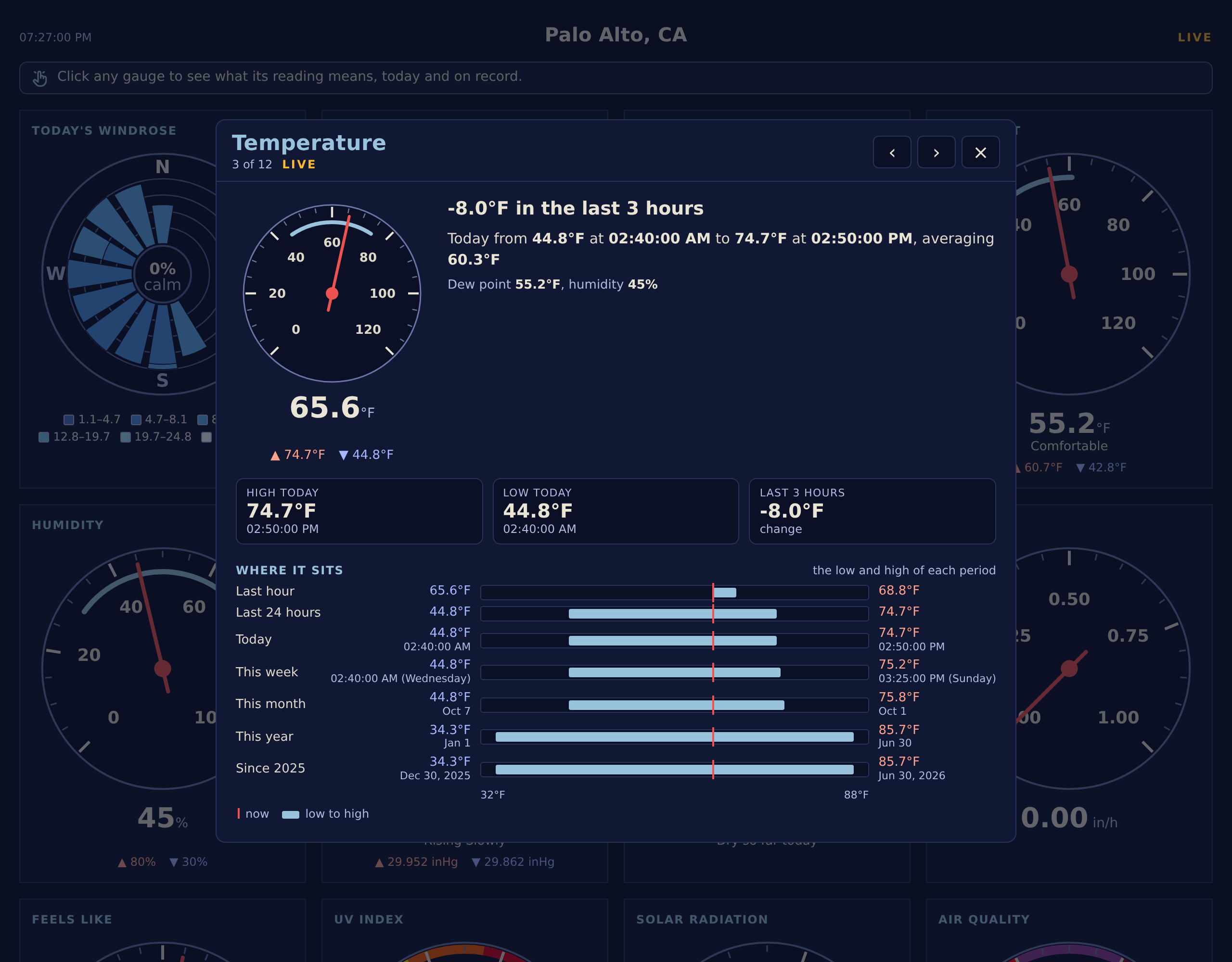
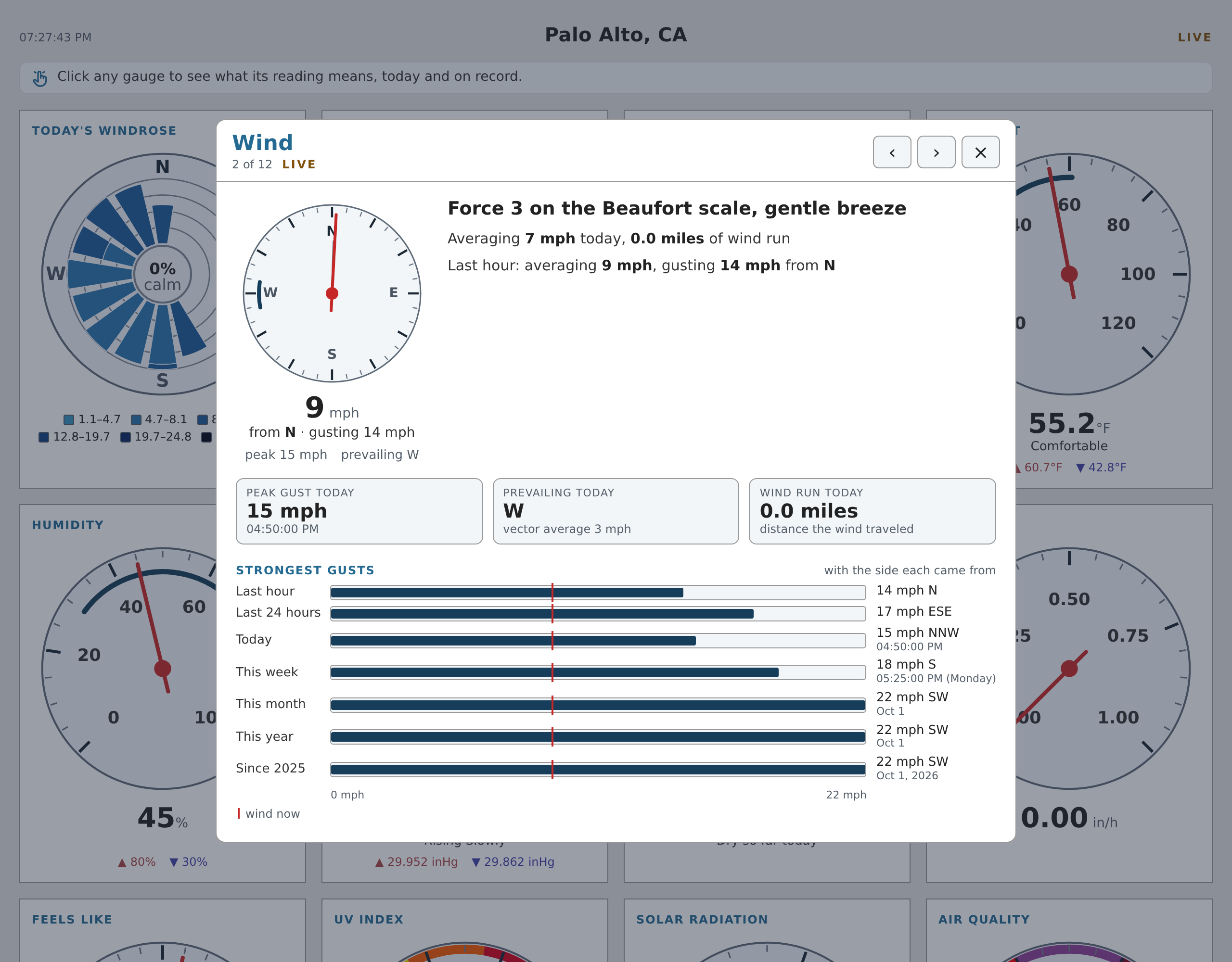
- Every gauge opens a card. Click or tap a gauge (or Tab to its
drawing and press Enter) and a card opens over the panel — a
full-screen sheet on a phone — with the dial and its lines at the left
and, beside them, a sentence that says the one thing the gauge means
now: the change over the trend window, the Beaufort force and its
name, the dew point in words, the sun's altitude and when it sets, how
hard it is raining in the AMS Glossary's words. Under that, three
tiles: today's high and low with their times, and the change. - The ladder. One row per period — the last hour, the last 24
hours, today, this week, this month, this year and all time — each a
bar from the period's low to its high on one axis, with the reading
now drawn as a line through every row and the time or date of each
extreme under it. The all-time row is the station's records, with
their dates. Peaks (UV, solar radiation, rain rate, the strongest
gusts, rain by period) run from zero, and the UV and air quality bars
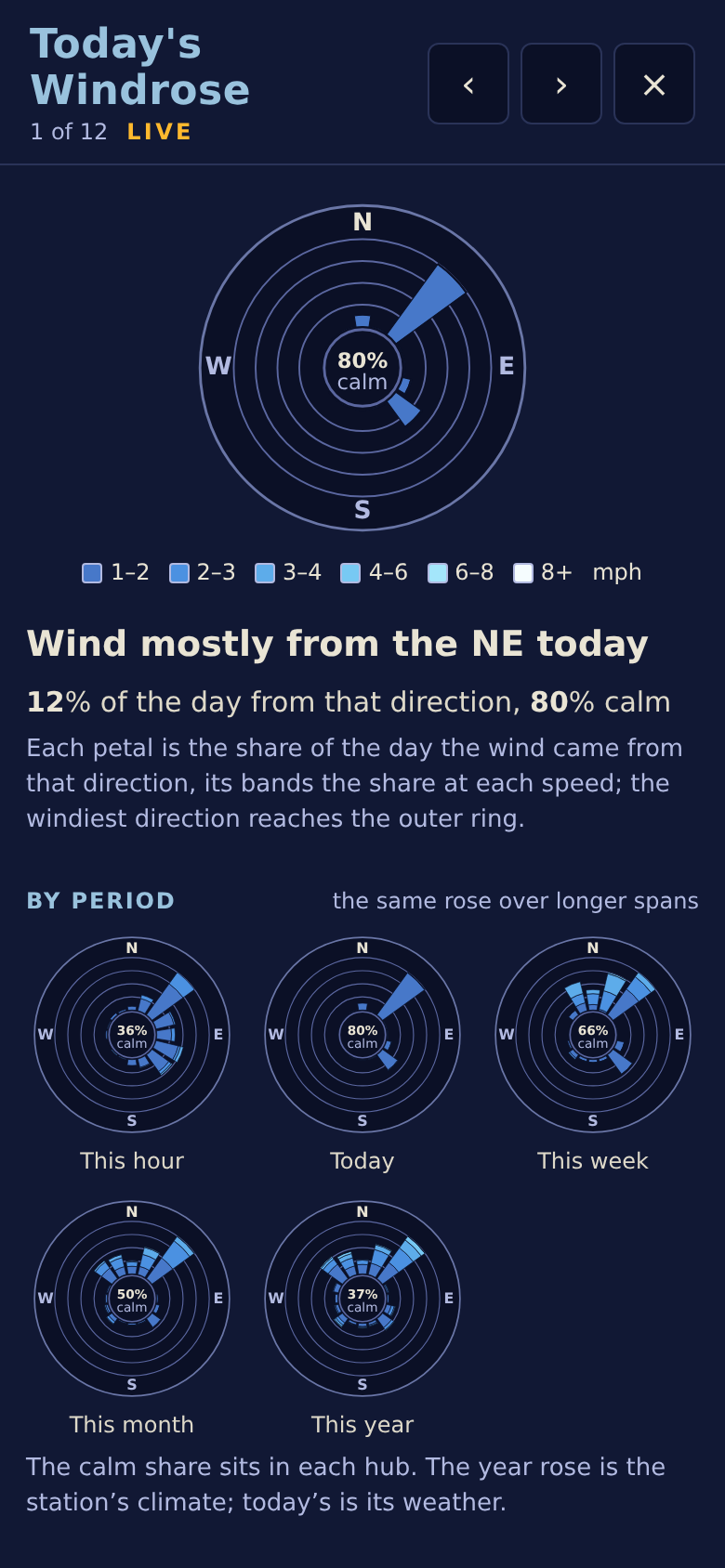
wear EPA's category colors. - The windrose card draws the rose for this hour, today, this week,
this month and this year, the calm share in each hub. The UV and
air quality cards show EPA's scale with the reading's row marked.
The air quality card's today tiles and its ladder rank each period's
highest, and today's lowest, PM2.5 and show it as the index weewx-purple
computes for it, since the index itself is never archived and an
aggregate of it would count only the packets since weewxd started. - The cards step and close the way you expect. ‹ › in the head or
the arrow keys step through the twelve; Escape, the × or a click
outside closes. The page behind does not scroll. - The panel's dew point gauge says the dew point in words — dry,
comfortable, sticky, muggy, oppressive — where its word line was
blank. - Everything the cards say comes from
loop-data.txt. The sample
skin declares the fields, one_cardgroup per card, in its
skin.conf, and the manual's sample skin page
lists them. There is no service file and no outside service. - All of it is translated in the eight shipped languages, by the
same mechanism as the panel. The card strings have not yet been
reviewed by native speakers; corrections are welcome.
What it costs
The rolling 24-hour windows the cards rank a reading against keep every
packet of the last day, about 10 MB each at two-second packets, some
80 MB for the nine observations the cards rank. A station that does
not want the cost can drop a _card group from the declaration (in a
copy of the report's stanza in weewx.conf, since skin.conf is
replaced on upgrade); the card then says what the fields that remain
can say.
Requirements
- WeeWX 4.6 or later
- Python 3.7 or later
- No third-party Python packages required
- For the sample report's windrose with other than the default six speed
bands, a browser from 2023 or later: the in-between shades are blended
with csscolor-mix - Satellite almanac fields (
almanac.iss.next_pass...and friends) need
weewx-skyfield
registered as the almanac; every other almanac field works with
PyEphem or WeeWX's built-in almanac, as always
Installing/upgrading
Download weewx-loopdata.zip
and install it over your existing copy, then restart weewxd:
weectl extension install weewx-loopdata.zip