Releases: chaunceygardiner/weewx-xtide
Release list
Release v3.0

weewx-xtide 3.0
The sample tide report now speaks nine languages, and two significant bugs
are fixed: WeeWX failed to start with weewx-xtide installed on systems
running a non-English locale, and tide stations in a different timezone than
the WeeWX server got shifted or missing events. No weewx.conf changes are
needed; this is a drop-in upgrade for English reports, and one lang line
turns on a translation.
What's new
-
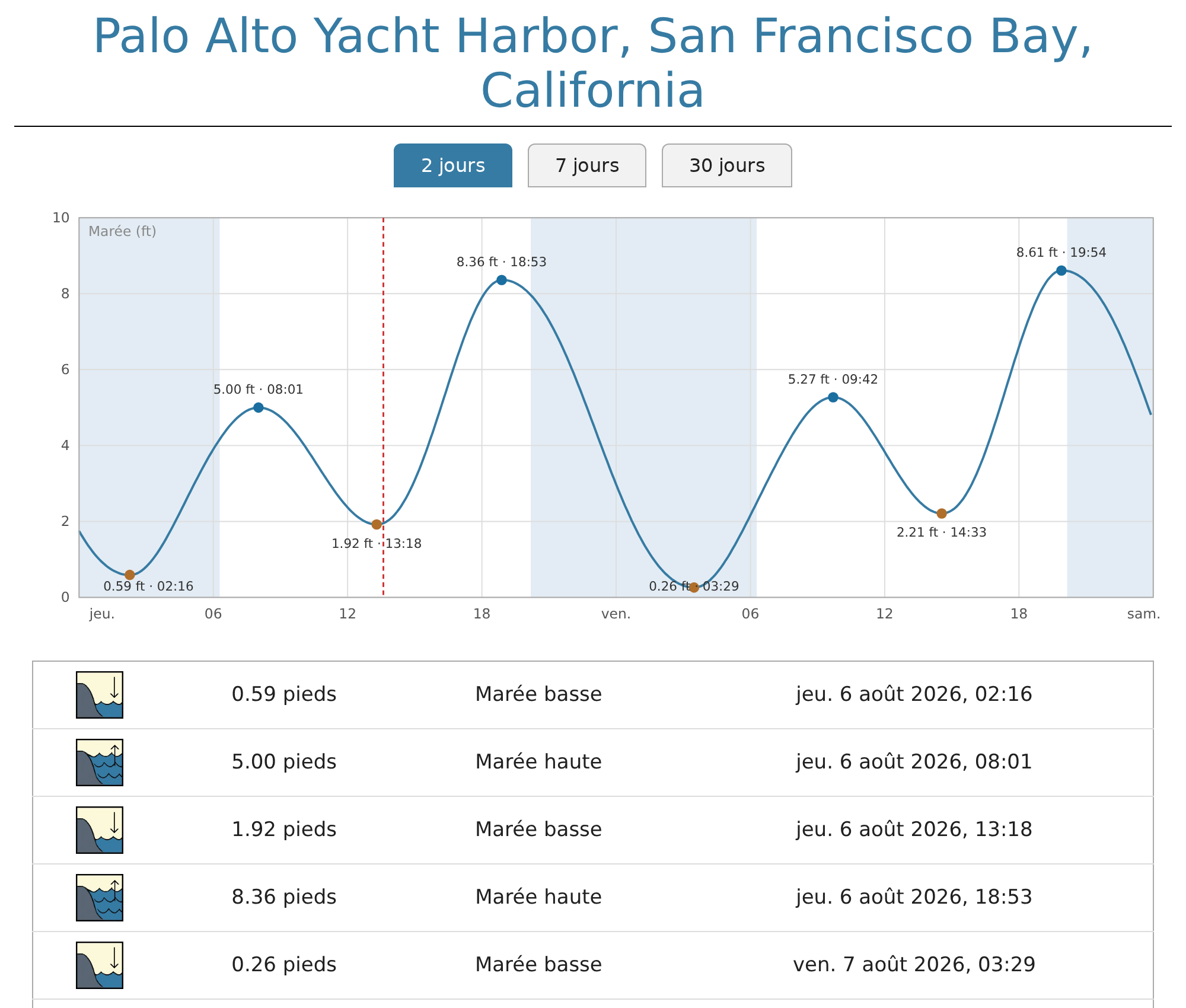
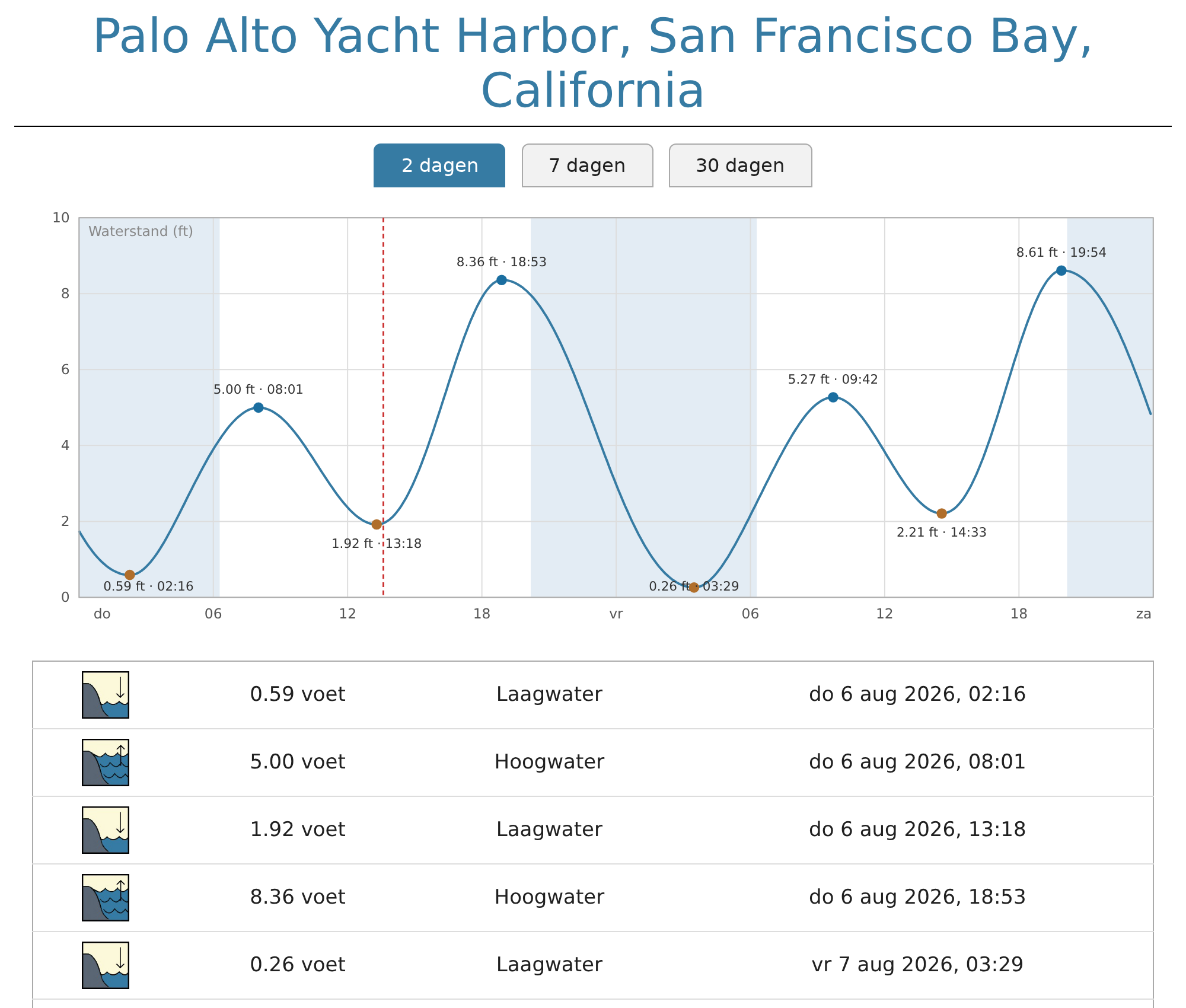
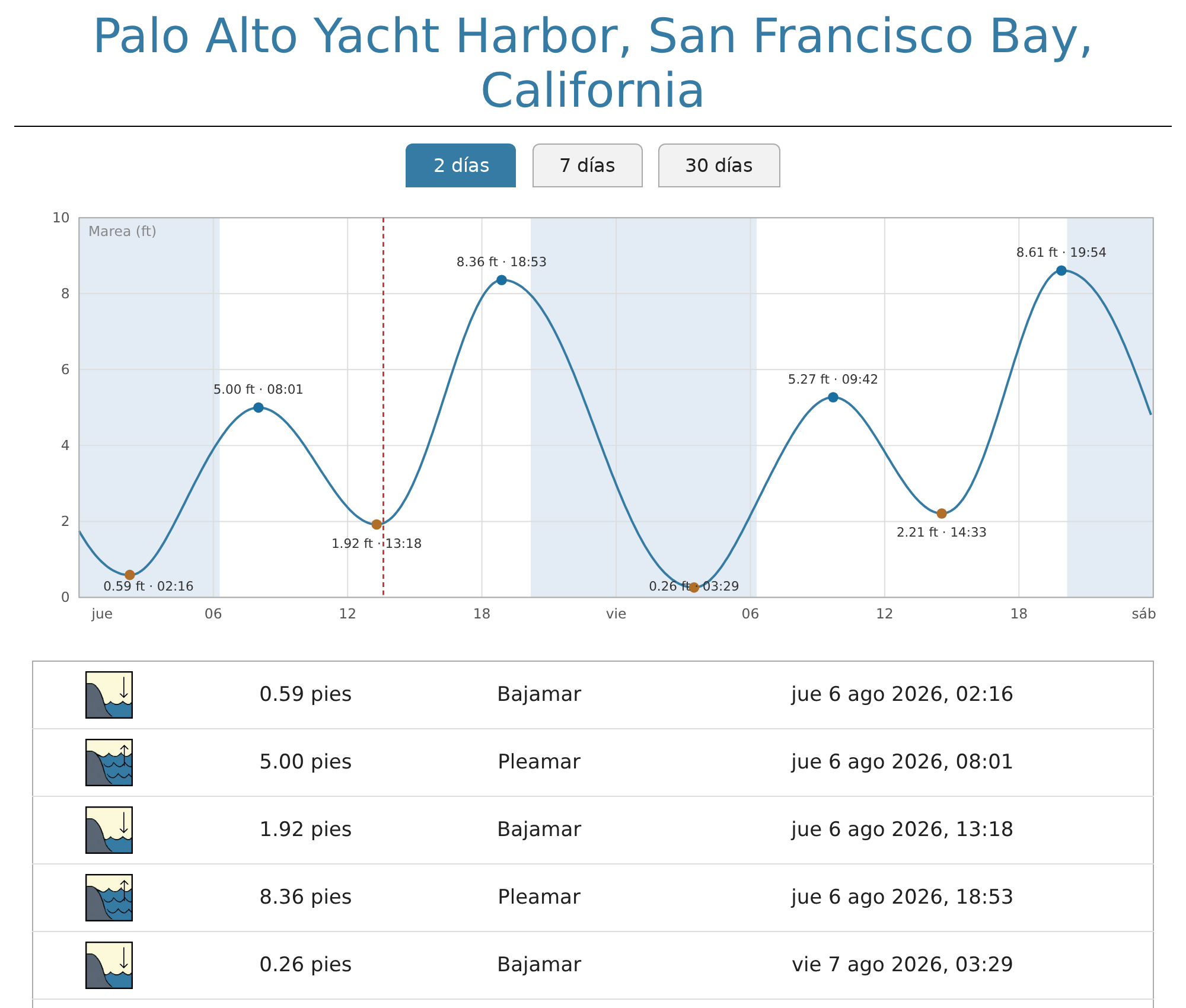
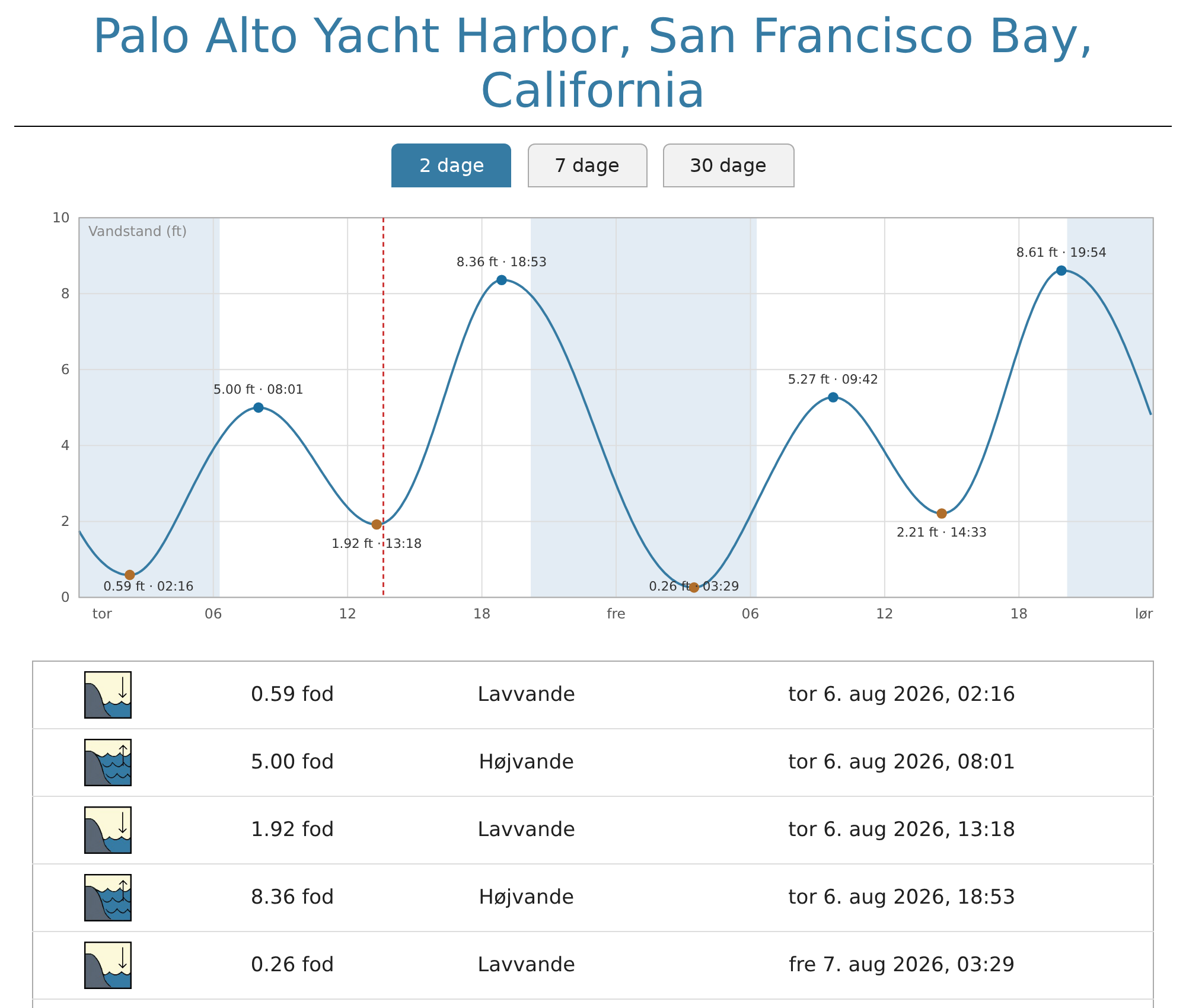
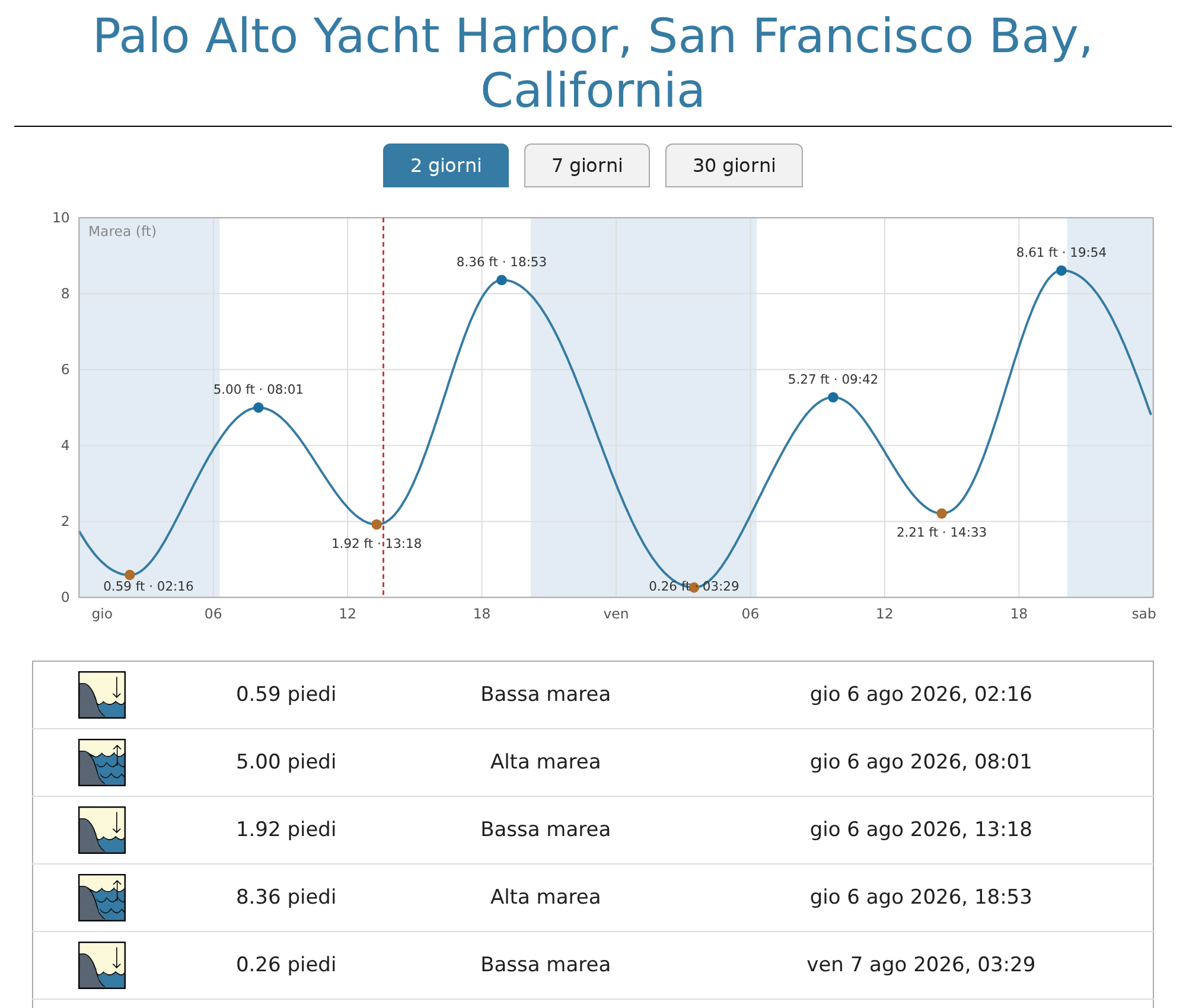
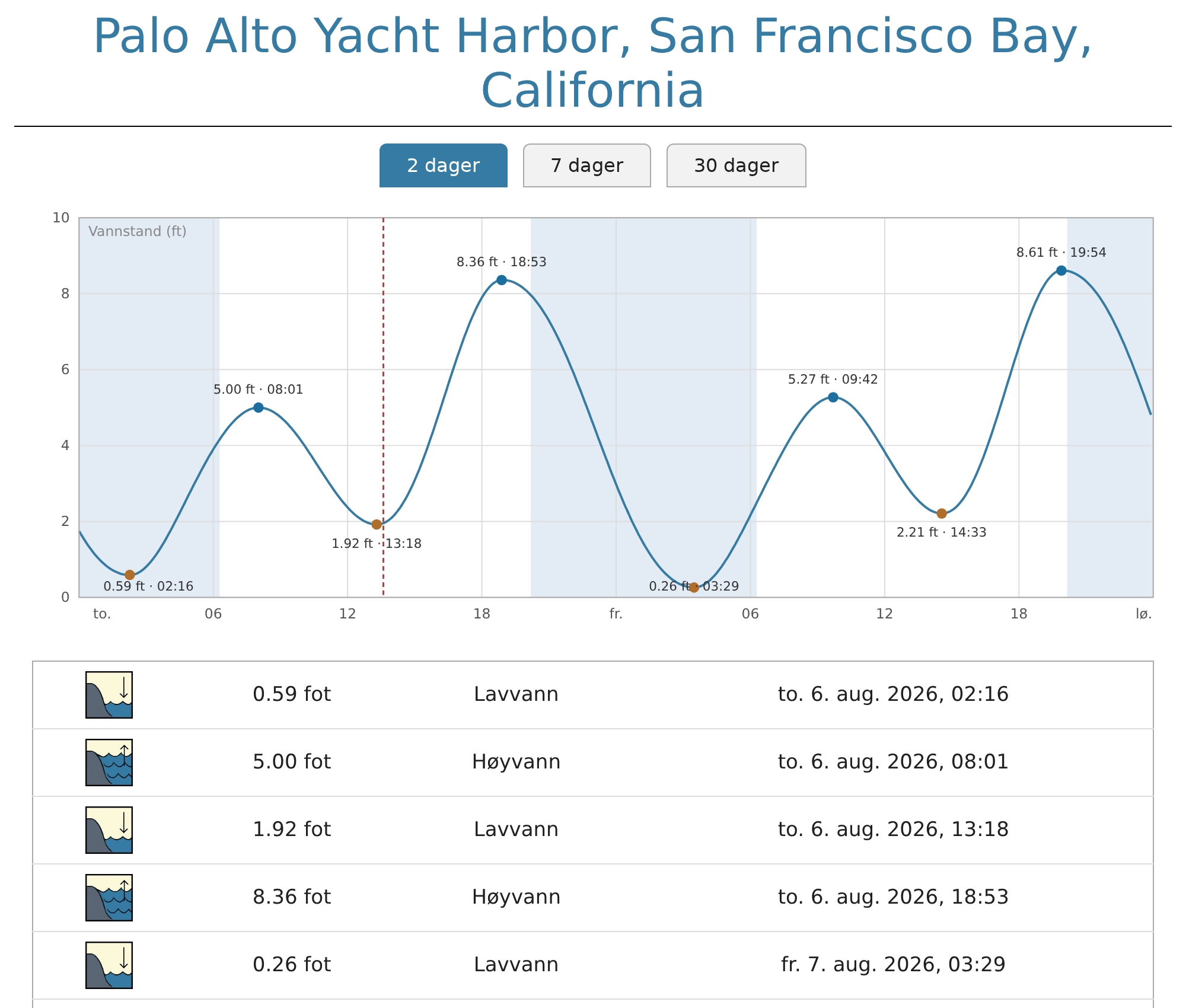
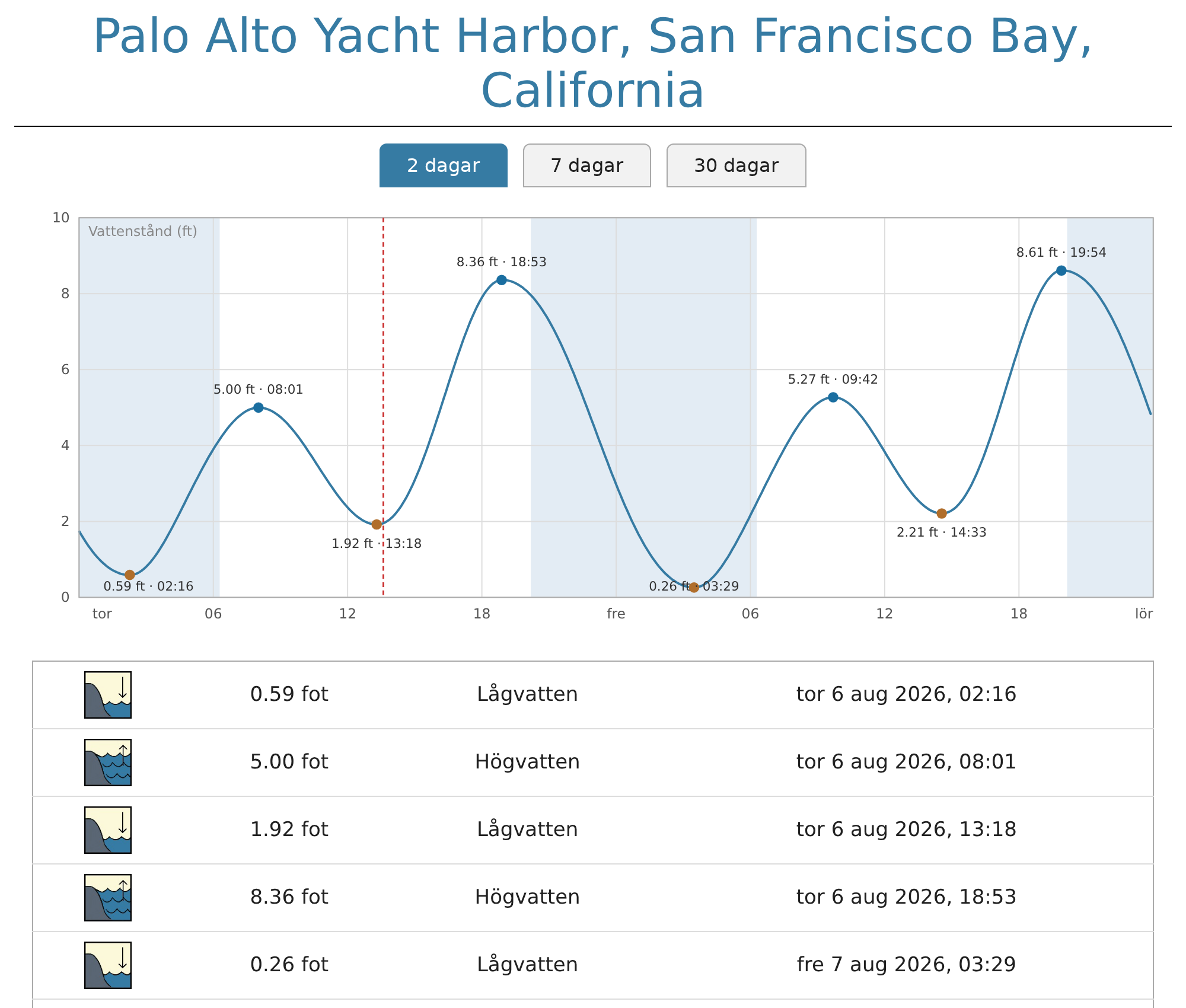
The sample report is internationalized. Nine languages ship: English,
Danish, Dutch, French, German, Italian, Norwegian, Spanish and Swedish.
Pick one by settinglangon the report's stanza in weewx.conf (e.g.
lang = deunder[StdReport] [[XTideReport]]); the default remains
English. A missing translation falls back to English one string at a
time. Date formats follow the report language; month and weekday names
come from the server's locale, as in WeeWX itself (use a full locale name
such aslang = de_DE.UTF-8to localize them too). The non-English
translations are Beta, pending native-speaker review — corrections are
welcome as GitHub issues. Details in the manual:
Translating the tide page.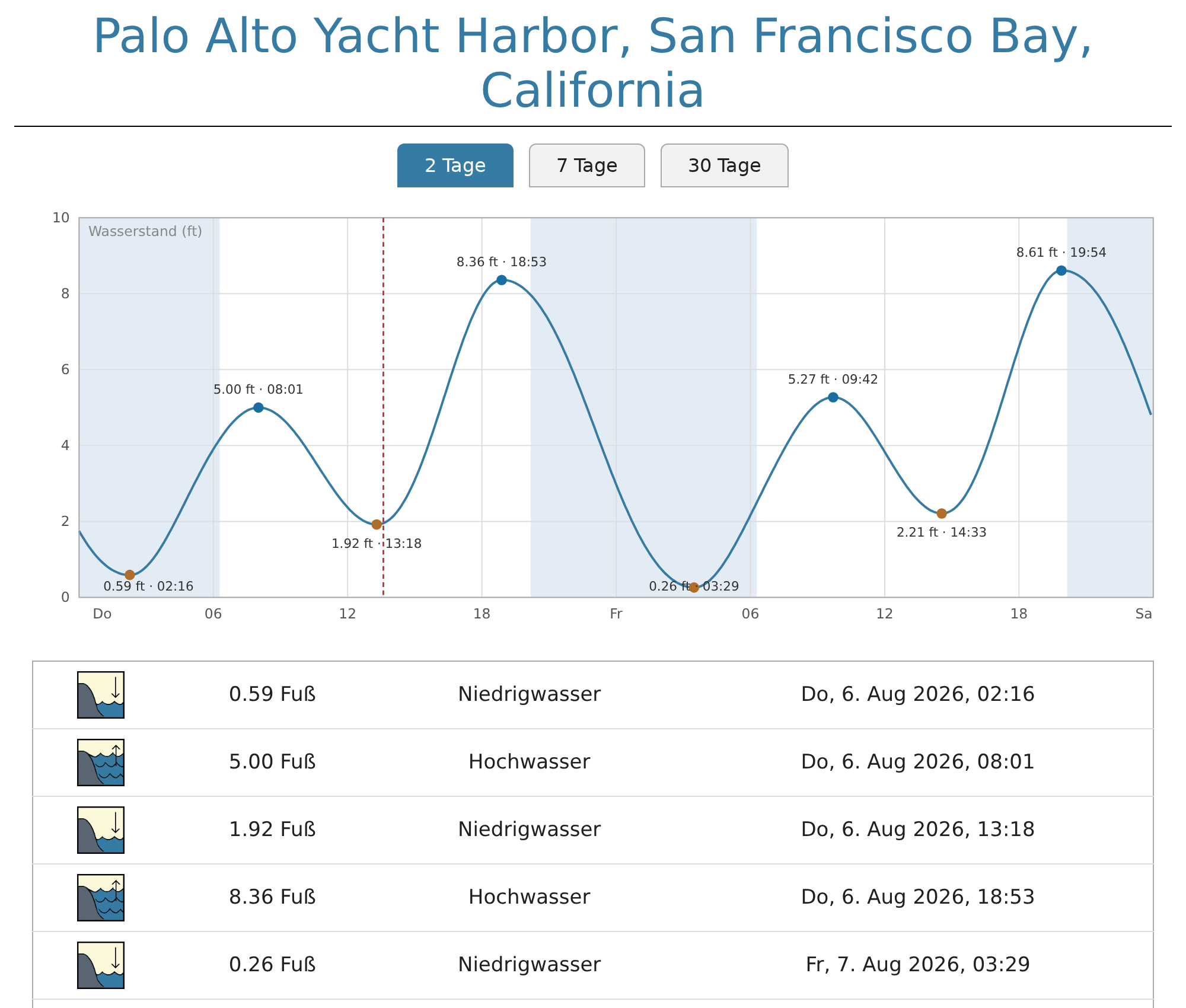
-
A user manual. Installation, configuration, the
$xtide.events()
and$xtide.graph()tags, and translating, at
chaunceygardiner.github.io/weewx-xtide. -
weewx-xtide no longer crashes WeeWX startup under non-English locales.
The tide program's event times are always English ("9:16 AM UTC"), but they
were parsed with a locale-dependent AM/PM directive, and most non-English
locales (German, French, Danish, Spanish, ...) define empty AM/PM
designators — so parsing failed and WeeWX could not start. The AM/PM token
is now handled explicitly; no locale affects it. -
Stations in a different timezone than the server now get correct
events. Event times were parsed in the server's local timezone, so a
station elsewhere got events shifted by the timezone difference, or none at
all when the timezone abbreviation wasn't recognized. The tide program is
now run in UTC mode (-z) and all times are handled in UTC, so any
station/server combination works. Stations in the server's own timezone
were always correct and are unaffected. This also fixes a possible
one-hour error during the repeated hour of the autumn DST fall-back. -
24-hour time labels where the locale calls for them. The sample skin's
graph and tide-list labels use 24-hour form when the system locale has no
AM/PM designators (as in most of continental Europe), where "9:16 AM" would
have rendered as an ambiguous "9:16". Translated reports use each
language's own date and time forms regardless of the server locale. -
xtide.py --test-serviceworks again. It now honors--locationand
--prog; it previously ignored them in favor of a hard-coded location and
a tide path that no longer exists.
Requirements
- Python 3.10
- WeeWX 4 or 5
- The xtide package (see the README)
Installing/upgrading
Download weewx-xtide.zip from this release, then:
weectl extension install weewx-xtide.zip
Restart WeeWX. No weewx.conf changes are needed when upgrading from 2.x —
add lang = <code> to the report's stanza only if you want a translated
page. Note that upgrading replaces the bundled skin (skins/xtide/) — if
you customized it, save a copy first.
Release v2.1
weewx-xtide 2.1
WeeWX could fail to shut down if the stop signal arrived while XTide was
saving tide events at the end of an archive period. Nothing else changes:
no weewx.conf edits. This is a drop-in upgrade.
What's new
- Shutdown can no longer be swallowed by XTide's database code. WeeWX
stops by raising an exception from its TERM signal handler, inside
whatever code is running when the signal lands. If that was XTide's
once-per-archive-period tide-event save (or the tide-record fetch it
calls, which would even sleep and retry on the swallowed signal), the
shutdown exception was logged and swallowed, and weewx failed to stop.
It is now passed through so weewx stops promptly. (The tide generation
itself runs in XTide's own worker thread and was never affected.)
Requirements
- Python 3.10
- WeeWX 4 or 5
- The xtide package (see the README)
Installing/upgrading
Download weewx-xtide.zip from this release, then:
weectl extension install weewx-xtide.zip
Restart WeeWX. No weewx.conf changes are needed when upgrading from 2.0.
Note that upgrading replaces the bundled skin (skins/xtide/) — if you
customized it, save a copy first.
Release v2.0
weewx-xtide 2.0
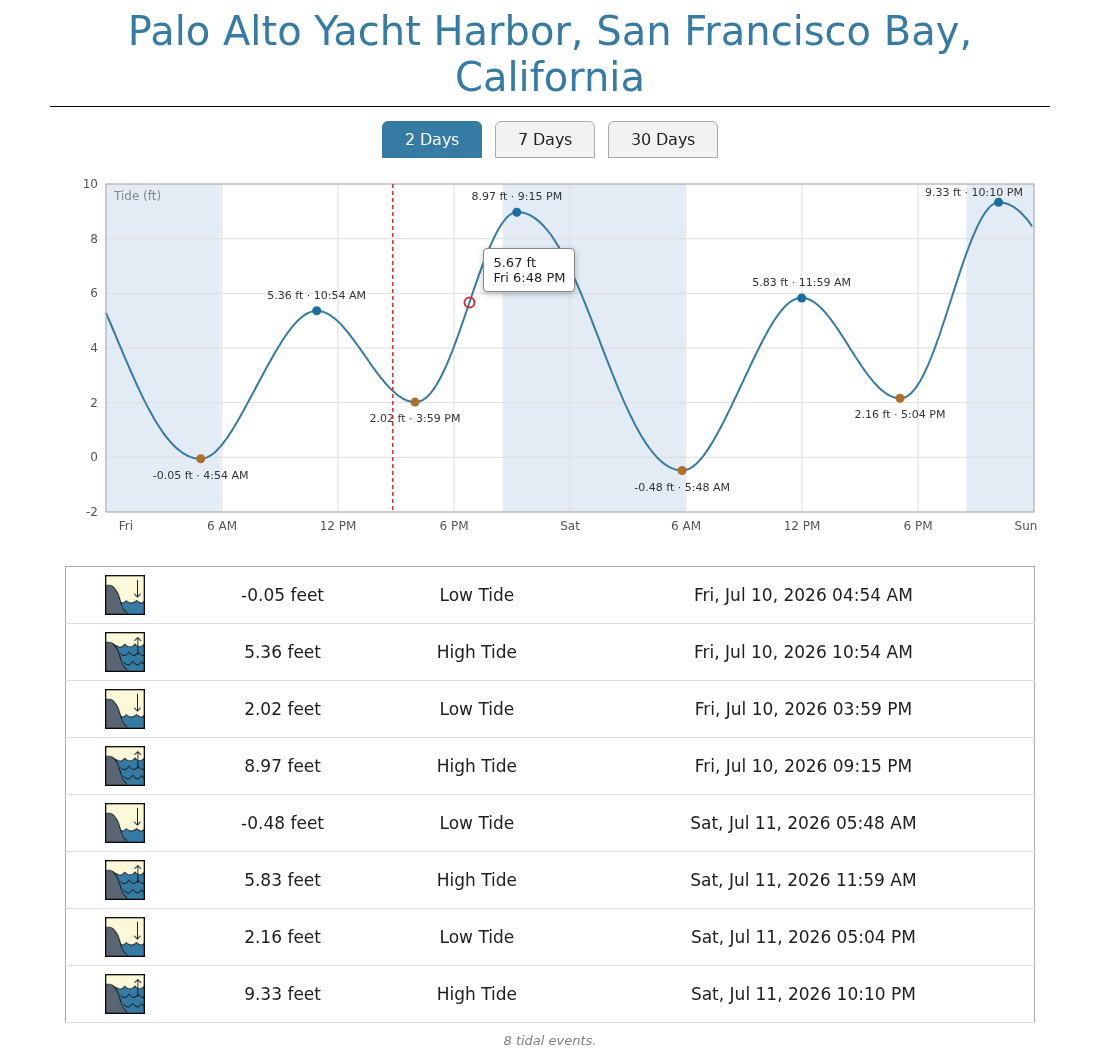
The sample report is now an interactive tide graph. Instead of a list of tidal
events, you get continuous tide levels with the highs and lows marked — and you
can click (or hover) anywhere on the curve to see the exact time and tide level.
What's new
- Interactive tide graph in the sample report:
- Three views: 2 days (today and tomorrow), 7 days, and 30 days — switched with
tabs, no page reload. - Click or hover (tap on a phone) anywhere on the curve for a tooltip with the
exact time and tide level; near a high or low it snaps to that event. - High and low tides are marked on the curve (with level and time labels on the
2-day view). - Night is shaded (sunset to sunrise), and a dashed "now" line tracks the
current time. - The familiar tidal-event list appears below the graph, filtered to the
selected view. - The page is fully self-contained: inline SVG, no javascript libraries,
nothing fetched at run time. Tooltip times are shown in the station's
timezone.
- Three views: 2 days (today and tomorrow), 7 days, and 30 days — switched with
- The sample report now runs the tide program itself at report time and always
covers 30 days. It no longer reads the events database, so it is not limited
by thedayssetting.$xtide.events()and the database are unchanged for
use in your own reports. - New skin files
xtide.cssandxtide.js; all styles and colors now live in
the css file rather than the template. - A test suite (pytest) covering both tide output formats (2.15 and 2.16), all
tide failure paths, the graph geometry, and an end-to-end render of the
sample template — mostly against fake tide executables for determinism.
Integration tests then verify the real tide program's output format still
matches what the extension expects — worth running after any xtide or
harmonics upgrade. A missing or non-working tide fails the suite: either
one is an early signal that the extension will not work in production.
What's fixed
- A defective return-code check meant failures of the tide program were never
properly reported. Failed runs now log XTide's actual error message —
including unknown station names, which the tide program reports with exit
code 0 and which previously produced no log message at all. - The tide invocation now has a 10-second timeout so a wedged tide program
cannot hang the polling thread (normal runs take well under a second).
Requirements
- Python 3.10 or later
- WeeWX 4 or 5
- XTide's
tideprogram built and installed (see the README for step-by-step
instructions, including the latest harmonics data)
Installing/upgrading
Download weewx-xtide.zip from this release, then:
weectl extension install weewx-xtide.zip
Restart WeeWX. No weewx.conf changes and no database changes are needed when
upgrading from 1.x. Note that upgrading replaces the sample skin
(skins/xtide/) — if you customized index.html.tmpl, save a copy first.
Release v1.1
Update xtide install instructions to install xtide 2.16
Update weewx-xtide to handle 2.16 change to how events are formatted:
xtide v2.16:
"Palo Alto Yacht Harbor, San Francisco Bay, California",2024-07-07,1:12 AM PDT,8.50 ft,"High Tide"
xtide v2.15:
Palo Alto Yacht Harbor| San Francisco Bay| California,2024-07-07,1:12 AM PDT,8.50 ft,High Tide
v1.1 handles both old and new format
Release v1.0.5
Release v1.0.5 simply improves the README instructions for installing.
Release v1.0.4
Release v1.0.4 provides a revamped sample report.
Release v1.0.3
This release contains updated (cleaner) high and low tide icons.
Release v1.0.2
Release v1.0.2 includes unencumbered icons.
Release v1.0.1
Release 1.0.1 renames the icons to xtide_icons.
Release v1.0
Release v1.0 is the initial release of the weewx-xtide extension for WeeWX 4 and WeeWx 5.