Repository navigation
Releases: cyryllo/ArchFlow
Release list
ArchFlow v0.4.7

🐳 Docker: new default port 9500
The ready-made compose.yml now publishes ArchFlow on port 9500 instead of 80, since ports 80 and 8080 are often already taken. To use a different port, edit the ports line in compose.yml (e.g. - "9600:80").
mkdir archflow && cd archflow
curl -O https://raw.githubusercontent.com/cyryllo/ArchFlow/master/compose.yml
docker compose pull
docker compose up -d        # http://localhost:9500
The container now also restarts automatically (restart: unless-stopped).
Upgrading from v0.4.6 with Compose? Download the new
compose.ymland rundocker compose pull && docker compose up -d. ArchFlow moves from http://localhost to http://localhost:9500. Your diagrams in./diagramsare kept.
⚡ Faster, offline-capable container
Backend dependencies are now installed when the image is built, not on every start. The container is ready in a few seconds and no longer needs internet access to start.
📖 Documentation
- How the container works: what runs inside, where diagrams are stored, why you must mount
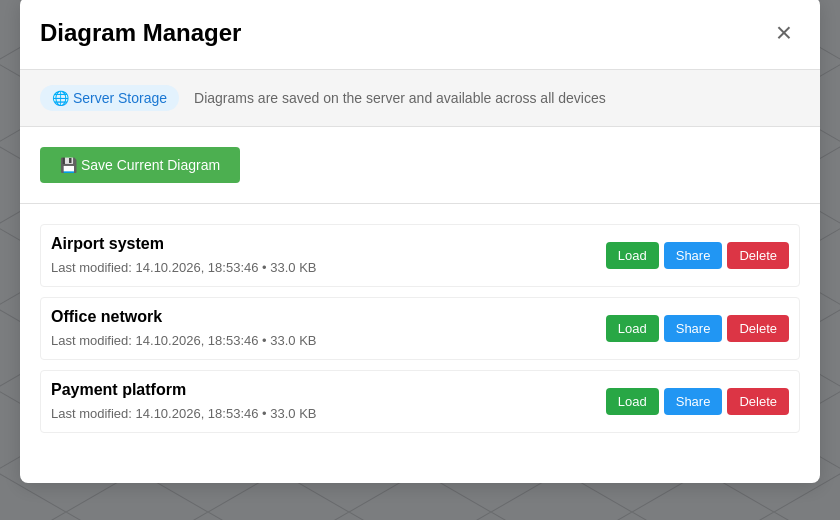
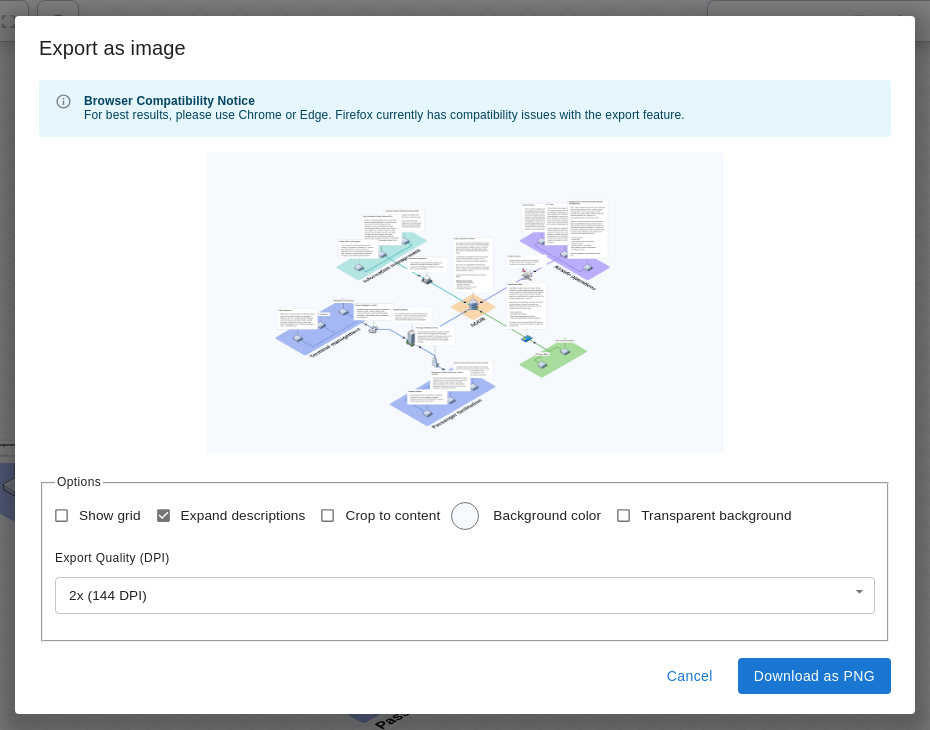
/data/diagrams, host folder vs named volume, file ownership on Linux, restarts, and the fact that ArchFlow has no logins. - Saving and Opening Diagrams: the two ways to keep your work (files on your computer vs App Storage), export to JSON and PNG, the Diagram Manager (Save, Load, Share, Delete), session storage, and automatic restore.
- Everyday Docker commands (logs, stop/start, update, volumes).
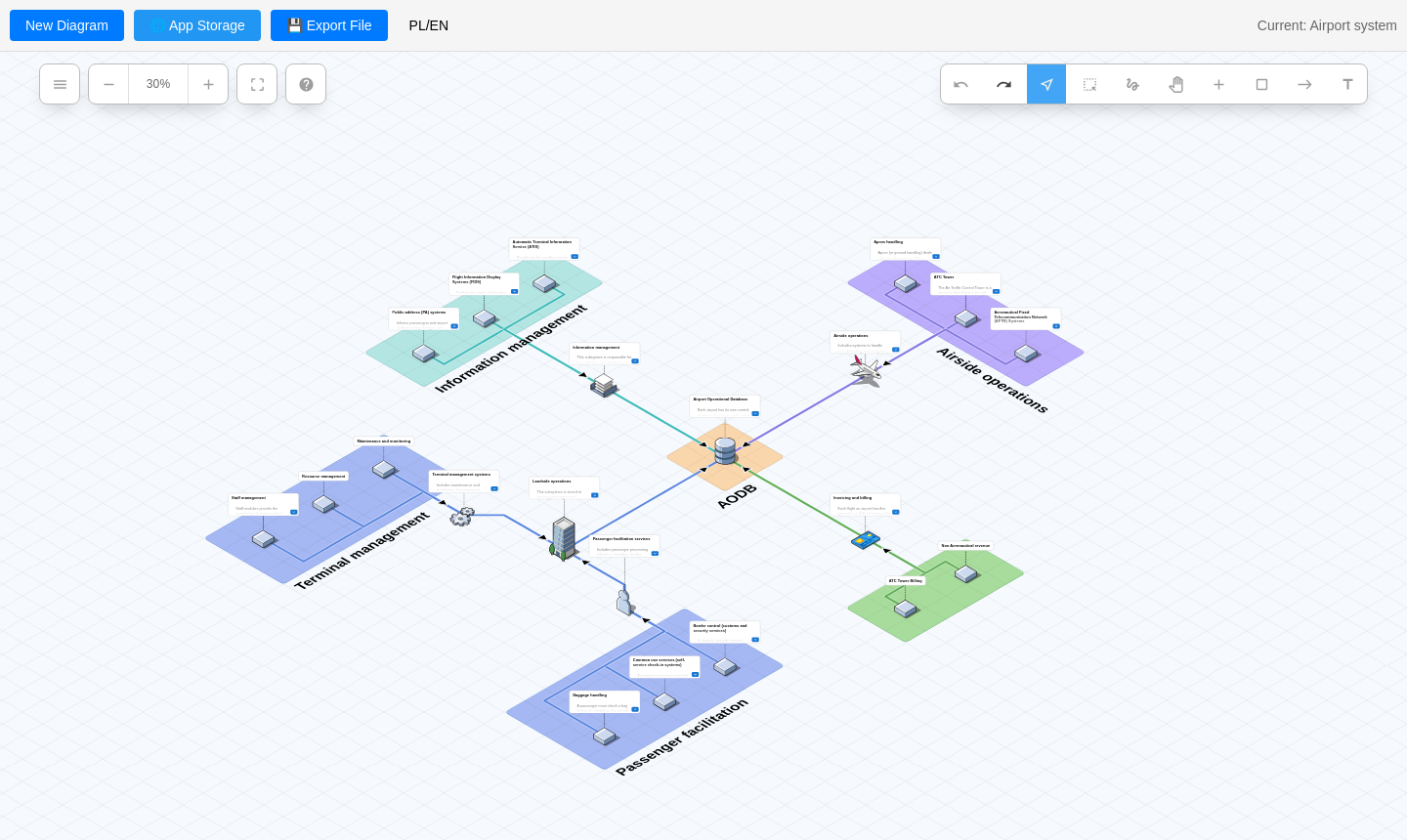
- Screenshots of the app, in English and Polish.
| App Storage | Export as image |
|---|---|
 |
 |
🔧 CI / maintenance
- CI now runs on Node 22 and 24 (Node 18 and 20 are end-of-life). Minimum supported Node version is now 22.
- All GitHub Actions updated to their latest versions (Node 24 runtime).
Full changelog: v0.4.6...v0.4.7
ArchFlow v0.4.6
🐳 Ready-to-run Docker image
ArchFlow is now published as a prebuilt image on GitHub Container Registry, so you no longer need to clone the repo and build from source:
mkdir archflow && cd archflow
curl -O https://raw.githubusercontent.com/cyryllo/ArchFlow/master/compose.yml
docker compose pull
docker compose up -d
Then open http://localhost. Diagrams are saved as JSON files in ./diagrams.
Available tags: latest, 0.4.6, 0.4, sha-<commit>. Pin a version with ARCHFLOW_VERSION=0.4.6 docker compose up -d. See the README for docker run, building from source and configuration.
🐛 Fixes
- Tool modes (Rectangle, Connector, Pan, etc.) no longer snap back to Select on every render. They were effectively unusable before.
- Saved diagrams are named on disk after their name instead of an opaque ID (Docker backend and desktop app), with collision-safe renaming.
✨ UI & i18n
- Hamburger menu, zoom controls and tool menu are now on a single row at the top of the canvas.
- Translated the remaining hardcoded tooltips (toolbar, zoom, main menu).
- Removed duplicated Undo/Redo from the hamburger menu and the "Diagram > View" title overlay.
🎨 Branding
- New ArchFlow logo, favicons, desktop app icon and OG cover.
- LICENSE now includes the ArchFlow copyright alongside the original Isoflow notice.
🔧 CI / maintenance
- The Docker image is built and pushed to
ghcr.io/cyryllo/archflowautomatically after tests and E2E pass onmaster, and on version tags. - Removed the semantic-release setup and the EthicalCheck workflow inherited from upstream. Versioning is now manual (
npm run update-version <version>). - README: full Docker deployment guide.
Full changelog: v0.4.2...v0.4.6
ArchFlow v0.4.2
ArchFlow v0.4.2 — first testing release 🎉
This is the first release of ArchFlow — my fork of FossFLOW (itself a fork/rewrite of Isoflow). This is a testing/beta release — try it out and report anything that's broken.
What's new
- 🇵🇱 Fixed and simplified Polish language support — full interface translation (English/Polish), fixed language switcher, new "PL/EN" toggle
- 🖥️ New desktop app (Electron) for Windows/macOS/Linux — native window, no browser needed
- Diagrams are saved automatically as real files on disk (
~/Documents/ArchFlow), no location prompt - Native "Save As" dialog for exports
- Installers: AppImage and .deb for Linux (Windows/macOS installers can be built from the same source)
- Diagrams are saved automatically as real files on disk (
- 🐳 Docker — with server storage enabled (default), diagrams are saved as files in
./diagramson the host - Unified storage UI: whenever persistent storage is available (Docker with the backend, or the desktop app), the redundant session-only Save/Load buttons disappear in favor of a single, consistent diagram list ("📁/🌐 App Storage")
- Removed the first-run onboarding popups and Electron's default menu bar (File/Edit/View/...)
Known issues
Full list in ARCHFLOW_TODO.md — notably, the "Modified" indicator sometimes doesn't clear right after saving, and a few dialogs/menus are still English-only.
Try it
Docker:
docker compose upDesktop (build locally):
npm install
npm run build:desktop
The installer lands in packages/fossflow-desktop/dist/.
Full instructions in the README.