Have some text in clipboard, just ctrl+c some text from anywhere.
Put cursor in search module.
Mouse select a picture in the filmstrip at bottom, then ctrl+c to copy its history , select another pic where you want paste, ctrl+v.
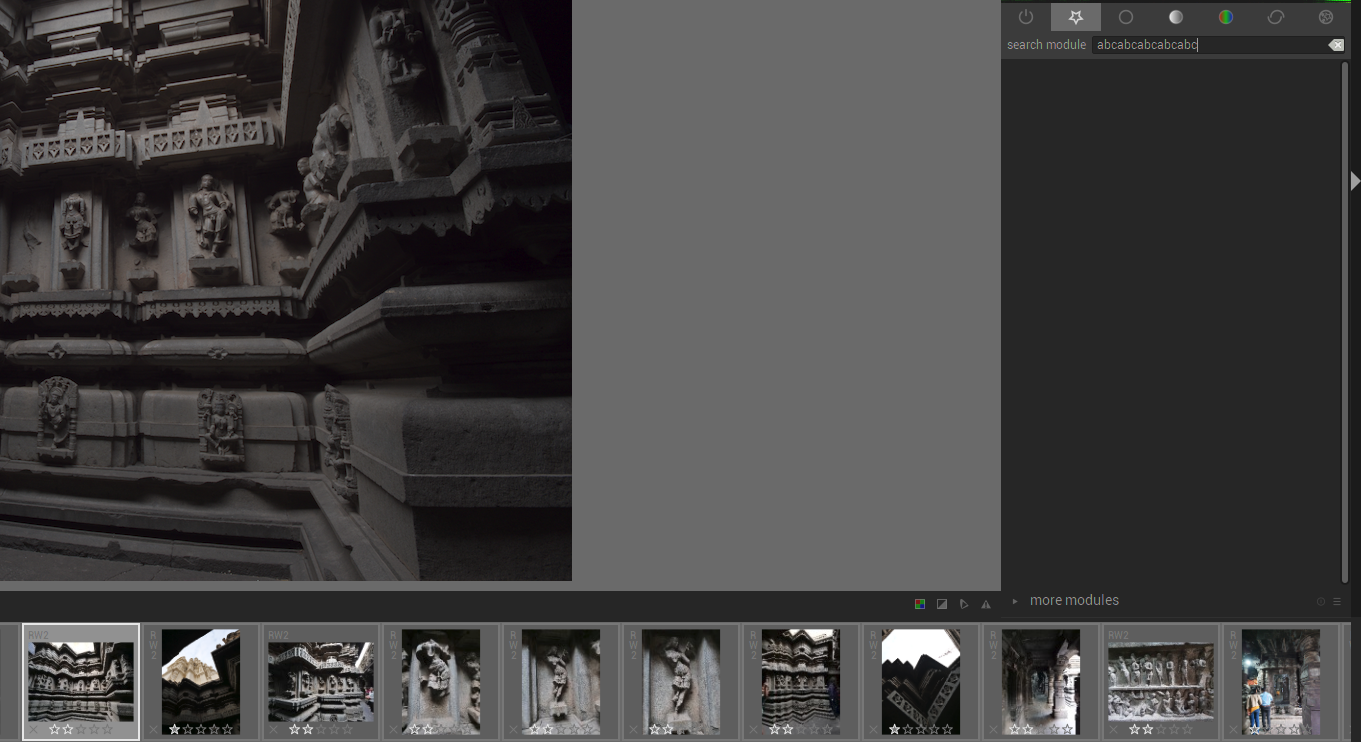
Nothing happens to the picture, but you will notice that the search module text entry will have the copied text.
A similar thing happens using short cut ctrl+e when in the search module, no export happens. One needs to physically click in the main image window in darkroom to export the image.
I had "abc" on the clipboard, then did one ctrl+c, and multiple ctrl+v's resulting in multiple abc's in the search text window.
Since we are on clipboard issue, I have seen windows clipboard stops functioning at times when dt is running, I have to close DT to get back control of ctrl+c ctrl+v on my windows system for other apps.
I believe this has happened after the change that redirects key strokes per window.
darktable-3.1.0+9~g962bc9ae3-win64
Have some text in clipboard, just ctrl+c some text from anywhere.
Put cursor in search module.
Mouse select a picture in the filmstrip at bottom, then ctrl+c to copy its history , select another pic where you want paste, ctrl+v.
Nothing happens to the picture, but you will notice that the search module text entry will have the copied text.
A similar thing happens using short cut ctrl+e when in the search module, no export happens. One needs to physically click in the main image window in darkroom to export the image.
I had "abc" on the clipboard, then did one ctrl+c, and multiple ctrl+v's resulting in multiple abc's in the search text window.

Since we are on clipboard issue, I have seen windows clipboard stops functioning at times when dt is running, I have to close DT to get back control of ctrl+c ctrl+v on my windows system for other apps.
I believe this has happened after the change that redirects key strokes per window.
darktable-3.1.0+9~g962bc9ae3-win64