Repository navigation
Releases: defcom5-rockchip/pi-desktop
Release list
Pi-Desktop 4.0 "Plaid"

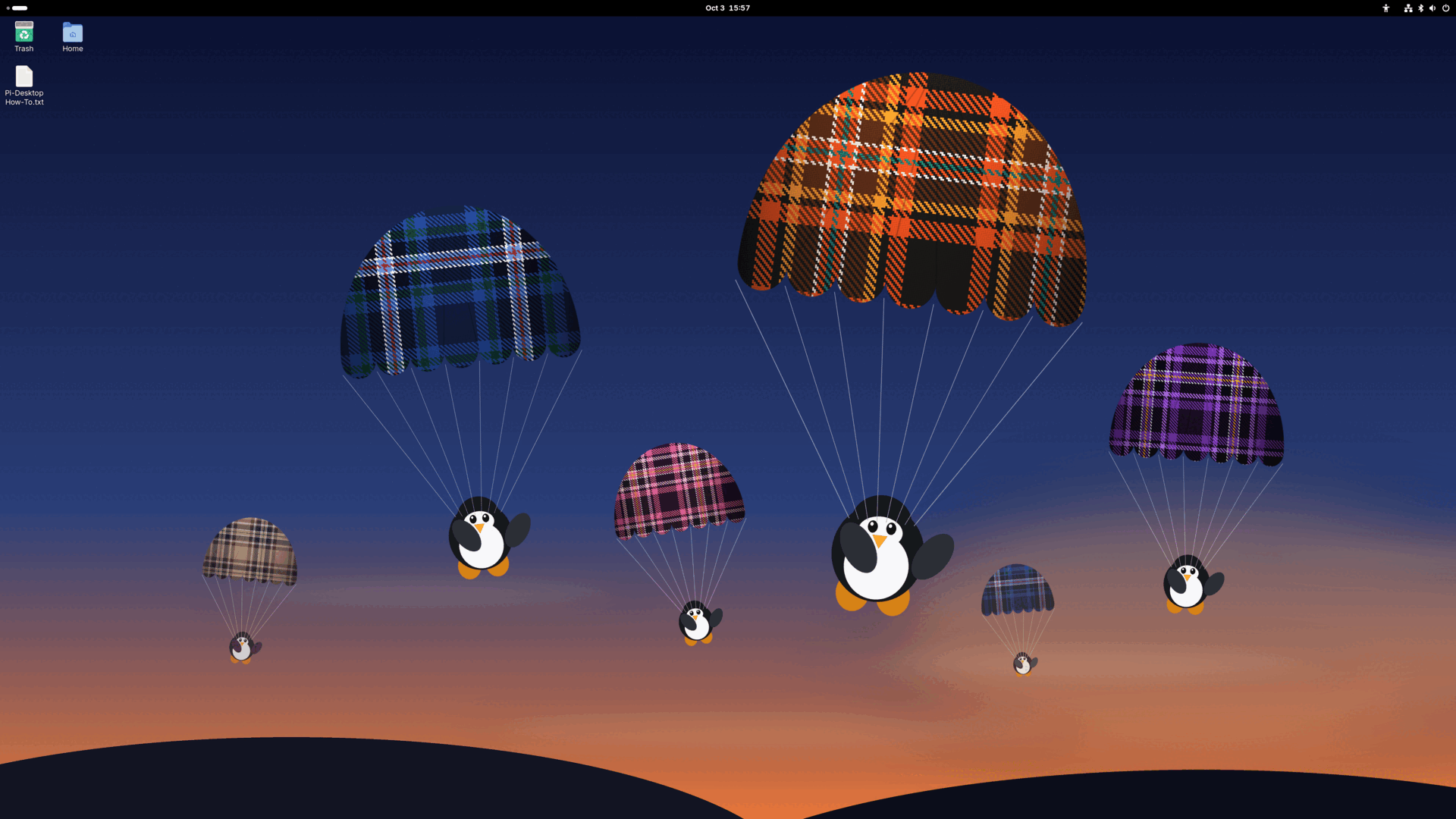
The successor to the retired 2.0.x line, on a new base: Ubuntu 26.04 packages and GNOME 50, built with the Armbian
build framework on Armbian's Rockchip vendor kernel 6.1.172 plus eleven Pi-Desktop patches. Checked on an Orange
Pi 5B on 2026-10-03: 84 of 85 first-boot checks (the one miss is the setup wizard's own autologin, which switches
off at the next boot), and all six first-click installers run on hardware.
Built on Armbian, by hook. Armbian owns the RK3588 boot chain: U-Boot, partition layout, kernel branch, device
trees, modules, firmware, board-support packages and the first-boot resize. Pi-Desktop adds eleven published kernel
patches through Armbian's userpatches mechanism and a userspace layer through Armbian's late image hook. The image
is credential-free: no default user or password, the first boot creates yours.
What you get
- 4K at 120 Hz over HDMI 2.1, out of the box. The three ways it used to fail (black screen after minutes to
hours, a hang on screen-off, a black screen after a monitor power-cycle) are fixed by kernel patches, each re-tested
on hardware. 4K at 60 Hz is unchanged. - A flicker-free desktop and browser on Arm's Mali driver, with AFBC scanout rejected in the kernel.
- Hardware video, 10-bit included, in the browser that ships with it. Measured on this image: Chromium 154 decodes
a 4K HEVC Main 10 file on the video engine — 595 frames, none dropped, about 10 % of the CPU — so Jellyfin
direct-plays 10-bit with no server transcode, out of the box. Firefox 156 decodes 10-bit in software on this build
(KNOWN-ISSUES VID-5). mpv goes through VA-API with DVD and Blu-ray profiles. AV1 is software. - Wi-Fi joins WPA3 and WPA2/WPA3 networks (vendor-driver fix, sent upstream as armbian/linux-rockchip#561).
- Bluetooth that survives Wi-Fi, and no more ten-second mute at every YouTube ad on a Bluetooth speaker.
- Audio: PipeWire 1.6.9 with real-time priority from boot, a working 3.5 mm jack that follows plugging,
Rhythmbox 3.5.1, Audacity, Brasero. - A screensaver instead of screen blanking, with its own group in Settings ▸ Power; Log Out back in the menu;
the first boot asks for a computer name. - Fixes you would otherwise find yourself: GUI password prompts that hang on Ubuntu 26.04 with a 6.1 kernel, and a
large file copy that could get the whole session killed. - A small image, apps on first click. Firefox, LibreOffice, GIMP, Inkscape, Thunderbird, VSCodium and Google
Chrome download from their own repositories when you first click them. VS Code is not offered (Microsoft's build
ships with telemetry on). - A Plaid boot screen, login screen and logo in place of Ubuntu's and Armbian's.
- No snaps, no telemetry of our own. What the base still talks to is listed on the
privacy page.
Known issues
Read KNOWN-ISSUES.md before you decide.
Suspend is disabled. 10-bit video is hardware-decoded in Chromium, software in Firefox. HDR on the maintainer's monitor stays pale, and that is the
monitor. The first boot after the setup wizard logs in automatically; every boot after that shows the login screen.
Install
- Download the image and its
.sha256, and verify:sha256sum -c Pi-Desktop-4.0-Plaid.img.zst.sha256. - Write it to a microSD card (GNOME Disks, balenaEtcher, or
zstd -dc … | sudo dd of=/dev/sdX bs=4M conv=fsync). - Boot. The first boot grows the filesystem, then asks for a root password, your user and a computer name.
- For the eMMC, read EMMC-INSTALL.md
first;flash-emmc.shbelow writes this image to the eMMC with guard rails from a Pi-Desktop running on SD.
Source
Everything is published: the recipe (build config, customize
script, overlay, kernel patches, package build scripts), the kernel source
at tag pi-desktop-4.0, and the video driver.
LEGAL.md has the complete corresponding-source
table, the licences and the trademark notes. Code GPL-3.0-or-later, artwork CC BY-SA 4.0.
Built from Ubuntu 26.04 packages with the Armbian build framework; not affiliated with or endorsed by Canonical or
Armbian. Not a Raspberry Pi product. By defcom5-rockchip, with Claude as co-engineer.
🤖 Generated with Claude Code
Pi Desktop v2.0.2 — 10-bit video works, HEVC in the browser, leaner
Pi Desktop 2.0.2 — 10-bit video works, HEVC in the browser, Chromium stops crashing on 10-bit, leaner
Image for the Orange Pi 5B (RK3588S). Flash pidesktop-2.0.2-orangepi-5b.img.xz to microSD or eMMC; installing to eMMC? read EMMC-INSTALL.md first.
Video
- HEVC is hardware-decoded, including in Firefox (driver v2.1.0+; Firefox HEVC enabled by policy). A 4K Main10 feature plays in hardware end to end.
- 10-bit works: HEVC Main10, H.264 High 10 and VP9 Profile 2 are advertised and display zero-copy in Firefox and mpv. The 2.0.1 blue screen was one mistyped format code in the driver's export, not the GPU (driver v2.1.3). Jellyfin's web client direct-plays 10-bit in Firefox in hardware — measured.
- H.264 B-frame ghosting fixed (driver v2.1.2). 4K surface-pool exhaustion in VA-API Chromes fixed (v2.1.4).
- Chromium no longer loses its GPU process on 10-bit files and plays 8-bit HEVC in hardware — our fork of its libv4l-rkmpp decode plug-in (defcom5-libv4l-rkmpp) plus the HEVC flag. 10-bit in Chromium is transcoded by design for now; use Firefox for 10-bit.
- mpv defaults to zero-copy VA-API (
hwdec=vaapi,vaapi-copy); the 2.0.1 10-bit guard profile is gone (it also downgraded hardware 10-bit to 8-bit on the CPU).
System
- Kernel 6.1.0-1027 with RGA driver 1.3.13 (Rockchip develop-6.1) — newest on any RK3588 image.
- Silent audio after a Bluetooth drop fixed: the board's mute ES8388 analog codec is deprioritized in WirePlumber.
iwadded.
Leaner
- LibreOffice is Writer + Calc (Impress, Draw and an unused icon theme removed, ~35 MB). Remmina, Shotwell and btop removed.
Still open (see KNOWN-ISSUES): 10-bit at 4K60 can stutter in Firefox until the RGA repack lands (VID-3); Chromium 10-bit is transcoded (VID-4); AV1 is software; HDR files look pale in Firefox (no tone mapping there — mpv tone-maps); on the very first boot sshd flaps for about four minutes until the host keys are generated (BOOT-2, fixed in 2.0.3).
Soak: two boots on an Orange Pi 5B swept against the 2.0.1 baseline — zero hand repairs, 0 failed units on boot 2, error-level journal count identical to 2.0.1.
Download. GitHub caps assets at 2 GiB, so the image ships as parts. Rejoin and verify:
cat pidesktop-2.0.2-orangepi-5b.img.xz.00.part pidesktop-2.0.2-orangepi-5b.img.xz.01.part > pidesktop-2.0.2-orangepi-5b.img.xz
sha256sum -c SHA256SUMS.txt
SHA256 (whole image): 658310be84f3da76a315d58180e1a6b555372e4968946d150514ce6d97f2e1c4
Pi Desktop v2.0.1
The BSP line lives. v1.0 was nearly called the end of the road; instead, the road got repaved. Pi Desktop 2.0.1 is a generational update: a new default browser, our own maintained video driver, and a codec stack that tells the truth.
Headlines
- Firefox is the default browser — flicker-free (no ANGLE) and hardware-decoded out of the box, with update-proof enterprise policies.
- Chrome ships for one job: DRM streaming. It bundles Google's own arm64 Widevine (nothing for us to redistribute) and comes pre-flagged flicker-free for it. Netflix verified. Vivaldi is gone — its DRM story couldn't legally ship.
- The video driver is now ours: rockchip-vaapi v2.0 "Reframe" — fixes the odd-resolution VP9 green-screen that hit every image on this SoC, and only advertises codecs verified on hardware, so nothing green-walls: players fall back correctly instead.
- mpv 0.38 — drag a file onto the window and it plays (the Wayland file-drop fix 0.36 never had). HW decode on by default.
- Pro Updates ships in-image — free security updates without an Ubuntu Pro subscription, green out of the box (apt sources moved to https).
- Betterbird actually installed — v1.0's default mail client pointed at a package that never made it in. Now real.
Also fixed
- Steady boots report zero failed systemd units (first boot shows one self-healing OEM teardown, gone by boot two).
- The dormant second-OS partition no longer advertises itself in the Files sidebar.
- Driver plumbing:
vaDeriveImageused to hand back empty buffers (every copy-back video path silently produced zeros); it now fails honestly and clients use the working path.
Known issues — read them
KNOWN-ISSUES was rewritten for reality, including the honest HEVC/10-bit story (VID-3) and a 10-bit mpv display quirk with its v2.0.2 fix already verified (VID-4). We'd rather tell you what's rough than let you find out.
Install
The image ships in two parts — it outgrew GitHub's 2 GiB per-file limit (a permanent
single-file mirror is coming). Download both, rejoin, verify:
cat pidesktop-2.0.1-orangepi-5b.img.xz.0*.part > pidesktop-2.0.1-orangepi-5b.img.xz
sha256sum -c SHA256SUMS.txt          # the joined image must read: OK
Then flash pidesktop-2.0.1-orangepi-5b.img.xz to microSD or eMMC (read EMMC-INSTALL first for eMMC), verify the SHA256, boot. First boot expands the filesystem and creates your user.
The complete build recipe is public: defcom5-rockchip/ubuntu-rockchip — every hook with its reasoning in comments. Don't trust the image; audit the recipe.
Verified on hardware across two boots (Orange Pi 5B): boot-journal diffed against baseline, Chrome type-test + Netflix, mpv drag-and-drop, pro-updates --check, vainfo reporting the honest menu.
— defcom5-rockchip, with Claude as co-engineer
Pi Desktop v1.0 — "Vanilla Sky"
Pi Desktop v1.0 — "Vanilla Sky"
The first stable release, and it lands with the thing that has been the hardest unsolved problem on this board: Chromium hardware-decodes 4K video. YouTube at 2160p60 now runs on the RK3588's video engine instead of brute-forcing it on the CPU — smooth and cool where it used to be choppy and hot.
Supersedes v1.0-beta.
What's new
🎬 Hardware-accelerated 4K browser video
A current Chromium (132), hardware-decoding 4K60 VP9, on the Panfrost graphics stack.
Measured on a pristine image, cold-booted:
| software (before) | hardware (this release) | |
|---|---|---|
| CPU on 4K60 VP9 | 600–731% | 117–119% |
/dev/mpp_service |
never opened | held by chromium |
rkvdec0_core |
idle | clocked 594 MHz |
chrome://gpu |
Software only | Video Decode: Hardware accelerated |
🔌 USB boot fix
The board no longer hangs at boot with a bus-powered USB audio interface attached. U-Boot probed the USB bus before storage on every boot; a class-compliant interface drawing more than U-Boot's 500 mA budget could stall enumeration and the board would never reach the kernel. Boot targets are now ordered storage-first. Verified across two cold boots with an RME Babyface Pro attached — and as a bonus, it comes up class-compliant as the default PipeWire sink and source.
Why this was hard
Getting a current Chromium to hardware-decode on the RK3588 has been a genuinely unsolved problem across the ecosystem. Distributions either ship a two-year-old Chromium — from before the browser dropped its old decode path — or fall back to software. Chromium's own upstream tracker still lists the clean path as broken on this hardware, and mainline Linux only recently gained the RK3588 H.264/HEVC decoders, not VP9/AV1, and not wired into a browser. "Browser hardware video" on this SoC has mostly meant wait for mainline or run an old browser.
We took the other road. Building on the rkmpp and Rockchip media work — JeffyCN's rkmpp/libv4l work and the jjriek packages, we stand on their shoulders — we tracked down why a clean Chromium 132 silently falls back to software, and bottled the fix into the image.
The cause turned out to be a packaging accident, not a hardware limit: upstream Mesa 25.x split its gallium drivers into a new binary package that the panfork Mesa build doesn't publish. Nothing could shadow a package that doesn't exist, so a routine apt upgrade quietly replaced the panfork graphics stack with stock Mesa — and that chimera is what broke decode. The image now pins the panfork stack, and a hard build gate fails the bake if the wrong Mesa ever ships again.
It decodes on Panfrost — the mainline-lineage, crash-safe path — not the vendor Mali blob. That distinction matters: it means hardware video costs you no stability tradeoff.
How it was verified
Pristine image, flashed clean, checksum verified, cold-booted — not a tuned bench machine. Decode confirmed in chrome://gpu with mpp_service held and rkvdec clocked. USB boot fix confirmed on two separate cold boots. We reversed our own conclusions twice during this investigation before the third one held, so this release was proven from a clean flash rather than from a machine we'd been poking at.
Known issues
- First boot is busy for 2–3 minutes.
tracker-miner-fs-3,packagekitdandunattended-upgradesall index at once and video playback can stutter while they do. Decode holds through it. Give it a few minutes to settle. Throttling this is queued for v1.0.1. - Window-resize flicker in Chromium 132 on some ultrawide setups. Fullscreen (F11) is always clean, Vivaldi is unaffected, and Chromium 114 remains available.
- Two benign systemd units fail at boot —
casper-md5check.serviceandoem-config.service, leftovers from the Ubuntu live/OEM installer. Harmless; masking them is queued for v1.0.1. - AV1 is software-only. The rkmpp plugin implements H.264, HEVC, VP8 and VP9 — there is no AV1 in the hardware path on this stack. YouTube increasingly serves AV1, so an extension that forces H.264/VP9 will keep more streams on the hardware decoder.
Honest scope
This is the vendor/BSP road, and it works today. The eventual clean road is mainline — Panthor plus a current Mesa — and we'll move to it when it carries VP9/AV1 and 4K@120. Local video (mpv/VLC) was always hardware-decoded and is unaffected by any of this.
Install
Flash to eMMC, NVMe, or SD (16 GB minimum). See EMMC-INSTALL.md — read the stale-bootloader note before flashing eMMC.
Verify your download first:
sha256sum -c pidesktop-v1.0-vanilla-sky-orangepi-5b.img.xz.sha256
6eea85a4b44ea33263287c25cf896c759d997f21bbe8f0aa58289350103248f9
Built from defcom5-rockchip/ubuntu-rockchip.
Pi Desktop v1.0-beta — "Vanilla Sky"
Pi Desktop v1.0-beta — "Vanilla Sky" 🌌
The first public release of Pi Desktop: a clean, fast, daily-driver Linux desktop for the Orange Pi 5B (RK3588). Sibling of Pi Studio — same forge, same kernel lineage, none of the audio-production payload. Ubuntu 24.04 LTS engine, curated to actually respect you.
⚠️ This is a BETA. It boots, it's been bench-verified on real hardware, and every claim below was checked in the shipped image — but it has not had a long public soak yet. Daily-drive it with that in mind, and report anything odd in Issues.
What you get
- 4K@120 out of the box — the same proven display kernel work as Pi Studio (
#27 SMP, PREEMPT_VOLUNTARY/HZ 300 — a desktop kernel, not the low-latency audio build), with the AFBC 4K@120 flicker fix and 12 CVE backports. - Hardware-accelerated Chromium with the sandbox properly setuid (a detail many images miss — no silent SUID-less fallback).
- Curated apps, one tool per job: VLC on the dock (mpv as engine), LibreOffice (Writer/Calc/Impress), VSCodium (telemetry-free VS Code, with an Electron flicker fix for this GPU stack), btop + GNOME System Monitor, fastfetch with a live SoC temperature line.
- Zero snaps. Zero telemetry. whoopsie/apport/ubuntu-report/popularity-contest purged, motd-news off, auto-upgrades off — you decide what your machine does.
- JACK transparency — pipewire-jack wired via ld.so precedence (the same fix Pi Studio v1.3 shipped), so JACK apps just work.
- Sane throughput defaults: zram (zstd) swap, BBR + fq_codel networking.
- Screen blanking off by default — the archived upstream base has a dozen unresolved wake-coma reports; we fence it rather than let you find it. (Re-enable in Settings if you like; recovery if you hit the coma:
chvt 3; chvt 1.) - Self-healing Bluetooth — see below, this one has a story.
The Bluetooth suite (field-validated, first boot)
This hardware family has a historic wedge (BT-1: the radio can hang on boot/toggle). We don't hide it — we fence it:
- bt-sentinel v3.6 watches the stack and revives a wedged radio automatically.
- On our very first bench boot of this beta, BT-1 showed up — and the sentinel healed it in 12 seconds, unprompted. Spec says 10–15s. That's the design promise, observed on real hardware.
- Also in: the BT-2 WiFi/BT boot-race fix and the BT-3 WiFi/BT coexistence mitigation (
btc_params— the Cypress tuning Raspberry Pi has shipped for years that Rockchip-land never inherited; see pi-studio's KNOWN-ISSUES for the full write-up).
Known issues (honest list)
- BT-1 (radio wedge): mitigated, self-healing — expect a possible ~10–15s Bluetooth delay on some boots while the sentinel revives it. Root-cause fix is ongoing upstream work.
- BT-3 (audio stutter under heavy WiFi+BT): mitigated via coex params; not fully eliminated on worst-case workloads.
- Screen blanking: off by default on purpose (upstream wake coma). Re-enabling is at your own risk until the kernel-side fix lands.
- First-boot Bluetooth may take one sentinel cycle (~12s) to come up. This is the fence working, not a regression.
Flash it
GitHub caps release files at 2 GiB, so the image ships in two parts:
cat pi-desktop-v1.0-beta-orangepi-5b.img.xz.part00 \
    pi-desktop-v1.0-beta-orangepi-5b.img.xz.part01 \
    > pi-desktop-v1.0-beta-orangepi-5b.img.xz

# verify (compare against pi-desktop-v1.0-beta-orangepi-5b.img.xz.sha256)
sha256sum pi-desktop-v1.0-beta-orangepi-5b.img.xz

# flash (or use balenaEtcher / GNOME Disks with the .img.xz directly)
xz -dc pi-desktop-v1.0-beta-orangepi-5b.img.xz | sudo dd of=/dev/sdX bs=4M status=progress conv=fsync
Replace /dev/sdX with your SD card (check with lsblk — twice).
First boot runs the setup wizard (user, locale, WiFi). Give it a minute.
Lineage & license
Forked from Joshua Riek's archived ubuntu-rockchip — maintained, patched, and extended at defcom5-rockchip/ubuntu-rockchip. GPL-3.0 — fork it, learn from it, build on it. That's the point.
Pi Studio plays. Pi Desktop works. (And a third sibling is coming for the headless crowd.)