Architecture
title: Architecture description: Current LangGraph hosted runtime, supported MCP transport, isolated environments, and evaluation release path.
The Web Chat Pilot adds a standalone React/FastAPI frontend with single-tenant pilot authorization and a dedicated managed identity. Its deployment, authentication and multi-turn sequence diagrams extend the hosted-agent architecture below.
The agent is a LangGraph supervisor and specialist multi-agent graph, packaged as a Microsoft Foundry hosted agent and wired to two MCP tool servers running as separate Azure Container Apps.
flowchart LR
    subgraph Foundry["Microsoft Foundry project"]
        Agent["threat-assessment-agent\n(hosted, LangGraph)"]
        Model["gpt-4o-mini deployment\n(GlobalStandard)"]
        Toolbox["security-tools toolbox"]
    end

    subgraph ContainerApps["Azure Container Apps"]
        Defender["mcp-defender-server"]
        Anomaly["mcp-anomaly-server"]
    end

    Agent -->|chat completions| Model
    Agent -->|MCP tool calls| Toolbox
    Toolbox -->|defender-conn| Defender
    Toolbox -->|anomaly-conn| Anomaly
src/threat-assessment-agent/graph.py defines a supervisor that routes to two
specialist nodes and a final composer node:
flowchart TD
    START([START]) --> Supervisor{{supervisor}}
    Supervisor -->|no evidence yet| Evidence[evidence_investigator]
    Supervisor -->|evidence done, no risk yet| Risk[risk_analyst]
    Supervisor -->|evidence and risk done| Report[report_composer]
    Evidence -->|returns control| Supervisor
    Risk -->|returns control| Supervisor
    Report --> END([END])
- The evidence investigator gathers raw evidence about the reported incident through read-only Defender-derived tools. It never draws risk conclusions.
- The risk analyst receives the user/assistant conversation context and evidence summary. Application code plans login lookups for explicit account IDs and scoring calls for supported numeric metrics. Assistant text cannot supply lookup arguments.
- The report composer has no tool access. It synthesizes the evidence summary and risk assessment into a single structured report with a recommendation.
- The supervisor's
decide_next_steprouting function only sends control to the report composer once both specialists have completed.
The graph compiles without a checkpointer by default. The Foundry-managed
Responses transcript can retain history for clients that use that service capability.
The web pilot instead sends store:false and resubmits its server-owned in-memory
history on each turn; it does not use a Foundry conversation ID or durable checkpointer.
All specialists and the composer receive that context, with earlier turns labeled as
untrusted data and the latest user request separated from them.
toolbox.py opens the supported versioned MCP endpoint using streamable_http_client,
ClientSession, and langchain-mcp-adapters. It no longer registers tools through
use_foundry_tools or calls the unsupported legacy /agents/{name}/tools/resolve route.
{project-endpoint}/toolboxes/security-tools/versions/1/mcp?api-version=v1
DefaultAzureCredential supplies a fresh token for https://ai.azure.com/.default on
each authenticated request. MCP 1.29.1 supports the server's protocol negotiation.
The investigator allowlist contains defender-conn___get_device_risk and
defender-conn___list_vulnerabilities; the risk allowlist contains
anomaly-conn___detect_login_anomalies and anomaly-conn___score_anomaly.
Unknown or missing tools fail closed. Both project connections use category RemoteTool;
their upstream authentication is None for these public synthetic PoC servers.
The application executes required read-only calls before model synthesis and records their actual tool results. The synthesis model receives no tools to select. Explicit device IDs trigger both Defender lookups; explicit account IDs and supported metrics control anomaly calls. Later user fields replace earlier values in the same category; omitted categories retain earlier values. See Web Chat Pilot for the supported field syntax and limitations.
The composer receives the original incident and both reports, preserves uncertainty and
identifiers, adds limitations, and declines execution of remediation. A content-filter
block terminates the graph with a controlled refusal. EvidenceConverter attaches bounded
runtime-state metadata and actual tool receipts to response.completed for the release
gate. This is separate from Application Insights distributed tracing.
When tool receipts exist, the application appends a deterministic notice identifying
the findings as synthetic fixtures, not live telemetry. This notice does not independently
fact-check every model-generated statement or recommendation.
Omitted punctuated references from user turns are appended in a labeled unverified section, including references from earlier turns. This prevents exact identifiers from being lost to paraphrasing; it does not verify their truth or make historical identifiers current lookup arguments. Assistant-only references are excluded.
| Service | Host | Purpose |
|---|---|---|
ai-project |
azure.ai.project |
Declares the gpt-4o-mini (GlobalStandard, capacity 10) model deployment |
anomaly-conn |
azure.ai.connection |
Remote-tool connection pointing at mcp-anomaly-server
|
defender-conn |
azure.ai.connection |
Remote-tool connection pointing at mcp-defender-server
|
security-tools |
azure.ai.toolbox |
Bundles both MCP connections into one toolbox the agent can bind |
threat-assessment-agent |
azure.ai.agent (hosted) |
The LangGraph agent itself, Python 3.13, built remotely (dependencyResolution: remote_build) |
The security-tools toolbox declares service dependencies through uses: and an explicit
tools: array, with one MCP entry and unique server_label per connection. The runtime
pins FOUNDRY_TOOLBOX_VERSION=1; creating a newer toolbox version does not change that pin.
mcp/defender-server and mcp/anomaly-server are minimal FastMCP servers
that run fully independently of the LangGraph agent process, with no shared
runtime or import. Both expose mocked data:
-
mcp-defender-serverexposesget_device_riskandlist_vulnerabilitiesagainst a small hardcoded device/CVE dataset. -
mcp-anomaly-serverexposes anomaly-scoring style tools over mocked data.
They deploy as Azure Container Apps, built through az acr build (or the
remote_build codeConfiguration path for the agent itself) rather than local
Docker builds, since local builds on an ARM64 Windows host default to an
arm64 image that will not run on Azure's amd64 Container Apps compute.
Two manual GitHub Actions entry points share one protected release implementation:
-
hosted-agent-cd.ymlcalls the reusabledeploy-and-evaluate.ymlworkflow, retaining its staging gates, production approvals, and monitoring. -
deploy-and-evaluate.ymlowns the shared deployment queue, provisions and deploys the immutable staging candidate, checks conversation isolation, and runseval/run_hosted_evaluation.pyagainst captured output. It does not usemicrosoft/ai-agent-evals. See Release Evidence for the verified run.
flowchart LR
    Dispatch[Manual dispatch] --> Staging[Separate staging account and project]
    Staging --> Tools[Dedicated mcp-staging apps and digest-pinned images]
    Tools --> Eval[Capture and strict hosted evaluation gate]
    Eval --> Approval[Production reviewer approval]
    Approval --> Production[Separate production account and project]
    Production --> MCP[Promote evaluated MCP digests to mcp apps]
    MCP --> Agent[Remote rebuild of evaluated agent source]
    Agent --> Monitor[Approved production smoke and monitoring]
Both workflows authenticate to Azure through OIDC federated credentials on a user-assigned managed identity, not an app registration. Staging and production have separate accounts, projects, model deployments, MCP apps, and MCP managed environments. They still share a subscription, resource group, and ACR. This is logical resource isolation, not separate subscriptions or private-network isolation.
| Surface | Staging | Production |
|---|---|---|
| azd environment suffix | -staging |
-poc |
| Foundry account | aif-air-canada-threat-assessment-staging |
aif-air-canada-threat-assessment-poc |
| Foundry project | proj-air-canada-threat-assessment-staging |
proj-air-canada-threat-assessment-poc |
| MCP app prefix | mcp-staging |
mcp |
| Image pull identity | Dedicated user-assigned identity | Existing system-assigned app identities |
| Verified agent version in releases 34300982257 and 34302149559 | 10 | 35 |
MCP apps have public ingress on port 8000, minimum replicas 0 and maximum 1 in this PoC. Private ingress, authenticated upstream tool access, and higher-scale behavior remain pilot-readiness work. The agent uses Python 3.13 remote code build; the two MCP images use their own Dockerfiles and ACR builds. Neither build requires local Docker.
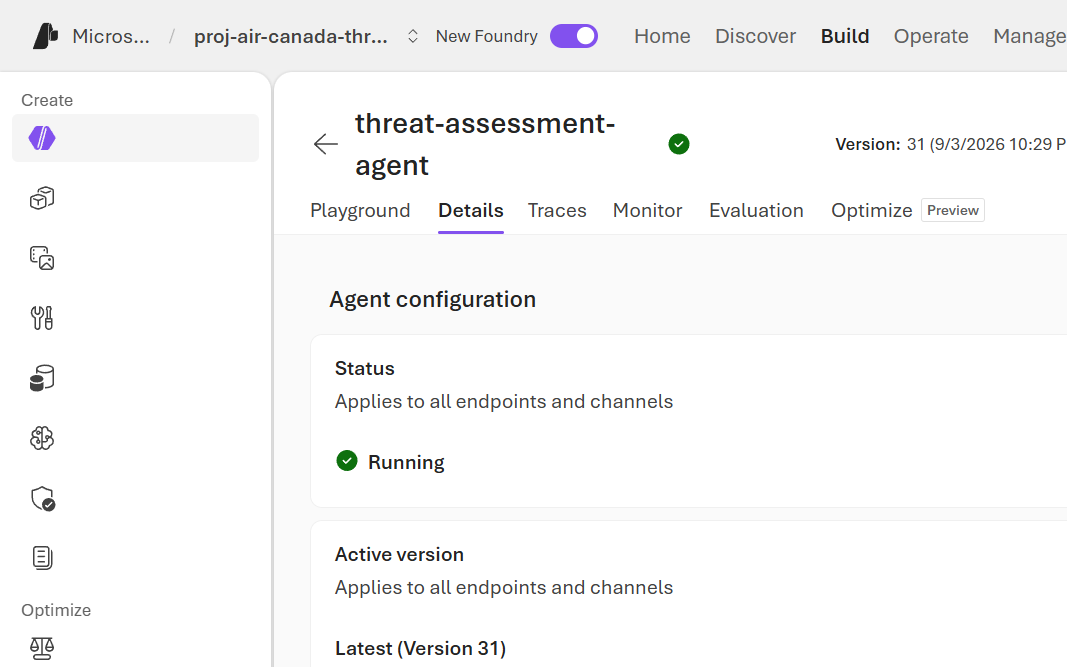
The screenshots in this section are historical setup captures, not evidence of the current agent version or trace coverage. Current release screenshots are on Release Evidence.
The resource group provisions one Foundry account/project pair per
environment (poc, staging), a Container Registry, and an Application
Insights component:


Each Foundry project also has its own Azure portal resource view, linking back to the Foundry portal itself via Go to Foundry portal:

The hosted agent appears in the Foundry portal's Agents list as a single
Hosted agent, versioned on every azd deploy:

Its Details tab confirms Kind: hosted, the running status, and the
active version, while Playground exposes a live log stream (Log stream) surfacing the underlying Python process's stdout/stderr for each
invocation, which is what surfaced the raw openai.AuthenticationError
traceback documented in
RBAC 401 Investigation:


The Traces tab requires a connected Application Insights resource before it can show invocation spans and tool-call metadata; at the time of this screenshot no App Insights connection had been configured for the hosted agent, so tracing fell back to the plain log stream instead:
