A custom card for displaying FYTA plant information on your Home Assistant dashboard.

- FYTA integration must be installed and configured in Home Assistant
- Displays plant image, name, and health status
- Shows sensor values with color-coded status indicators
- Customizable sensor display (moisture, light, temperature, nutrition, salinity)
- Interactive elements - click any sensor to view detailed data
- Battery status indicator with configurable threshold
- Compact display mode for smaller dashboards
- Add this repository as a custom repository in HACS:
- Go to HACS → Frontend
- Click the three dots in the top right corner
- Select "Custom repositories"
- Add
https://github.com/dontinelli/fyta-plant-cardwith category "Dashboard"
- Install "FYTA Plant Card" from HACS
- Refresh your browser
- Download
fyta-plant-card.jsfrom thedistfolder in this repository - Copy it to your
config/wwwdirectory - Add the resource in your dashboard:
- Go to your dashboard
- Click "Edit Dashboard" → "Manage Resources"
- Add
/local/fyta-plant-card.jsas a JavaScript module
- Refresh your browser
The card includes a visual editor for easy configuration:

For manual YAML configuration, use these options:
| Name | Type | Description | Default |
|---|---|---|---|
| type | string | custom:fyta-plant-card |
(required) |
| device_id | string | Device ID of the Fyta plant | (required) |
| title | string | Card title | Plant name |
| display_mode | string | full or compact |
full |
| battery_threshold | number | Battery level (%) at which icon appears (0-100) | 30 |
| preferred_image | string | user or default |
user |
| show_scientific_name | boolean | Show light sensor | true |
| state_color_battery | boolean | Expose battery state in color of battery icon | true |
| state_color_icon | boolean | Expose sensor state in color of sensor icons | true |
| state_color_plant | string | image, name, or disabled |
image |
| state_color_sensor | boolean | Expose sensor state in color of sensor bars | true |
| sensor | boolean | Array of sensor information | See sensors |
Sensors is a YAML array that set the order of sensors and whether they are enabled. Each entry consists of a type (light, moisture, temperature, salinity, or nutrients) and its state isEnabled.
Set battery_threshold to control when the battery icon appears:
0: Never show the battery icon30(default): Show only when battery is 30% or below100: Always show the battery icon- Any value in between: Show when battery level is at or below this percentage
type: custom:fyta-plant-card
device_id: 12345abc67890def123456
title: My Monstera
display_mode: compact
battery_threshold: 30
preferred_image: user
show_scientific_name: true
state_color_battery: true
state_color_icon: true
state_color_plant: image
state_color_sensor: true
sensor:
  - type: light
    isEnabled: true
  - type: moisture
    isEnabled: true
  - type: temperature
    isEnabled: true
  - type: nutrients
    isEnabled: true
  - type: salinity
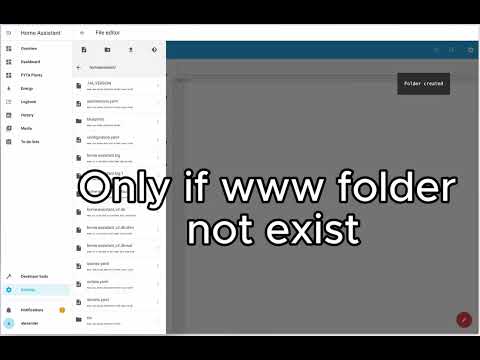
isEnabled: falseFor a visual guide on installation and configuration:
- Make sure your FYTA integration is properly set up with connected plants
- Verify your plant's device ID is correct
- Check browser console for any error messages
- If card does not appear after installation, clear your browser cache
This project is licensed under the GNU General Public License v3.0 (GPL-3.0).