Repository navigation
help button
On Landing Page Manager admin screens, Help is in the upper-right corner of the page. Its Landing Page Manager tab links to the guide article for the current screen.
- Select Help in the upper-right corner.
- Select the Landing Page Manager tab.
- Select Open the user guide. It opens
https://duppinstech.com/landing-page-manager/guide/with the current screen's fragment. The WordPress Dashboard opens#dashboard-widgets, the Landing Pages Dashboard opens#dashboard, and Settings follows the selected tab.
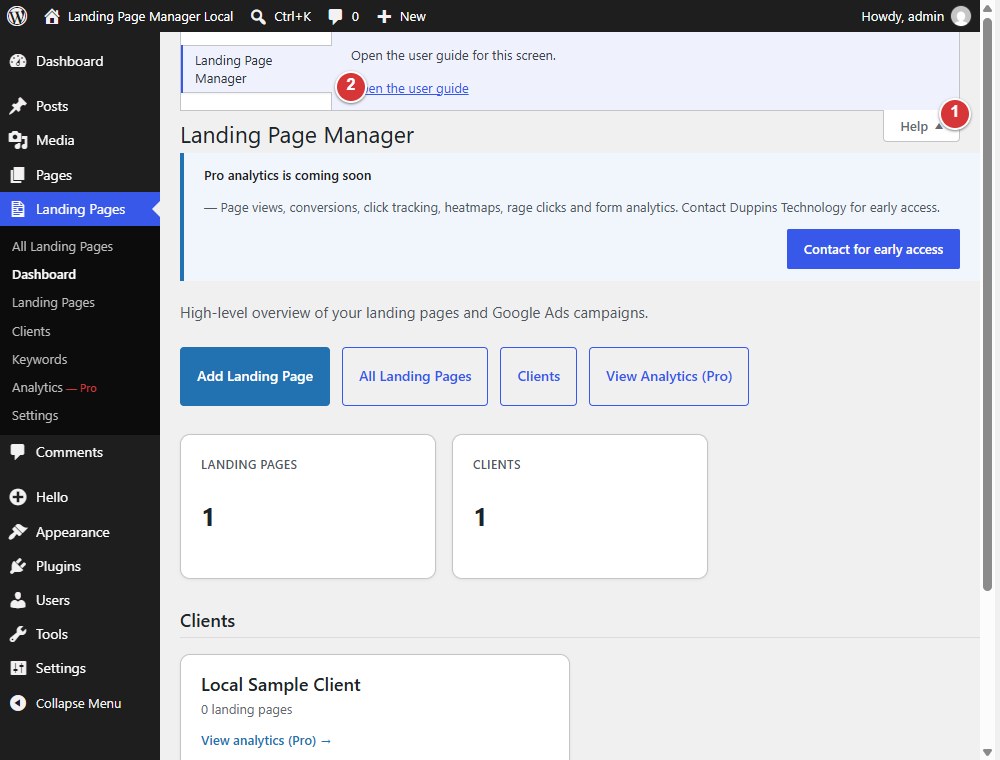
- Help opens the contextual Help panel.
- Open the user guide opens the guide for the current screen.