Home
EZoom is a self-hosted and cloud-ready virtual classroom platform designed to reduce the technical setup educators face when teaching online. It combines secure student entry, live educator video and voice, screen sharing, collaborative tools, and classroom engagement features in one focused application.
Live product site: https://ezoom.ejoetso.com
Cloud access: http://tiny.cc/ejoecast1
Source repository: https://github.com/ejoetso/EZoom
Educators often lose teaching time to complicated meeting configuration, difficult student onboarding, unreliable screen sharing, and disconnected teaching tools. EZoom provides a streamlined workflow so educators can create a room, share one code, and begin teaching quickly.
- Secure classroom creation and four-digit session codes
- Student entry with name, email, session code, and math security challenge
- Live educator camera and microphone broadcasting
- Screen sharing with compatibility modes
- Collaborative digital whiteboard and annotations
- Student chat, Q&A, polls, resources, and waiting room
- QR joining using the deployment's current network address
- Session recording and post-session reporting
- Responsive browser interface for educators and students
- Optional Gemini-powered learning assistance
- Docker-based self-hosted deployment
Watch or download the EZoom demonstration video.
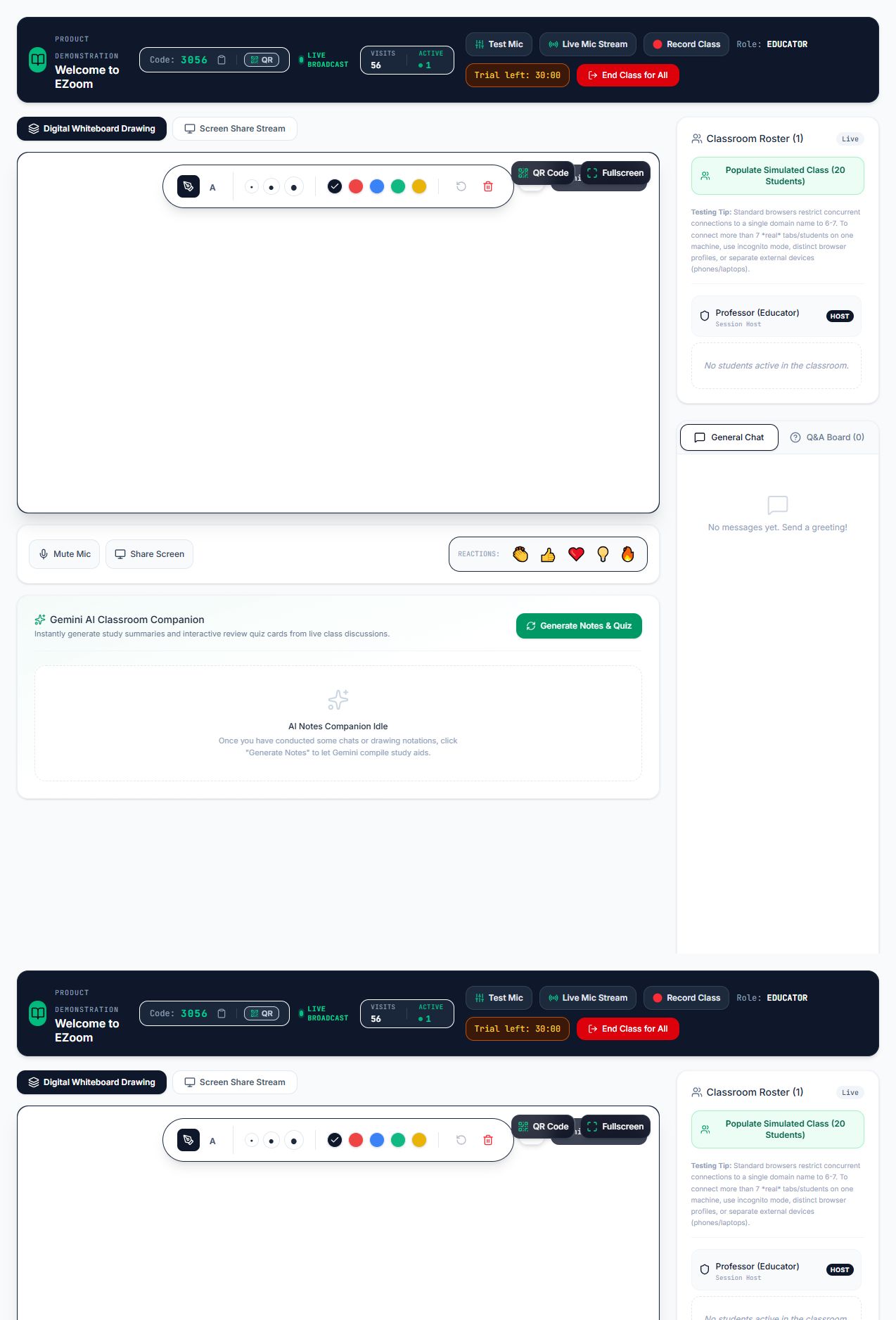
See the illustrated user guide for the complete educator and student walkthrough.
-
Email:
trial@ezoom.com -
Password:
trial@123 - Meeting limit: 30 minutes per meeting
Follow the step-by-step Trial Educator Login Guide to sign in, create a classroom, test the camera and microphone, and invite students.
- Docker Desktop or Docker Engine with Compose
- A computer or server reachable by intended students
- Modern Chrome, Edge, Firefox, or Safari browser
git clone https://github.com/ejoetso/EZoom.git
cd EZoom
cp .env.example .env
Set private administrator credentials inside .env, then start EZoom:
docker compose up --build -dOpen http://localhost:3000. Other devices on the same network can use http://YOUR_LAN_IP:3000.
docker compose ps
docker compose logs -f ezoom
docker compose downA new deployment must be activated with an authorised EZTRIAL-... licence key. The first successful activation creates persistent state under data/license.json and starts the 30-day evaluation period.
- Activation survives application and Docker restarts.
- The public trial educator account remains limited to 30 minutes per meeting.
- Trial keys are supplied privately and are not stored in the public repository.
- Docker Compose persists activation through the mounted
./datadirectory.
To request a trial key, email eozoe2025@gmail.com.
- Activate the local deployment using an authorised trial or licence key.
- Sign in through the educator area. For a public trial, use
trial@ezoom.comwith passwordtrial@123. - Enter the educator name, meeting title, and optional course name.
- Configure the waiting room, chat, recording, microphone, and camera.
- Create the session.
- Share the four-digit code, direct link, or QR code with students.
- Admit waiting students and begin the live lesson.
- End the session and review the post-session report.
- Open the EZoom deployment URL or scan the educator's QR code.
- Enter name and email address.
- Enter the four-digit session code.
- Solve the displayed math security challenge.
- Join the lobby and wait for educator approval when enabled.
- Watch and listen to the educator, view shared content, and participate through enabled classroom tools.
Self-hosted licensing is intended for organisations that want control over infrastructure, data location, and deployment. Community evaluation, Professional, Institution, and custom enterprise options are available.
Cloud licensing provides managed hosting, updates, and deployment support. See the current packages at https://ezoom.ejoetso.com/#pricing.
Eligible schools, registered charities, vocational providers, and higher-education institutes may apply for a renewable education licence for non-commercial teaching use. Hosting and infrastructure are not included.
Apply at https://ezoom.ejoetso.com/#license-application.
- Camera and microphone access generally require HTTPS or localhost browser context.
- Students joining from another device must not use
localhost; use the host's LAN address or public deployment URL. - Firewalls must allow the configured HTTP/WebSocket port.
- For internet-wide WebRTC deployments, configure HTTPS and appropriate ICE/TURN infrastructure.
- Test camera, microphone, speaker volume, and screen-sharing permissions before a live lesson.
- Keep administrator passwords and raw licence keys outside version control.
- Replace all default credentials before public deployment.
- Use HTTPS for production and cloud deployments.
- Restrict server access and apply operating-system security updates.
- Back up the persistent
datadirectory. - Review the repository's production-hardening notes before serving untrusted public users.
For trial keys, education licensing, commercial use, deployment assistance, integrations, or collaboration:
Email: eozoe2025@gmail.com
Copyright © 2026 Ejoe Tso. All rights reserved.