Releases: EricRhysTaylor/radial-timeline
6.2.6

Radial Timeline 6.2.6
This release sharpens three places authors feel every day: Inquiry's minimap, session timing, and AI model setup. It also includes smaller workflow polish for publishing, scene insertion, manuscript export, and Progress Mode docs.
Highlights
Minimap page icons animate during Inquiry runs in a cool new way!
The Inquiry minimap now shows activity on the tiny page/file icons themselves while an API run is in progress. The animation stays on the minimap, skips empty/non-page glyphs, and makes long runs incredibly fun! ;-)
Auto mode timing
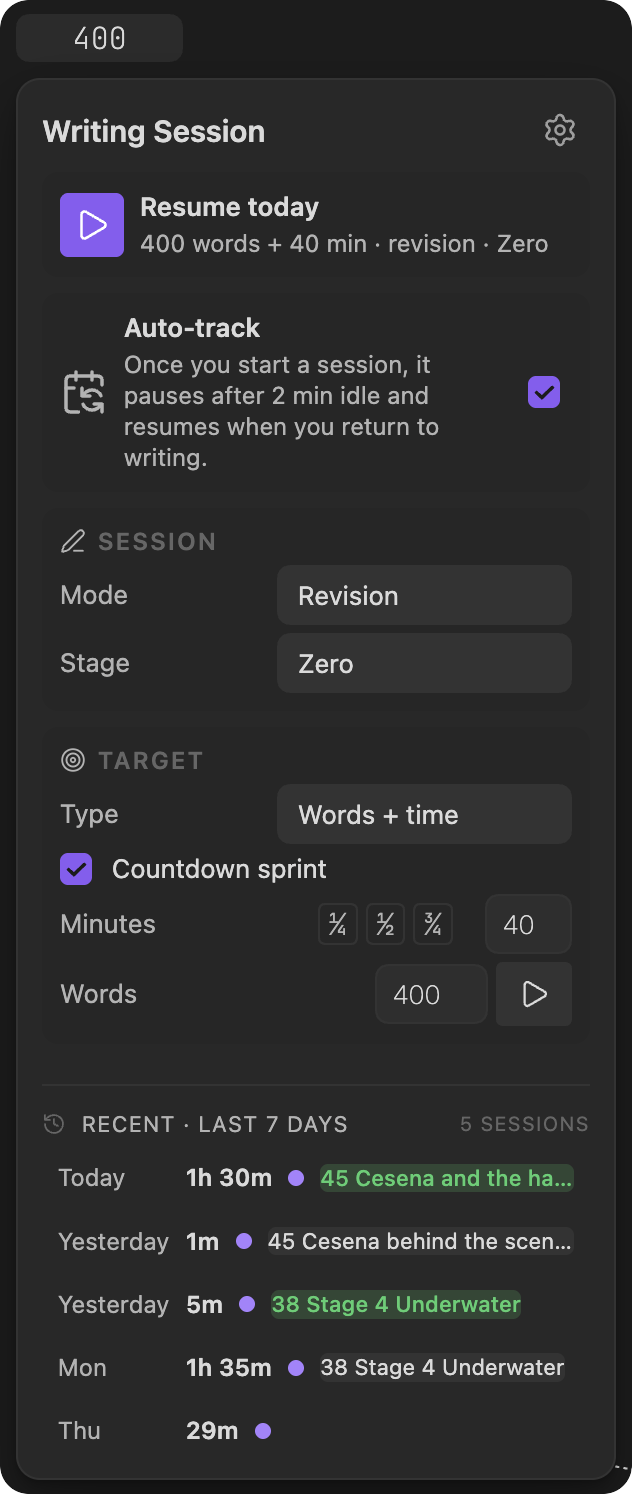
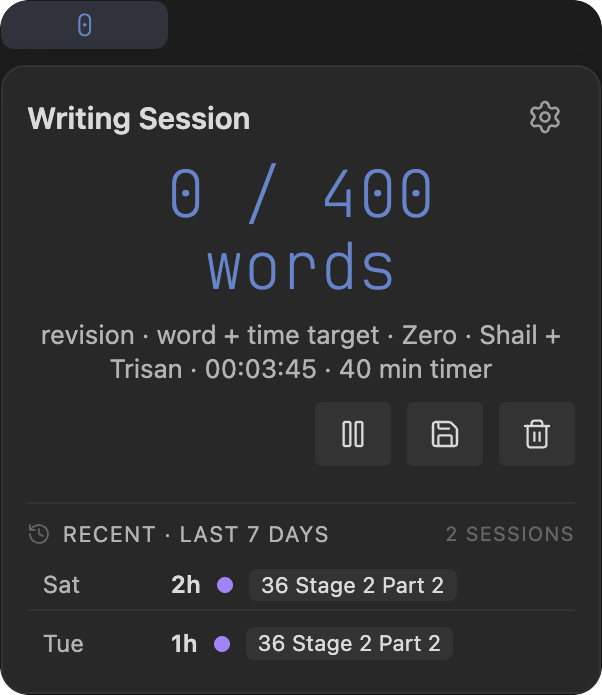
Auto-track now governs author-started writing sessions without silently giving up or auto-saving. Sessions keep running until you explicitly save them, away time is banked separately, and app switching no longer inflates active writing time.
The save popover also breaks down time and words by scene, so a session that moved across several notes is easier to review before you save it.
AI model support is leaner and more current
The supported model catalog has been simplified around the current frontier, economy, Gemini, and local lanes. Legacy GPT entries were removed, newer model lanes were promoted, model aliases were refreshed, and pricing/cache estimates were tightened so Settings -> AI and Inquiry cost previews are easier to trust.
More Improvements
- Added a Publish button beside the Complete dropdown in Social settings for Author Progress Report workflows.
- Added the Bonus Vaults / Website Exclusives card grid in the Pro tab.
- Preserved
%%ai: ...%%author-query markers in manuscript export so Editorialist can receive directed author questions from exported scenes. - Kept the Add Scene confirmation panel open with live progress while insert/rename work is still running.
- Cleaned up Narrative reorder context so it no longer includes misleading subplot data.
- Tightened Publish font validation so exact Arial is required when the system sans contract asks for Arial.
- Refreshed Progress Mode wiki language and screenshots around Status and Progress Stage behavior.
Screenshots
Inquiry minimap page icons

Auto-track session controls
Session save breakdown
6.2.5
What's Changed
A few refinements... ;-)
6.2.4
What's Changed
New Features
- feat(settings): move Export folder editing into a location modal (47256b44)
- feat(export): make the Export folder user-configurable (#25) (5f2400ad)
- feat(gossamer): rename saved runs/plots to Traces across UI, wiki, and docs (ad8c59f8)
Bug Fixes
- fix(i18n): update de/ja/ko/zh folder-setting descs for configurable Export folder (861ced2a)
- fix(multi-window): defer document enumeration to onLayoutReady — repairs broken plugin load (e5369112)
- fix(lint): mark intentional fire-and-forget promises with void (d7b96f47)
- chore(css): ratchet drift baseline to 2318 after legend-token + dead-rule fixes (cce64d8b)
- fix(lint): use window-prefixed timers for popout compatibility (89a47e23)
- fix(lint): sentence-case UI strings + product vocabulary for the rule (d875911f)
- fix(multi-window): rebind document-scoped services for popout windows (d21aedcb)
Improvements
- refactor(lint): remove 340 unnecessary type assertions (e9d774c4)
- refactor(lint): continue setCssStyles/setCssProps and removeProperty cleanup (a65afee7)
- refactor(lint): use setCssStyles/setCssProps for inline modal sizing and CSS vars (2fabec74)
Maintenance
- chore(audit): remove dead attachFolderSuggest param and orphan i18n keys (cb57b2e9)
- chore(lint): swap '0 PLOTS' sentence-case exemption for '0 TRACES' (85731c28)
- chore(lint): enforce the five cleared rules at zero in the ratchet lane (23ac4c32)
Other Changes
6.2.3
Radial Timeline 6.2.3
This is a plugin-review compliance release. It clears every error reported by the Obsidian community plugin scanner and hardens the plugin for popout windows. It does not add new author-facing workflow features.
Improvements
- Removed all
innerHTMLassignments from the plugin. Icons now use Obsidian's built-in Lucide icon API, and trusted SVG previews mount through aDOMParser-based helper, satisfying the scanner's strengthened source-code review. - Replaced global
documentreferences withactiveDocument/ownerDocumentacross the codebase so the timeline, synopsis, and inquiry surfaces render correctly in popout windows. - Fixed a latent bug where the year-progress ring fragment failed to parse during dynamic updates, and removed stray comment text that was being injected into the Chronologue missing-When warning tooltip.
- Capped Inquiry briefing/engine popovers to the view height so long inner lists scroll instead of overflowing.
- Removed the embedded README from Core settings.
- Refreshed the README header for the community listing (centered markdown-first header, larger logo, restored badges and before/after table).
Notes
- Engineering doctrine now hard-bans
innerHTML/outerHTMLwith no escape hatch; the internal compliance gate enforces the same rule the Obsidian scanner applies. - No new runtime feature surface is introduced in this patch.
6.2.2
Radial Timeline 6.2.2
This is a focused Obsidian Plugins Page readiness release. It does not add new author-facing workflow features; it tightens the public listing, review disclosures, and release packaging around the current plugin build.
Improvements
- Tightened README and directory-facing formatting so the Obsidian Plugins Page can render the plugin listing more cleanly.
- Shortened the manifest description so it no longer starts by repeating the plugin name.
- Clarified desktop support, privacy/security posture, external service use, and Pandoc export shell/file-system access in the README.
- Hardened release packaging with full production minification, CI-built release assets, and GitHub build-provenance attestations.
- Removed scorecard-noisy development dependencies and generated vault artifacts from the tracked repository.
Notes
- No new runtime feature surface is introduced in this patch.
- This release is intended to support the updated Obsidian Plugins Page review and listing flow.
6.2.1
Radial Timeline 6.2.1
This release makes the first-run experience clearer, makes Inquiry easier to try without setup, and sharpens writing-session and briefing workflows.
New Features
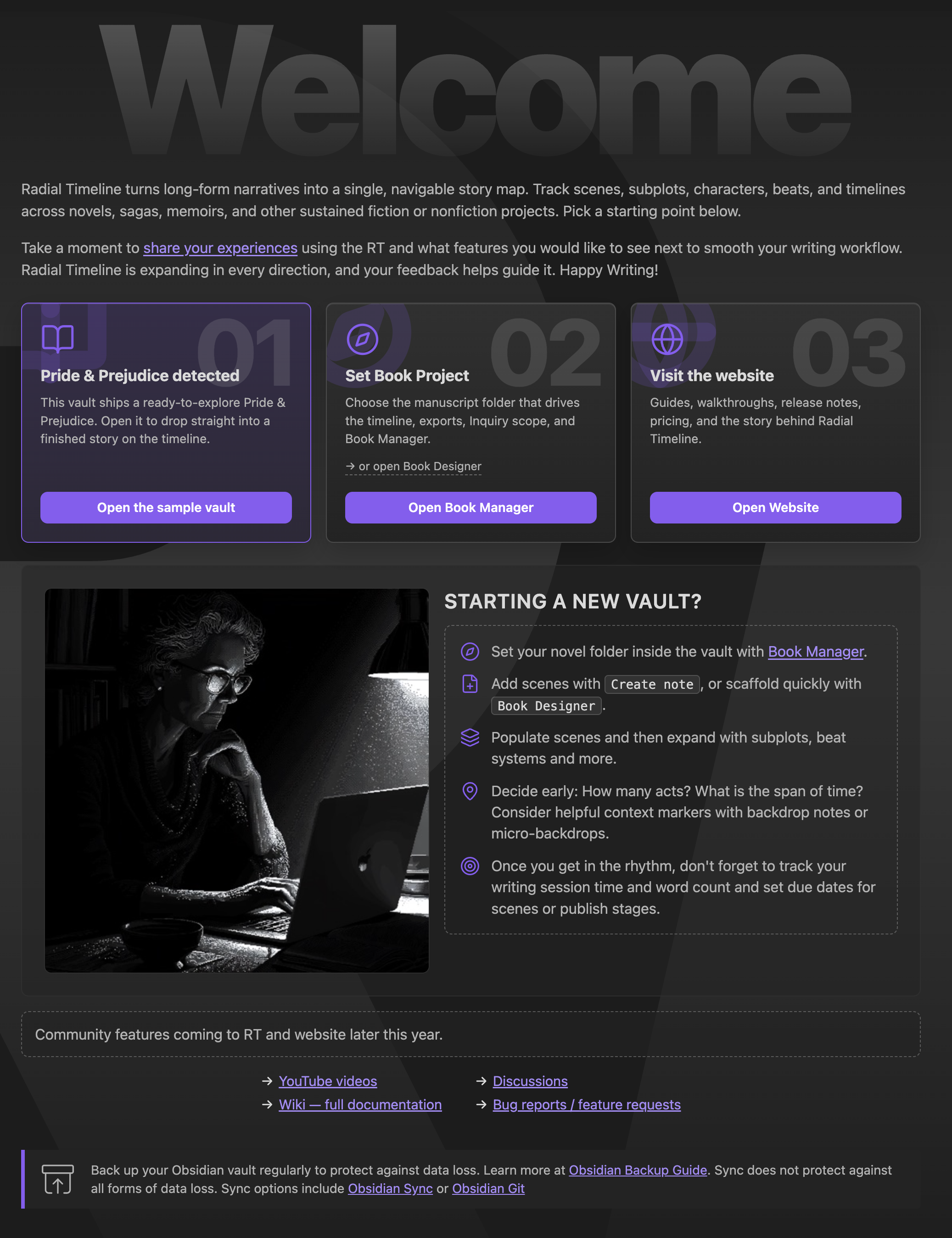
- Redesigned the Welcome screen.
- Better quick-start workflow.
- Cleaner sample vault and Book Manager entry points.
- Added a nicer welcome image.
- Added no-key Demo Mode for Inquiry.
- Demo vault briefings can be opened and reviewed without an API key.
- Demo zones stay clickable so authors can explore the briefing flow before configuring AI.
- Added Claude Opus 4.8 support.
- Opus 4.8 is now the current Anthropic Opus option for Inquiry and AI analysis.
- Opus 4.7 remains available as the previous Opus continuity option.
- Better Pending Edits action items in Inquiry briefings.
- Briefings now keep evidence findings separate from pending action items.
- "No Action Items" appears only when a completed pass really found none.
- Added Inquiry session-state controls.
- Briefing Manager can save and restore session state.
- Refined the writing-session count popover.
- Session history is easier to review from the count popover.
- Session save details handle dates and notes more cleanly.
- Added Gossamer cache visibility and full reset.
- Gossamer now shows cache-window status and clearer next-run cost context.
- The Gossamer score modal now includes a "Delete all" option for clearing saved scores.
Improvements
- Inquiry engine button now opens the engine popover directly.
- Inquiry briefings use cleaner labels, clearer scene-note headlines, and less redundant Findings structure.
- Inquiry reruns preserve useful prior context instead of feeling like a full reset.
- Gossamer separates last-run cost from next-run projections.
- Settings Publish and Manuscript Export wording is clearer around templates, updates, and export choices.
- Manuscript beats can auto-adopt into an empty workspace when a book source folder is set.
- Fresh installs skip upgrade alerts meant only for existing vaults.
Bug Fixes
- Fixed Opus 4.8 response formatting issues that could confuse Inquiry results.
- Fixed Inquiry briefings that could duplicate action-led scene notes or show empty placeholder findings.
- Fixed Demo Mode briefings that appeared stale or unavailable when no API key was configured.
- Fixed Inquiry marker tooltips and a crash when interacting with SVG question markers.
- Fixed export panel scene selection after closing scenes and restarting Obsidian.
- Fixed Welcome screen command chips, Book Manager scrolling, spacing, and sample-card labels.
- Fixed timeline tab title refresh after changing books.
- Fixed session-save date handling.
- Fixed Gossamer cache-window and footer button styling.
Visual Highlights
Updated Welcome screen
6.2.0
Radial Timeline 6.2.0
Thank you to Fioretin for the thoughtful feedback in GitHub Discussions #11. It helped sharpen this release.
Important: restoration and recovery files now live outside Radial Timeline/Logs, so the large Logs folder can be deleted without losing critical restore data.
This release adds easier world-calendar conversion, clearer chapter setup, word-based writing goals, less confusing Publish setup, clearer Inquiry status, and a direct bug-report path.
New Features
- Moved restoration data out of Logs.
- Restore files, snapshots, and recovery archives now live in
Radial Timeline/Recover. - Large AI/content logs can be deleted without wiping critical restore materials.
- Restore files, snapshots, and recovery archives now live in
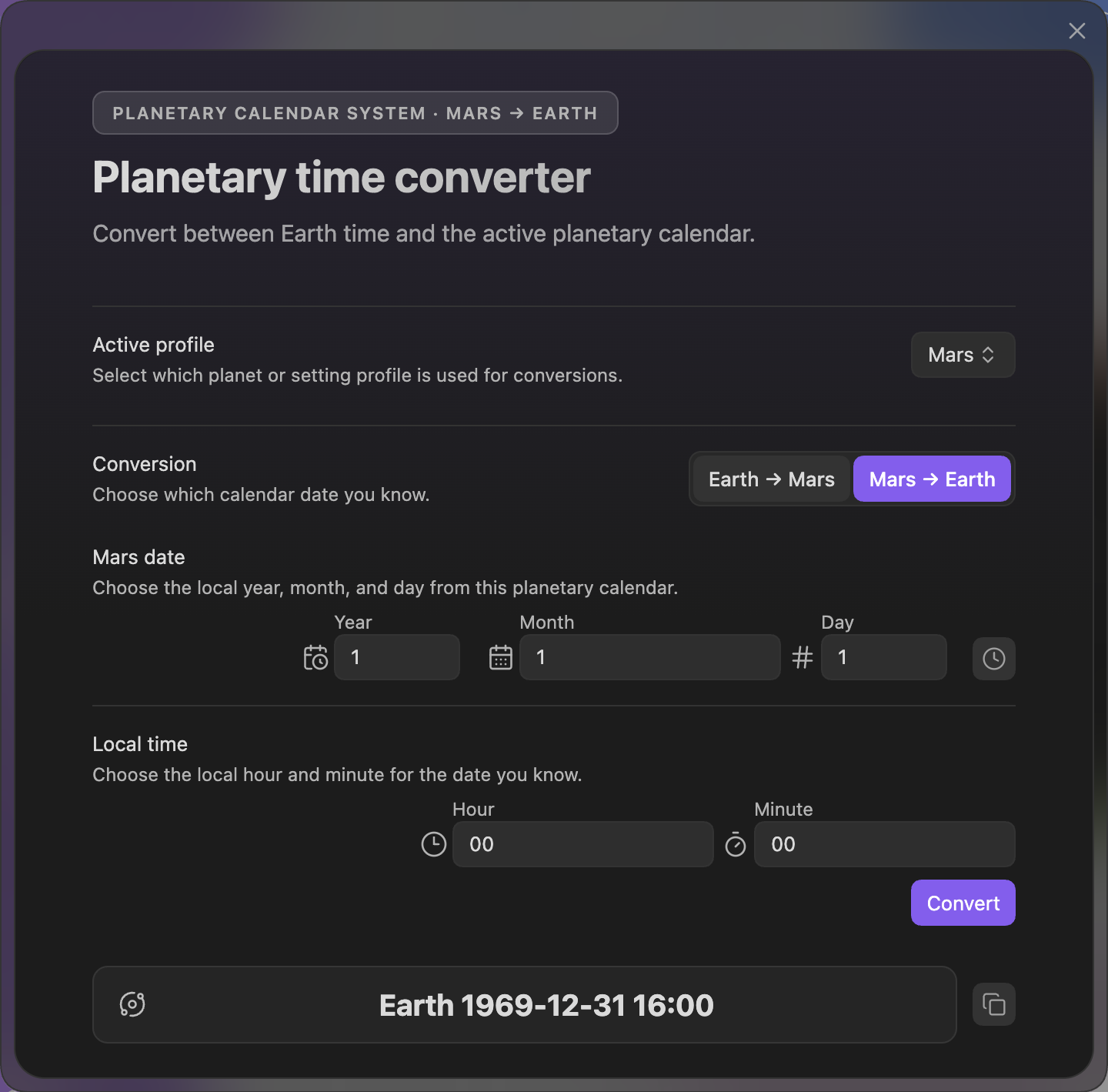
- Revamped the Alien Calendar Calculator and Chronologue Planet Calendar flow.
- Convert Earth dates into your world's calendar.
- Convert your world's local date and time back into an Earth timestamp.
- Switch conversion direction inside the calculator.
- Open Chronologue directly in Planet Calendar mode from Settings -> Core -> Chronologue when a valid planetary profile is active.
- Expanded writing-session visibility.
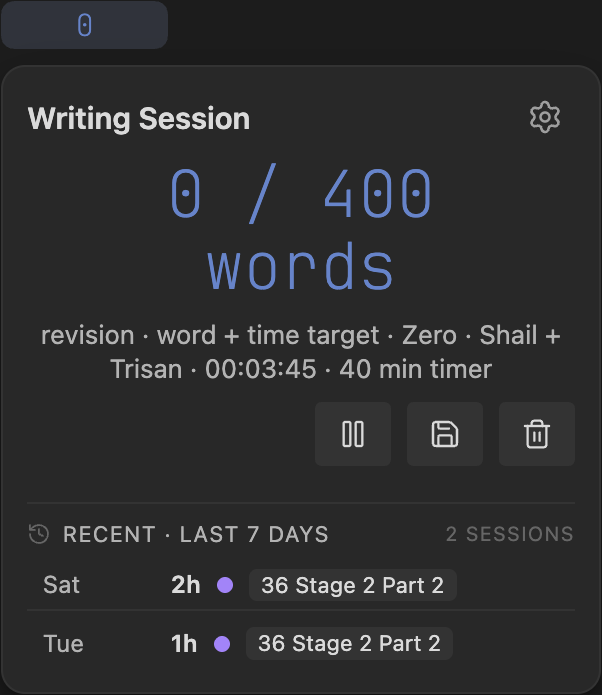
- Added session history to the title-bar count/session popover.
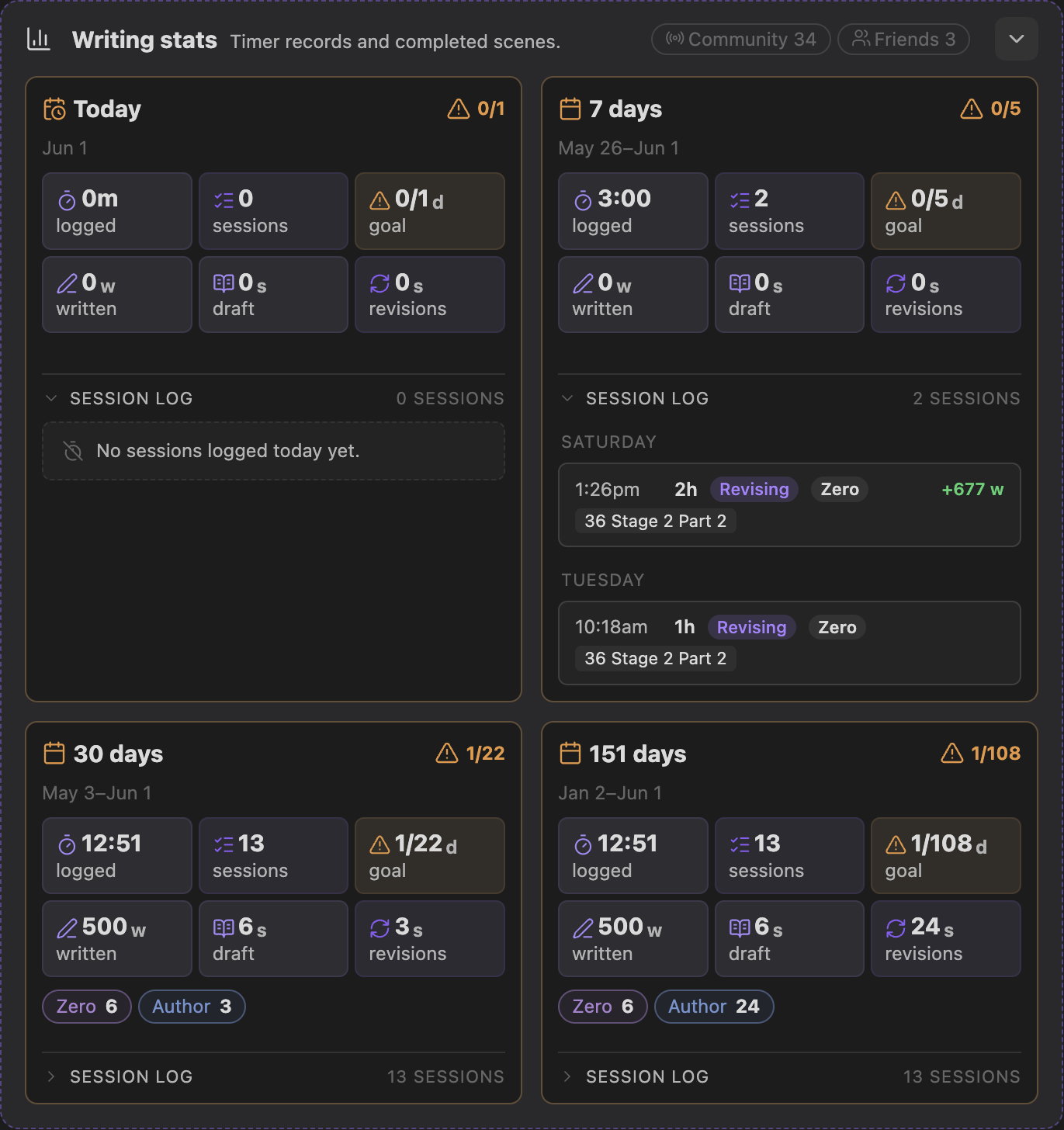
- Added four Settings -> Core writing stat cards for Today, 7 days, 30 days, and the full tracked span.
- Added typed-word counting, daily word targets, and session targets for time, words, or both.
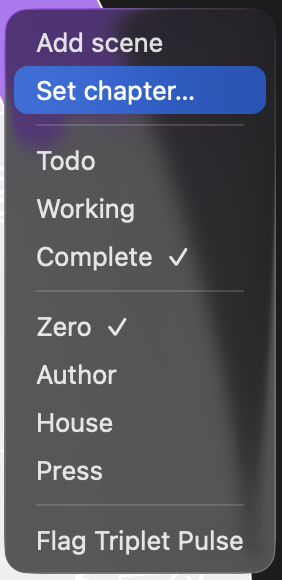
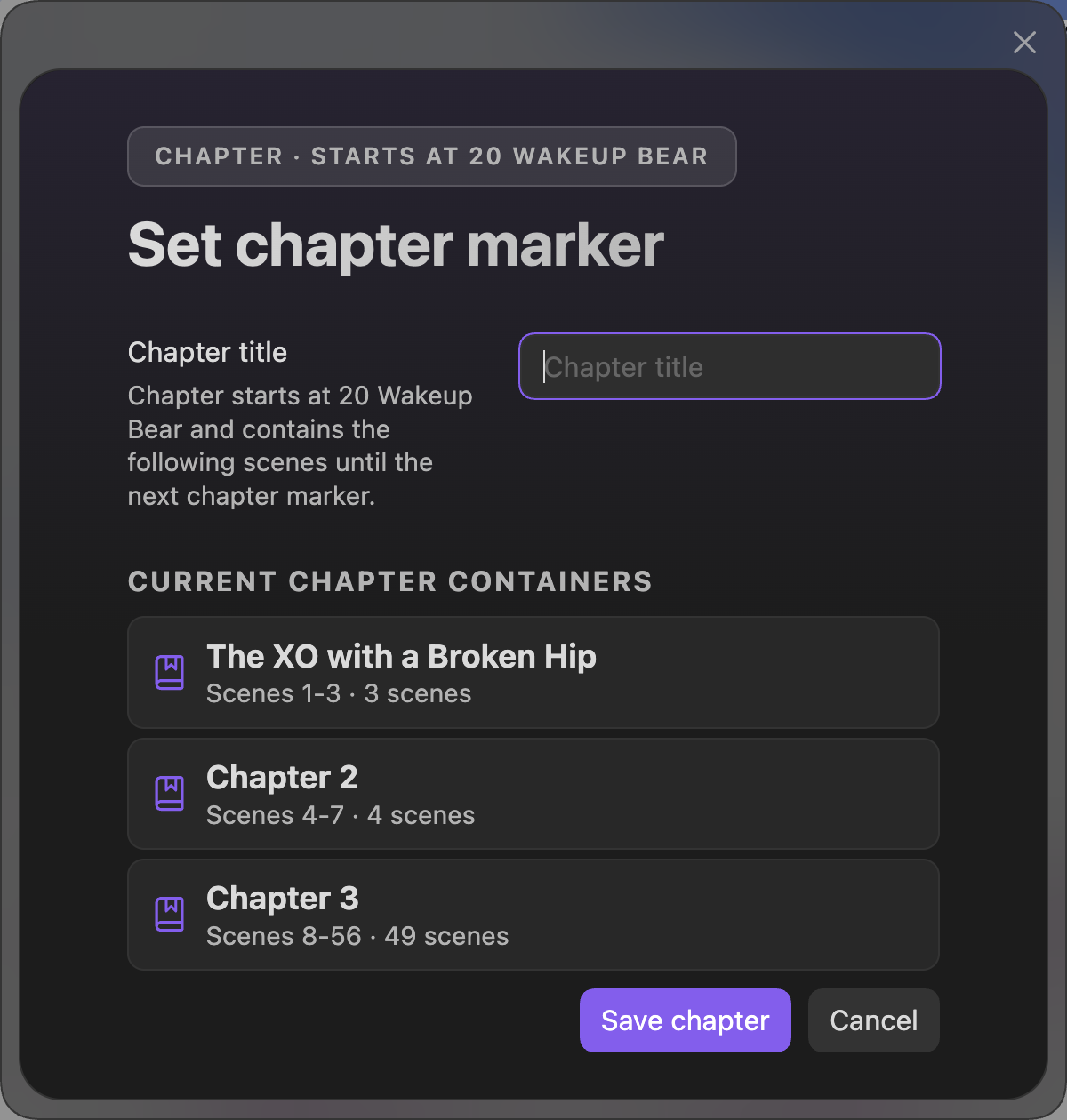
- Added timeline chapter markers from the scene right-click menu.
- Set or clear a
Chapter:marker directly from a scene. - Review the current chapter containers before saving so it is clear that a chapter can contain multiple scenes.
- Keep publishing structure aligned with the Narrative timeline.
- Set or clear a
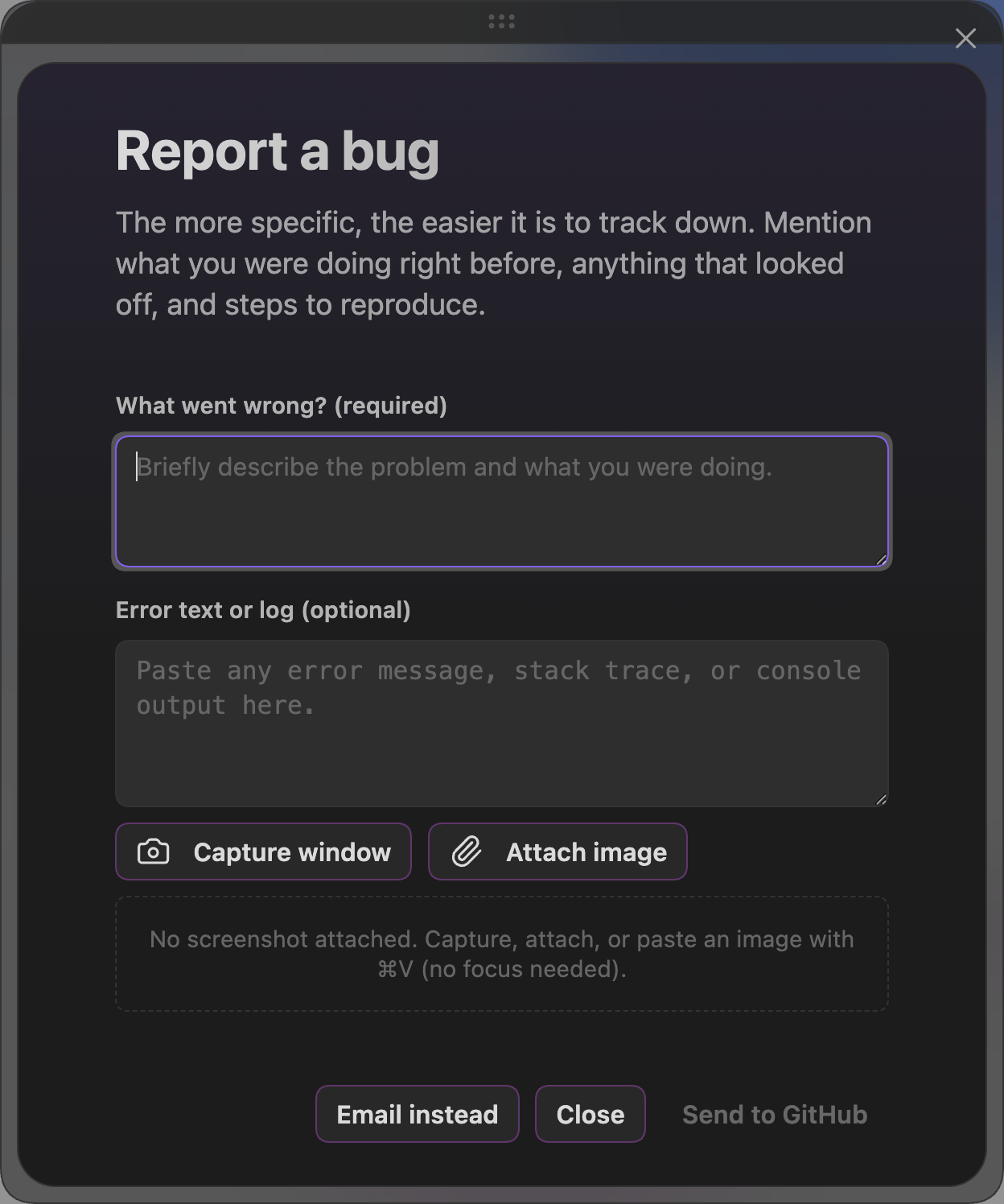
- Added a built-in bug report workflow.
- Capture or attach a screenshot.
- Paste an image from the clipboard without focusing a field first.
- Post to GitHub, or use the email fallback if you do not have a GitHub account.
Improvements
- Clarified Publish setup around Pandoc, LaTeX, bundled templates, bundled fonts, and custom/system fonts.
- Improved PDF template/font guidance so install buttons now make clearer what Radial Timeline installs into the vault and what still has to be installed on the computer.
- Improved chapter and publishing structure guidance around scenes, chapters, Parts, Acts, and subplots/arcs.
- Improved manuscript export guidance around wikilinks and cleanup behavior.
- Improved Chronologue defaults for authors who regularly work in planetary calendars.
- Updated Inquiry View Pro controls to use a simpler button style with magenta status numbers instead of inner-circle badges, making prior-run and stale-state status easier to read.
- Hardened AI model routing and provider handling, including Claude Opus 4.7, Gemini, local LLM capability checks, model availability gates, and stricter request profiles.
- Improved AI cost and token estimates across Settings AI, Inquiry, and Gossamer so previews better reflect what will be sent.
- Improved Gossamer AI analysis with response validation, safer frontmatter writes, clearer progress/error states, and better handling for beat purpose text.
- Improved Inquiry briefing behavior, including sorted findings/action items, compact briefing fingerprints, cache-state recovery, and more reliable reopened sessions.
Bug Fixes
- Fixed AI API cache accounting so created cache tokens, cache hits, cache TTLs, and actual run costs are treated correctly across Inquiry and Settings AI.
- Fixed model dispatch so unavailable models are blocked before burning quota on provider errors.
- Fixed Gossamer scoring cases where the wrong prompt shape, missing Beat Purpose, or malformed AI responses could produce bad run data.
- Fixed Inquiry cache and estimate edge cases that could leave stale, missing, or misleading status in the view.
Visual Highlights
Alien Calendar Calculator
Active writing session history
Settings Core writing stats
Chapter right-click menu
Set chapter marker
Bug report workflow
6.1.0
Radial Timeline 6.1.0
This release adds workflow enhancements and improved UI, with session tracking, daily goals, clearer timeline controls, and contextual scene insertion from the timeline.
New Features
- Added Goals & Sessions for tracking writing momentum.
- Settings → Core dashboard for drafting pace, daily targets, weekly goal days, and local writing stats.
- Title-bar numeric counter for quick session visibility.
- Timeline popover for starting, pausing, and saving sessions.
- Multi-mode count ring beside the center progress ring with animated ring feedback while a tracking session is active.
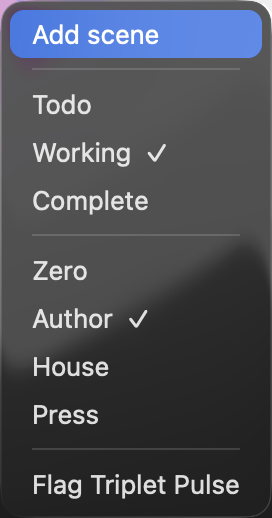
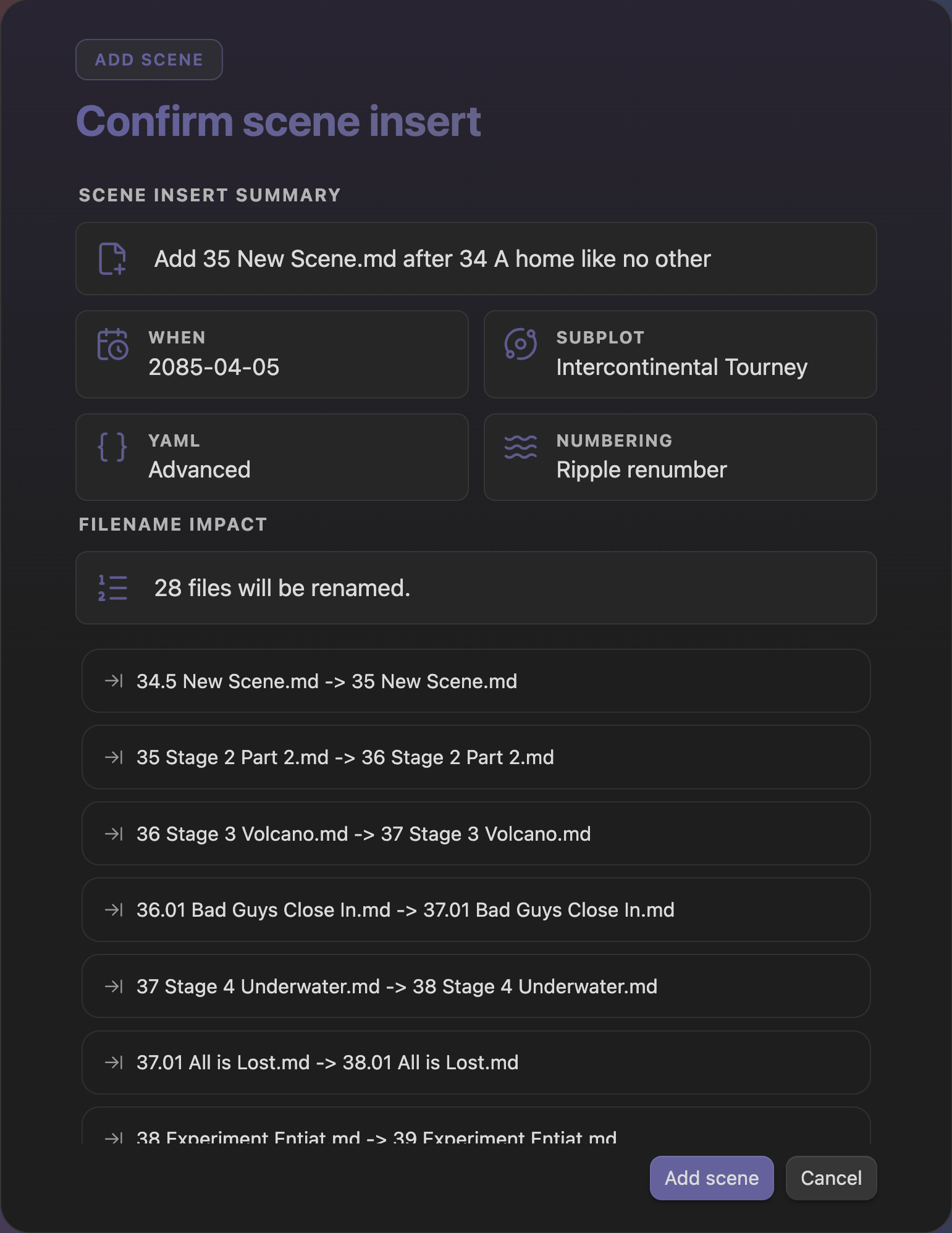
- Added right-click Add Scene in Progress, Narrative, and Chronologue modes, using the selected scene as the anchor for placement, act,
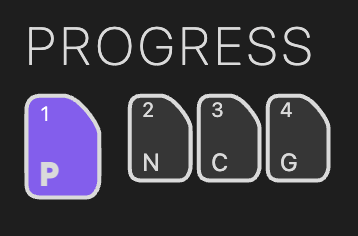
When, YAML mode, and subplot context. - Restyled the Radial Timeline mode buttons with a smaller, cleaner control treatment and updated the timeline legend.
Visual Highlights
Goals & Sessions
Timeline session controls

Right-click Add Scene
Add Scene confirmation
Radial Timeline mode buttons
Radial Timeline legend
Improvements
- Improved AI model handling with request profiles for provider-specific capabilities, including models that manage sampling or reasoning settings differently.
- Added ChatGPT 5.5 to the supported OpenAI models.
Bug Fixes
- Fixed timeline count and mode-control styling regressions.
6.0.6
Radial Timeline 6.0.6
This is a visual polish and APR reliability release.
Note: Pandoc PDF Designer is still under development and is not yet released. Use one of the four built-in PDF templates.
New Features
- Added selectable Working-scene patterns in Settings → Core, with new built-in SVG motifs for customizing how active scenes appear on the timeline.
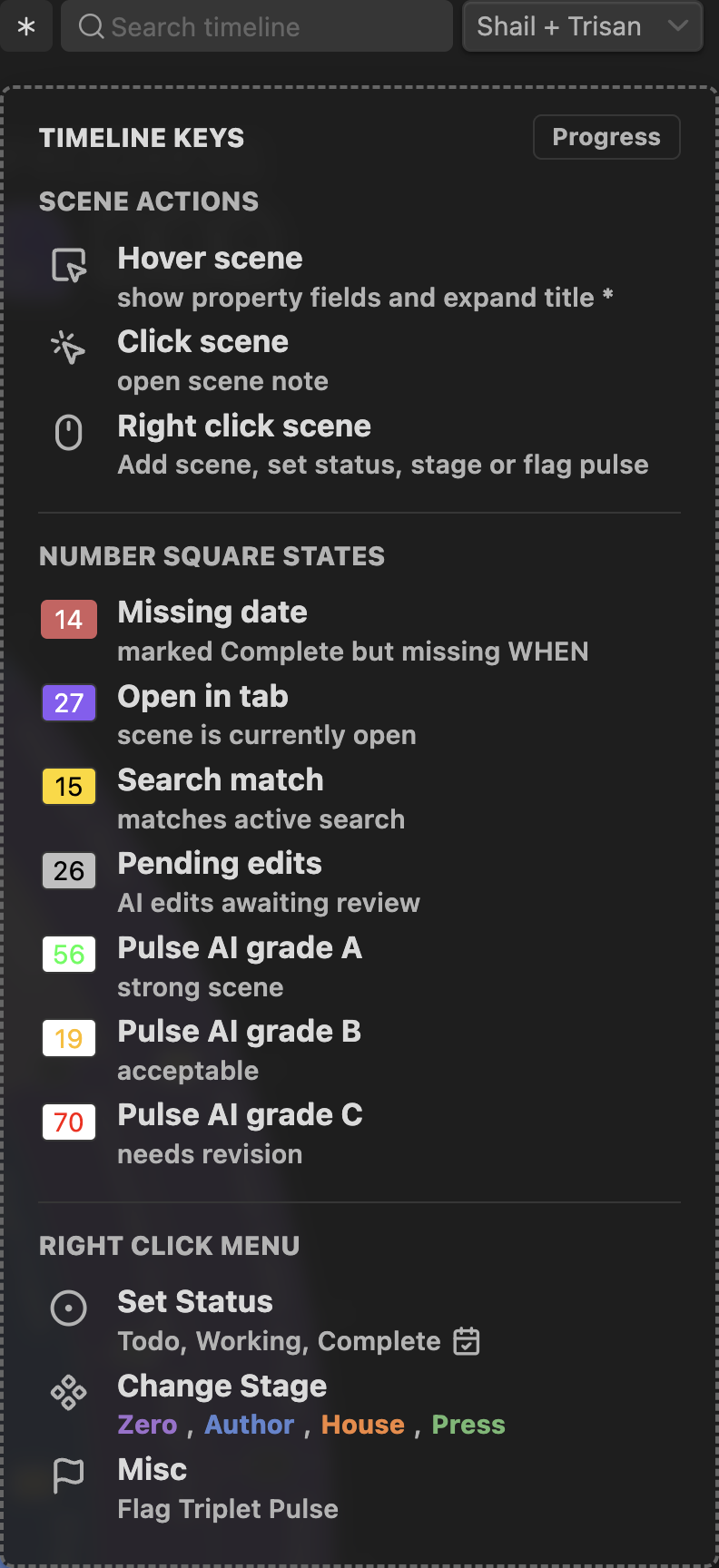
- Added more detail to the Timeline legend, including number-square state guidance for scene interaction and status reading.
- Added clickable APR output paths so generated reports can be revealed directly in the system file manager.
Improvements
- Refined APR preview and export rendering so shared PNG/SVG output follows the main Timeline visual language more closely.
- Improved campaign publishing controls, including clearer stage reveal states and default-report view behavior.
- Continued hardening the Pandoc PDF Designer internals, including style-wizard copy, template tier behavior, and PDF layout validation.
- Updated license, notice, bundled-font credits, and v7 migration planning docs.
Bug Fixes
- Fixed APR campaign export and teaser-stage reveal edge cases, including manual stage reveal behavior.
- Fixed Social settings alignment and border color picker behavior.
- Fixed PDF publishing validation edge cases around bundled templates and layout tier access.
6.0.5
Radial Timeline 6.0.5
This is a localization, Inquiry, publishing, and timeline reliability release.
Note: Pandoc PDF Designer is still under development and is not yet released. Use one of the four built-in PDF templates for now.
Improvements
- Added broader language support with expanded UI translations for Japanese, Chinese, Korean, and German, backed by English fallback text where coverage is still growing.
- Improved Inquiry Saga processing for multi-book analysis across Book Manager profiles, with stronger provider handling for large Gemini and OpenAI runs.
- Improved AI cost, cache, and provider-status reporting so Inquiry and runtime workflows show clearer estimates, cache reuse state, and provider errors.
- Advanced the publishing system toward the Pandoc Design Wizard with generated style specs, LaTeX preview support, PDF wizard fixtures, font resolution checks, and visual QA baselines.
- Updated Radial Timeline branding with the RT logo replacing the generic shell icon in key timeline surfaces.
Documentation
- Reworked the wiki around the current four timeline modes, Inquiry, Publishing, Settings, and refreshed screenshot assets.
Bug Fixes
- Fixed Inquiry Saga scope issues across Book Manager profiles and provider runs.
- Fixed AI cache and cost reporting so cache status, cache windows, and displayed estimates come from one source of truth.
- Fixed Timeline Repair and normalizer edge cases with expanded regression coverage.
- Fixed PDF publishing validation and font-resolution edge cases found while preparing the Pandoc Design Wizard.