v0.1.1 — Custom installer + 10 languages

A polish release: the setup experience and the app itself now both speak multiple languages, and the installer is no longer a stock template.
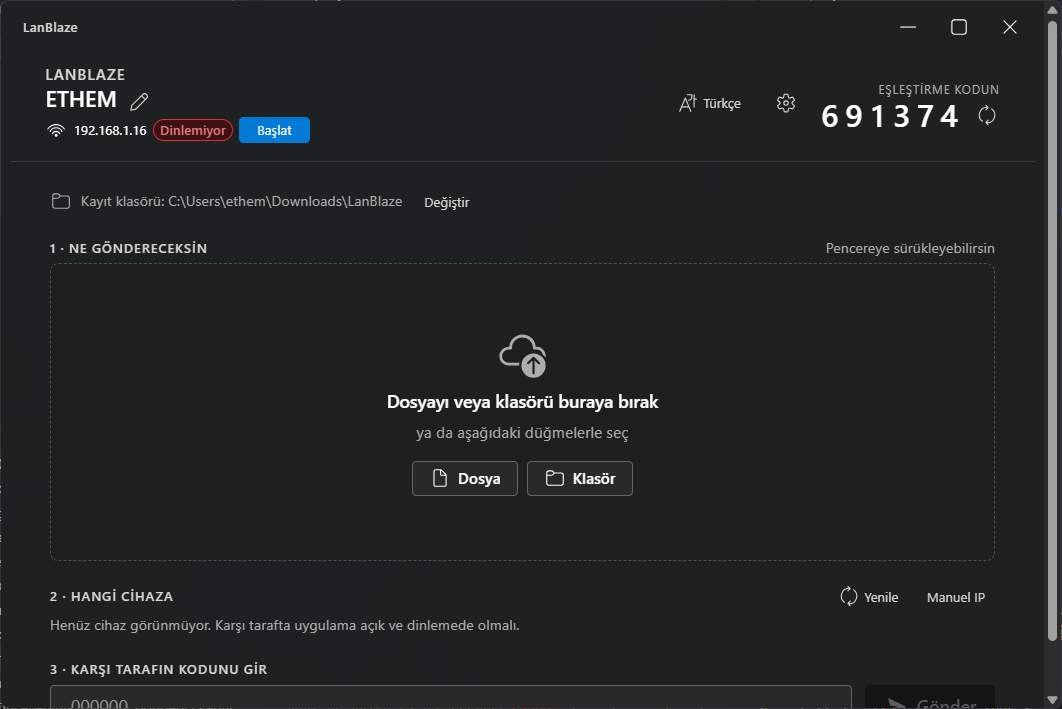
What's new
Custom NSIS installer
- Per-user or all-users install — the installer asks at first run; per-user path needs no admin rights.
- Language selector on the first installer page (10 locales).
- Branded artwork — custom header bitmap, sidebar bitmap, and installer icon.
- LZMA compression — smaller download (~2.7 MB).
- Start menu folder is
LanBlaze.
App-level internationalization
The whole UI is now translated. You can switch on the fly from the top-right language menu; choice is remembered next launch. Bundled locales:
| English | Türkçe | Español |
| Deutsch | Français | 日本語 |
| 中文 (Simplified) | Русский | Português |
| العربية (RTL) |
Auto-detect uses the OS language, falling back to English if unsupported.
Install
- Download
LanBlaze_0.1.1_x64-setup.exefrom the assets below. - Run it. Pick your installer language, then choose install for me only (no UAC) or all users.
- On first launch allow the Windows Defender Firewall prompt — check Private networks + Allow access.
Installer is unsigned, so SmartScreen will show "Unknown publisher". Click More info → Run anyway to proceed.
From source
git clone https://github.com/ethemdemirkaya/lan-file-transfer
cd lan-file-transfer
git checkout v0.1.1
npm install
npm run tauri build
Requires Node ≥ 20 and stable Rust.
Known limitations
- Windows only in this release.
- No transport encryption yet — pairing code prevents accidental cross-talk, not eavesdropping. TLS is on the roadmap.
- The "install for me / all users" page on the installer still shows its title in English when Turkish is selected — Tauri's bundled NSIS language pack is missing those strings; cosmetic only.
Changes since v0.1.0
feat: i18n with 10 languages + custom NSIS installer (v0.1.1)— 7d0a27d