v0.2.0 — Background-friendly + trust + history + accessibility

A big feature batch. LanBlaze now behaves like a proper desktop app — it lives in the tray, starts with Windows, fires real system notifications, remembers your transfers, and trusts the senders you tell it to.
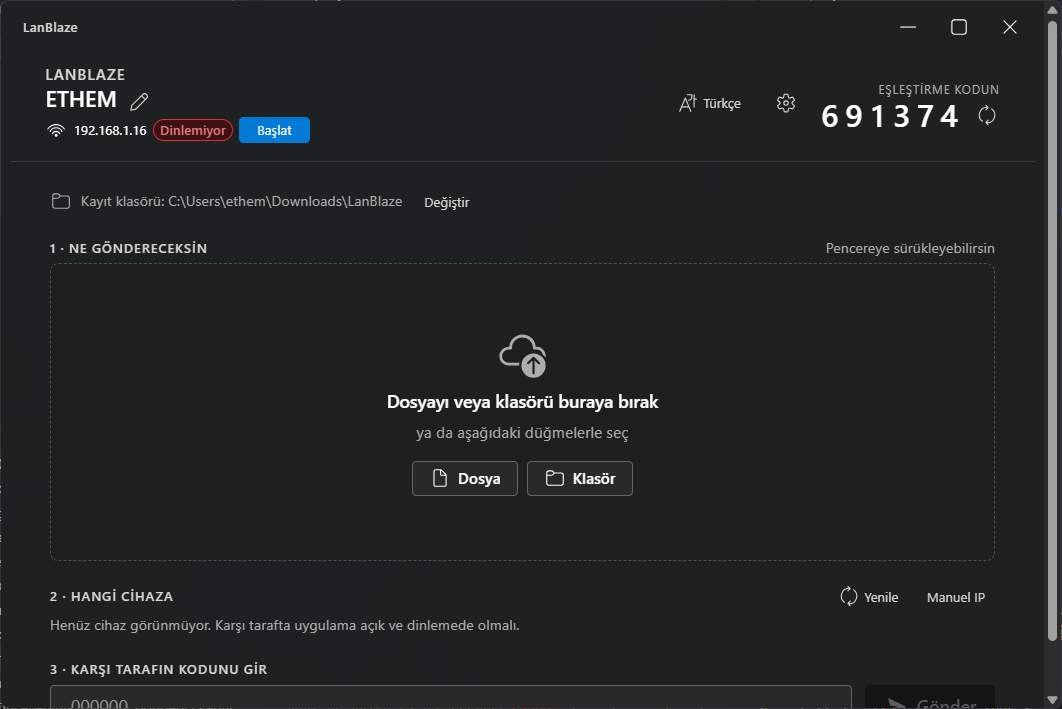
What's new
Background-friendly
- System tray icon with "Show LanBlaze" / "Quit" menu and left-click to restore.
- Close-to-tray (Settings): when on, the close button hides the window instead of quitting, so the receiver keeps running.
- Start with Windows (Settings): wires up
tauri-plugin-autostart; the autostart launch keeps the window hidden so it starts silently. - System notifications: incoming requests and completed transfers fire OS-level toasts via
tauri-plugin-notification, even when the window is in the background.
Trust list
- The incoming-request dialog now has an "Always trust this device" checkbox.
- Trusted senders skip the dialog entirely on subsequent transfers (still shown as in-flight; just auto-accepted).
- Manage the trust list from Settings → Trusted devices with a one-click remove.
Disk-space pre-check
Before accepting a transfer, the receiver checks the destination volume for ~1.05× the announced size and rejects with a clear reason instead of failing mid-write.
Persistent history
Transfers are now appended to history.json (alongside settings.json in the OS app-config dir), capped at the 200 most recent entries. Visible under Settings → Recent activity with a clear button.
Settings drawer
Single side drawer with everything in one place:
- Theme — system / light / dark (overrides the OS theme follow)
- Sound on incoming transfers (Web Audio chime)
- System notifications toggle
- Start with Windows
- Close to tray
- Trusted devices
- Recent activity
Sound
Short two-tone chime plays on incoming requests and completed transfers (off by default for the previous version — now on, gated by Settings).
Accessibility
- ARIA labels on all icon-only buttons (regenerate, rename, settings, remove).
<section>elements wired toaria-labelledby.- Peer tiles are now
role=button+ keyboard activatable +aria-pressed.
Install (Windows)
- Download
LanBlaze_0.2.0_x64-setup.exefrom the assets below. - Pick your installer language, choose per-user or all-users install.
- On first launch allow the Windows Defender Firewall prompt — check Private networks + Allow access.
Installer is unsigned, so SmartScreen will show "Unknown publisher". Click More info → Run anyway.
Upgrade notes from 0.1.x
- Existing settings (
settings.json) are auto-migrated — new fields default to safe values (theme=system, sound on, notifications on, autostart off, close-to-tray off, empty trust list). history.jsonis created on the first completed transfer.
Known limitations
- Still Windows only.
- No transport encryption yet — TLS is on the roadmap.
- Auto-updater is intentionally deferred — wiring it up needs a signer keypair and signed release artefacts; will land in 0.2.1.
- The installer's "install for me / all users" page title still falls back to English when Turkish is selected (Tauri-bundled NSIS language pack is missing those strings; cosmetic only).
Changes since 0.1.1
feat: background-friendly + trust + history + theme + sound + a11y(029f73a)chore: bump to 0.2.0(4ab6da0)chore: defer updater plugin to a later release(3b2baf6)docs: refresh main screenshot for v0.2.0(3b3db2b)