v0.2.1 — Live transfer rates + mDNS refresh

Polish release on top of 0.2.0. Transfers now show what's actually happening on the wire and on disk in real time, and the mDNS asymmetric-discovery bug is fixed.
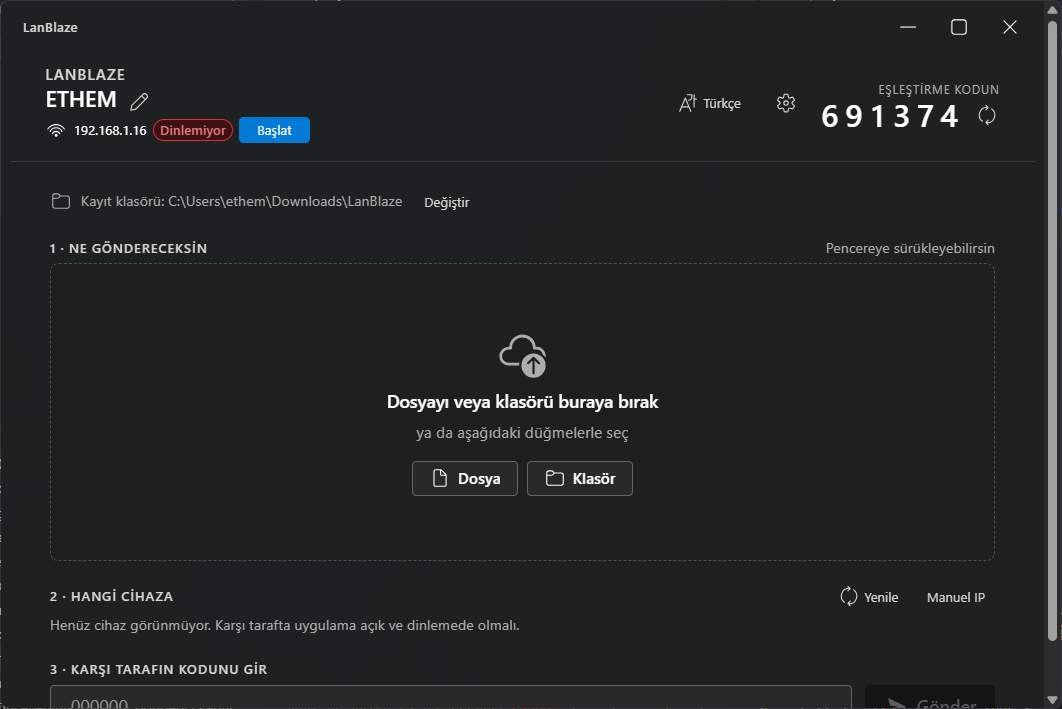
What's new
Live per-direction rates
- Instant MB/s (last emit interval) shown big, next to ⌀ average since the transfer started.
- Remaining files counter and an ETA derived from the live rate.
- Receiver only: a second inline line shows
network: X · disk: Y MB/sseparately. If the two numbers diverge, the slow side is obvious.
Receiver: network ↔ disk decoupling
The per-file loop used to read from TCP and write to disk in the same async task, so the two rates were always identical and the in-flight buffer was zero. The receiver now spawns a separate writer task connected to the reader by a bounded mpsc::channel<Vec<u8>>(8) (~2 MB in-flight). The reader does TCP read + blake3 + send; the writer does write_all + atomic disk counter. They drift naturally when the disk is the bottleneck.
mDNS asymmetric discovery — fixed
Bug: if device X opens first and Y opens later, Y sees X (Y sends a fresh query on join, X answers) but X often doesn't see Y because mdns-sd's built-in join announcements get lost on Wi-Fi multicast and the background re-announce interval is long.
New ↻ Refresh button next to the Manual IP toggle in Step 2. Under the hood it:
- Re-issues the browse query, so the daemon resends our question on the wire.
- Re-broadcasts our own advertisement (
unregister+register). - Restarts the browser thread so newly-resolved peers reach the UI.
Press it whenever a peer fails to show up; it's also fine to leave the discovery to run in the background — this is just the user-controlled nudge.
Install (Windows)
- Download
LanBlaze_0.2.1_x64-setup.exefrom the assets below. - Run it. Pick your installer language, choose per-user or all-users install.
- On first launch allow the Windows Defender Firewall prompt — check Private networks + Allow access.
Installer is unsigned, so SmartScreen will show "Unknown publisher". Click More info → Run anyway.
VM testing (VirtualBox)
To test peer discovery and end-to-end transfers without a second physical machine:
- VM Settings → Network → Adapter 1: Bridged Adapter with the host's Wi-Fi/Ethernet selected (NAT will not work — mDNS multicast doesn't reach the host).
- Adapter Type: Intel PRO/1000 MT Desktop. Promiscuous: Allow All on Wi-Fi.
- Install Windows in the VM, install this same
setup.exeinside. - If discovery doesn't show the VM straight away, press the new ↻ Refresh button on the host side — that usually surfaces it within a second.
Changes since 0.2.0
feat: live per-direction rates, remaining-files counter, mdns refresh(3246106)chore: bump to 0.2.1(68a71d9)