Updating FreeScout
- Method 1. Update from web interface (recommended)
- Method 2. Update using console script
- Method 3. Update using GIT
- Method 4. Manual updating
- Troubleshooting
Before apdating the app make sure to backup application files and database.
Open FreeScout and go to Manage » System » Status. In App Version section click Check for updates and follow instructions:
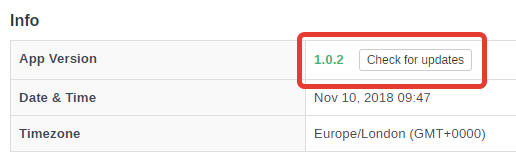
Updating process may take several minutes, do not close browser window until it finishes or shows an error.
If self-updater script fails:
- Try to update again.
- If still does not work, switch to another update methods.
This method requires SSH console and GIT.
- Go to the root of your FreeScout application.
- Run update script:
tools/update.sh
- Follow instructions.
This method requires SSH console and GIT.
- Pull updates from GitHub:
git pull
- Run the following console command:
php artisan freescout:after-app-update
Use this method only if you can not use console or GIT.
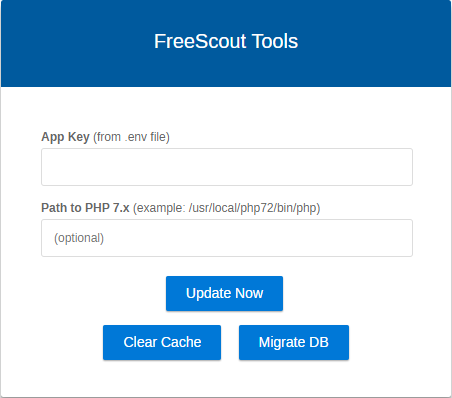
- Enter APP_KEY from your
.envfile and click Update App button. - Open and check application.
If self-updater script hits your hosting's PHP memory size limit or `PHP max execution time
- Try to update again.
- If still does not work, switch to another update methods.
Permission denied when writing to some file
Check permissions section in "Manage > System > Status".