Repository navigation
Release Candidate 3 - PIC — Personal Image Catalogue

PIC — Personal Image Catalogue — Release Candidate 3
Inspired by Picasa and iPhoto
Release Candidate 3 is focused on making PIC feel faster, more organised, and more natural to use with large photo libraries.
Since RC2, a major amount of work has gone into the photo grid, Folder view, full-screen viewer, navigation, ratings, library management, importing, editing, network browsing, themes, and general reliability.
PIC remains non-destructive: your original photos are not modified by normal library browsing, organisation, ratings, albums, or editing recipes.
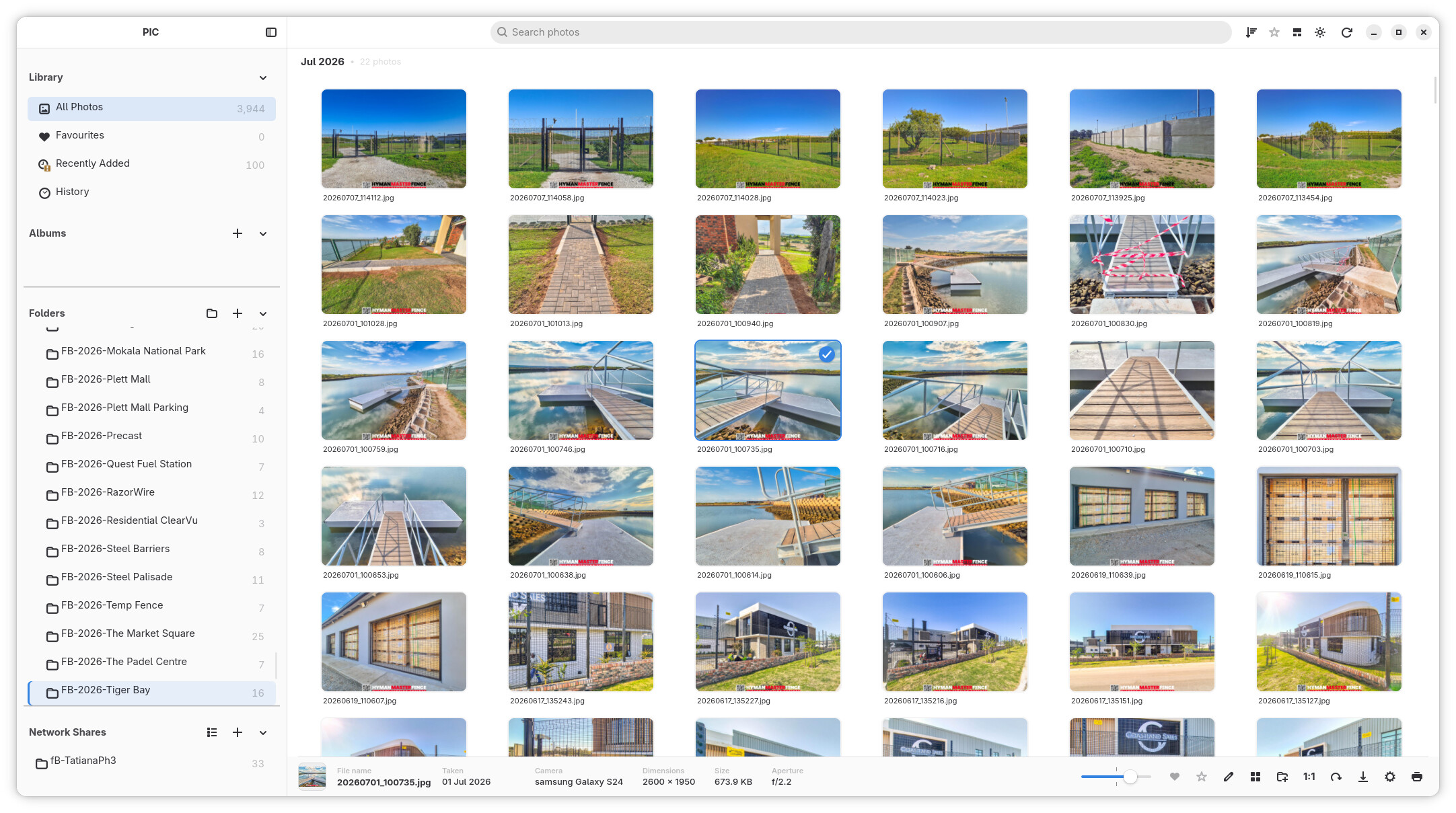
What’s new since RC2
Photo Wall and high-quality previews
The bottom layout toggle switches between the regular grid and Photo Wall, which preserves photo proportions in fitted rows. The shared zoom slider works in both layouts, and the sidebar can be hidden for more photo space.
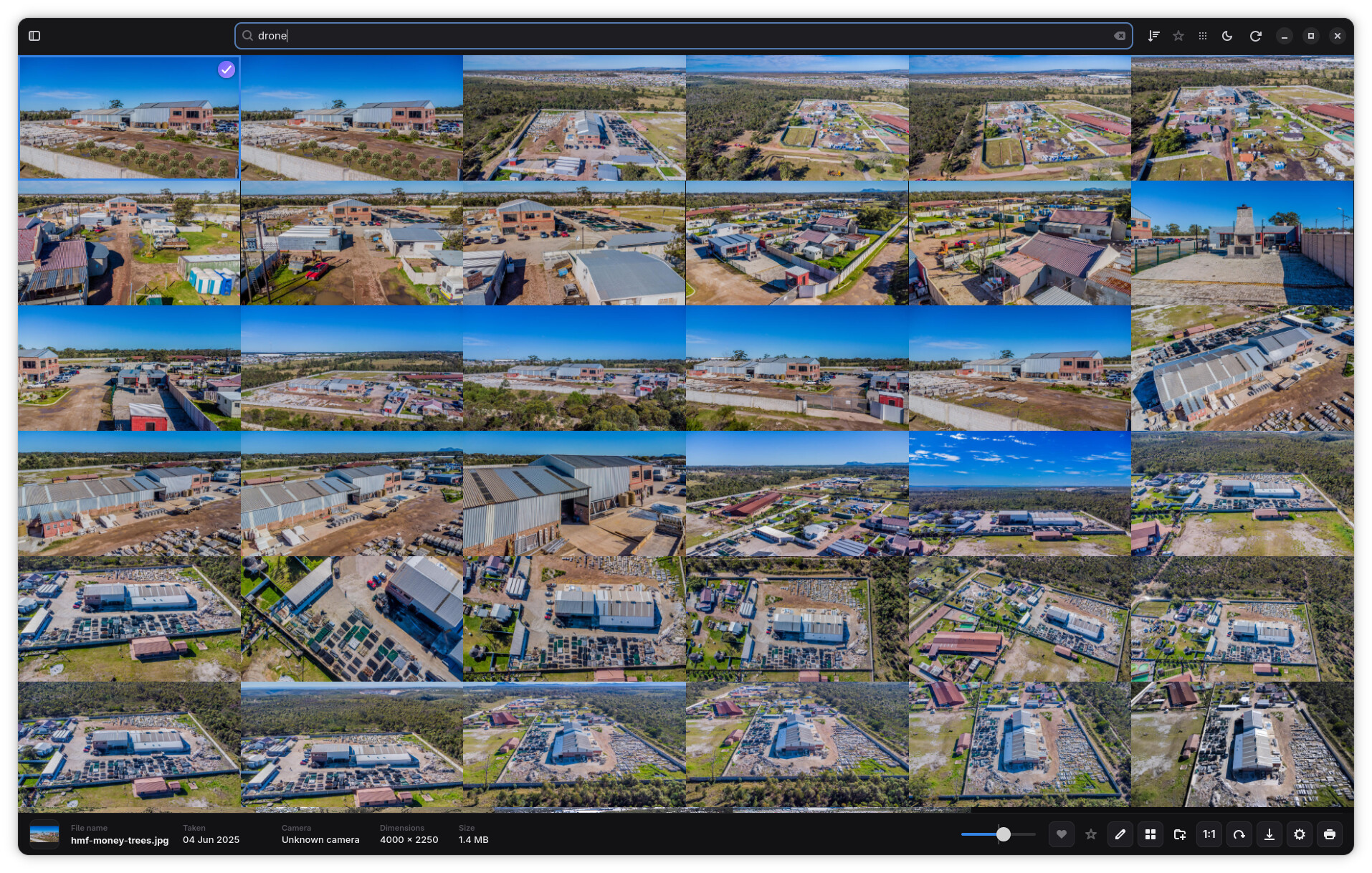
Settings → Interface offers optional 640 px high-quality Photo Wall thumbnails, alongside the normal 320 px thumbnails. Previews are generated as needed without a synchronous startup rebuild of the library.
JPEG ICC colour management and gallery reliability
Standalone JPEG thumbnail and viewer decoding now applies valid embedded ICC profiles before resizing, converting ProPhoto RGB, Adobe RGB and other supported RGB profiles to standard sRGB. EXIF orientation and native-resolution viewer decoding are preserved. Unprofiled JPEGs retain the fast path, and malformed or unsupported profiles safely fall back to the decoded RGB image.
Old JPEG thumbnail entries are invalidated and regenerated through the existing background/lazy cache behavior. Network JPEGs use the same conversion without changing transport behavior. Other formats keep their existing colour treatment.
A gallery crash caused by a tile-map borrow surviving across synchronous GTK focus/scroll callbacks has also been fixed, with display-dependent regression coverage for focus and tile removal.
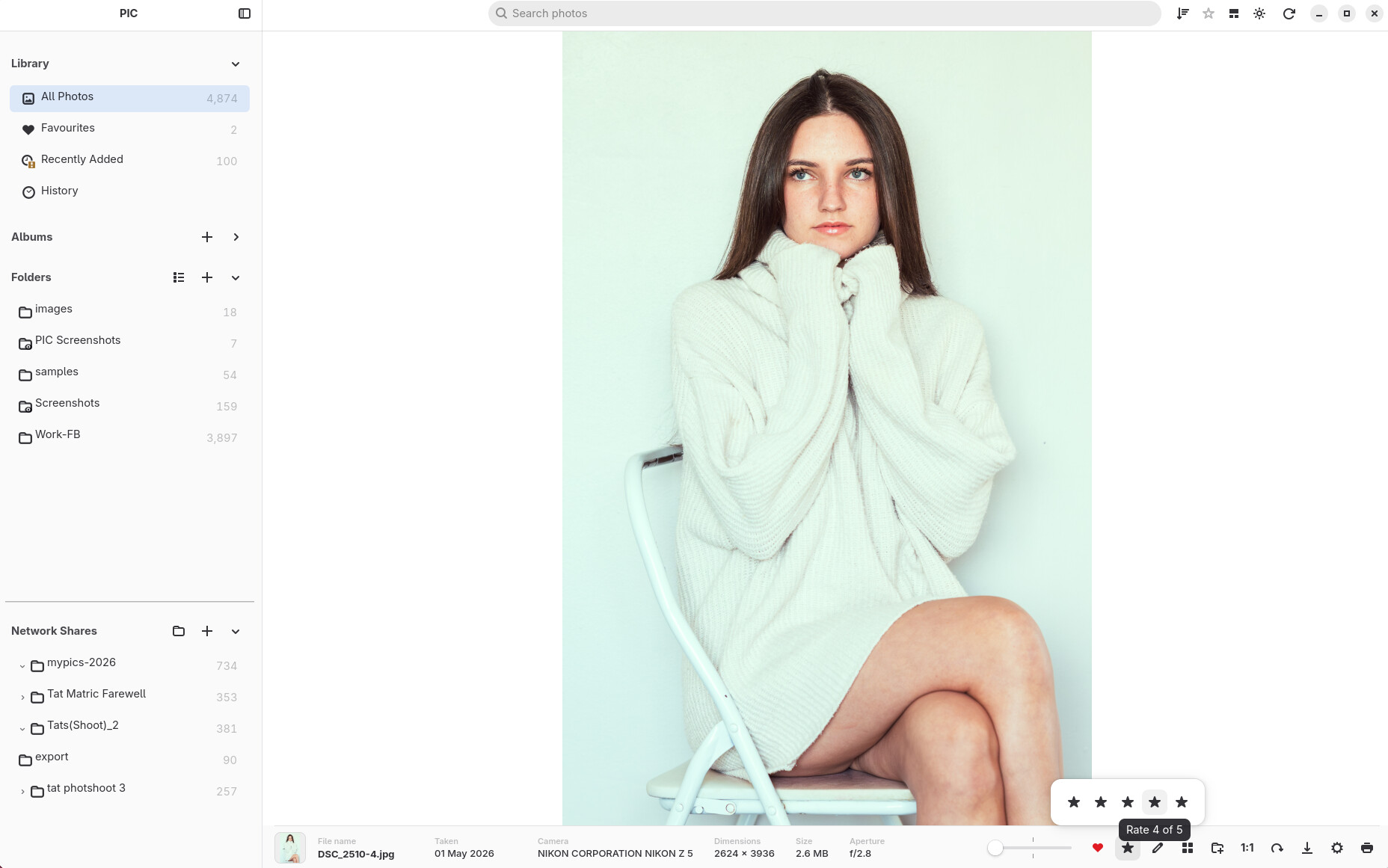
⭐ Five-star photo ratings
PIC now has a full five-star rating system for organising photos.
Photos can be rated directly in the library, and ratings are visible on thumbnails so important images are easy to identify at a glance.
RC3 also adds:
- 1–5 star photo ratings.
- Rating indicators directly on thumbnails.
- Sort photos by rating.
- Filter the library by rating.
- Apply ratings to multiple selected photos.
- Keyboard shortcuts for quickly assigning ratings.
- Fixes for rating filters when moving between folders and library views.
Ratings are stored in the PIC library and do not modify the original image files.
📚 Multiple photo libraries and database backups
PIC can now manage multiple library databases instead of requiring everything to live in one photo catalogue.
This makes it possible to keep separate libraries for different collections, computers, projects, archives, or test environments.
Database handling has also been improved with library backup management and backup retention fixes.
This work is designed to make the PIC library safer and easier to manage as collections grow.
🏠 Improved Library experience
The main library experience has continued to grow beyond a simple photo grid.
RC3 includes improvements around the Library Home view and navigation between:
- Recent photos.
- Albums.
- Favourites.
- Folder collections.
- Previously visited locations.
The interface now does a better job of keeping your place while moving between the library, Folder view and the photo viewer.
🗂 Major Folder view rebuild
Folder browsing received one of the largest changes in RC3.
A new virtualised, sectioned Folder view was developed for large libraries. Photos remain grouped into their folders while PIC only keeps the required visible content active on screen.
The result is a Folder view designed to remain responsive even when the library contains many thousands of photos.
Work in this area includes:
- Virtualised folder sections.
- Real folder headings within the photo stream.
- Faster rendering of large folder collections.
- Improved thumbnail recycling.
- Better scroll-position restoration.
- More reliable selection restoration.
- Improved sidebar-to-folder navigation.
- Smoother thumbnail resizing.
- Better handling of availability changes and thumbnail refreshes.
- Folder headings that stay correctly aligned with the thumbnail grid.
- Square thumbnails remain square when filenames are displayed underneath.
A large amount of internal work also went into preventing background refreshes from fighting with scrolling, selection and layout changes.
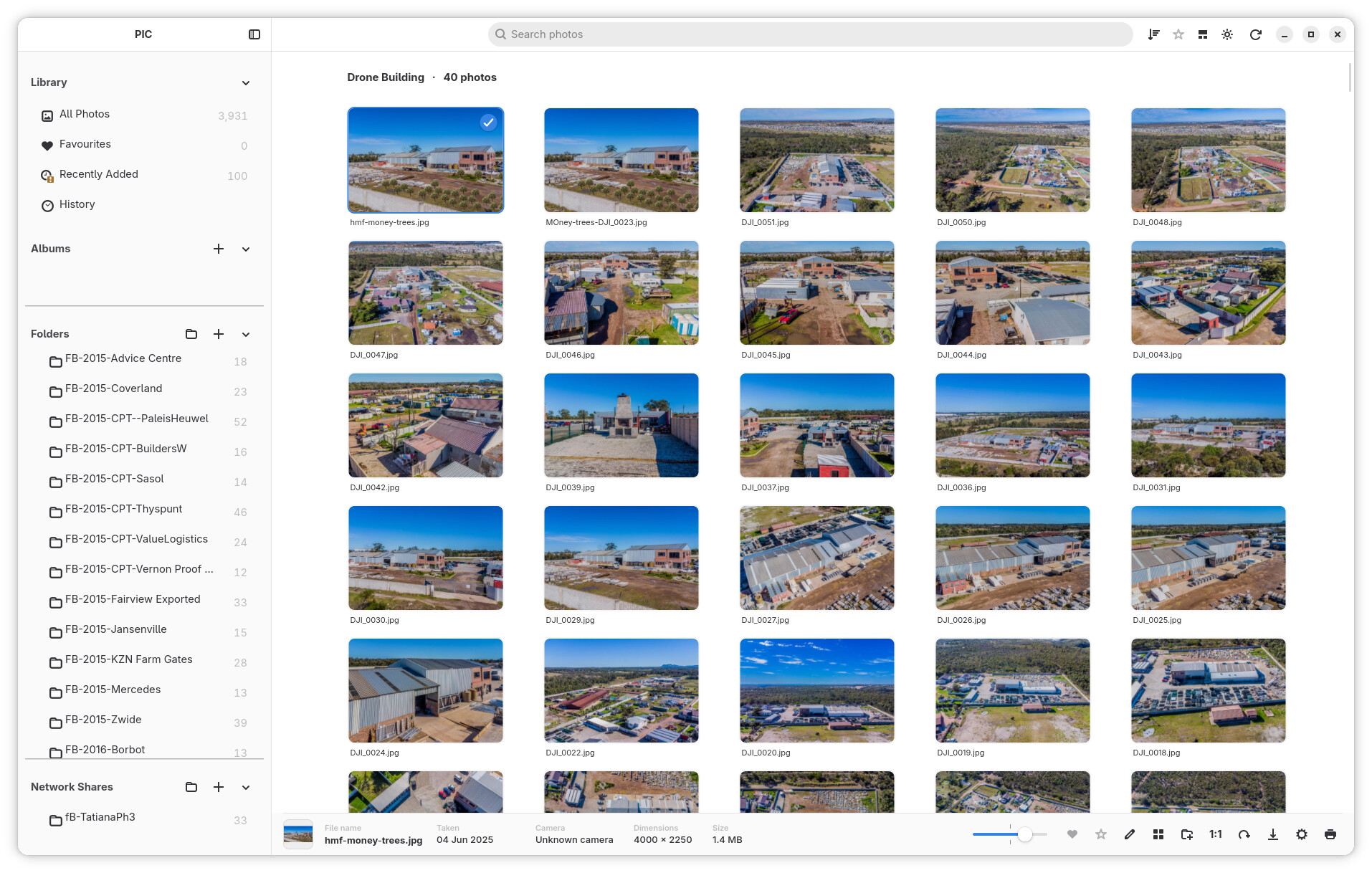
🔎 Better search and folder navigation
Search has become more useful for navigating a large library.
Folder results can now be selected and opened directly from Search using the keyboard.
RC3 improves this workflow by:
- Selecting the first matching folder suggestion automatically.
- Using Enter to navigate directly to a folder result.
- Clearing the search when entering the selected folder.
- Centering the requested folder in the photo grid.
- Using Escape to quickly clear search text.
This makes Search useful not only for finding individual photos, but also for jumping around a large folder structure.
⌨️ Better keyboard navigation and selection
RC3 expands keyboard control throughout the library.
Improvements include:
- Arrow-key photo navigation in Folder view.
- More natural spatial navigation through thumbnail rows.
- Ctrl+A selection scoped to the current folder where appropriate.
- Improved multi-selection behaviour.
- Rating keyboard shortcuts.
- Tab navigation between sidebar sections and the photo grid.
- Escape to clear Search.
- Better restoration of the active photo after closing the viewer.
Keyboard actions are now more aware of which part of the application currently has focus, reducing unexpected shortcuts while entering text.
🔍 New unified zoom controls
Thumbnail and photo zoom controls have been substantially reworked.
The old grid-size menu has been replaced with a zoom slider, and the same control can adapt depending on what you are currently viewing.
It can control:
- Library thumbnail size.
- Folder thumbnail size.
- Full-screen/lightbox photo zoom.
- Editor zoom.
The slider is disabled where it does not make sense, such as during Collage editing, and returns to the correct gallery state afterwards.
🖼 Much better full-screen photo viewing
The full-screen/lightbox viewer received extensive work in RC3.
Manual zooming is now significantly more stable, with improvements to:
- Slider zoom.
- Ctrl + mouse-wheel zoom.
- Centered zooming.
- Zoom anchoring.
- Maintaining zoom while the window changes size.
- High-quality native-resolution rendering while zooming.
- Photo positioning and viewport calculations.
- Returning to the selected photo after closing the viewer.
Use Space or the 1:1 control to switch magnification; the numeric shortcuts 1–5 assign ratings and 0 clears a rating.
PIC now loads higher-quality native image data when required for manual zoom rather than simply enlarging the lower-resolution fit-to-window image.
The transition from thumbnail to full-screen view has also been refined, including fixes for transparent PNG images and rotated RAW photos.
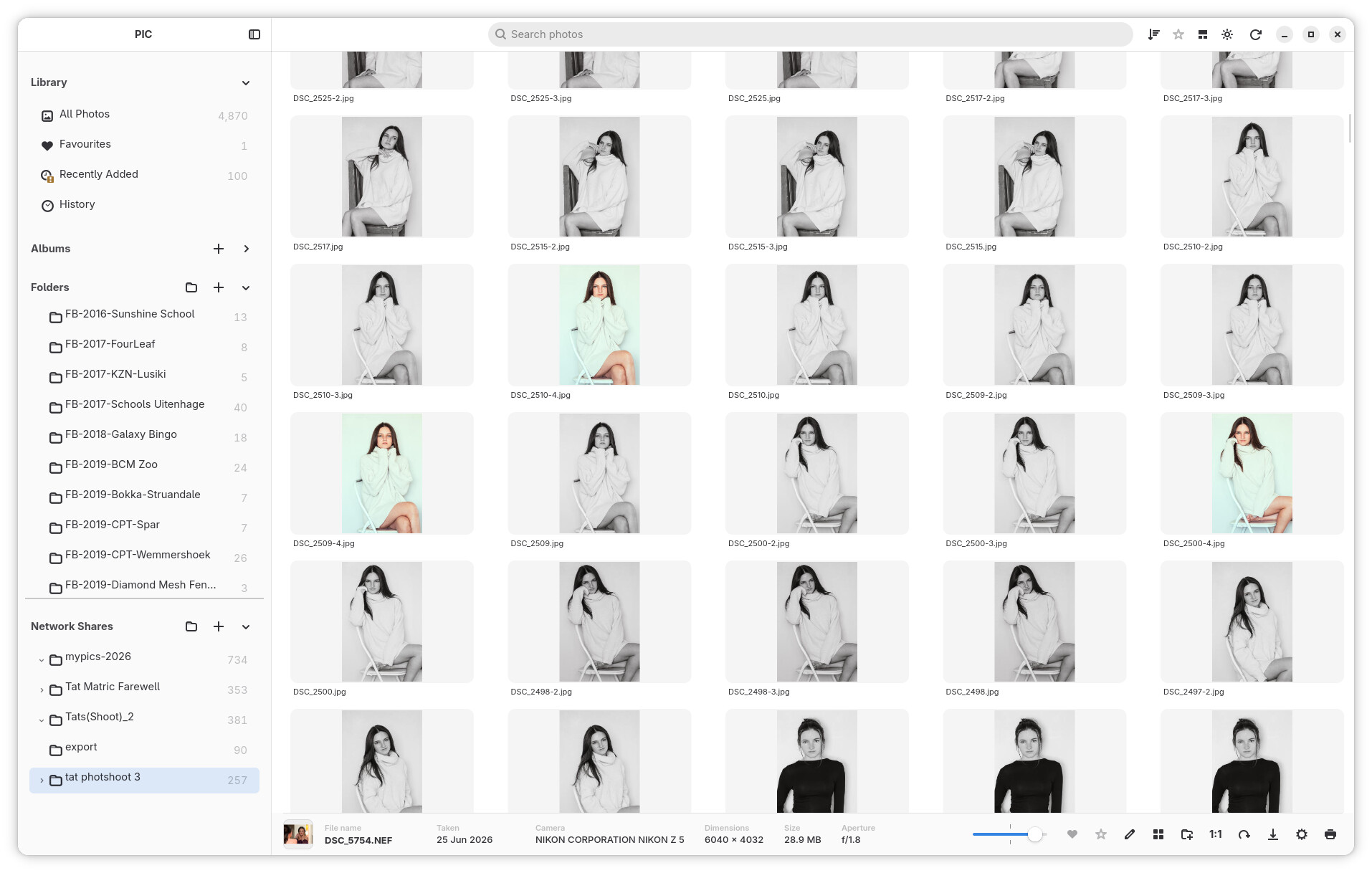
📷 RAW and image handling improvements
RC3 contains several fixes for RAW and image presentation.
Improvements include:
- Better RAW metadata handling.
- Correct geometry when opening rotated RAW photographs.
- Improved aperture/metadata refresh behaviour.
- Better thumbnail orientation for photos stored on network shares.
- Improved handling of images where dimensions are not immediately available.
- Correct transparent PNG presentation when opening photos in the viewer.
These fixes improve consistency between the thumbnail you see in the library and the photograph that opens in the viewer.
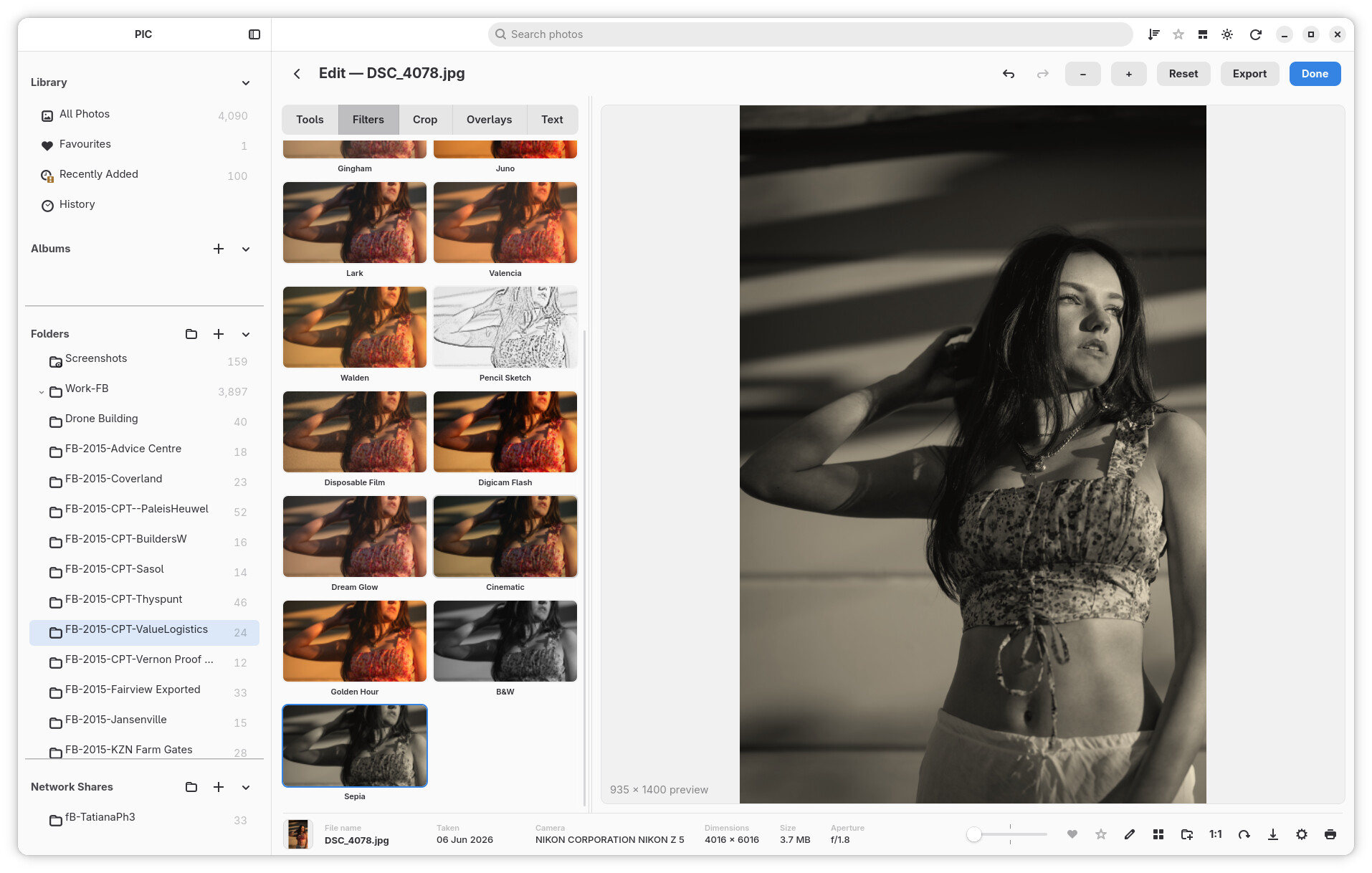
✏️ More polished Edit Mode
The text and overlay editing tools introduced around RC2 have received another round of refinement.
The text editor panel and canvas selection behaviour have been cleaned up, while overlay controls have been reorganised and refined.
RC3 also connects the shared zoom slider to the editor, giving Edit Mode a more predictable absolute zoom control.
Editing remains non-destructive: the original source image is preserved until you deliberately export a new result.
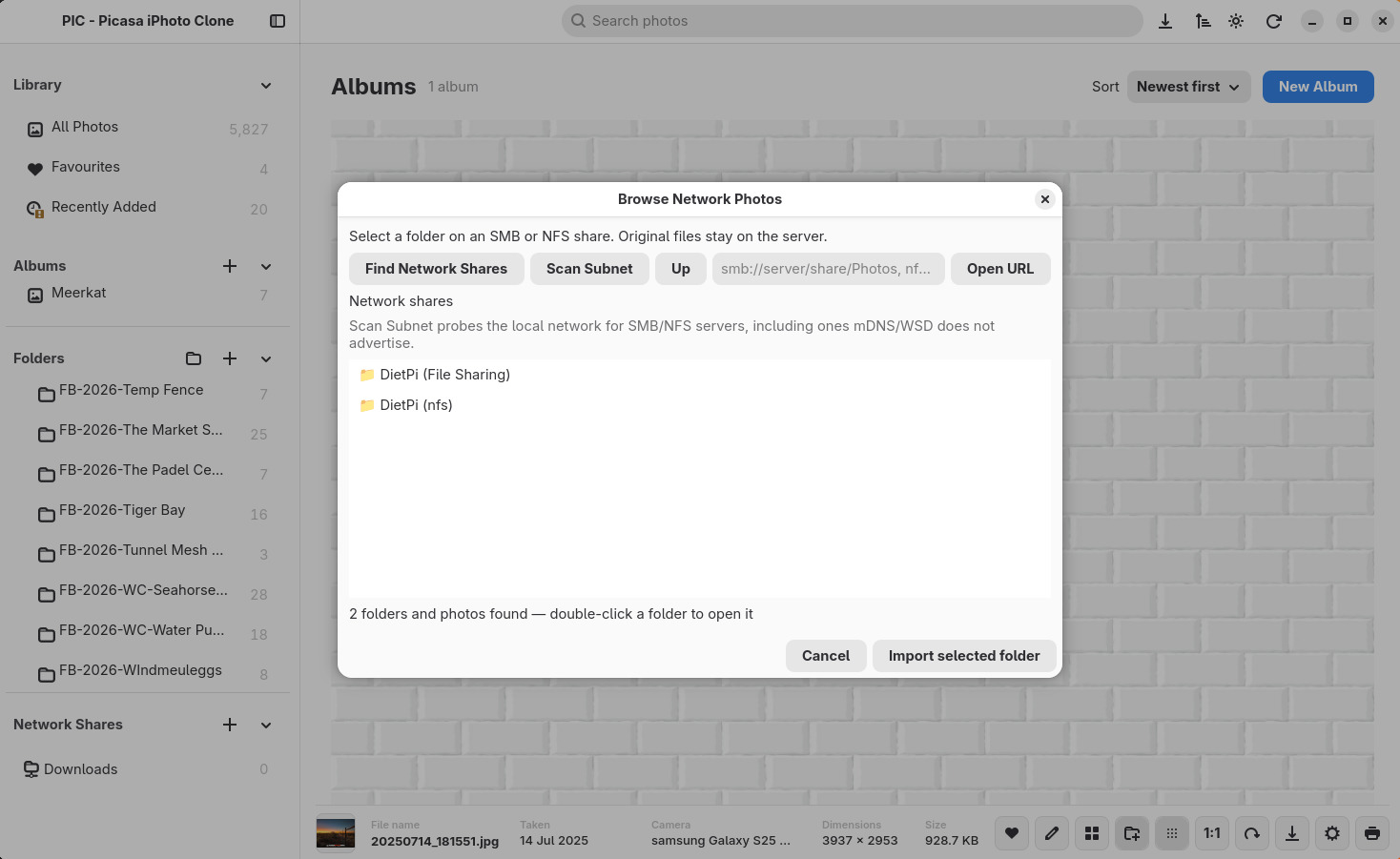
🌐 Network browsing refinements
Network support introduced in earlier releases continues to improve.
RC3 adds a tree-style navigation experience for network shares, making it easier to browse through remote folder structures.
There are also fixes for:
- Exporting photos stored on native network shares.
- Correct orientation of network-photo thumbnails.
- Keeping Folder browsing responsive while thumbnails are being generated.
📥 Faster and clearer imports
Large imports now provide much more useful feedback without overwhelming the interface.
File discovery and indexing progress is delivered progressively while work is happening.
RC3 now:
- Reports discovery progress during large scans.
- Delivers indexed photos in committed batches instead of flooding the UI one photo at a time.
- Updates sidebar photo counts progressively.
- Updates count labels without rebuilding the entire sidebar.
- Limits how much scan processing GTK performs during each UI cycle.
- Discards stale progress events after cancellation or library switching.
- Applies authoritative final counts when indexing finishes.
The result is a more responsive application while importing large photo collections.
📐 A more responsive interface
RC3 includes many layout changes aimed at making PIC behave properly across different window sizes.
Improvements include:
- More responsive header controls.
- Photo metadata progressively collapses when horizontal space becomes limited.
- Better sidebar behaviour as the window becomes narrower.
- Improved thumbnail alignment at different zoom levels.
- Better resizing behaviour across the gallery and Folder view.
- Settings sizing fixes for smaller displays.
The goal is to preserve useful photo space instead of allowing controls and metadata to crowd the gallery.
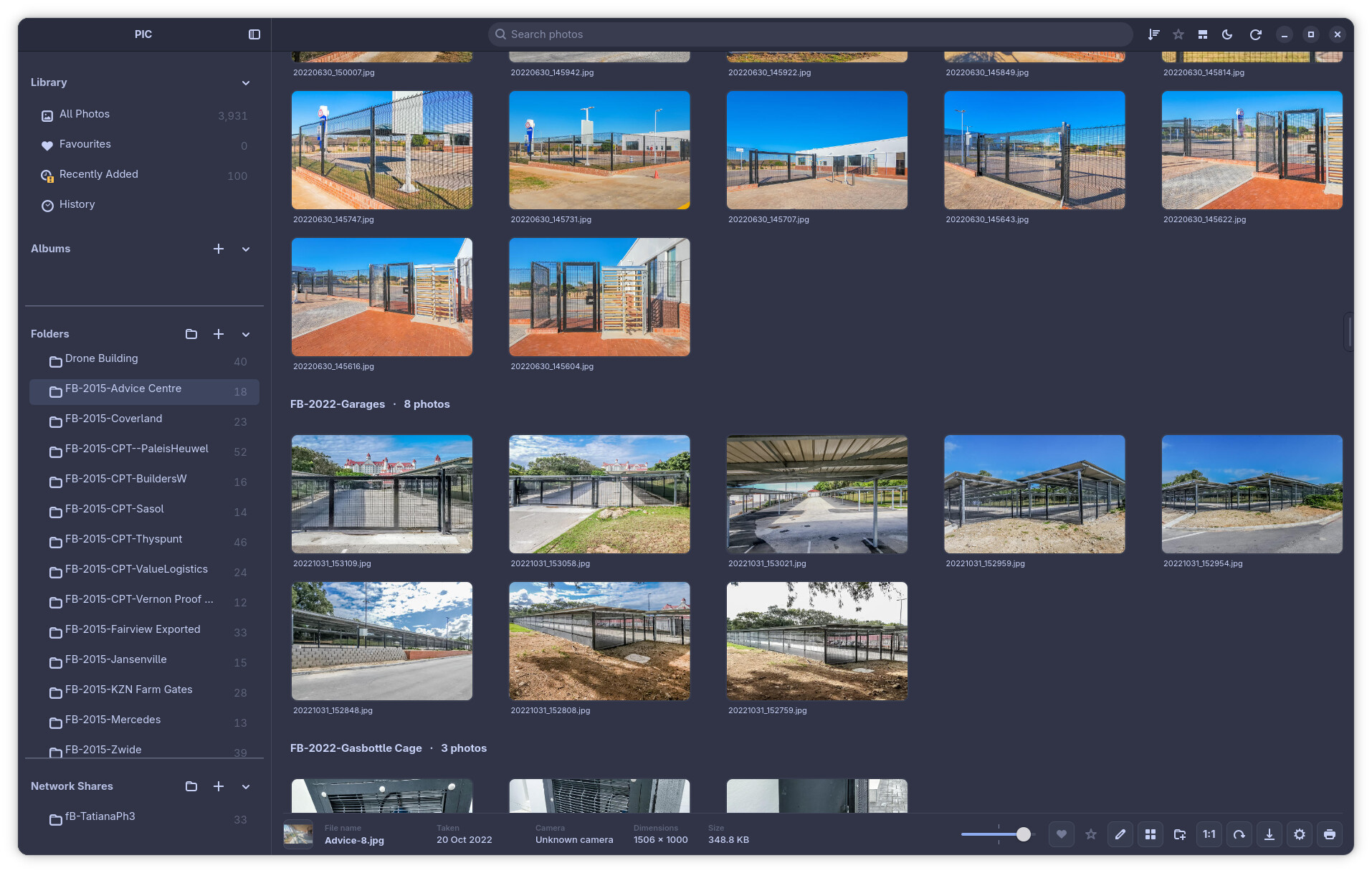
🎨 Theme and appearance refinements
Theme support continues to mature.
RC3 includes:
- Updated PIC application icons.
- Refined theme assets.
- Improved light-theme behaviour when GNOME itself is using dark mode.
- Better handling of theme colours and interface controls.
- Theme naming and organisation cleanup.
- Removal of several unnecessary cosmetic animations and transitions.
PIC now favours immediate, predictable interaction over animations that make large libraries feel slower.
💿 Albums and everyday fixes
Albums also received a number of smaller refinements.
These include:
- Sidebar updates immediately after renaming an album.
- Improved album cover presentation.
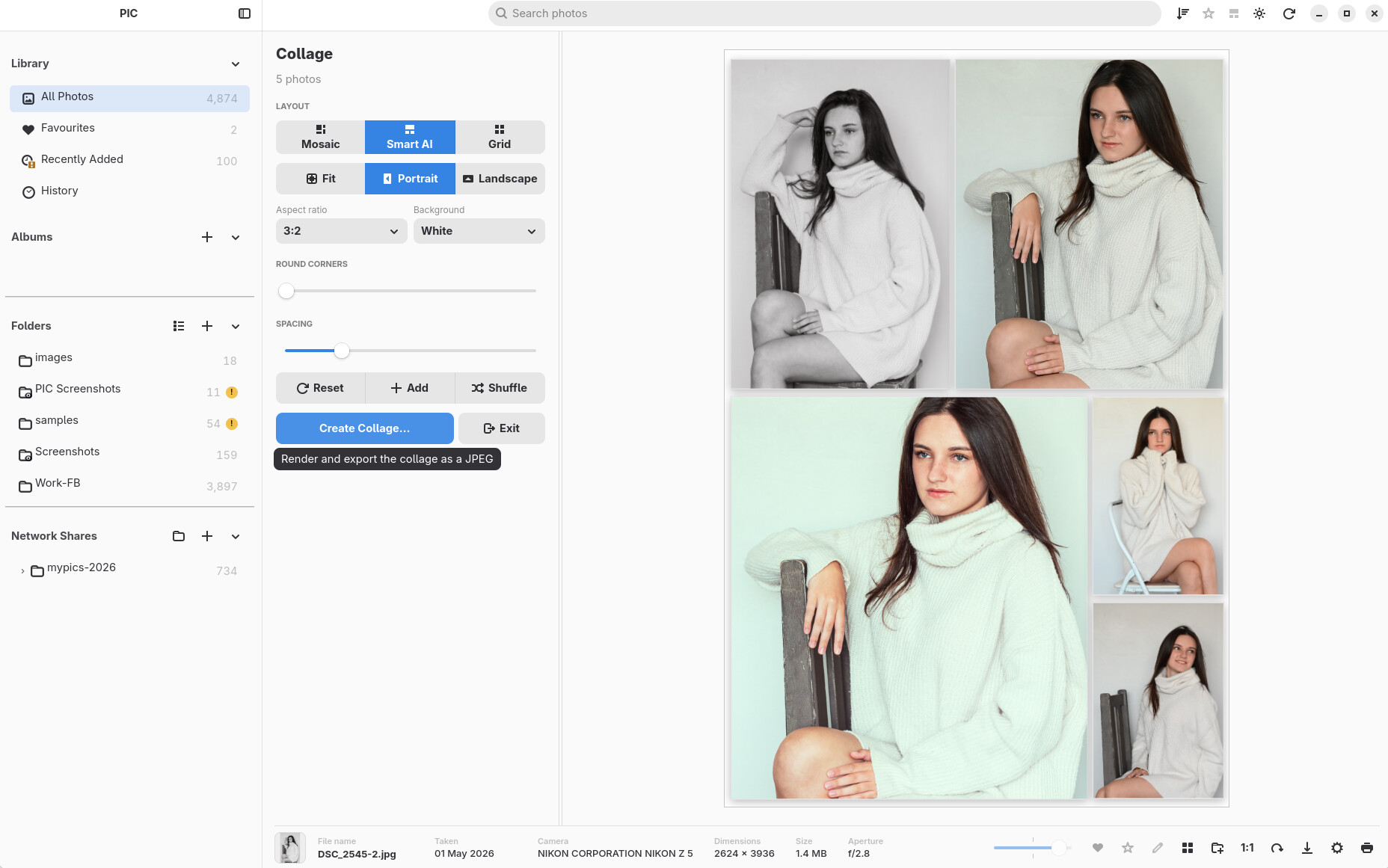
- Fixes around collage resume behaviour.
- Cleaner interaction between albums, selection and the viewer.
Many smaller visual and interaction fixes are included throughout the application as part of RC3.
🐧 Linux build and packaging improvements
The Linux build workflow has continued to receive attention.
RC3 includes:
- Improved Linux build scripts.
- Better application-icon generation and resolution handling.
- Build-script reliability fixes.
- Updated application branding to PIC — Personal Image Catalogue.
- Cleanup of obsolete development files and build configuration.
The aim is to make producing repeatable PIC builds easier as the project moves closer to a stable release.
Under the hood
RC3 represents a substantial internal update as well as a visible one.
Between the rc2 tag and the RC3 development code there are more than 300 commits, including extensive work on:
- Gallery virtualisation.
- Folder rendering.
- Thumbnail lifecycle management.
- Viewer geometry.
- Selection state.
- Keyboard navigation.
- Database management.
- Import scheduling.
- Responsive UI behaviour.
- Regression tests and diagnostics.
Much of this work is invisible when everything is working correctly—and that is the point. The goal is for large libraries to simply feel faster and more predictable.
Testing RC3
PIC is still release-candidate software.
Please keep backups of important photographs and library data, particularly when testing new library-management features.
Normal PIC library operations and non-destructive editing are designed to leave your original photographs untouched, but RC3 includes substantial changes to library management, navigation and large-library rendering, so feedback is especially useful.
If you find a problem, please include:
- What you were doing when it happened.
- Whether the photos were local, removable or on a network share.
- Approximately how many photos are in the library.
- Your Linux distribution and desktop environment.
- Screenshots or logs where useful.
Thanks for trying PIC
RC3 is less about adding one enormous headline feature and more about making PIC behave like a photo manager you can actually live in every day.
Ratings, multiple libraries, better search, improved keyboard navigation, the rebuilt Folder view, more dependable zooming, progressive imports, and hundreds of smaller refinements bring PIC another step closer to that goal.
Thank you to everyone testing PIC and reporting the rough edges.
PIC — Personal Image Catalogue is an independent project inspired by classic Picasa and iPhoto.
PIC is not affiliated with Google or Apple.