Repository navigation
Releases: froggy744/PIC
Release list
Release Candidate 4 - PIC — Personal Image Catalogue

PIC — Personal Image Catalogue — Release Candidate 4
Inspired by Picasa and classic iPhoto
RC4 is the final release candidate. The next planned release is PIC v1.0.
This page covers changes since the rc3 tag. RC4 focuses on importing and browsing large collections, making damaged or unavailable originals easier to understand, and preparing the Linux packages for v1.0.
PIC indexes photos where they already live. Normal browsing, albums, ratings and editing recipes do not alter the originals; exporting an edit creates a new file.
What’s new since RC3
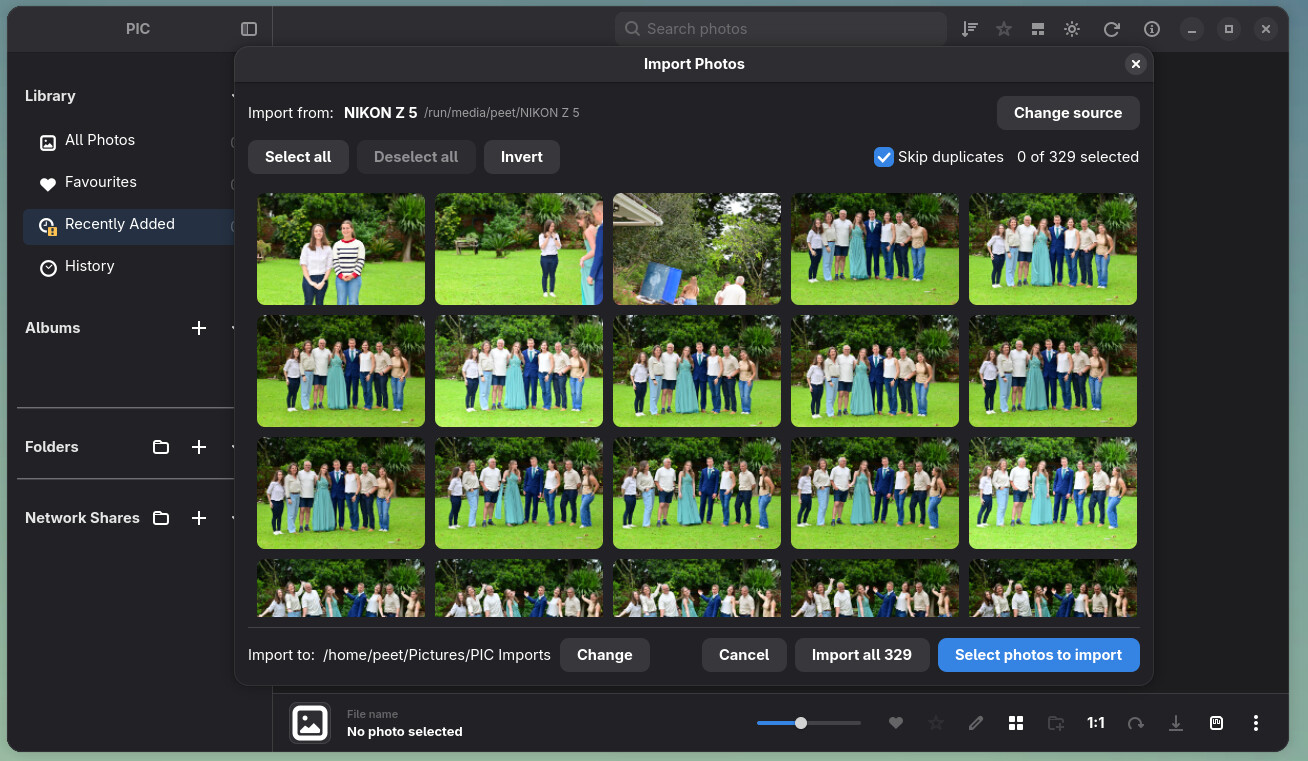
Import from a camera or SD card
The new camera and SD card import window detects mounted devices and shows a compact selection grid. You can select or deselect photos before importing, see copy progress in the main header, and continue using PIC while the copy hands off to the normal library scan. Stop remains available during that handoff.
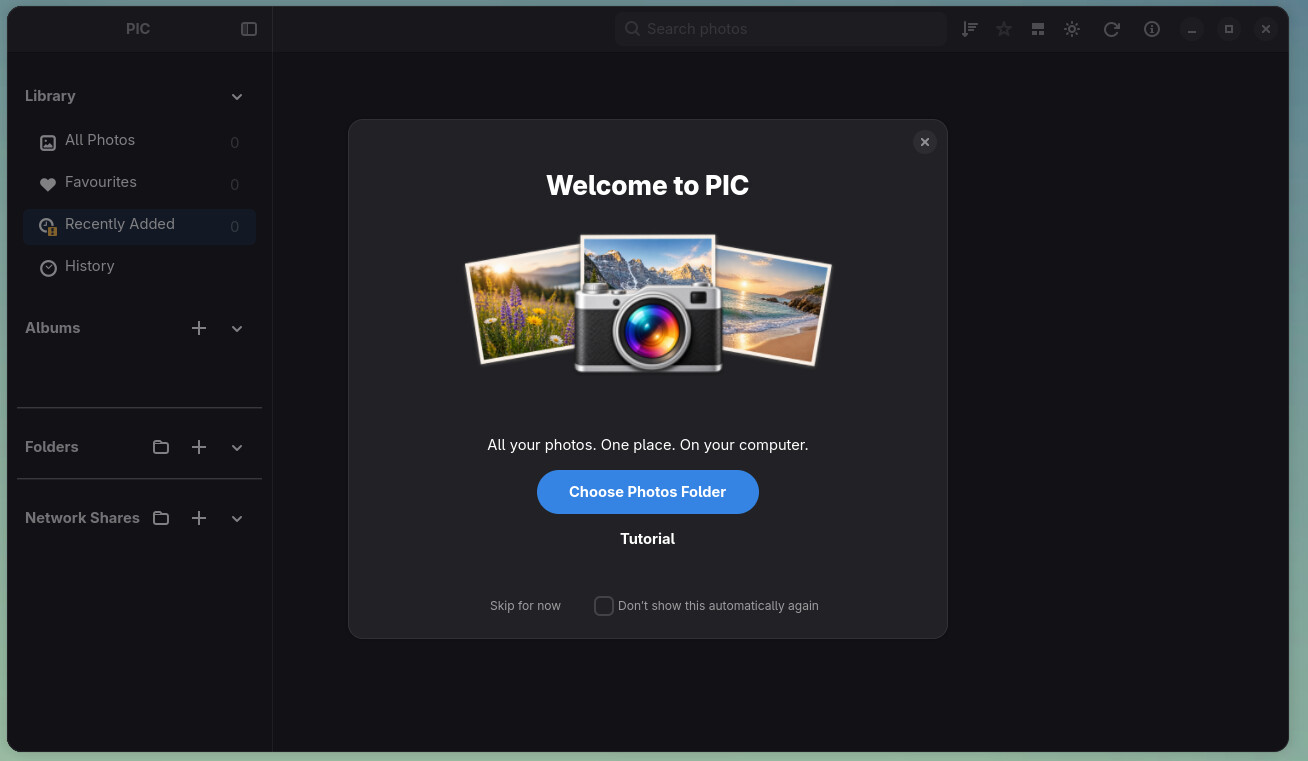
A guided first start
A welcome flow introduces the library and its main controls. It helps new users add photos and shows import progress without losing an active or resumable import. The welcome screen can be skipped or reopened from Help.
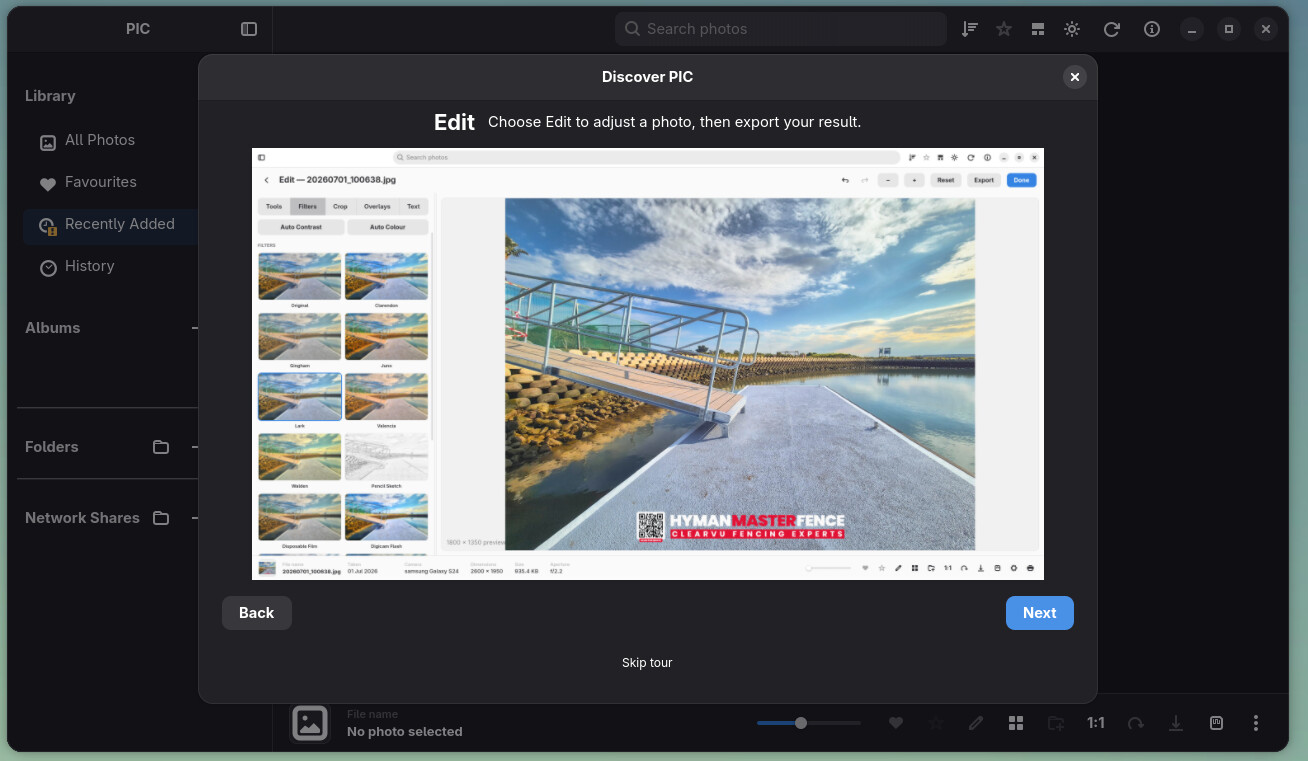
Large network libraries remain usable while importing
SMB and NFS imports now index progressively and can resume after interruption. Gallery rows and metadata arrive in batches while work continues, so a large share does not have to finish before it can be browsed. Startup and gallery updates have been tuned for large remote collections, and Stop is passed through to network reads more promptly.
Network RAW support has also grown: DNG previews can be generated from shares, other supported RAW files can use embedded previews, and the lightbox can request full-quality DNG pixels when needed. Availability still depends on the share and camera format.
More gallery layout choices
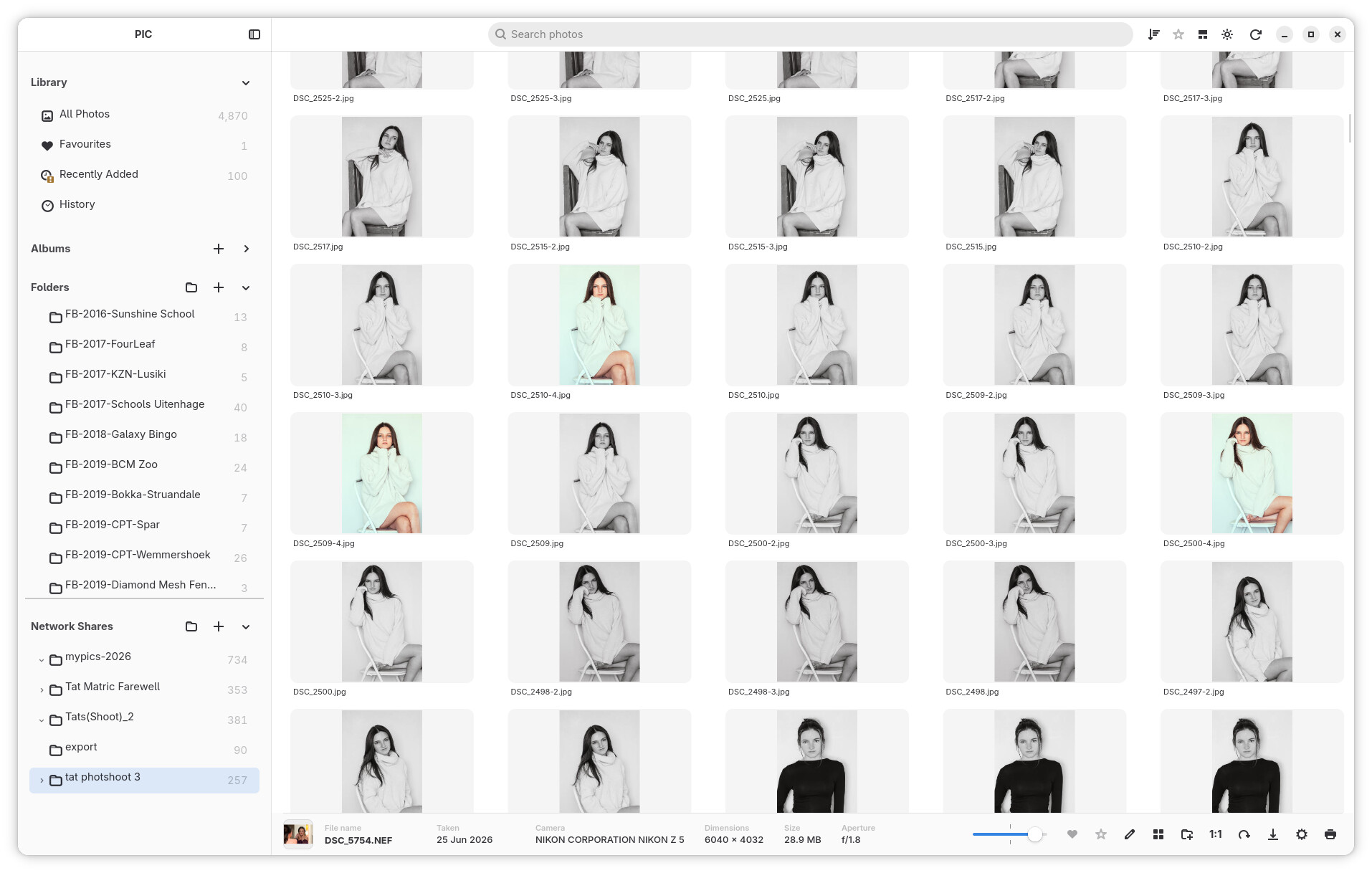
Masonry joins the regular Grid and Photo Wall layouts. It arranges photos at their natural proportions in staggered columns. PIC remembers the chosen layout separately for All Photos, Favourites, folders, albums and the other library sections. Resizing and returning from the viewer preserve the gallery position more reliably.
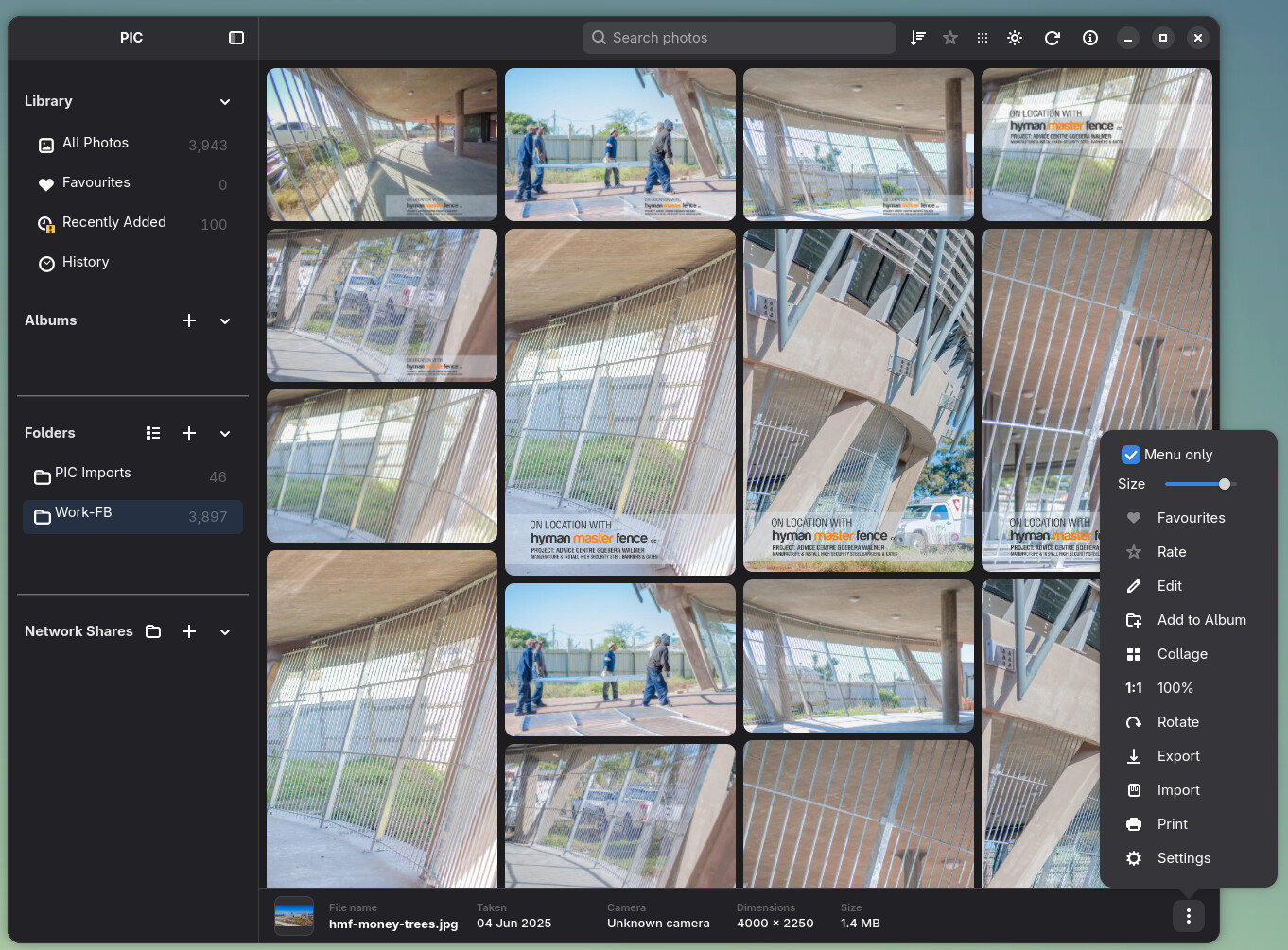
Clearer photo viewing and file problems
Viewer panning, Ctrl + wheel zoom, 1:1 geometry and small-photo presentation have been refined. If an original is offline, the lightbox can show a cached image with an availability notice. If a readable original cannot be decoded, the lightbox clears the previous photo and shows an error instead of leaving a blank or misleading image.
Local JPEGs with missing dimensions and unrecognized file contents now get a Corrupt badge. Corrupt is also the last option in the photo filter menu, making those files easier to find. The thumbnail issue report at /tmp/pic-thumbnail-issues.log records confirmed decode failures; it does not treat offline files or missing thumbnails as corrupt.
Local scans now recognize a mounted filesystem by its mount identity, including its UUID where available, so a changed Linux device number after a reboot does not stop a healthy scan. The scan still stops when the saved storage is actually missing or changed.
Interface, editing and packaging polish
Search and progress notifications share a compact header area. Photo actions, the sidebar, InfoBar and Edit Mode have received sizing and interaction fixes for narrow windows. The photo context menu and album actions have also been refined. Themes including Aqua, iDark, Purple and Retro have been added or updated.
The Linux packaging work adopts the permanent Flatpak application ID io.github.froggy744.PIC, migrates existing application paths, targets current runtimes and embeds a build revision. AppImage packaging and launcher behavior have received fixes as well.
Testing RC4
RC4 is the last candidate before v1.0, so reports about import completion, network availability, damaged originals, gallery navigation and package installation are especially useful. Please include the storage type, the action that failed, a file path when relevant, and a short log excerpt or screenshot.
Keep backups of both your original photos and the PIC library database. A database backup preserves the catalogue, not the image files.
See the getting started guide and Linux build guide for installation and usage details. Earlier changes are recorded in the RC3 notes.
PIC is an independent project and is not affiliated with Google or Apple.
Release Candidate 3 - PIC — Personal Image Catalogue
PIC — Personal Image Catalogue — Release Candidate 3
Inspired by Picasa and iPhoto
Release Candidate 3 is focused on making PIC feel faster, more organised, and more natural to use with large photo libraries.
Since RC2, a major amount of work has gone into the photo grid, Folder view, full-screen viewer, navigation, ratings, library management, importing, editing, network browsing, themes, and general reliability.
PIC remains non-destructive: your original photos are not modified by normal library browsing, organisation, ratings, albums, or editing recipes.
What’s new since RC2
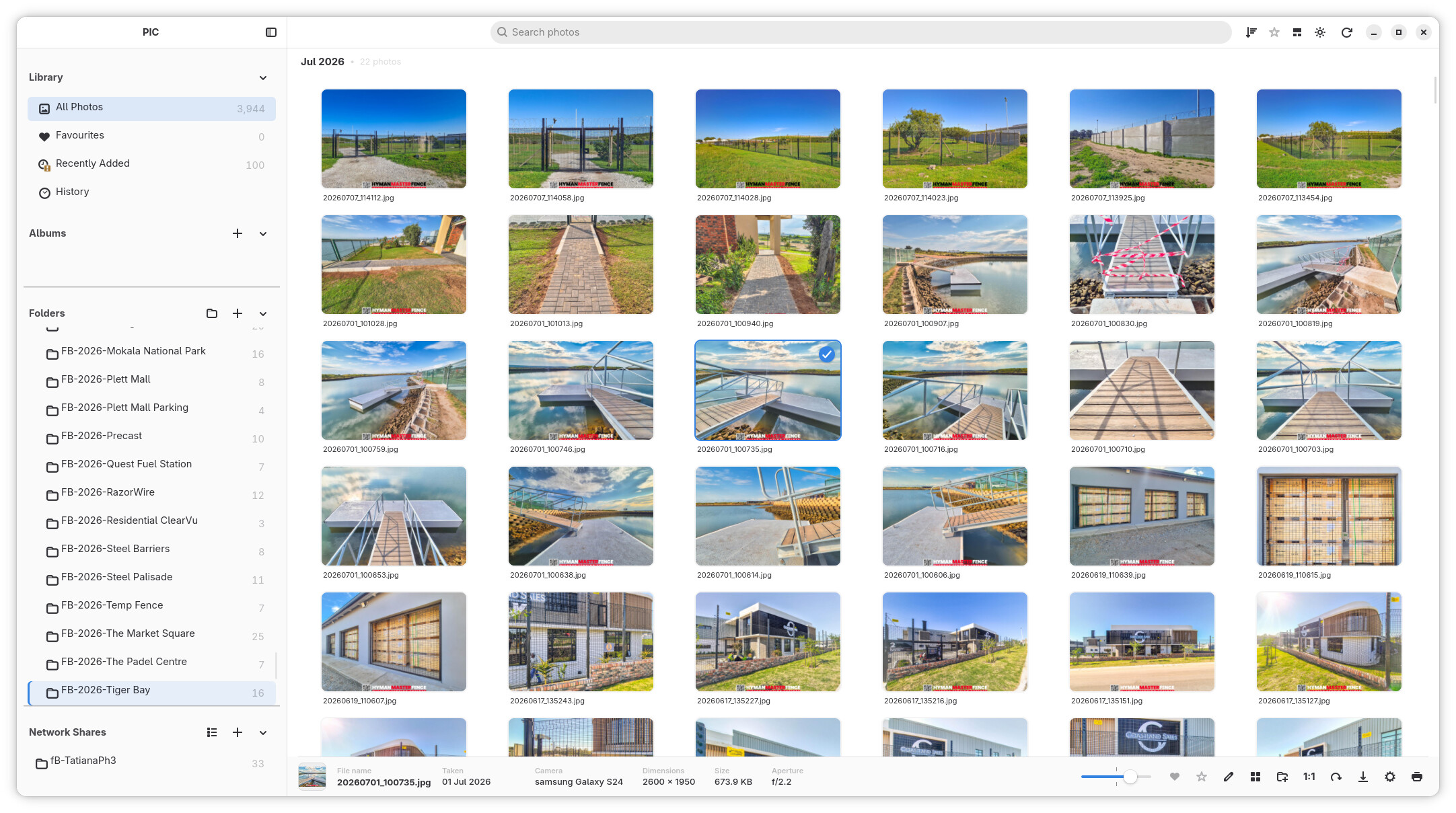
Photo Wall and high-quality previews
The bottom layout toggle switches between the regular grid and Photo Wall, which preserves photo proportions in fitted rows. The shared zoom slider works in both layouts, and the sidebar can be hidden for more photo space.
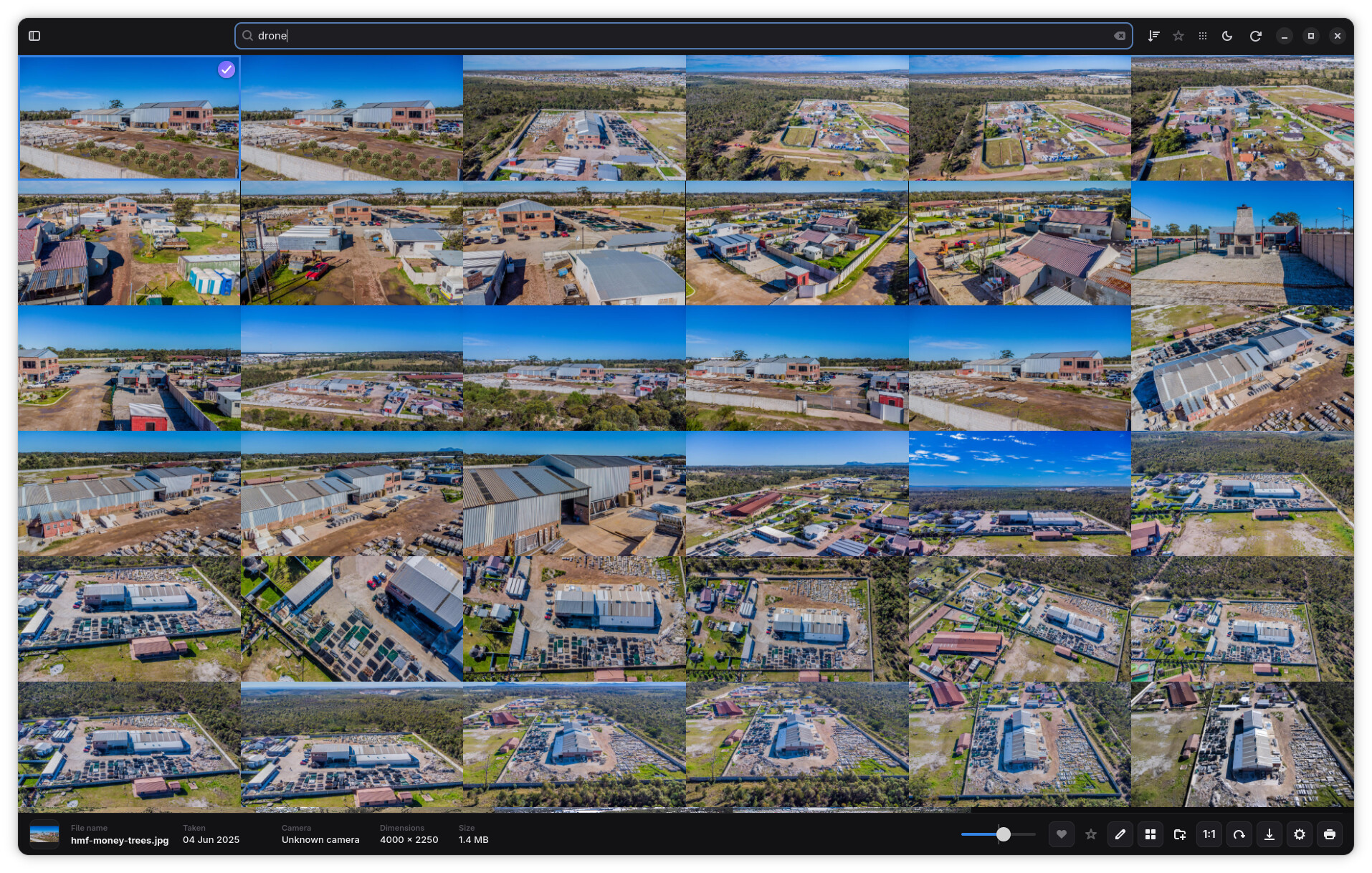
Settings → Interface offers optional 640 px high-quality Photo Wall thumbnails, alongside the normal 320 px thumbnails. Previews are generated as needed without a synchronous startup rebuild of the library.
JPEG ICC colour management and gallery reliability
Standalone JPEG thumbnail and viewer decoding now applies valid embedded ICC profiles before resizing, converting ProPhoto RGB, Adobe RGB and other supported RGB profiles to standard sRGB. EXIF orientation and native-resolution viewer decoding are preserved. Unprofiled JPEGs retain the fast path, and malformed or unsupported profiles safely fall back to the decoded RGB image.
Old JPEG thumbnail entries are invalidated and regenerated through the existing background/lazy cache behavior. Network JPEGs use the same conversion without changing transport behavior. Other formats keep their existing colour treatment.
A gallery crash caused by a tile-map borrow surviving across synchronous GTK focus/scroll callbacks has also been fixed, with display-dependent regression coverage for focus and tile removal.
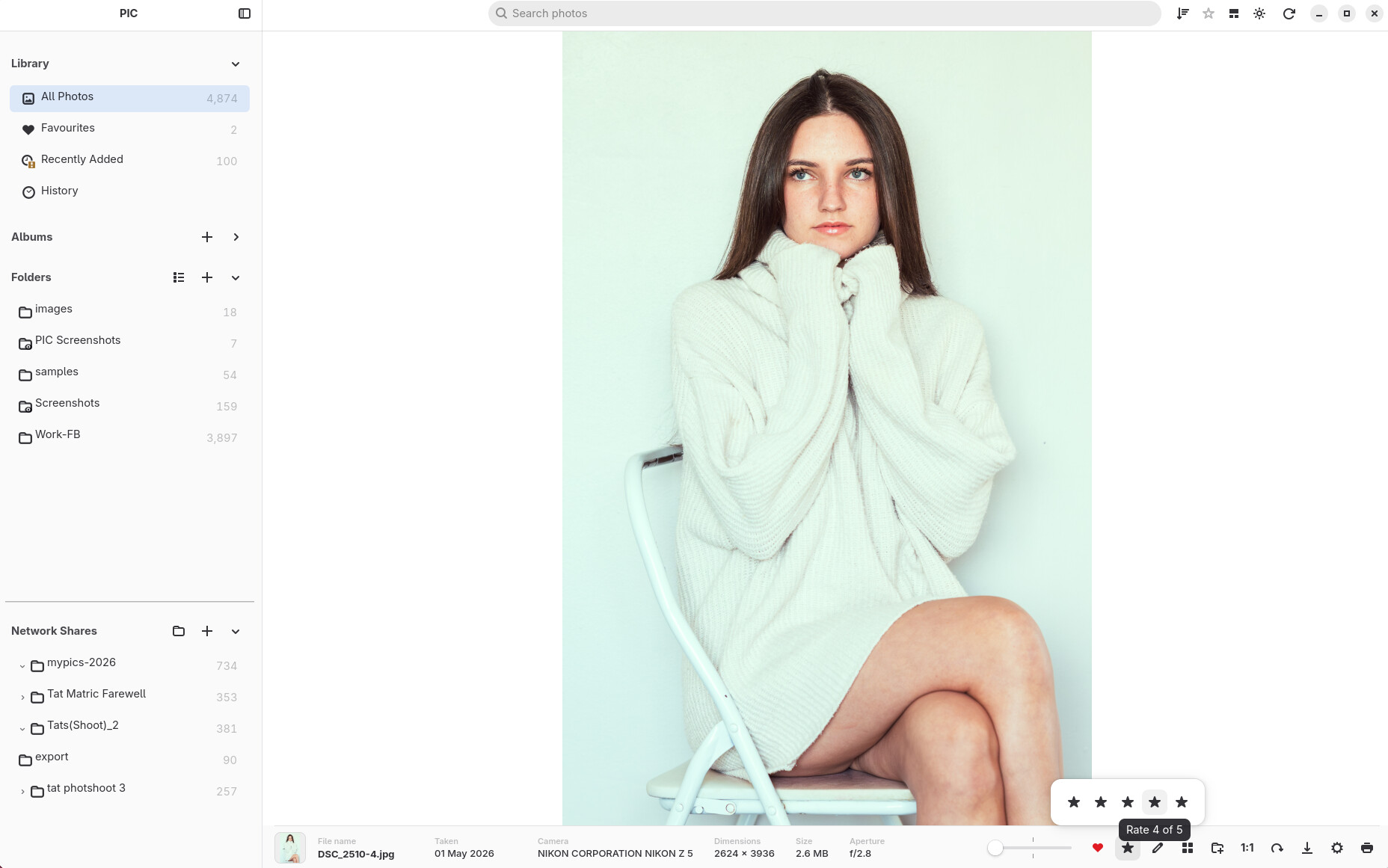
⭐ Five-star photo ratings
PIC now has a full five-star rating system for organising photos.
Photos can be rated directly in the library, and ratings are visible on thumbnails so important images are easy to identify at a glance.
RC3 also adds:
- 1–5 star photo ratings.
- Rating indicators directly on thumbnails.
- Sort photos by rating.
- Filter the library by rating.
- Apply ratings to multiple selected photos.
- Keyboard shortcuts for quickly assigning ratings.
- Fixes for rating filters when moving between folders and library views.
Ratings are stored in the PIC library and do not modify the original image files.
📚 Multiple photo libraries and database backups
PIC can now manage multiple library databases instead of requiring everything to live in one photo catalogue.
This makes it possible to keep separate libraries for different collections, computers, projects, archives, or test environments.
Database handling has also been improved with library backup management and backup retention fixes.
This work is designed to make the PIC library safer and easier to manage as collections grow.
🏠 Improved Library experience
The main library experience has continued to grow beyond a simple photo grid.
RC3 includes improvements around the Library Home view and navigation between:
- Recent photos.
- Albums.
- Favourites.
- Folder collections.
- Previously visited locations.
The interface now does a better job of keeping your place while moving between the library, Folder view and the photo viewer.
🗂 Major Folder view rebuild
Folder browsing received one of the largest changes in RC3.
A new virtualised, sectioned Folder view was developed for large libraries. Photos remain grouped into their folders while PIC only keeps the required visible content active on screen.
The result is a Folder view designed to remain responsive even when the library contains many thousands of photos.
Work in this area includes:
- Virtualised folder sections.
- Real folder headings within the photo stream.
- Faster rendering of large folder collections.
- Improved thumbnail recycling.
- Better scroll-position restoration.
- More reliable selection restoration.
- Improved sidebar-to-folder navigation.
- Smoother thumbnail resizing.
- Better handling of availability changes and thumbnail refreshes.
- Folder headings that stay correctly aligned with the thumbnail grid.
- Square thumbnails remain square when filenames are displayed underneath.
A large amount of internal work also went into preventing background refreshes from fighting with scrolling, selection and layout changes.
🔎 Better search and folder navigation
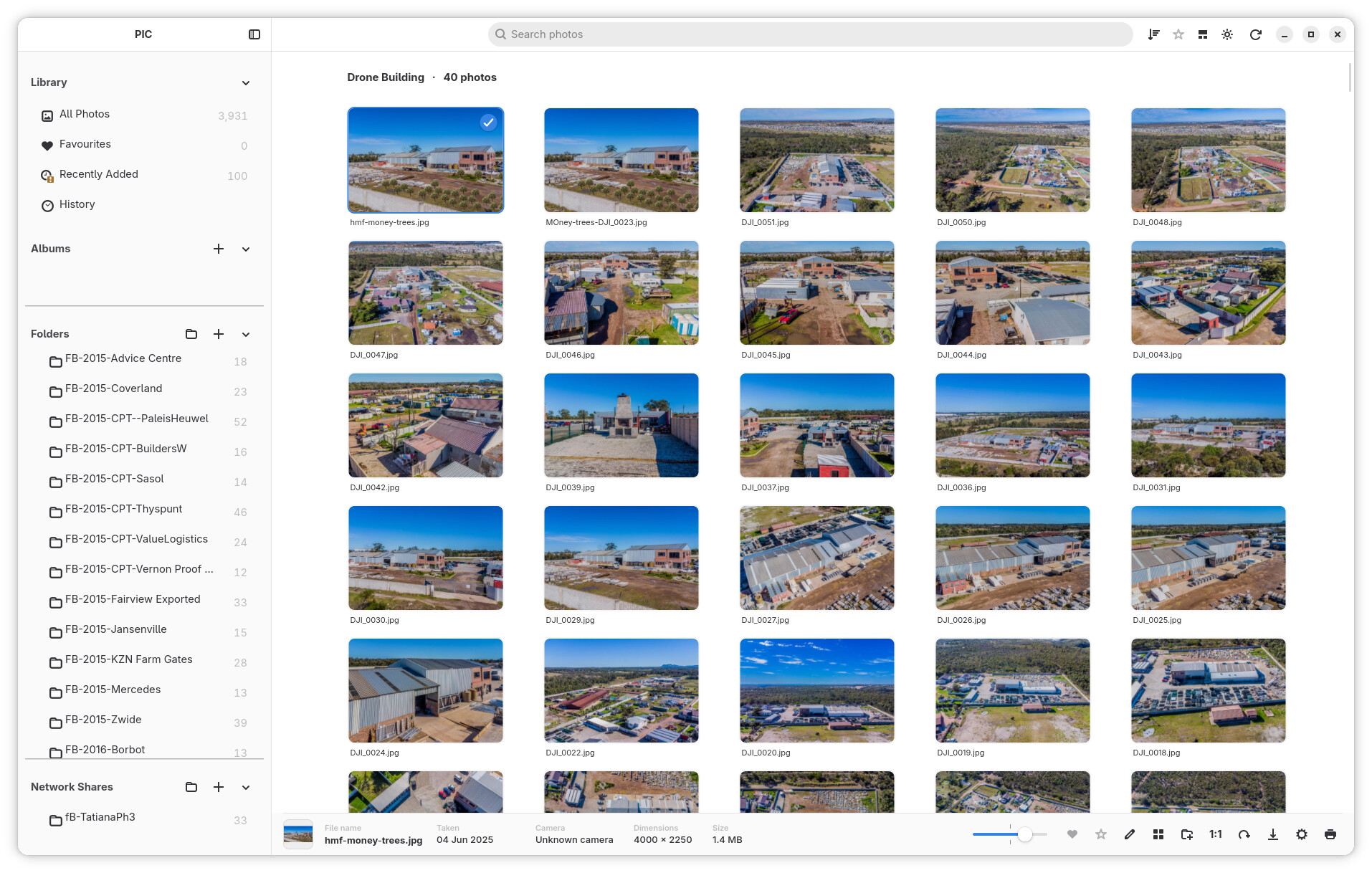
Search has become more useful for navigating a large library.
Folder results can now be selected and opened directly from Search using the keyboard.
RC3 improves this workflow by:
- Selecting the first matching folder suggestion automatically.
- Using Enter to navigate directly to a folder result.
- Clearing the search when entering the selected folder.
- Centering the requested folder in the photo grid.
- Using Escape to quickly clear search text.
This makes Search useful not only for finding individual photos, but also for jumping around a large folder structure.
⌨️ Better keyboard navigation and selection
RC3 expands keyboard control throughout the library.
Improvements include:
- Arrow-key photo navigation in Folder view.
- More natural spatial navigation through thumbnail rows.
- Ctrl+A selection scoped to the current folder where appropriate.
- Improved multi-selection behaviour.
- Rating keyboard shortcuts.
- Tab navigation between sidebar sections and the photo grid.
- Escape to clear Search.
- Better restoration of the active photo after closing the viewer.
Keyboard actions are now more aware of which part of the application currently has focus, reducing unexpected shortcuts while entering text.
🔍 New unified zoom controls
Thumbnail and photo zoom controls have been substantially reworked.
The old grid-size menu has been replaced with a zoom slider, and the same control can adapt depending on what you are currently viewing.
It can control:
- Library thumbnail size.
- Folder thumbnail size.
- Full-screen/lightbox photo zoom.
- Editor zoom.
The slider is disabled where it does not make sense, such as during Collage editing, and returns to the correct gallery state afterwards.
🖼 Much better full-screen photo viewing
The full-screen/lightbox viewer received extensive work in RC3.
Manual zooming is now significantly more stable, with improvements to:
- Slider zoom.
- Ctrl + mouse-wheel zoom.
- Centered zooming.
- Zoom anchoring.
- Maintaining zoom while the window changes size.
- High-quality native-resolution rendering while zooming.
- Photo positioning and viewport calculations.
- Returning to the selected photo after closing the viewer.
Use Space or the 1:1 control to switch magnification; the numeric shortcuts 1–5 assign ratings and 0 clears a rating.
PIC now loads higher-quality native image data when required for manual zoom rather than simply enlarging the lower-resolution fit-to-window image.
The transition from thumbnail to full-screen view has also been refined, including fixes for transparent PNG images and rotated RAW photos.
📷 RAW and image handling improvements
RC3 contains several fixes for RAW and image presentation.
Improvements include:
- Better RAW metadata handling.
- Correct geometry when opening rotated RAW photographs.
- Improved aperture/metadata refresh behaviour.
- Better thumbnail orientation for photos stored on network shares.
- Improved handling of images where dimensions are not immediately available.
- Correct transparent PNG presentation when opening photos in the viewer.
These fixes improve consistency between the thumbnail you see in the library and the photograph that opens in the viewer.
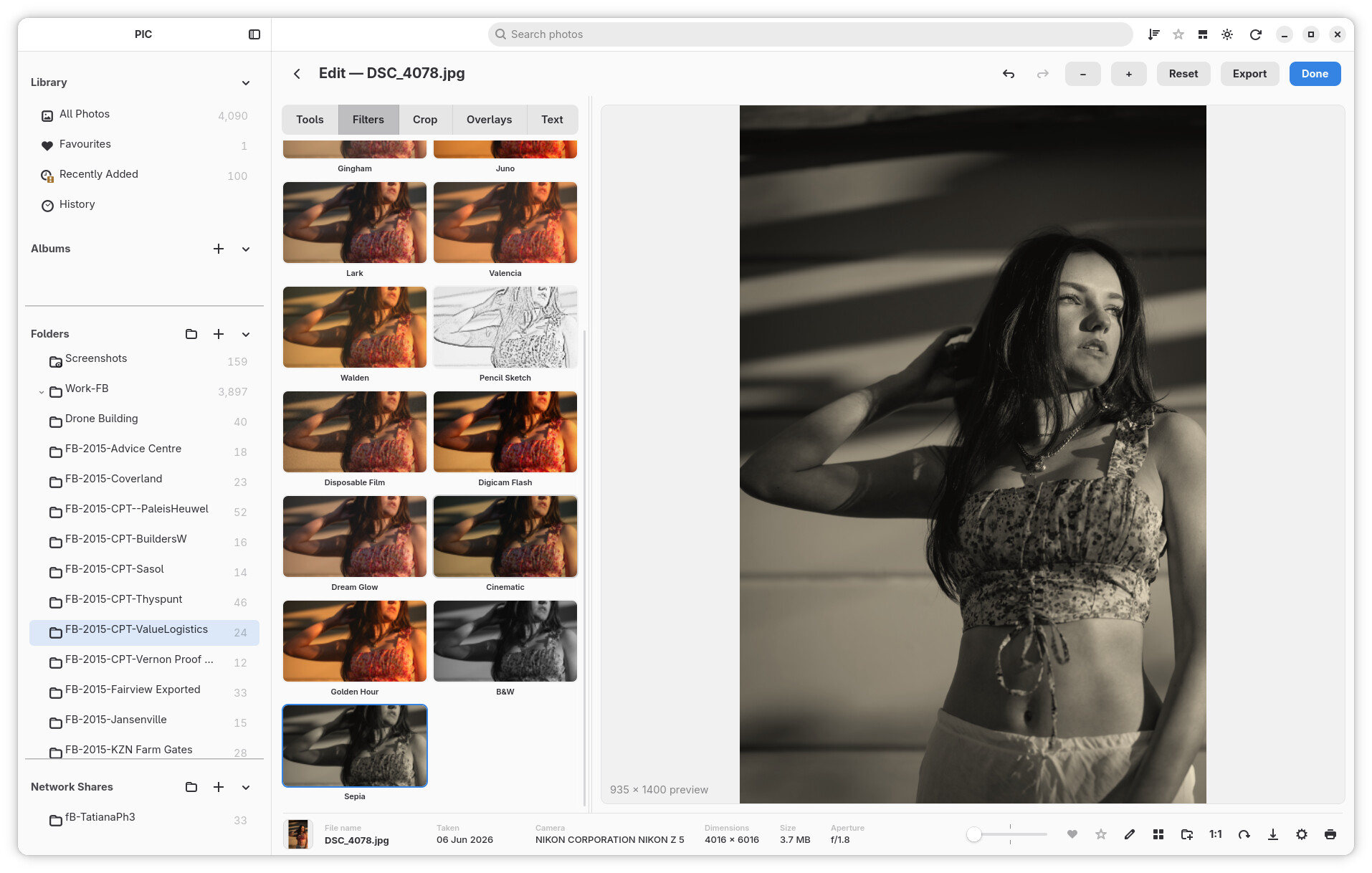
✏️ More polished Edit Mode
The text and overlay editing tools introduced around RC2 have received another round of refinement.
The text editor panel and canvas selection behaviour have been cleaned up, while overlay controls have been reorganised and refined.
RC3 also connects the shared zoom slider to the editor, giving Edit Mode a more predictable absolute zoom control.
Editing remains non-destructive: the original source image is preserved until you deliberately export a new result.
🌐 Network browsing refinements
Network support introduced in earlier releases continues to improve.
RC3 adds a tree-style navigation experience for network shares, making it easier to browse through remote folder structures.
There are also fixes for:
- Exporting photos stored on native network shares.
- Correct orientation of network-photo thumbnails.
- Keeping Folder browsing responsive while thumbnails are being generated.
<img src="https://raw.githubusercontent.com/fr...
Release Candidate 2
PIC — Personal Image Catalogue — Release Candidate 2
Inspired by Picasa and iPhoto
This is a massive upgrade for PIC — Personal Image Catalogue. Since Release Candidate 1, PIC has grown into a much more complete photo workspace: browse photos across your network, create and resume collages, print with control over the page, and make richer edits—all wrapped in a refreshed, themeable interface.
The familiar promise is still here: your photos stay yours. PIC works with your folders and keeps your original images safe.

What’s new since RC1
Browse photos on your network/shared drives (Linux Only)
If network browsing does not work, manually mount your SMB or NFS share to a local directory, either temporarily or permanently using /etc/fstab. Then add the mounted folder to your photo library.
PIC can now find and browse shared folders on your local network, including SMB and NFS shares. Add a share from the in-app browser, move through its folders, and let PIC reconnect registered shares when you start the app. Network photos can be browsed alongside your regular library.

Make more with Collage
Build Grid, Mosaic, or Smart Mosaic collages, adjust the layout and appearance, and export a high-resolution result. Collage work can be saved and resumed, with undo and redo to help you explore different arrangements. You can also open a photo for editing and return to your collage.

More ways to edit
Edit Mode now includes image overlays and text, with controls for placement, size, rotation, and styling. The expanded editing tools remain non-destructive, so your original photo is preserved. Filter previews and editing interactions have also been refined to feel smoother and clearer.

Print with control
Prepare one or many photos for printing. Choose page and photo sizes, paper orientation, fit or crop, and how many photos appear on each page. A live preview helps you see the layout before printing.
A refreshed look, your way
PIC now discovers themes from theme folders, making it easier to explore different appearances and create community themes. The theme collection has grown, settings have been reorganized, and sidebar controls have been reworked for smoother browsing and easier customization.

A more comfortable everyday experience
- Faster, steadier browsing and search in large libraries.
- Smoother photo viewing, zooming, and keyboard navigation.
- More reliable folder watching and thumbnail handling.
- Clearer progress feedback for large export and photo operations.
- Easier export from the viewer, editor, and photo menus.
- Continued improvements to Linux and Windows build workflows.

Thanks for trying PIC
RC2 brings together a huge amount of work across browsing, editing, creating, printing, and everyday polish. We hope it makes spending time with your photo collection feel even better.
PIC — Personal Image Catalogue is an independent project inspired by classic Picasa and iPhoto. It is not affiliated with Google or Apple.
Beta v0.1.6
** PIC Beta 1.06 **
Beta 1.06 is a substantial update focused on making large photo libraries feel faster, steadier and more enjoyable to browse. It also brings a more personal Albums view, better handling of temporarily unavailable photo folders, and several practical improvements to editing and library maintenance.
Highlights
Faster, smoother library browsing
- Major improvements to Folder view scrolling, thumbnail loading and virtualization.
- Faster opening and revisiting of folders, with thumbnail work prioritised around the direction you are browsing.
- More stable scrolling when changing thumbnail size, showing or hiding the sidebar, jumping to a folder, or using Open in Folder.
- Smoother mouse-wheel movement throughout the app, including a fix for the small one-pixel scroll jump.
- A date scrubber in All Photos makes it easier to move quickly through a large library.
Better support for large and offline libraries
- Folder availability is now checked efficiently at the folder level instead of repeatedly checking every photo.
- Clearer offline badges when a watched drive or photo folder is unmounted, with lower CPU use.
- A new Settings cleanup action can remove thumbnail-cache files that no longer belong to a photo.
- Improved RAW thumbnail and viewer caching, helping repeat viewing feel more immediate.
Albums that feel more like yours
- New Bookshelf album layouts and a choice of bookshelf backgrounds.
- Album cover frames are discovered automatically from the installed themes.
- Choose an album cover directly from its own thumbnails.
- Album appearance options are available from the context menu.
- Denser compact album cards, better label fitting, improved alignment and better handling of long Add to Album menus.
Editing and everyday refinements
- Added a Contrast adjustment to Edit Mode.
- Sticky sidebar section headers keep Library, Albums and Folders easier to navigate.
- Restored and improved folder context-menu watch actions.
- Improved tile hit-testing, rubber-band selection, focus, click/drag selection and badges in Folder view.
Packaging and artwork
- Updated Linux build scripts for both online and offline builds.
- Fixed theme-image placement for custom themes in the build.
- Optimised theme artwork and refreshed Bookshelf textures.
Beta notes
This release includes a broad rewrite of Folder view scrolling and thumbnail loading. It has been tuned for much better responsiveness in large collections, but it remains beta software. Please keep backups of important photo libraries and report any scrolling, selection, offline-folder or theme issues you encounter.
Your original photos remain untouched: PIC stores its library information, thumbnails and edits separately from your image files.
Release Candidate 1
** PIC Release Candidate 1 **
Release Candidate 1 is the largest update since Beta v0.1.6. The headline feature is a complete appearance theme engine — PIC now ships with 13 switchable themes, supports drop-in community themes without a restart, and lets themes restyle even the window controls. On top of that come a redesigned sidebar, a wave of Collage and printing features, big Edit Mode fixes, and a refreshed packaging pipeline for Windows, AppImage and Flatpak.
Highlights
A full theme engine
- Themes are no longer hardcoded: every theme is a folder discovered at runtime, so new themes appear in Settings → Themes without a restart.
- 13 themes shipped: Standard, Blue, Green, Teal, iPhone, Retro, Glass, Claude, TRON Legacy, Aqua GarageBand v2, Aqua GarageBand Lights, Archive Ledger and Velvet Dusk.
- Themes can override the window buttons with PIC's gel-style traffic lights, and style the info bar, context menu, segmented toggles, scroll marker and search field.
- The Themes tab in Settings is now the single picker, with thumbnail appearance toggles (square corners, folder art) moved alongside it; the header gear icon is gone and the appearance button doubles as a light/dark indicator.
- A documented community theme template makes writing your own theme a three-step job — drop the folder in and recolor the palette block.
- Themes now live in a top-level
themes/folder next to the executable, and release builds reliably bundle themes and images alongside the binary.

PIC ships with several complete looks — including a friendly Aqua style…

…a classic dark Brushed Metal style…

Redesigned sidebar
- Major sidebar rewrite: collapsible sections, resizable Albums area, reordered action buttons, and accurate count/sum totals.
- Smooth-scrolling fixes for the grid sidebar and folder navigation, with stable virtual row heights and steadier thumbnails.
- The sidebar auto-close button can be shown or hidden, with a pin option inside the reveal control.
- Title-bar buttons now respect the left-hand window-controls setting.
Collage: persistence, actions and a new panel
- Collage drafts persist between sessions with a reliable resume prompt from every collage button.
- New per-photo tile actions, including Edit Photo with a direct return-to-collage flow.
- Export options and draft management from phase one of the collage rework.
- The collage panel adopts the edit-mode look: adjustable split pane, icon-tile layout rows, orientation controls, uniform styling, and a fix for the bottom bar disappearing on small screens.
Printing
- New print options dialog with a live page preview.
- Photo sizes, fit or crop, 1–4 prints per page, and multi-photo jobs.
- Custom and paper sizes plus portrait/landscape orientation.
Edit mode: filters fixed and preview faster
- Applied filters now work correctly, with a new filter presets panel.
- Redesigned filter tiles: compact two-column grid, rounded supersampled previews and an accent selection ring.
- Noticeably faster preview interaction — throttled drags with draft frames while dragging, and finer 0.05 wheel zoom steps.
- Zoom fixes: natural zoom steps, resolution-aware default view level, 1:1 anchoring, Space/Ctrl zoom, and rotation refresh.
- Added an Apply Crop button beside Reset Crop.
Library and search
- Delete every selected photo at once from the context menu.
- Info bar shows the file name as a heading with the taken date (dd Mmm yyyy).
- Rubber-band selection now works inside folders during drag selection.
- Search stays responsive while the library is indexing; folder search suggestions no longer list empty folders or broken photos.
- Folder watching is restored, with recursive watcher refresh loops fixed.
Platform and packaging
- Windows: an all-in-one PowerShell dependency/runtime builder, and Adwaita symbolic icons bundled as a GResource so Windows and macOS builds get the full icon set.
- Linux: offline-capable AppImage and Flatpak packaging; Flatpak builds vendor all crates and bundle the themes folder.
- Trace logging removed throughout; modular refactor with lightbox stabilization.
Release candidate notes
This is a release candidate: the feature set for 1.0 is complete and the focus shifts to polish and bug fixes. The theme engine touches every pixel of the UI, so please report any theme that looks broken, along with your desktop environment and GTK version.
Your original photos remain untouched: PIC stores its library information, thumbnails and edits separately from your image files.
Beta v0.1.5
PIC — What Changed

Performance — the big one
PIC was sluggish on large libraries. Opening, scrolling and switching views
could freeze the whole window for seconds. That is fixed.
- Scrolling the photo grid is smooth again. The main cause was that the app
was doing far too much work for every row of photos it showed, including
scanning the entire library again and again. That repeated work is gone. - The Folder view opens dramatically faster. Building the folder stream
used to take about a second; it is now a fraction of that. - Zooming stays where you are. Previously, changing the thumbnail size could
throw the view back to the top of a folder or to a random spot. The view now
stays on the same photos, and every zoom level fills the rows properly. - Switching between views is much faster. Moving between All Photos,
Favourites, Albums and Folders no longer rebuilds everything from scratch
when it doesn't need to. - The sidebar no longer stalls the library while it follows the folder you
are scrolled to. - Thumbnails appear while you scroll instead of arriving late, and the app
no longer wastes effort decoding pictures that are far off screen. - Startup is quick and stays quick.
Freezes and stalls
- Fixed a case where the window could lock up for several seconds when a photo
lived on a slow or sleeping external drive. - Fixed long pauses caused by the folder list and the thumbnail grid rebuilding
themselves more often than necessary. - Removed a problem where a large library could make the interface feel stuck
while it reordered the folder view.
Offline photos and external drives
- Photos whose originals are unavailable are correctly marked again, including
when a drive is disconnected while the app is running. - Cached thumbnails still show for offline photos, and the app clearly marks
the original as unavailable.
Sidebar
- The Library section stays put. Albums and Folders now share one scrolling
area, so a long album list can no longer push the folders off screen — you
just scroll down through both. - Double-click the Albums or Folders heading to collapse or expand it.
- Watched folders are marked with a small eye on the folder icon, so you can
see at a glance which folders PIC is watching for changes. - Imported-only folder view lines the folder icons up neatly with the rest
of the sidebar.
Photo viewer
- Drag to pan whenever the photo is zoomed in, not only at full 1:1 size.
- The cursor shows a grab hand whenever you can drag the photo around.
- Pressing 1:1 / space peeks at the photo at full size, and pressing it
again returns you to the normal fit-to-window view.
Collage
- The collage preview is much sharper. Tiles used to be drawn from a small
cached thumbnail and could look soft when enlarged; they are now prepared at
a much better quality for the preview, while still appearing instantly.
Edit Mode
- B&W and Sepia can be combined. (Marked as disregarded in the final pass.)
Summary
The headline is simple: PIC is now fast and responsive on large libraries.
Scrolling, folder browsing, zooming and switching views all behave the way you
expect, freezes are gone, offline storage is handled properly, and the sidebar
and viewer got a set of small usability improvements.
PIC — Personal Image Catalogue v0.1.4 Beta Pre-release
PIC — Personal Image Catalogue v0.1.4 is a public Beta release. The headline addition is Edit Mode, with the photo editing work and other improvements added since v0.1.3.

New: Edit Mode
Edit photos directly from the library with a non-destructive workflow. Changes are stored as edit recipes, so the original photo remains untouched.
- Crop and straighten photos
- Adjust exposure, fill light, highlights, shadows, temperature, saturation, and sharpening
- Apply automatic contrast and colour corrections, black and white, and sepia effects
- Undo, redo, and reset edits
- Copy edits from one photo and paste them onto another
- Export an edited photo as a full-quality JPEG
- Move between photos while editing and return to the same thumbnail position
- Copy edits and Paste to single/multiple photos in an instant

Also new since v0.1.3
- Improved photo actions: a redesigned right-click menu, Set as Wallpaper, and reliable grid focus after favourites, pasted edits, editing, and album actions.
- Wallpaper layouts: landscape photos fill the screen, portrait photos retain the whole image over a blurred background, and panoramic photos preserve their width. RAW photos are converted for wallpaper use.
- Better RAW viewing: higher-quality RAW previews and more robust DNG recovery improve thumbnails and full-photo viewing.
- Smarter collages: Smart Mosaic uses global layout scoring, supports no-crop layouts, handles mixed orientations more effectively, and improves preview performance and offline-photo handling.
- Library refinements: better keyboard navigation and search interactions, offline thumbnail recovery, favourite indicators, and refreshed documentation.
Included downloads
- Cargo release build — dated ZIP archive containing the optimized x86_64 Linux binary
- Linux AppImage — dated portable x86_64 Linux application
- Linux Flatpak — dated x86_64 Flatpak bundle
This remains Beta software. Please report issues with Edit Mode, RAW files, wallpaper layout, collage creation, or library navigation.
PIC — Personal Image Catalogue v0.1.3 Beta Pre-release
PIC — Personal Image Catalogue v0.1.3 Beta Pre-release
PIC — Personal Image Catalogue v0.1.3 is now a public Beta release. Its headline addition is a complete collage workspace that turns a selection from your photo library into a finished, shareable JPEG without leaving the application.

New: Collage workspace
A collage can begin in either of two natural ways: select at least two photos in the library and choose Create Collage… from the photo actions menu, or use the collage button in the photo information bar to start a new canvas. The editor opens as a dedicated workspace, keeping the photo library and the work-in-progress collage easy to move between.
The editor starts with a clean Grid layout, then gives you fast creative control. Choose either Grid or Mosaic arrangement; select Square (1:1), 4:3, 3:2, or widescreen 16:9 proportions; set the canvas to white, black, or light grey; and tune the spacing between photos. Rounded photo corners are optional and their radius is adjustable. Use Shuffle whenever you want a fresh arrangement.
Photos can also be reordered directly on the canvas: drag one photo over another to swap their positions with a smooth visual preview. Need more images after you start? Click Add Photos…, move through the library and folders, select the photos you want, and add them to the same project. Selections are preserved while navigating folders, so building a collage from more than one location is straightforward.
When it is ready, choose Create / Export Collage… and save a JPEG. Export reads the original photos where available, respects their library orientation, and uses the selected layout, background, spacing, and corner styling for the finished image.

Also new since v0.1.2
- Automatic folder watching: enable monitoring per library folder in Settings. New or changed photos are detected and refreshed automatically; other file-system changes trigger a safe folder refresh, including reconciliation of deleted photos.
- Better folder navigation: open a photo location from the grid and the app selects and scrolls to its imported folder in the sidebar. The Library section can be collapsed for a cleaner sidebar.
- More useful photo actions: folder and album photos consistently offer Open in Folder, alongside the existing file-opening actions. The Add to Album action is simpler and clearer.
- Library insight: Settings now shows the current thumbnail count with the other library totals.
- Stronger DNG recovery: thumbnail and viewer decoding now have safer recovery paths for damaged or incompatible embedded DNG previews.
Included downloads
- Cargo release build — zip archive
- Linux AppImage — portable Linux application
- Linux Flatpak — Flatpak package
This remains Beta software. Please report issues with collage creation or export, watched-folder updates, DNG handling, or library navigation.
PIC — Personal Image Catalogue v0.1.2 Beta Pre-release
PIC — Personal Image Catalogue v0.1.2 Beta Pre-release
This release contains the latest tested build from 6 September 2026. It is intended for further deployment testing with large photo libraries.
What changed since yesterday
- Improved library responsiveness for large collections by moving gallery preparation and availability checks away from the user interface, reusing loaded gallery data, and avoiding unnecessary tile rebinding.
- Improved thumbnail loading by prioritising missing thumbnails currently visible on screen, retrying visible requests reliably, and allowing visible work to proceed ahead of background recovery/import work.
- Added startup/loading progress visibility for photo preparation.
- Improved RAW and DNG handling, including safer fallback behaviour for incompatible embedded previews and higher-quality full-size RAW viewing where supported.
- Improved HEIC thumbnail orientation and thumbnail display fitting.
- Added right-click photo actions for opening the original file, opening its containing folder, and opening with an associated application.
- Improved folder navigation so opening a photo location selects and scrolls to the actual imported folder in the sidebar.
- Improved sidebar navigation and folder search.
- Fixed click-drag photo selection and fullscreen photo panning.
- Fixed search behaviour when a photo is opened in the lightbox.
- Improved title-bar information and photo availability indication.
- Improved album view and thumbnail layout, including the remove-folder action.
- Avoided full gallery refreshes after favouriting photos.
- Removed an obsolete logo asset.
Included builds
- Cargo release binary
- Linux AppImage
- Linux Flatpak
This is a beta pre-release. Please report any regressions in scrolling, thumbnail availability, RAW/DNG viewing, folder navigation, or lightbox search.
PIC — Personal Image Catalogue v0.1.1 Beta Pre-release
PIC — Personal Image Catalogue Build Instructions and Update History - Linux Release as this is a linux project and do we realy need a Windows build if Picasa exists "Besides the lack of RAW support"
Changes since the initial build
Albums index and album state refresh
- The Albums heading opens a dedicated album index containing all created
albums, including empty albums. - Album cards use a fixed square cover allocation, with the album name and
photo count below it. Portrait and landscape covers use crop/cover behavior
and cached thumbnails. - Empty albums use a square placeholder.
- Creating, deleting, and changing album membership refreshes the sidebar,
album menus, and the Albums index without requiring an application restart. - Deleting the currently open album safely returns to the Albums index.
SidebarFilter::Albumsis handled explicitly during refreshes, so background
scan or library refresh events do not query the normal photo grid or panic.
RAW and NEF thumbnail handling
- Normal grid display crops RAW/NEF thumbnails using the actual RAW dimensions
and EXIF orientation so embedded thumbnail letterboxing is not shown. - Album covers use the same RAW crop behavior as the normal photo grid.
- RAW thumbnail generation prefers the embedded RAW preview pixels, with a
fallback when no suitable preview is available. - RAW cache invalidation is versioned separately from regular image caches.
- RAW thumbnail work is limited to a smaller worker concurrency during large
batches to reduce UI freezes; regular image batches keep their normal
concurrency.
Folder library management
- Folder context menus include removal from the application library.
- Removing a folder removes its app/database entries without deleting the
actual folder or photos from disk.
Favourites
- Photo context menus show one dynamic action:
Add to Favouritesor
Remove from Favourites. - The action applies to the current photo selection and refreshes the relevant
UI. - Folder context menus can add or remove all photos in a folder, including
descendant folders, from Favourites. - Favourites reuse the existing photo database field; no schema change was
introduced. - Albums do not have a separate favourite state.
Important scope notes
The normal photo grid behavior, lightbox, scanning workflow, album database
schema, and thumbnail cache architecture were preserved except for the RAW
preview/cropping and RAW performance fixes described above. Cover Flow has not
been implemented.